We are excited to introduce the new Cloud PM. We have rebuilt the complete app with a modern design and improved the modules you already rely on. We have also added a Project Dashboard and seven new modules, and your team can now manage more of every project in Cloud PM instead of in spreadsheets and email.
A Modern Design That Saves You Time
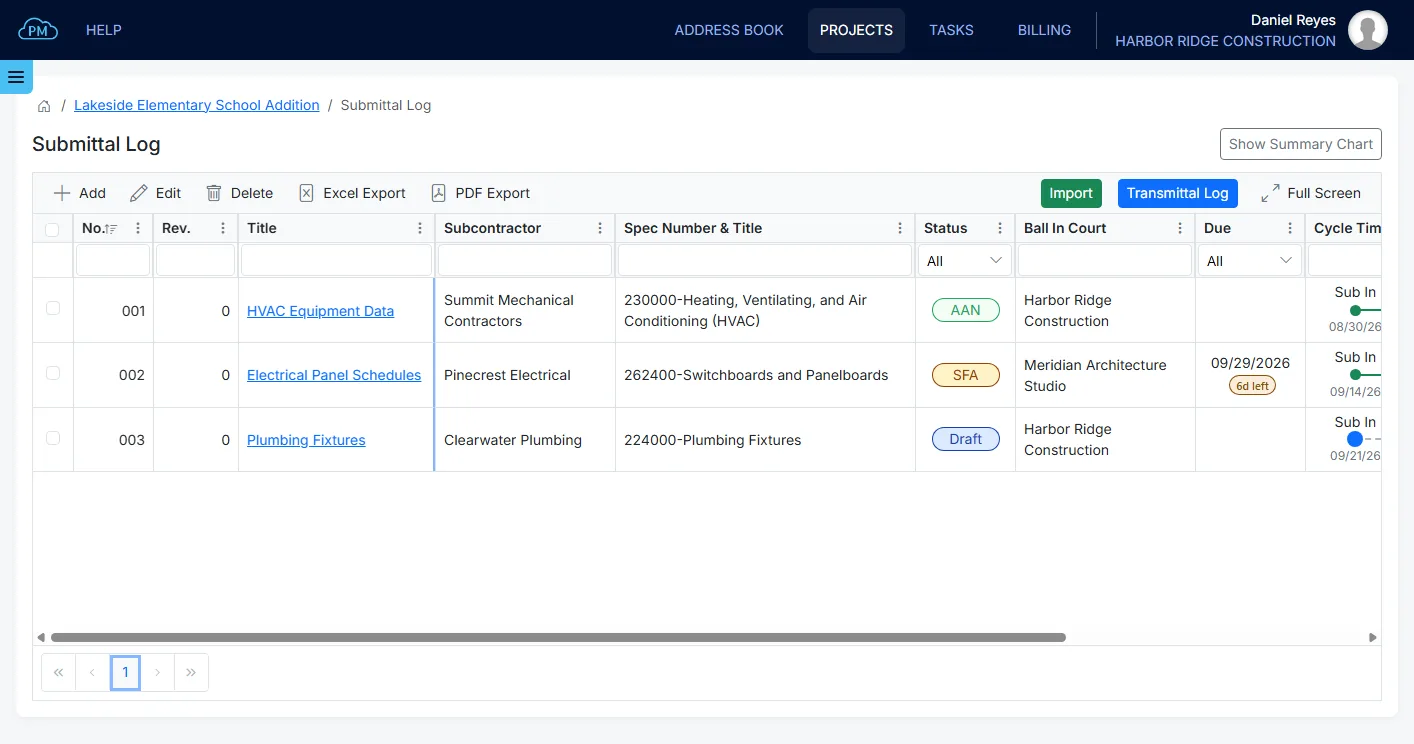
The new Cloud PM is designed to save your team time every day, with clean pages and logs that are easy to read, search and work with. You can sort and filter the logs to find what you need quickly, and export them to Excel or PDF as soon as the owner or the architect asks for them.
More Out of the Modules You Already Use
With summary charts on most logs, you can see the status of your submittals, RFIs, change orders and payment applications at a glance, so you know what needs attention before it causes a delay. Your records can also be saved as PDF reports with your company details, ready to print or send to anyone on the project.
Project files have a new file manager as well. Your team can upload files and folders and find the drawings and documents they need without searching through email.
Every Project at a Glance
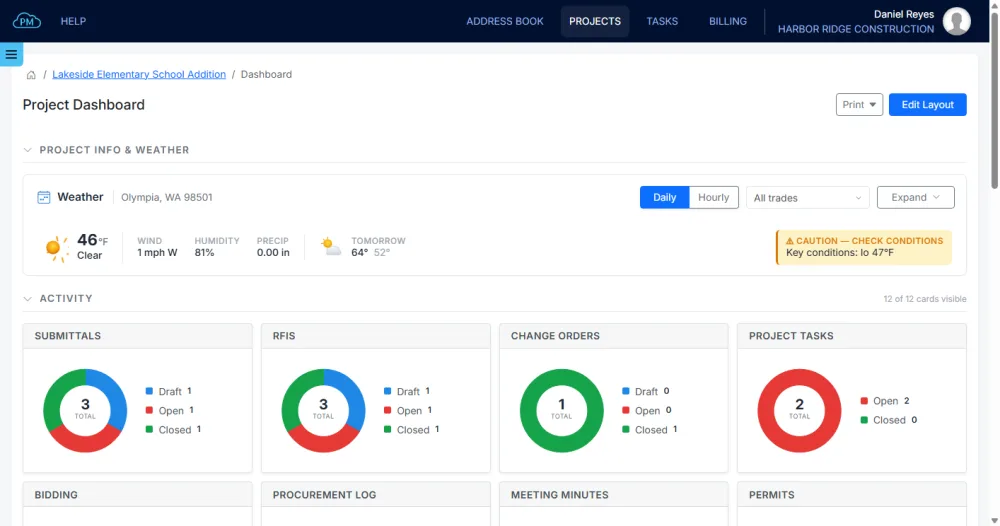
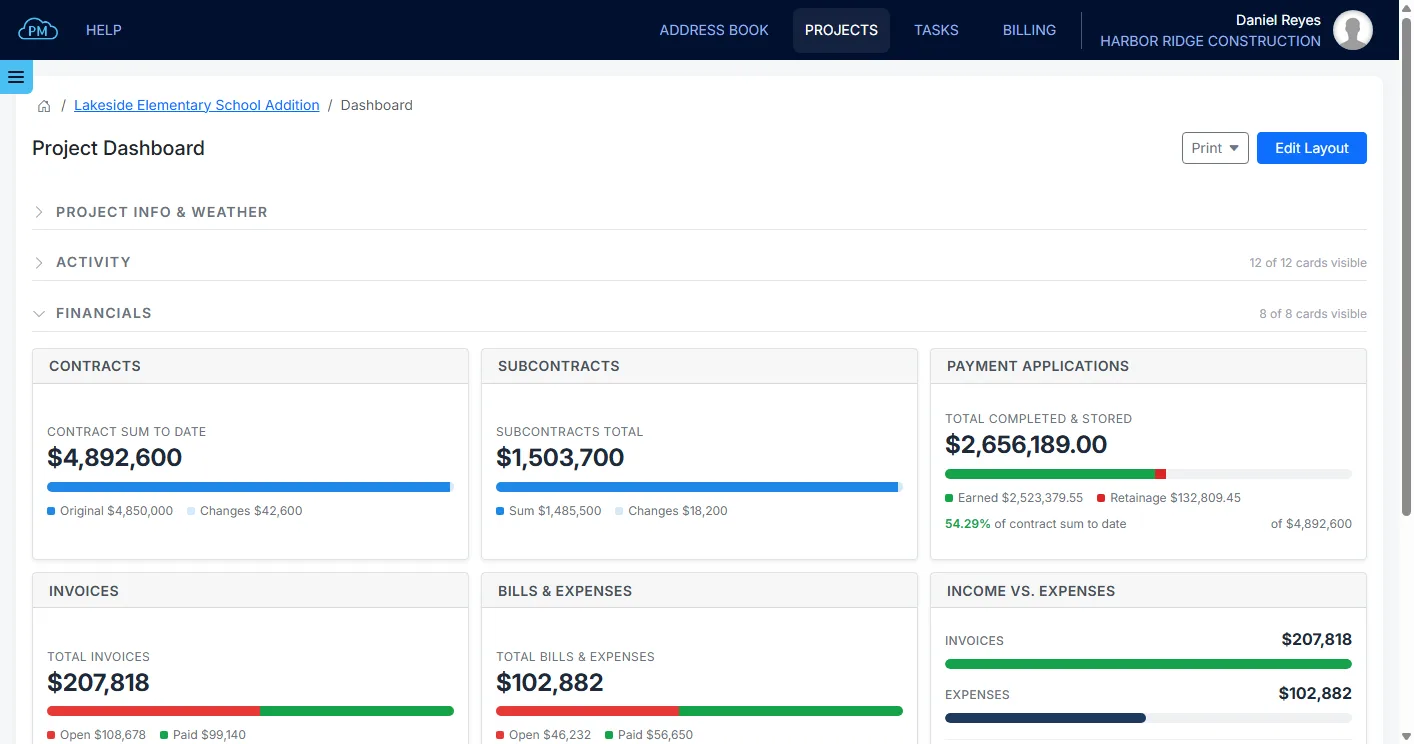
With the new Project Dashboard you can see how a job is doing as soon as you open the project. You can check the weather at the site, see what is open or overdue in each module and follow the project’s financials, so you can act early and keep the project on track.
Seven New Modules
Cloud PM now covers even more of your construction projects, from the first contract to the closeout package, with seven new modules:
- Contracts: you can track the prime contract and every subcontract with the project, along with the changes made to them, so you always know what each contract is worth today.
- Meeting Minutes: you can record what was agreed at each meeting and who is responsible for each item, and the open items are carried forward to the next meeting.
- Punch Lists: you can turn a walk-through into a list of items with a location, an assignee and a due date, and follow each item until it is closed.
- Permits: you can track each permit from the application through its inspections and fees, so you know which permits are issued and which are about to expire.
- Inspection & Test Reports: you can keep every inspection and test result with the report behind it, filed against the specification section it belongs to.
- Closeout Documents: you can collect the warranties, manuals and as-builts from your subcontractors while the work is still going on, and hand them over to the owner as a package.
- Transmittals: Cloud PM creates a transmittal every time a submittal, an RFI or a change order is sent, so you have a record of what was sent, who received it and when.
See the New Cloud PM
If you already use Cloud PM, you can log in today and see the new design and the new modules on your own projects. If you are looking for construction project management software built for general contractors and subcontractors, you can request a demo and we will show you how Cloud PM can work for your company.