
Project Management Software for Subcontractors
Cloud PM helps subcontractors manage their projects, from the first submittal to the final payment application. You can send submittals and RFIs to the general contractor, price change orders and bill on the G702S and G703S.
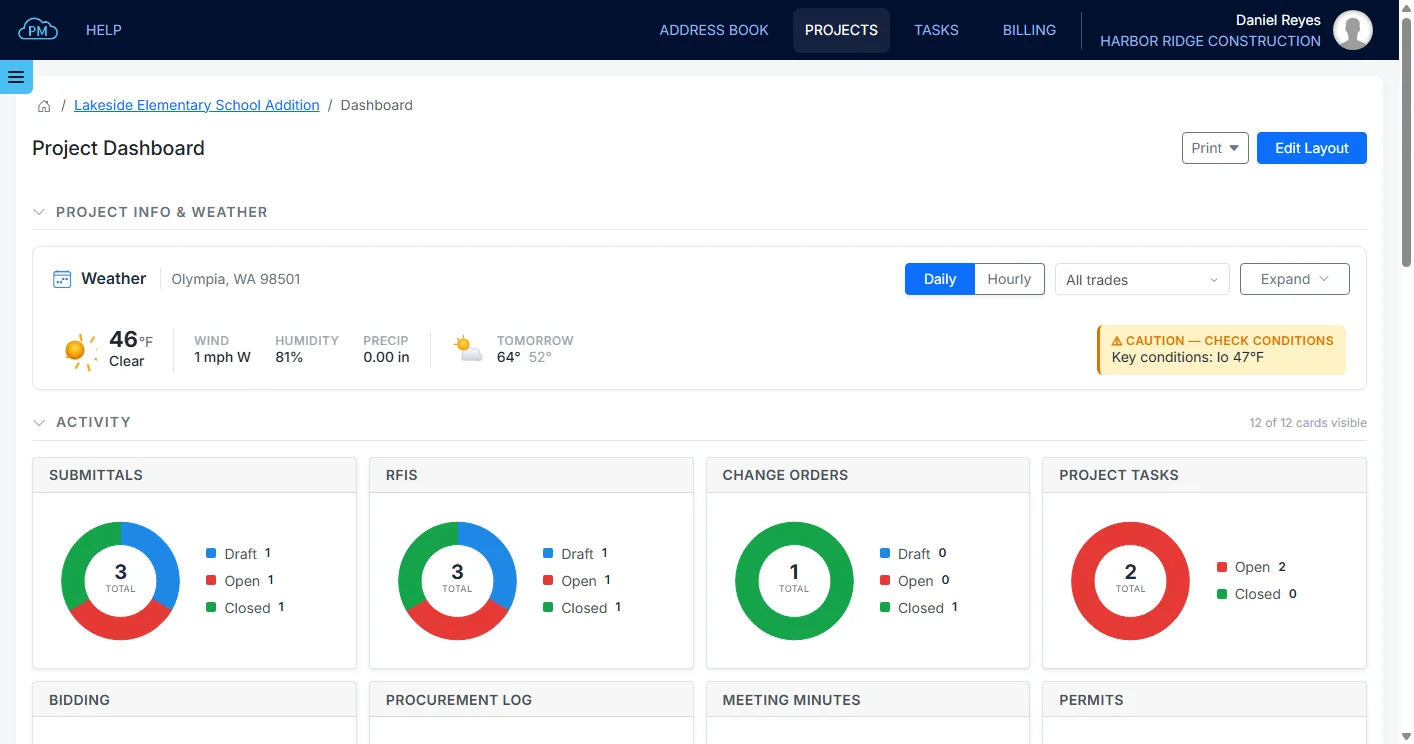
Built for the Way Subcontractors Work
As a subcontractor, you work for the general contractor and manage your own crews, subcontractors and suppliers at the same time. The general contractor expects your submittals, RFIs and change order prices on time, your crews need the latest drawings, and every month your accounting team has to bill the general contractor and get paid.
Cloud PM keeps the submittals, RFIs, change orders, daily reports and billing of each project together, so your team doesn't have to look for them in emails and spreadsheets.
Submittals and RFIs to the General Contractor
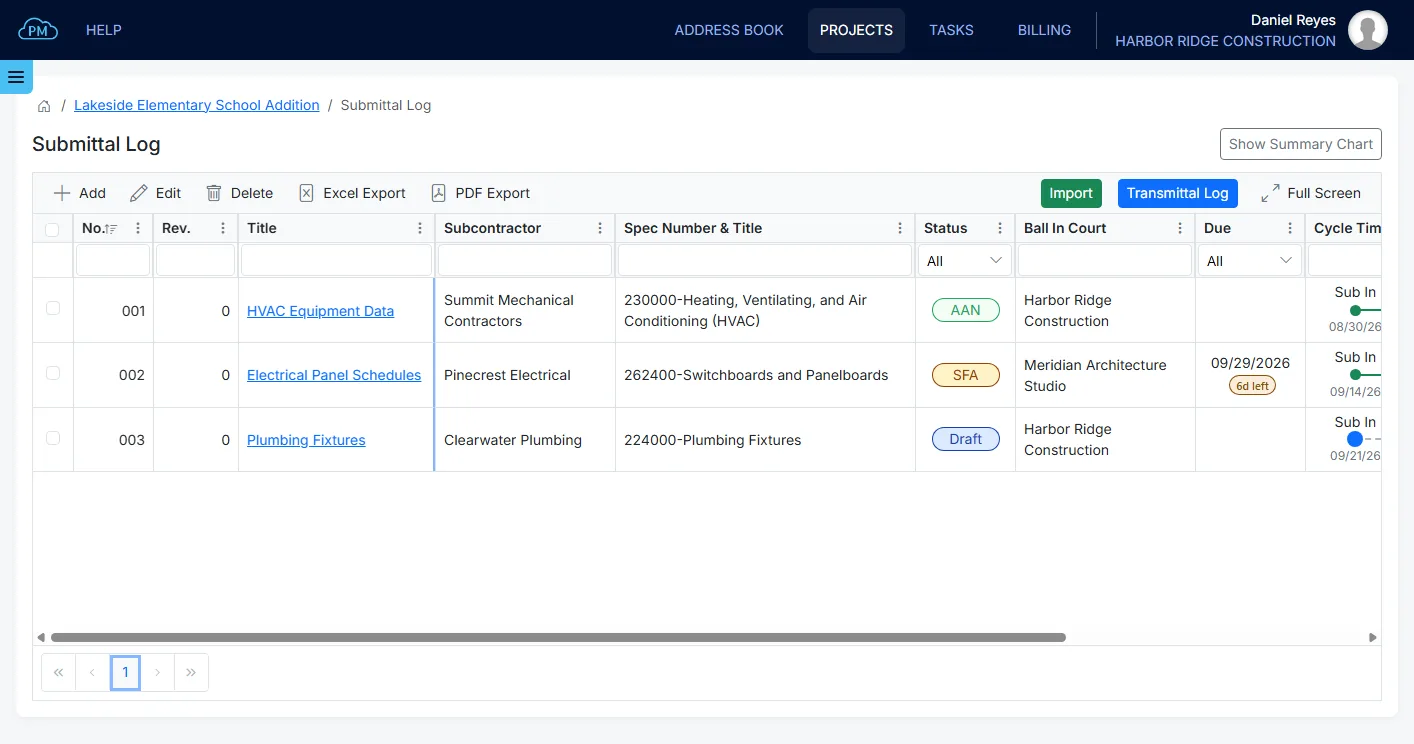
You can send submittals to the general contractor for approval, with the product data or shop drawings attached, and track the status and due date of each one. The files of every revision stay with the submittal.
When something on the drawings isn't clear, you can send an RFI to the general contractor and keep every answer on file with the project.
Learn more about our construction submittal software and RFIs.
Price Change Orders and Keep Track of Them
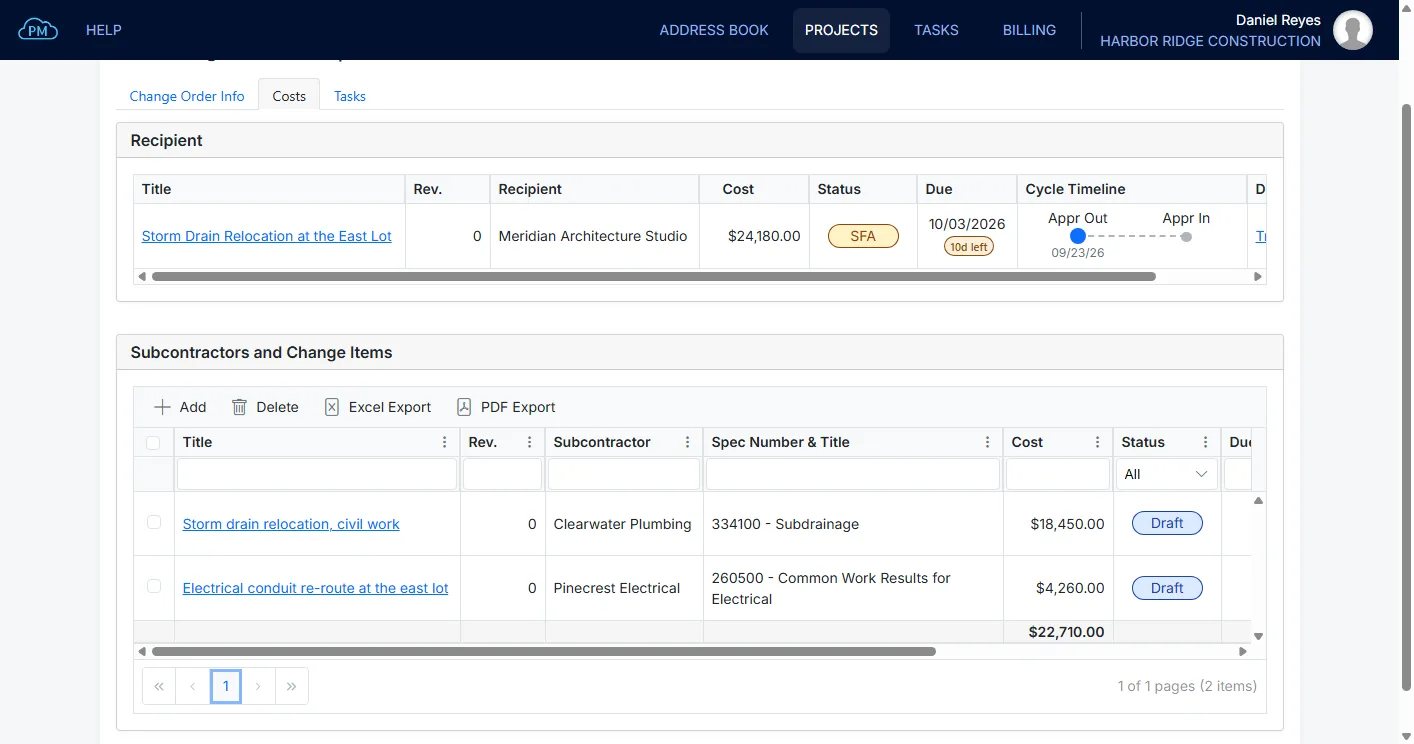
When the scope changes, you can collect prices from your own subcontractors and suppliers and send the change order to the general contractor for approval. The change order log shows the cost, status and due date of every change order.
Learn more about change orders.
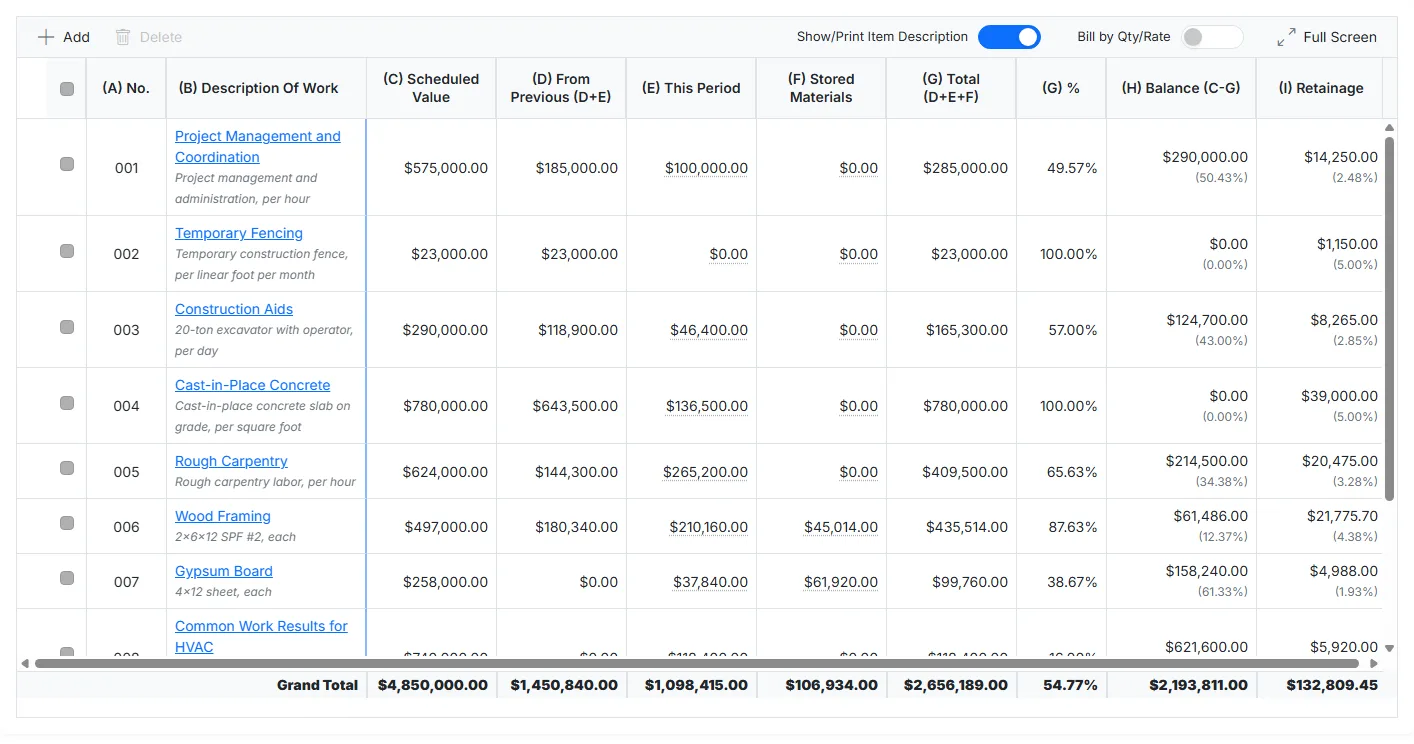
Bill the General Contractor on the G702S and G703S
Set up your schedule of values, and Cloud PM creates the payment application for each billing period on the subcontractor forms, the G702S and G703S. It calculates the totals, the balance to finish and the retainage. With our AIA Contract Documents add-on, you also get the official AIA G702S and G703S.
You can also track your bills and expenses on the project, and keep your customers, accounts, invoices and expenses in sync with QuickBooks Online, so nothing is entered twice.
Learn more about the AIA G702 payment application, the AIA G703 schedule of values and our QuickBooks Online integration.
Daily Reports, Punch Lists and Inspections From the Job Site
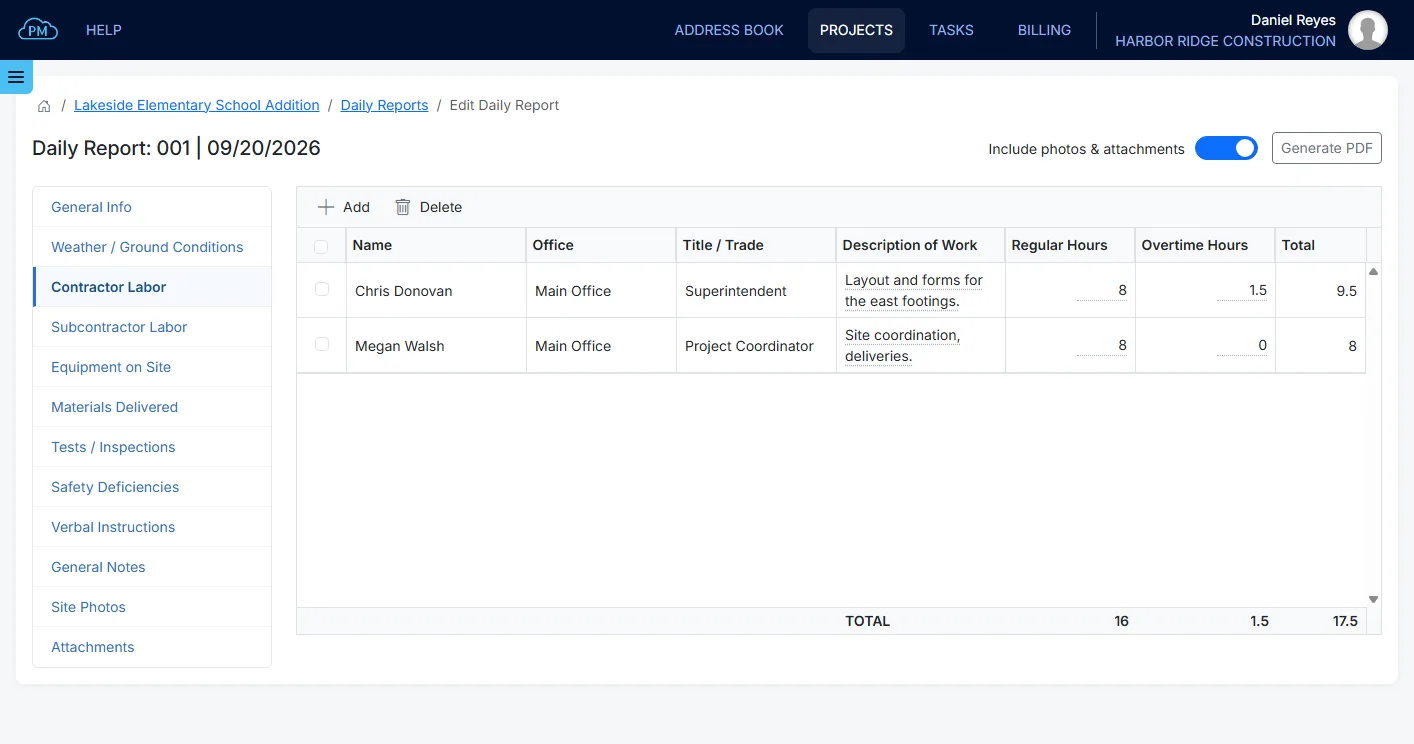
Your foremen and superintendents can log daily reports with the weather, crews, hours, equipment and photos, create punch lists during walk-throughs and record inspections from the job site. Every punch list item has a location, the responsible company and a due date.
Learn more about daily reports and the punch list.
Manage Your Own Subcontractors and Suppliers
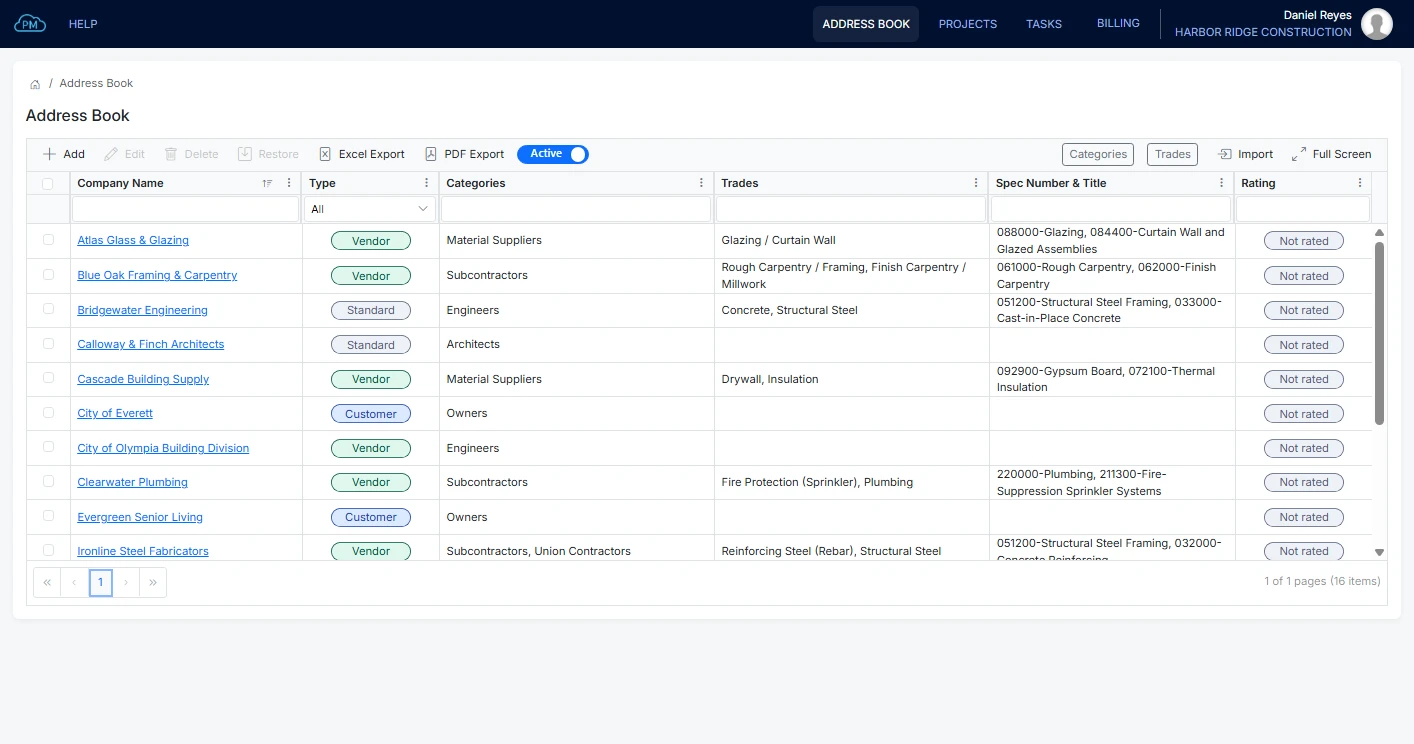
You can keep the companies you work with in the Address Book, with their contacts and documents. You can upload their insurance certificates and licenses, get a reminder before they expire and rate each company after a project, so you know who to hire next time.
You can invite your own subcontractors and suppliers to your projects at no extra cost, and track material orders and deliveries in the Procurement Log.
Learn more about subcontractor management.
Schedule, Meetings and Project Files
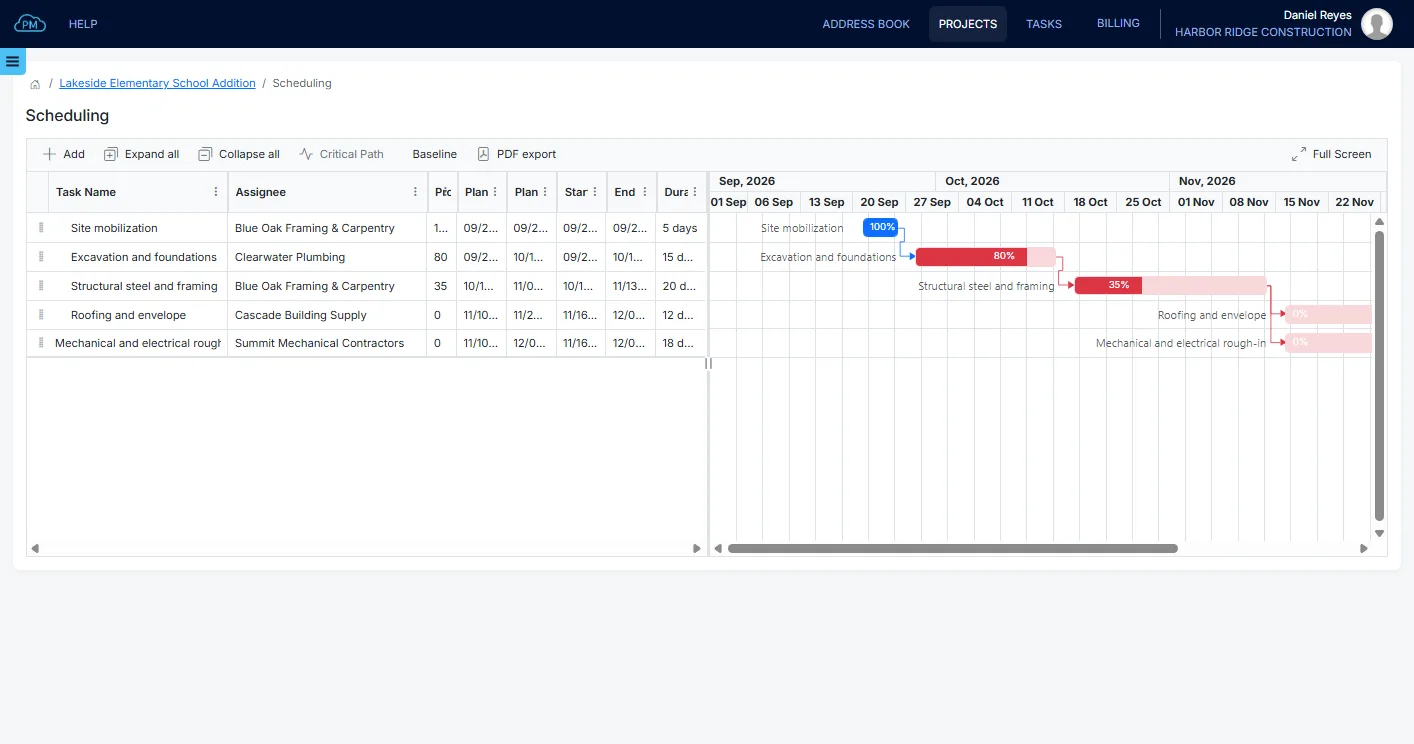
You can keep your schedule up to date in a Gantt chart and see the critical path, the tasks that set the end date. Meeting minutes carry the open items into the next meeting, so nothing is forgotten.
You can share drawings, specs and other project files, and at the end of the project collect the warranties, manuals and as-builts for closeout.
Why Subcontractors Choose Cloud PM
-
Billing in the Same System
Your payment applications are built from the schedule of values on the project, and the invoices go to QuickBooks Online, without a separate billing tool.
-
Unlimited Users and Projects
Plans start at $40 a month, billed annually, and you don't pay more as your team grows.
-
Free for Your Subcontractors
The companies you invite to your projects use Cloud PM at no extra cost.
Project Management Software for Subcontractors FAQ
It's software that helps a subcontractor manage its projects: sending submittals and RFIs to the general contractor, pricing change orders, keeping daily reports, managing its own subcontractors and suppliers, and billing the general contractor. Cloud PM keeps all of this together for each project.
Yes. Choose Subcontractor to Contractor as the payment application type, and Cloud PM creates the G702S and G703S for each billing period, with the totals, the balance to finish and the retainage. Payment applications come with the Advanced plan, from $60 a month. The official AIA forms are a separate subscription.
Yes. Cloud PM keeps your customers, accounts, invoices and expenses in sync with QuickBooks Online, so your accounting team doesn't enter anything twice. The QuickBooks Online integration comes with the Premium plan, from $120 a month.
Yes. You can invite your subcontractors, suppliers and the other companies on the project at no extra cost.
Plans start at $40 a month on the Basic plan, billed annually, with unlimited users and unlimited projects. The Advanced plan, with billing, is $60 a month, and the Premium plan, with the QuickBooks Online integration, is $120 a month.