
Subcontractor Management Software
Cloud PM's subcontractor management software helps general contractors manage every subcontractor and supplier they work with. You can keep track of their insurance certificates and licenses, get a reminder before a document expires and rate each subcontractor's performance, so you know who to hire on your next project.
Every Company You Work With
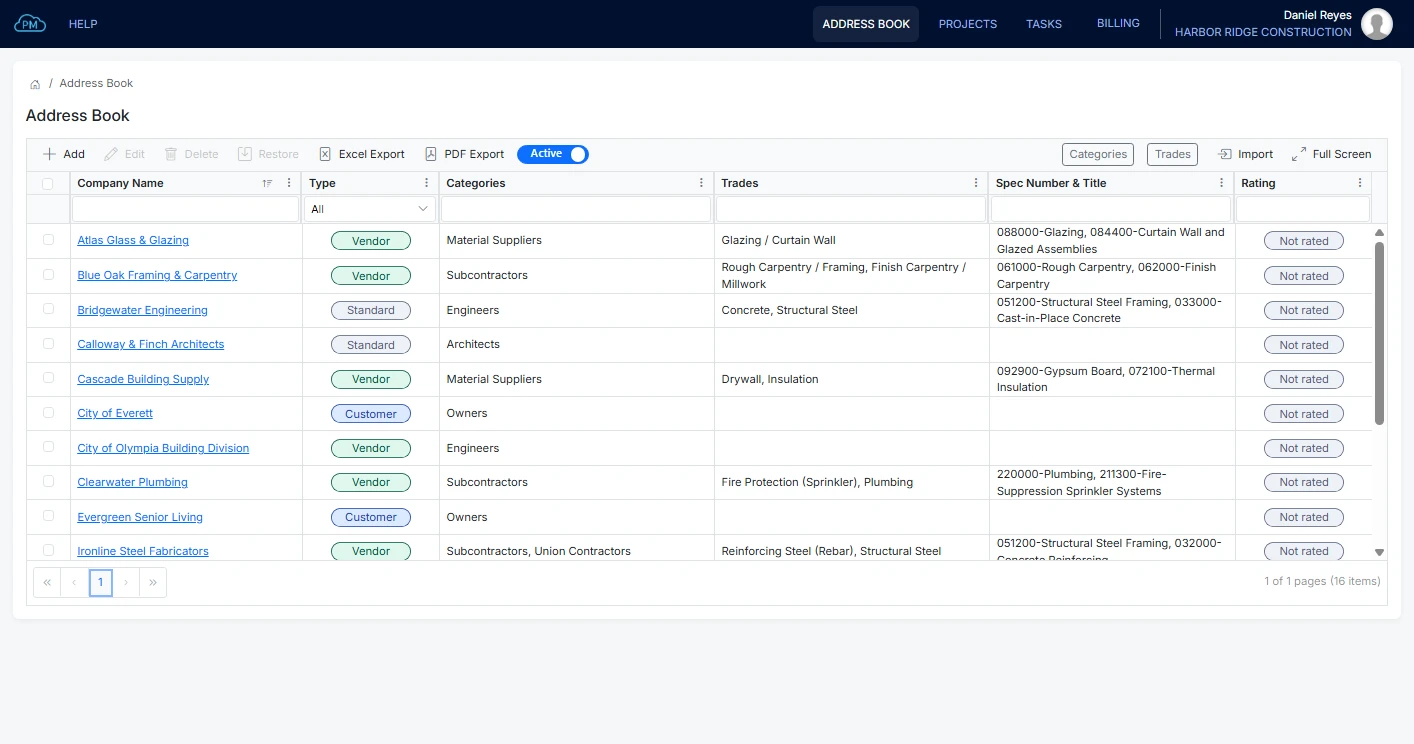
With Cloud PM's Address Book, you can manage the owners, architects, engineers, subcontractors and suppliers you work with across all your projects. You add a company to the Address Book and then select it on any project. You can also compare subcontractors by their trades and past ratings before you decide who to hire.
-
Quick Search
You can find any company in seconds by searching or sorting the Address Book by any column.
-
Insurance and Licenses on File
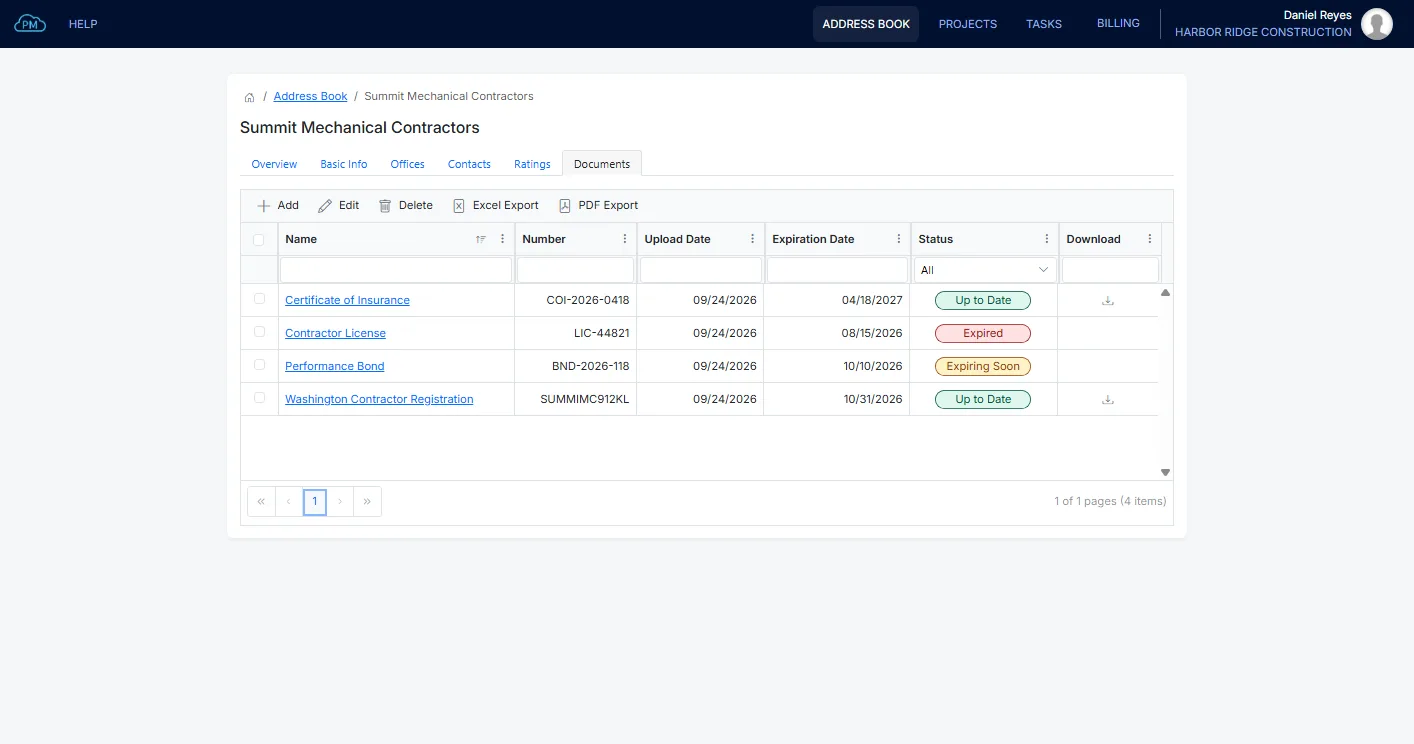
You can upload certificates of insurance, licenses, bonds and other documents for each company and set their expiration dates, so you always know which documents are up to date.
-
Ratings From Past Projects
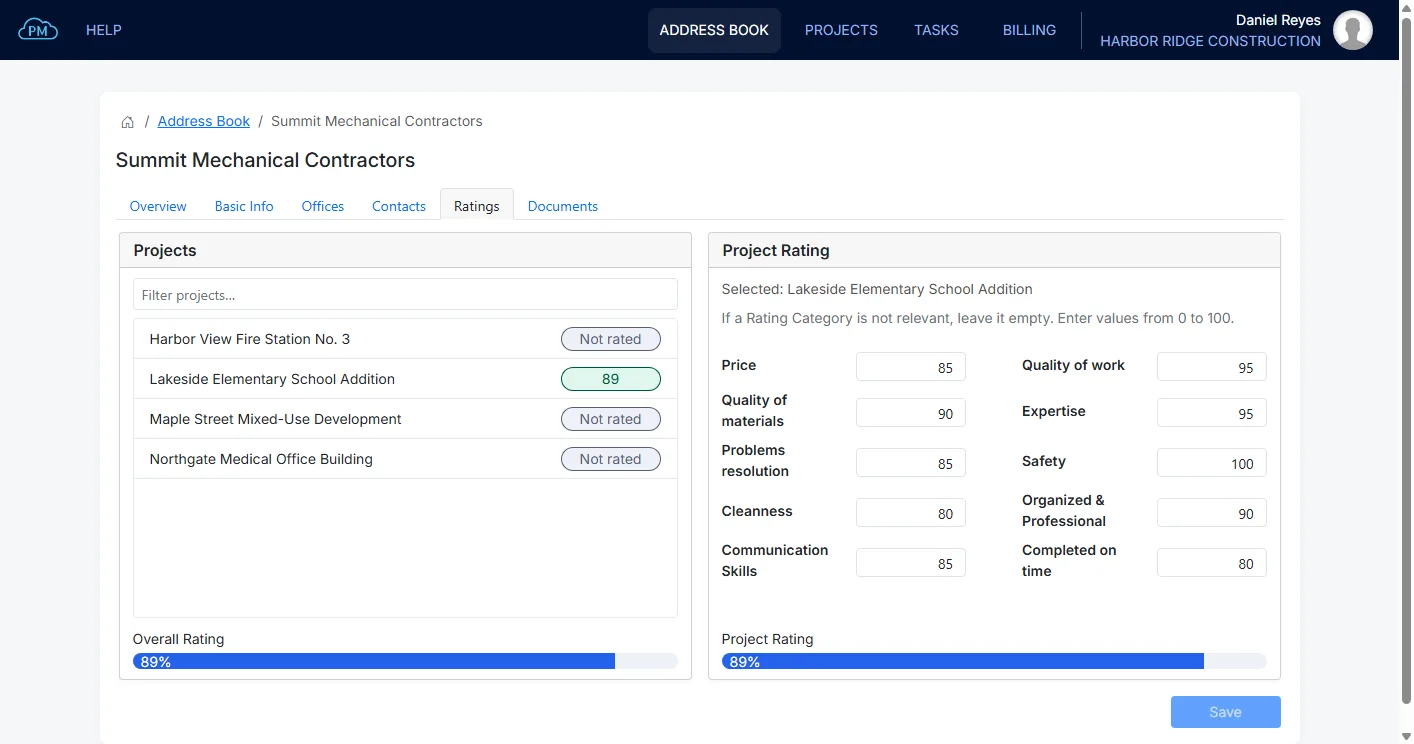
You can rate each subcontractor after it has worked on one of your projects, so you can choose who to invite based on past performance.
Everything About a Company
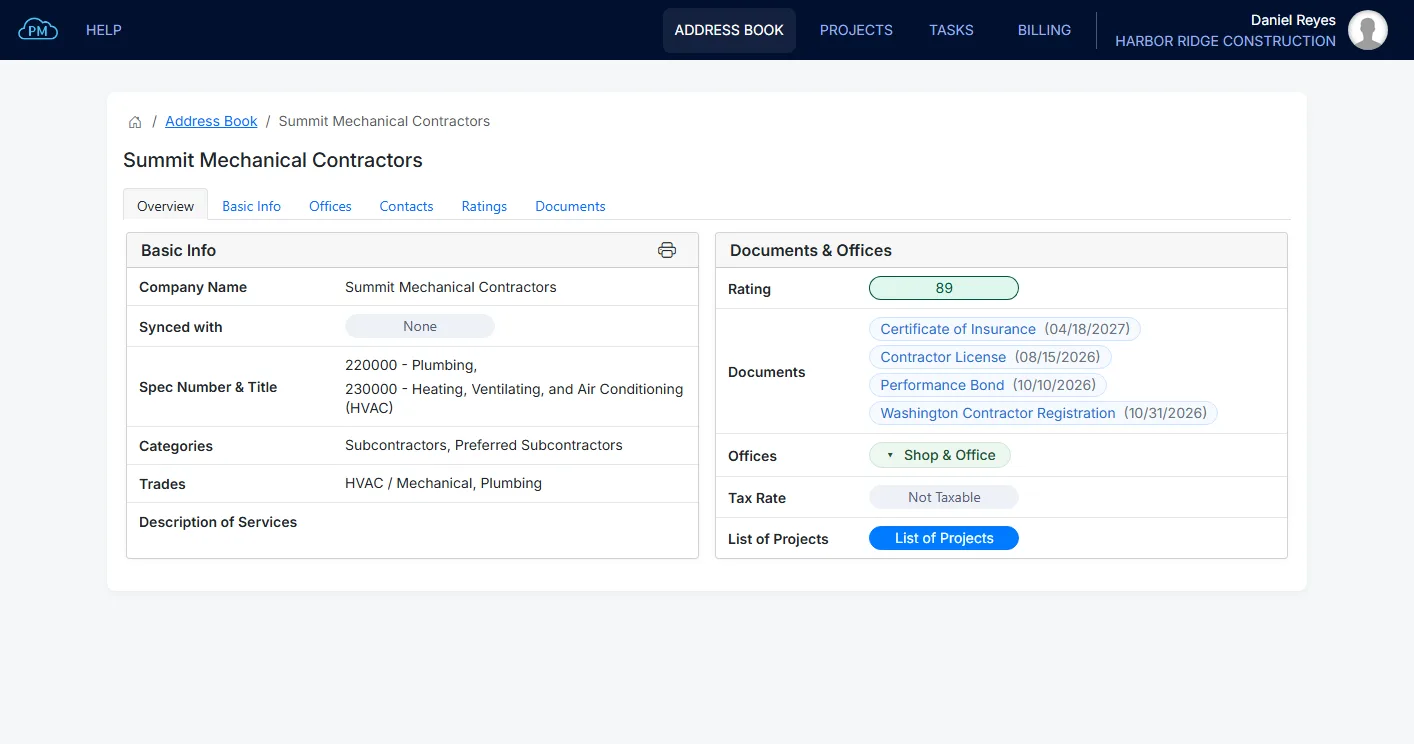
For every company, you can see its documents, its rating and the projects it has worked on with you, so you have all the information you need before you hire it again.
Document Expiration Reminders
Cloud PM can send a reminder before a document expires, so you can ask the company for a new one in time. You choose how many days before the expiration date the reminder is sent and who receives it, such as your own users or contacts from the Address Book. You can also filter the documents by status to see which ones are expiring soon or have already expired.
Rating a Subcontractor
After a company has worked on one of your projects, you can rate its performance in ten categories, such as price, quality of work, safety and completing on time. Cloud PM calculates the average rating across all your projects, so you can see how a subcontractor has performed before you invite it to bid.
Subcontractors on a Project
Each project has its own Project Directory, where you can add the companies working on that project and invite their contacts. Once they are invited, they receive the submittals, RFIs and transmittals that are meant for them.
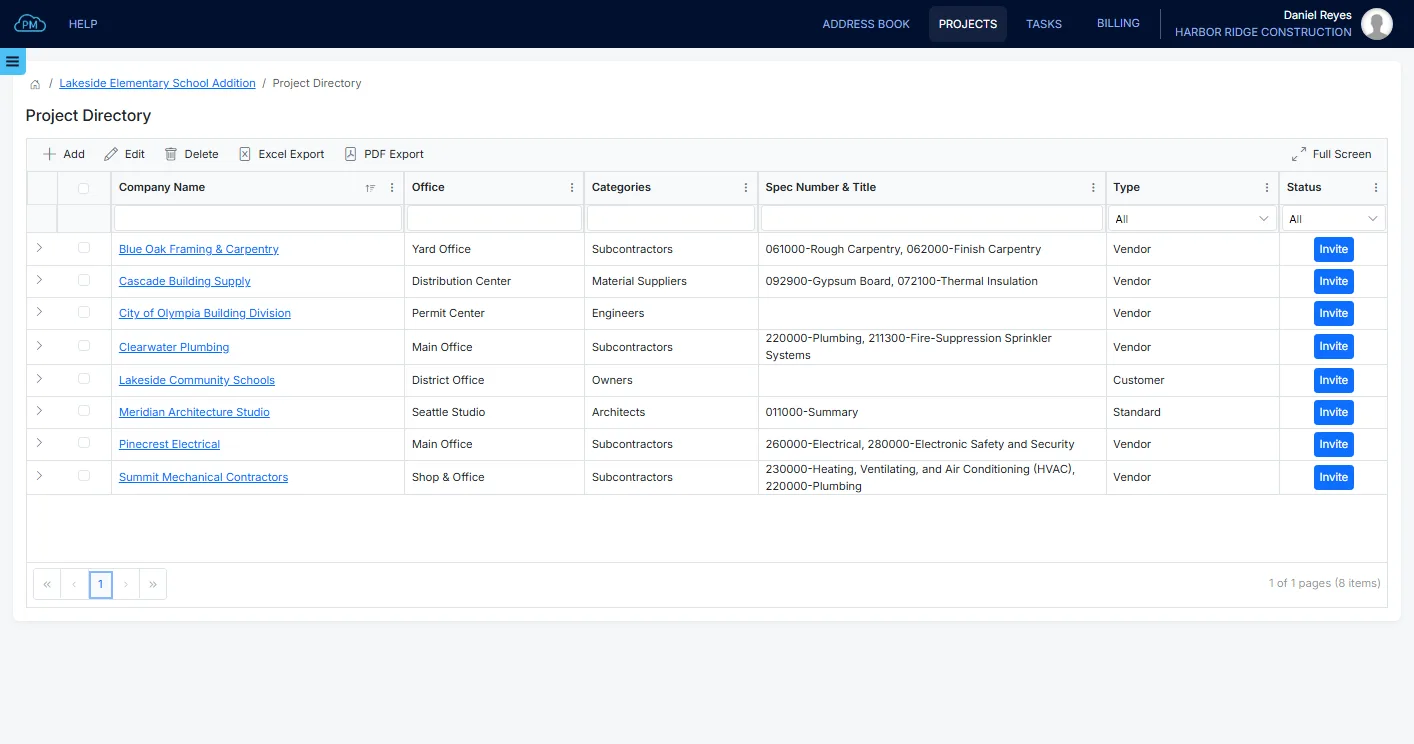
The Project Directory
With the Project Directory you always know which companies are working on the project, from the owner and the architect to the subcontractors and suppliers, and which of them still need an invitation. When you create a submittal or any other record, you can select the subcontractor directly from the Project Directory.
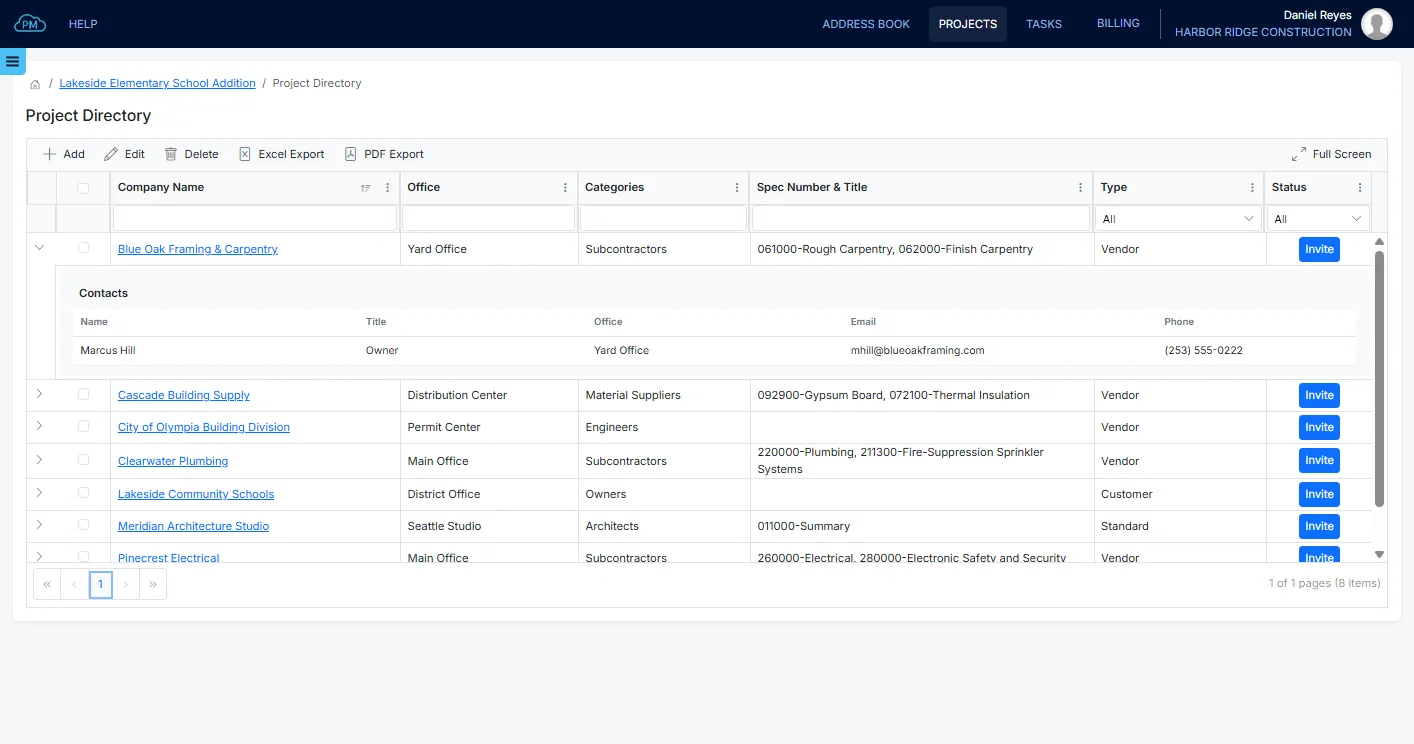
Contacts on Each Project
For each company on the project, you can select the contacts who are involved, so you can send them transmittals and files or assign tasks to them in the other modules. If a company has no contacts selected, Cloud PM shows it in the Project Directory, so you can add them before you send anything.
Categories, Trades and Spec Sections
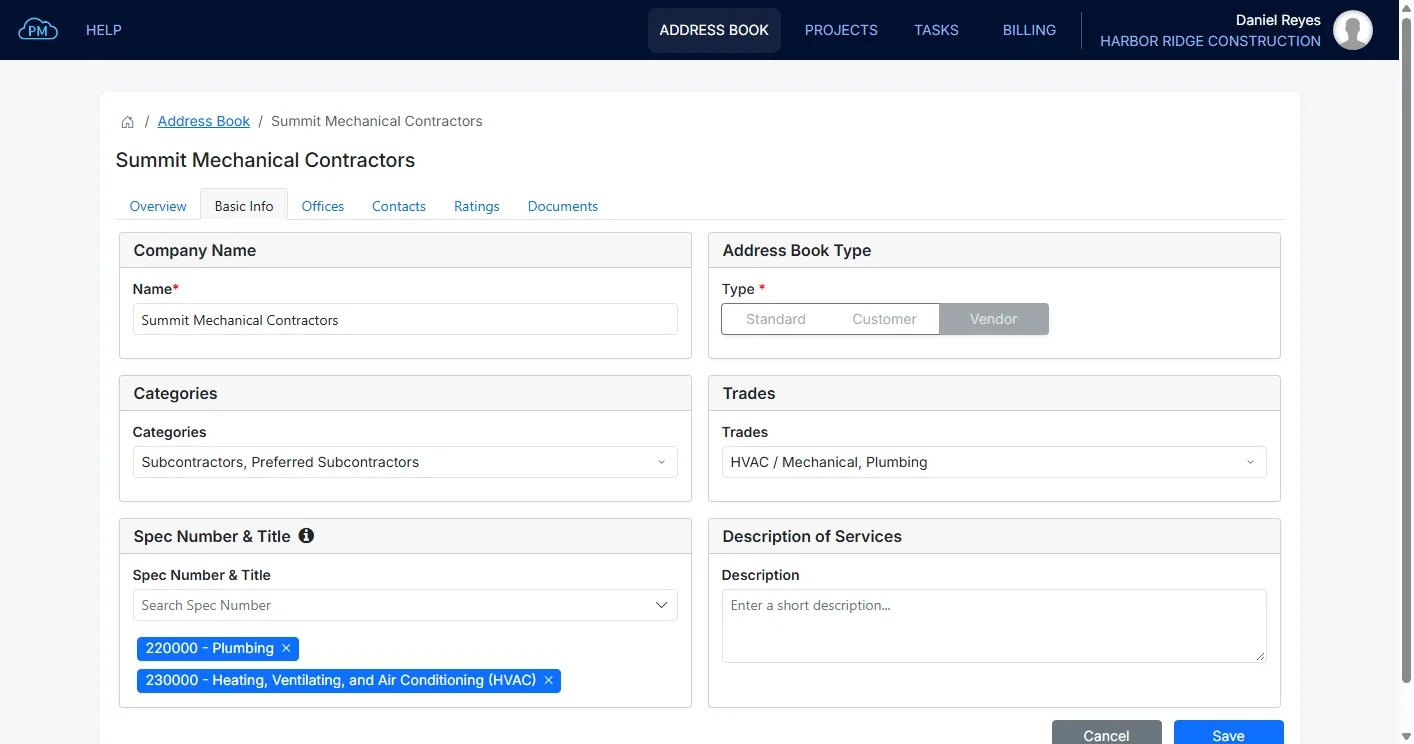
You can organize your Address Book by categories, such as Subcontractors, Material Suppliers, Architects and Engineers, and add your own. You can also assign trades and spec sections to each company, so you can quickly find the right subcontractor for each part of the work.
Why Choose Cloud PM for Subcontractor Management
With Cloud PM, each company's documents, contacts and ratings are saved with the company, so you have a complete record when a certificate expires or a dispute comes up. The other companies on the project use Cloud PM free of charge, and plans start from $40 a month.
-
Documents Filed With the Company
Certificates and licenses are saved with the company they belong to, so anyone on your team can find them, and Cloud PM sends a reminder before they expire.
-
A Record for Every Company
Ratings, documents and contacts stay with the company after the project is closed, so when the same subcontractor bids again, you can see how it performed on your previous projects.
-
The Same Directory Everywhere
After you add a company to the project, you can select it on any submittal, RFI, change order or procurement log item, so no one on your team has to enter the company details again.
Construction Subcontractor Management FAQ
Subcontractor management software helps general contractors manage the companies working on their projects, from their contact details and insurance to their past performance. It replaces the spreadsheets and folders of certificates that many contractors still use.
With Cloud PM, you can upload each document with its expiration date and set a reminder, so you know which companies need to send new documents before the old ones expire.
With Cloud PM, you can rate each subcontractor on every project in ten categories: price, quality of work, quality of materials, expertise, problem resolution, safety, cleanness, organization and professionalism, communication, and completing on time.
Yes. When you invite a company from the Project Directory, its contacts can use Cloud PM free of charge and see the submittals, RFIs and other logs you share with them, instead of receiving documents by email.