

Why Cloud PM?
-
Unlimited Projects
Create an unlimited number of Projects without any additional charges. Keep all your Projects in the same place.
-
Unlimited Users
Invite your Employees, Subcontractors, Material Suppliers & Architects to the Project for Free.
-
Cloud Storage
Access your Projects and Files anytime and anywhere. Instant access from your Desktop, Tablet and Smartphone.
-
Easy to use
Cloud PM is user-friendly, and no special training is required. Anyone with basic computer skills can start using it right away.
-
Standardized format
Every project is organized the same way. Submittals, RFIs and Daily Reports always look the same, no matter who is working on them.
-
Best value
We don’t charge per User or Project. Your Employees, Subcontractors, Architects and Project Owners can use Cloud PM for free.
Cloud Based Construction Project Management for General Contractors and Subcontractors
Cloud PM is cloud based construction project management software designed for general contractors and subcontractors. It helps you manage submittals, RFIs, change orders, daily reports, schedules and project files, so your office, your field team and your subcontractors always work with the latest information.
Cloud PM is also a licensed partner of AIA Contract Documents, so you can create your AIA G702 and G703 billing directly from your project, and it integrates with QuickBooks Online to keep your accounting in sync.
Cloud PM runs in your web browser. There is nothing to install, and you can use it on your computer, tablet or phone.
Who Uses Cloud PM
-
Project Managers
Manage submittals, RFIs, change orders and the schedule on all your projects.
-
Superintendents
Log daily reports, punch lists and inspections from the job site.
-
Accounting
Bill the owner on the AIA G702 and G703 and keep QuickBooks Online in sync.
-
Your Project Team, for Free
Invite architects, owners, material suppliers and subcontractors to your projects at no extra cost.
Cloud PM Features
Cloud PM covers the complete project, from the first submittal to the final payment application. Click any module below to see how it works.
-
Submittals
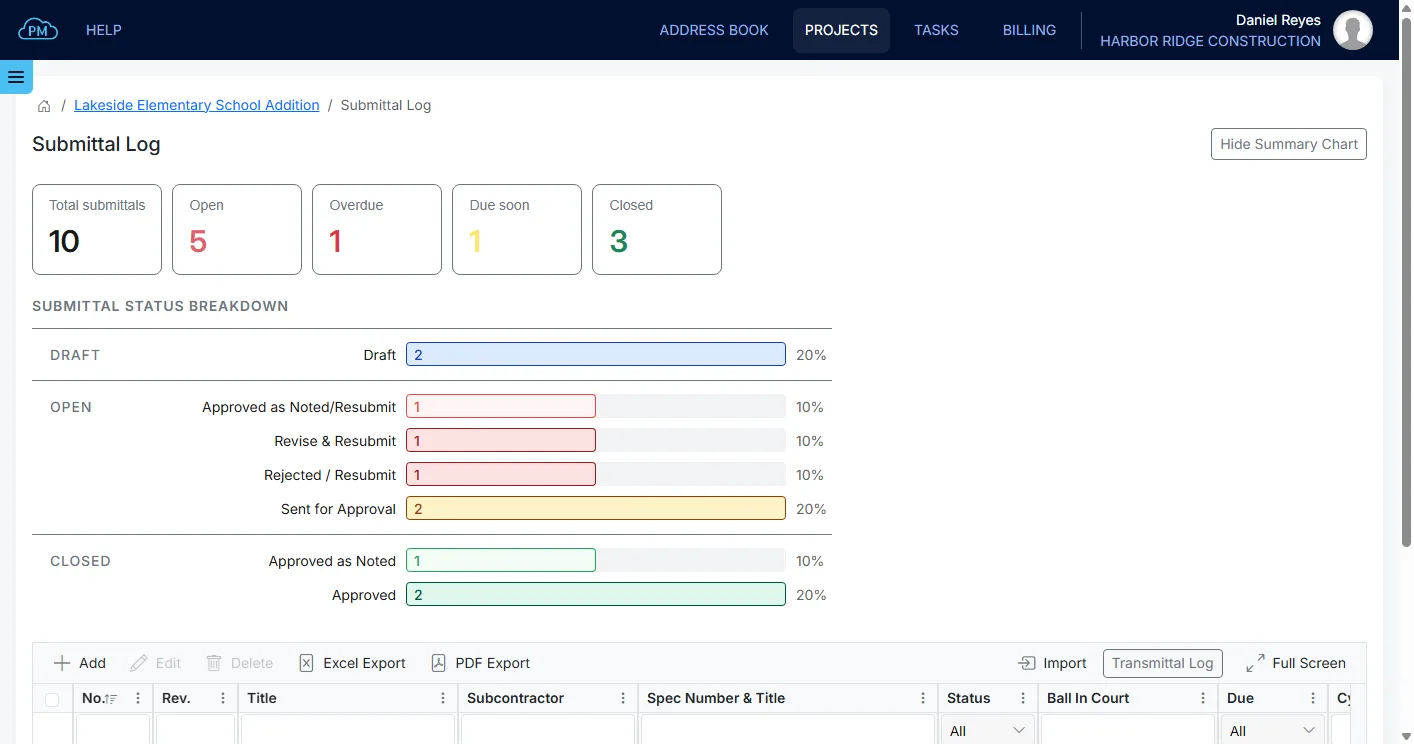
Send submittals for approval and track every revision, so you always know which version was approved.
-
RFIs
Send RFIs to the architect or engineer and keep every answer on file, so nothing gets lost in email.
-
Change Orders
Collect your subcontractors' prices for each change and send the change order to the owner for approval.
-
Transmittals
You can create a transmittal with every submittal, RFI, change order, closeout package and payment application you send, so you have a record of what was sent.
-
Meeting Minutes
Record decisions and action items, and carry the open items into the next meeting so nothing is forgotten.
-
Closeout Documents
Collect warranties, manuals and as-builts from your subcontractors, and send the owner a complete closeout package.
-
Schedule of Values (AIA G703)
Set up your schedule of values on the AIA G703, and Cloud PM calculates the totals, the balance to finish and the retainage every billing period.
-
Payment Application (AIA G702)
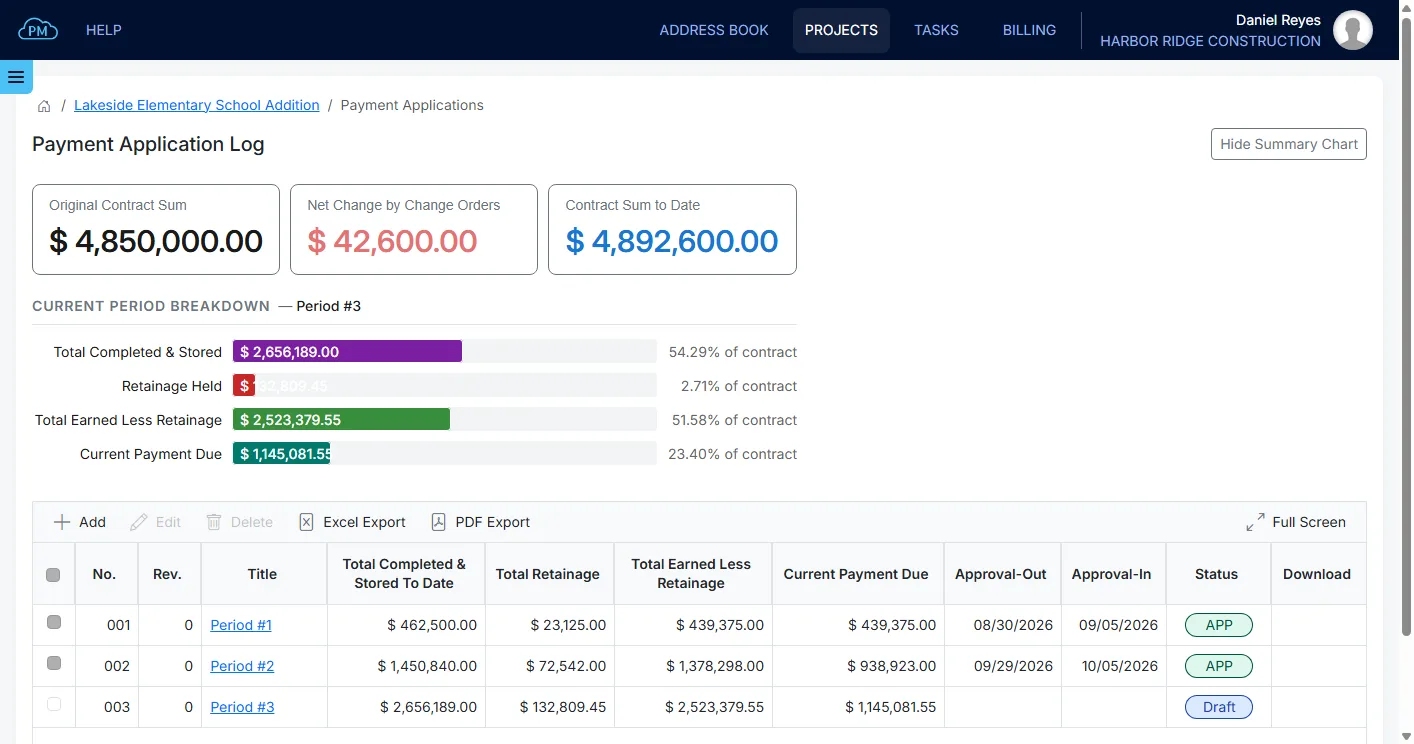
Create your AIA G702 payment application, with the retainage and the balance carried into the next period automatically.
-
Contracts & Subcontracts
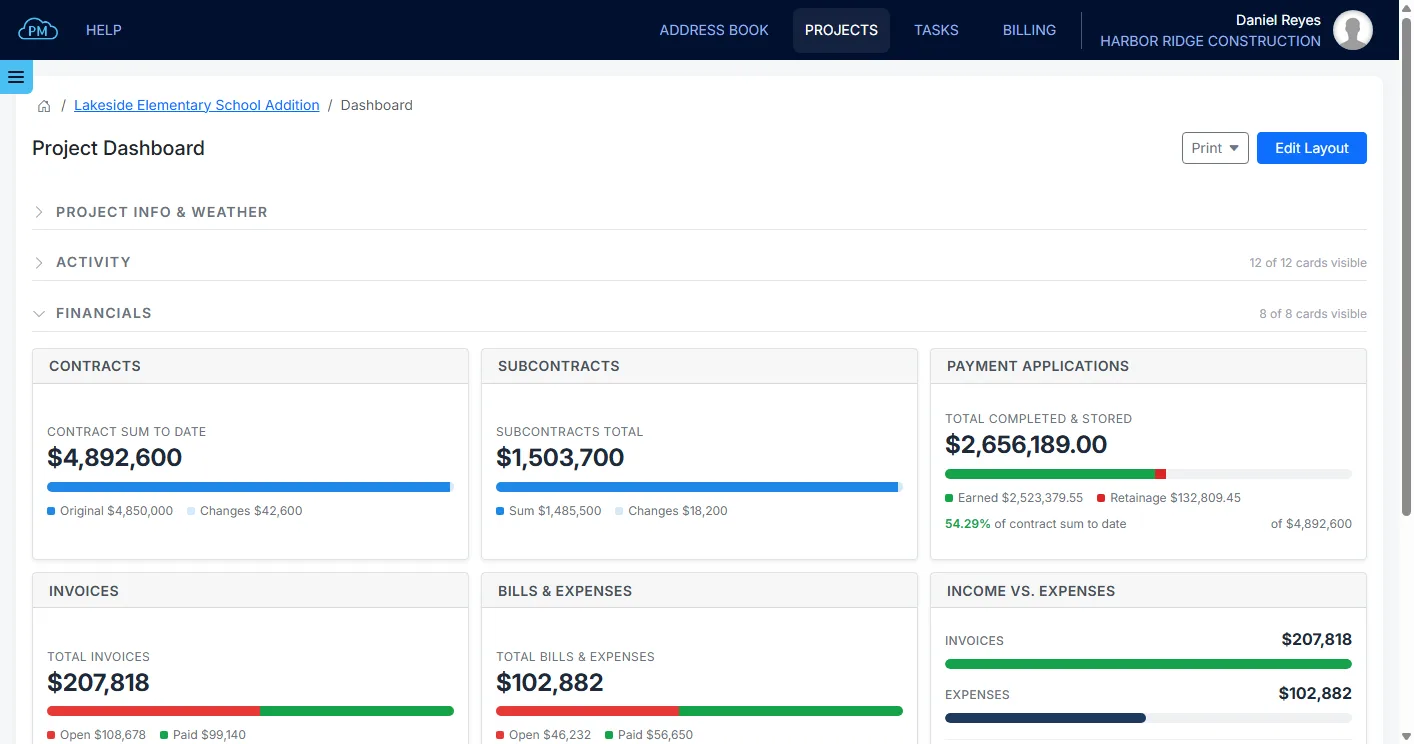
Keep the prime contract and every subcontract in the project, with their change orders and current totals.
-
Invoices
Bill the owner from the project using the prices you agreed, and see the balance as payments come in.
-
Bills & Expenses
Track what each project costs you, including the vendor bills you still owe and the expenses you already paid.
-
Products & Services
Set up your company price list, so everyone in your company bills the same work at the same price.
-
Chart of Accounts
Organize your income, expenses, assets and liabilities, so your invoices, bills and products post to the right accounts.
-
Integration with QuickBooks Online
Keep your customers, accounts, invoices and expenses in sync with QuickBooks Online, so you never enter anything twice.
-
Daily Reports
Log the weather, crews, equipment and photos every day, so you have a complete record of the work on site.
-
Punch List
Create punch lists during walk-throughs, with a location, the responsible company and a due date for every item.
-
Inspection & Test Reports
Keep every inspection and test with its status and report, organized by spec section.
-
Permits
Track every permit with its agency, inspections, fees and expiration date, so you can see which permits are about to expire.
-
Gantt Chart
Plan your schedule in a Gantt chart with linked tasks, so when one date changes, the tasks after it update too.
-
Project Dashboard
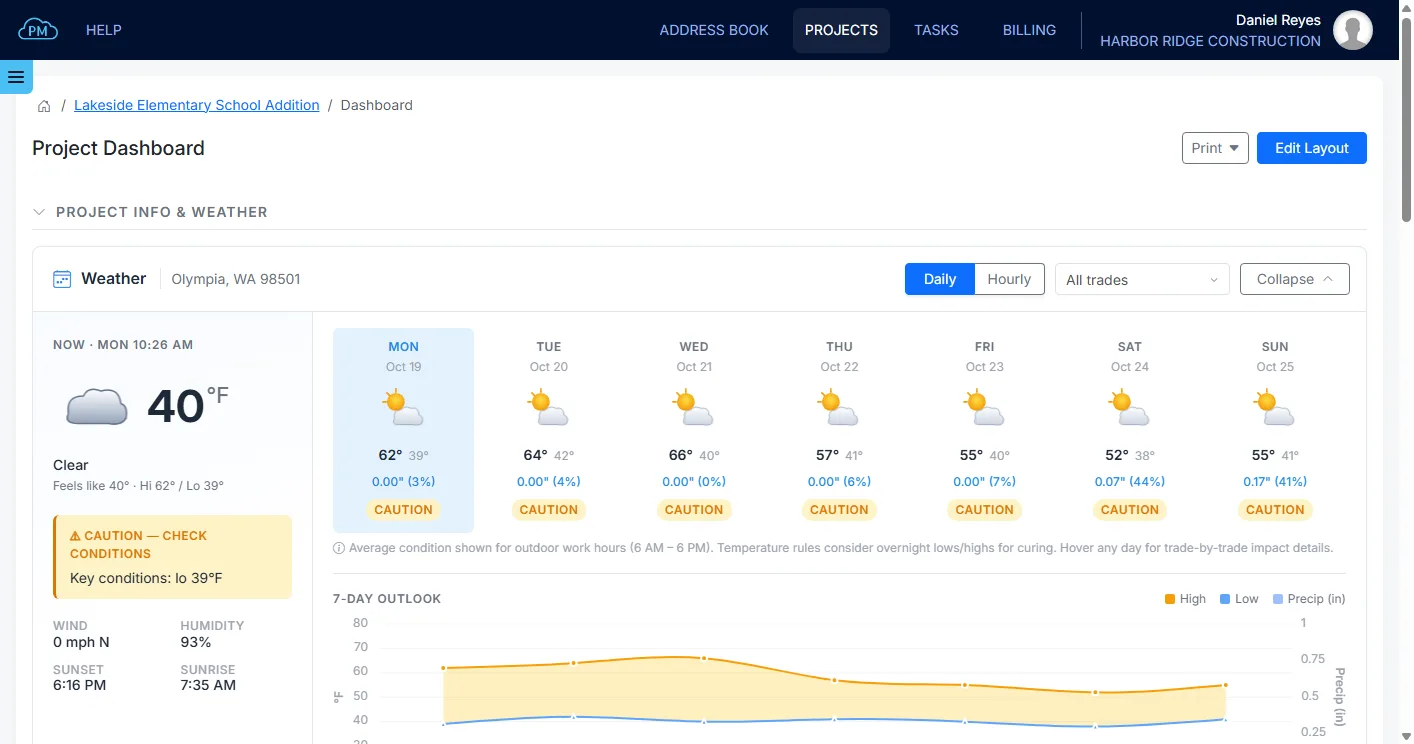
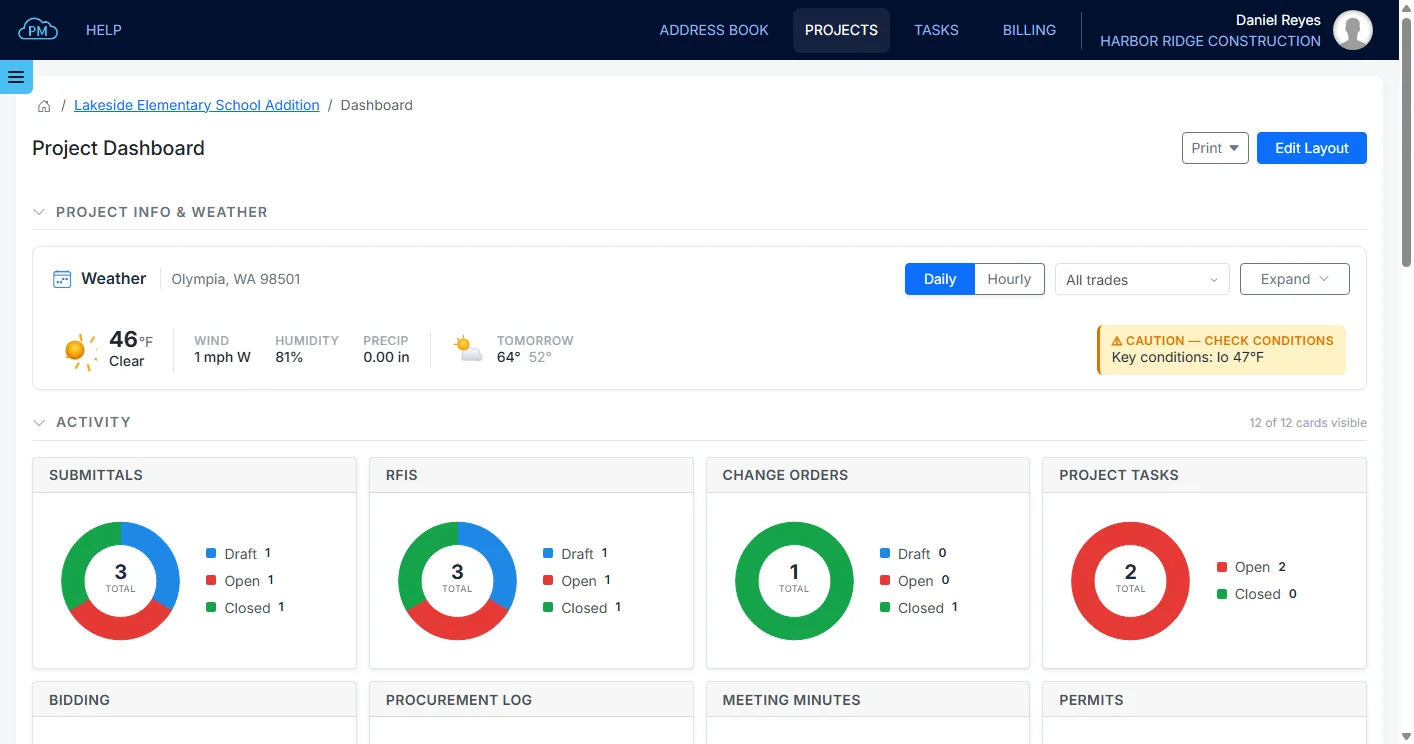
See how a project is doing at a glance: the open items in every log, the contracts and billing, and the weather at the site.
-
Bid Management
Send bid packages to the companies you choose and compare their bids side by side.
-
Procurement Log
Track every material and service you order, from the purchase and shipping to delivery on site.
-
Tasks & Reminders
Assign follow-up tasks with due dates, and Cloud PM emails a reminder before each task is due.
-
File Sharing
Share drawings, specifications and photos with everyone on the project, without sending large email attachments.
-
Project Blog
Post project news and updates, so every company on the project stays informed.
-
Subcontractor Management
Keep the contacts, trades, insurance and ratings of every company you work with in your address book.
-
User Permissions
Decide who can access each project and what they can do in every module.
-
Administration Panel
Manage your offices, users, access and subscription from your company account.
Submittals, RFIs and Change Orders
Cloud PM's submittal, RFI and change order logs help you keep track of everything you send out and everything that comes back. Each log shows who is responsible for the next step and when each item was sent and returned, so you can follow up on late reviews before they delay the project.
Daily Reports
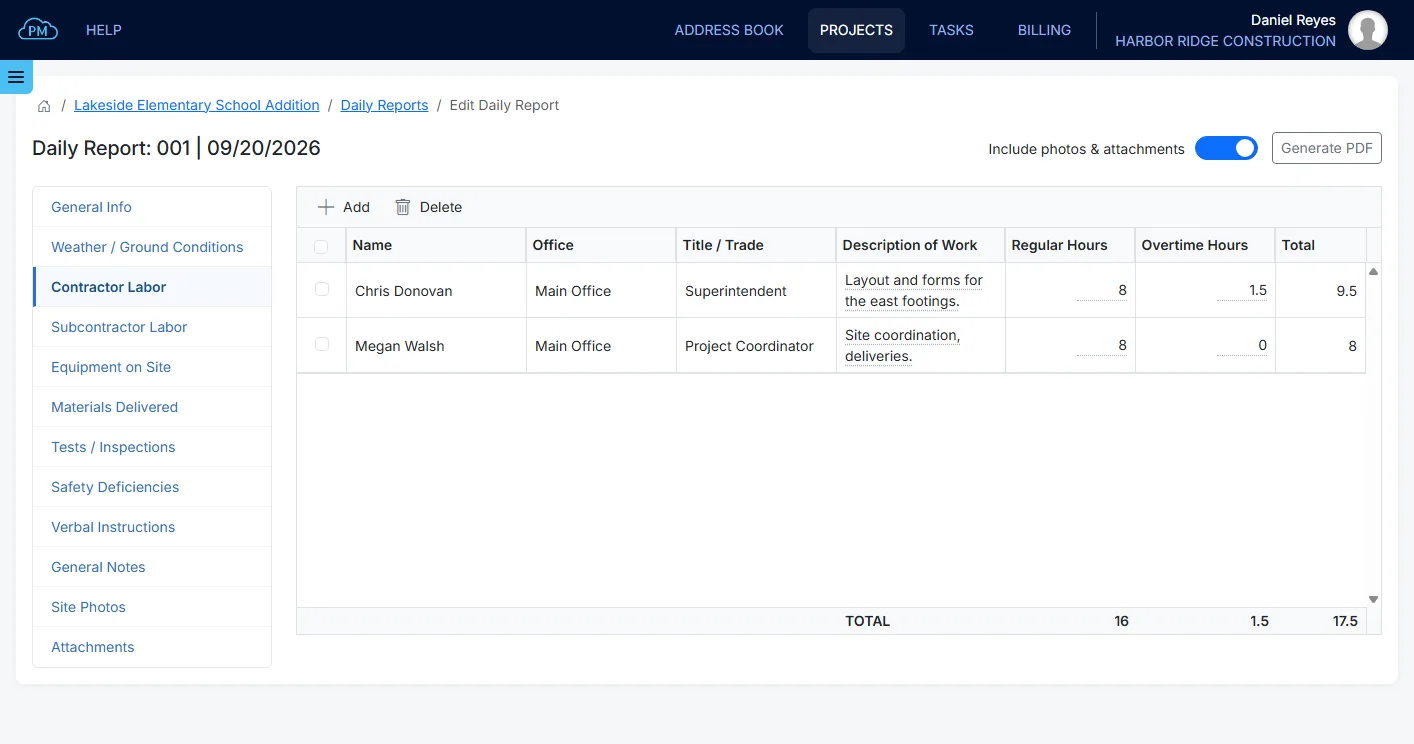
Cloud PM's daily reports make it easy for your field team to log the weather, crews, equipment, deliveries and photos as the work happens. You can save the report as a PDF and email it to all the stakeholders straight from Cloud PM.
AIA G702 and G703 Billing
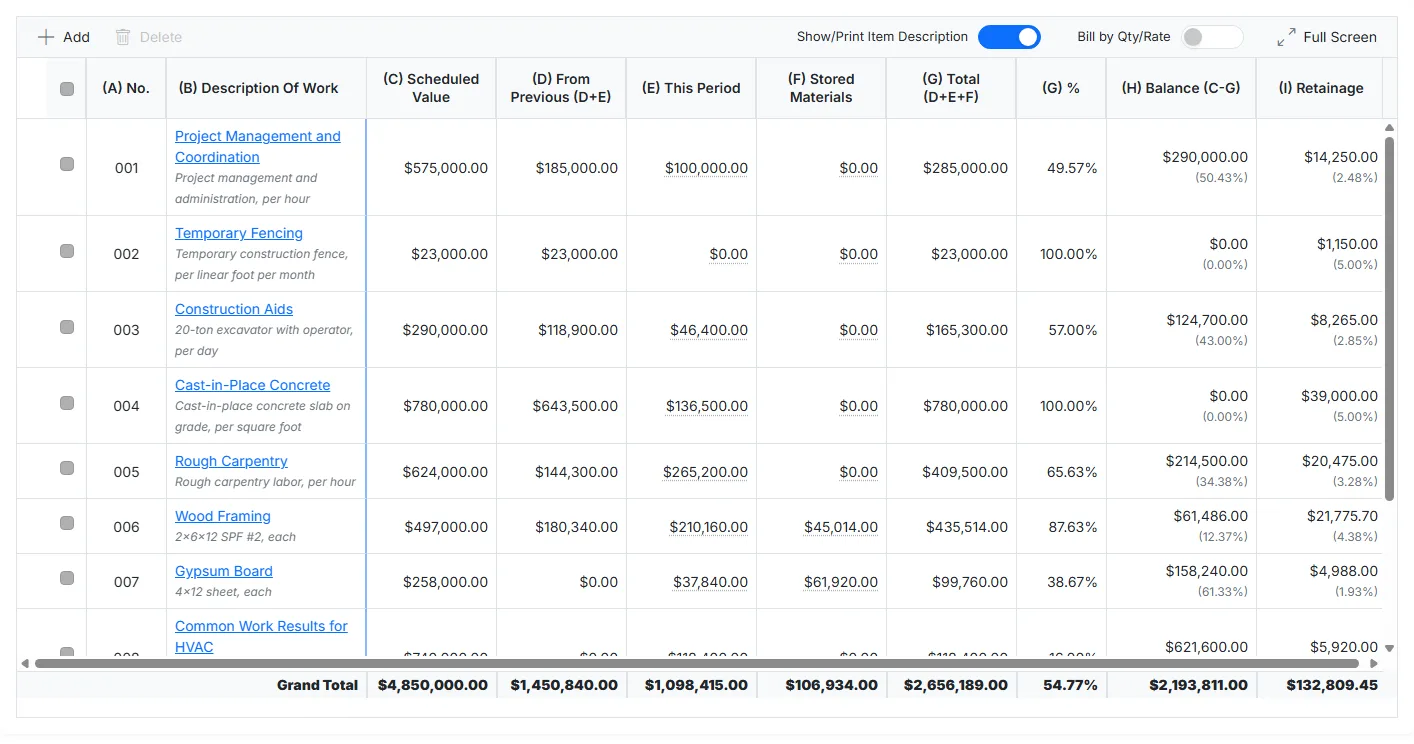
As a licensed partner of AIA Contract Documents, Cloud PM lets you create your AIA G702 and G703 billing directly from your project. You set up the schedule of values once, and every billing period Cloud PM calculates the work completed, the retainage and the balance for you. Each new payment application starts with the totals from the previous one, so you never have to rebuild your billing in a spreadsheet.
QuickBooks Online Integration
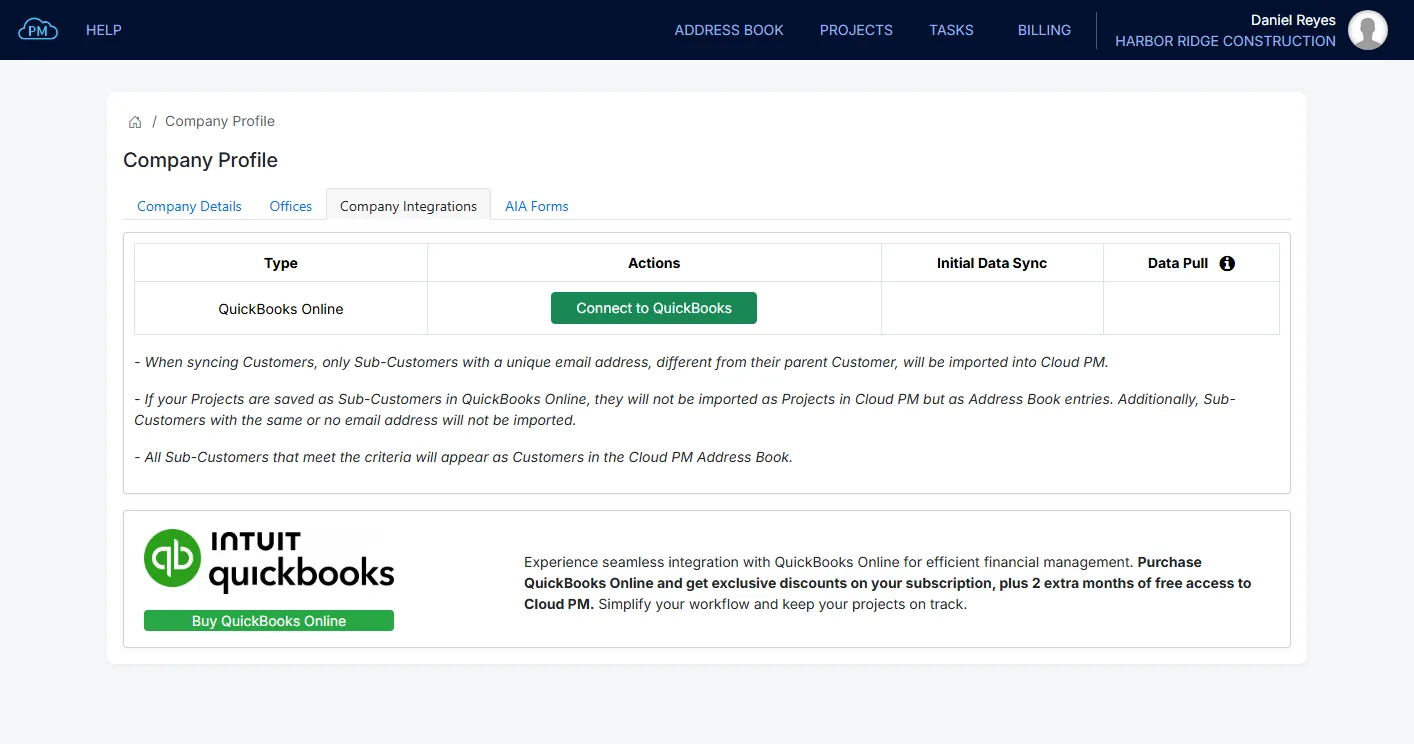
Cloud PM integrates with QuickBooks Online, so you can manage the construction side of the project in Cloud PM and keep your books in QuickBooks. Your customers, vendors, accounts, products and services, invoices, bills and expenses sync between the two, and your AIA billing goes to QuickBooks as an invoice with the G702 and G703 attached. You never have to enter the same information twice.
How Cloud PM Works
-
Create Your Project
After you open a new project, you can select which of your company users will be involved, add the companies to the Project Directory and invite them to join.
-
Keep Every Project on Track
Your team can track the submittals, RFIs, change orders and daily reports, and keep the schedule up to date, so everyone stays informed and the project stays on schedule.
-
Bill and Close Out the Project
You can bill your customer on the G702 and G703 forms, and at the end of the project you can collect the closeout documents from your subcontractors and suppliers and send them to the customer.
Satisfied Clients
With the automated reminders we always stay on top of the outstanding Submittals and Punch List items.
Before Cloud PM we used to spend thousands of dollars per year for software features that we weren’t even using.
It’s really amazing how with only one click of a button every Subcontractor has the latest Plans, Specifications and Project Files right away.
Pricing
Basic
Advanced
Premium
* Licensed AIA Forms bundle (AIA G702 & AIA G703) is available for purchase through Cloud PM with a significant discount.
** QuickBooks Online integration is available at no cost for both existing and new QuickBooks accounts, with the option to purchase new QuickBooks Online account through Cloud PM.

Experience seamless integration with QuickBooks Online for efficient financial management. Purchase QuickBooks Online and get exclusive discounts on your subscription, plus 2 extra months of free access to Cloud PM. Simplify your workflow and keep your projects on track.
Frequently Asked Questions
Cloud based construction project management software runs in your web browser instead of on your PC or office server. You and your team can access your projects from the office, the job site or a phone. All project documents are stored in the cloud, so everyone works with the same files instead of copies saved on different computers.
Cloud PM plans start at $40 per month on the Basic plan, billed annually. The Advanced plan is $60 per month and the Premium plan is $120 per month. Every plan includes unlimited users and unlimited projects.
No. Every plan includes unlimited users and unlimited projects, and you pay only for your company's plan. The companies you invite to your projects use Cloud PM for free, no matter how many people they add. They can see what you share with them, and if you give them permission add their own submittals and RFI files.
Yes. Cloud PM is a licensed partner of AIA Contract Documents, so your payment applications and schedule of values are created on the official AIA G702 and G703 forms. After the payment application is approved, you can export the schedule of values to QuickBooks Online as an invoice with both forms attached.
Yes. Cloud PM runs in your web browser, so you can open your projects and files on a computer, a tablet or a phone without installing anything.
No special training is required. Anyone with basic computer and internet skills can start using Cloud PM right away, and our step-by-step help articles explain every feature.
Do you have a question? Would you like to schedule a live Demo?
Latest News

The Evolution of Construction Submittals: From Paper to Software
The Traditional Paper-Based Submittal Process Before the adoption of digital tools, construction submittals were managed through physical paperwork. Contractors, subcontractors, and […]

How to Use a Gantt Chart for Construction Scheduling
Introduction A Gantt chart is an essential tool for managing construction project schedules. It provides a clear visual timeline of tasks, […]

Announcing Cloud PM’s Gantt Chart Module for Construction Scheduling
We are thrilled to announce the deployment of Cloud PM’s Gantt Chart module, a robust construction scheduling tool designed to streamline […]