
Construction Chart of Accounts
Cloud PM's construction chart of accounts helps you organize your income, expenses, assets and liabilities, so you always have a clear view of your company's finances. You can use the same accounts on your invoices, bills and products and services, so every amount is recorded in the right account.
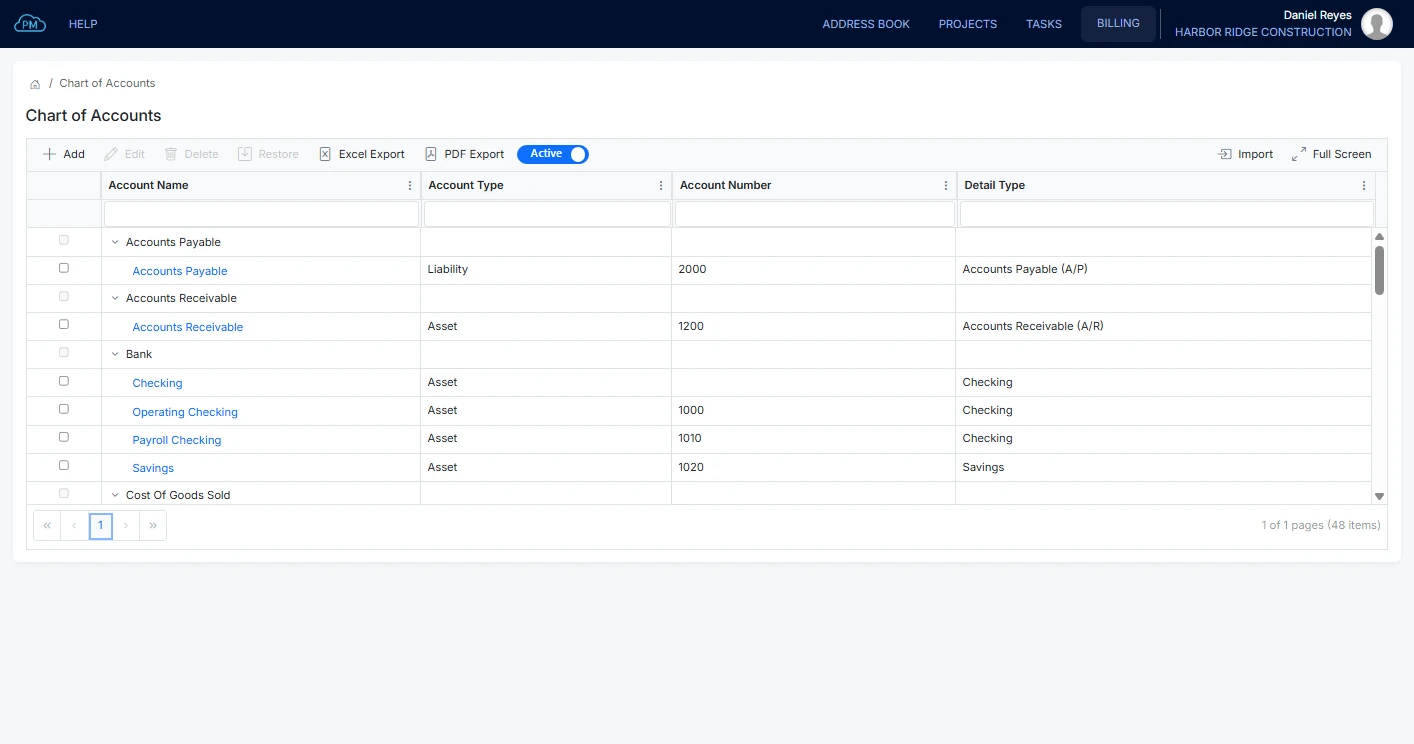
Your Chart of Accounts
In Cloud PM, your accounts are organized by type, such as income, expenses, assets and liabilities, so you can quickly find the account you need.
-
Sub-Accounts
You can track labor, materials and equipment as separate sub-accounts under your project costs, so you always know where the money is going.
-
Account Numbers
You can number your accounts the same way your accountant does, so each account is easy to find and your books stay in order.
-
QuickBooks Online Sync
Your chart of accounts syncs with QuickBooks Online on the Premium plan, so your accounts are always the same in both systems.
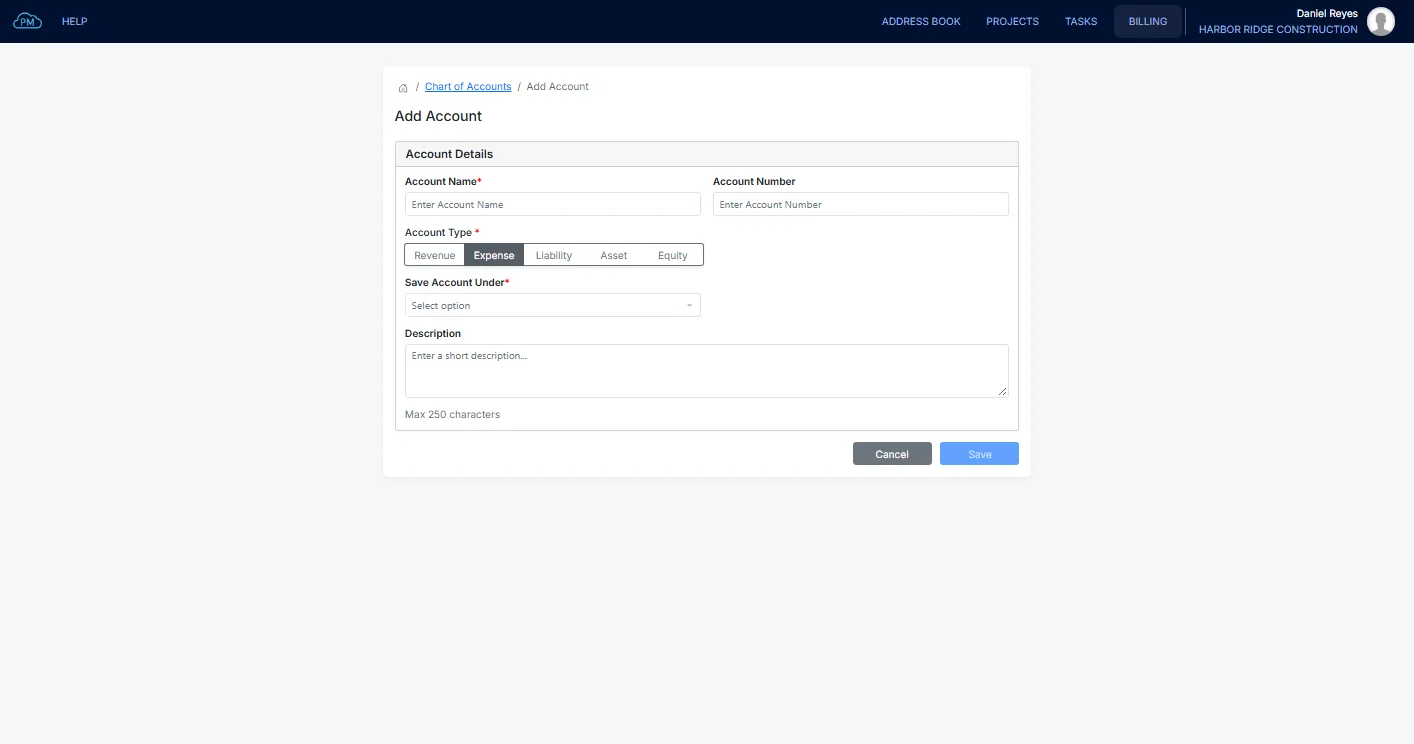
Adding an Account to Your Construction Chart of Accounts
You can add a new account at any time with its name, type and detail type, and you can also give it a number. When QuickBooks Online is connected, the account is added there automatically.
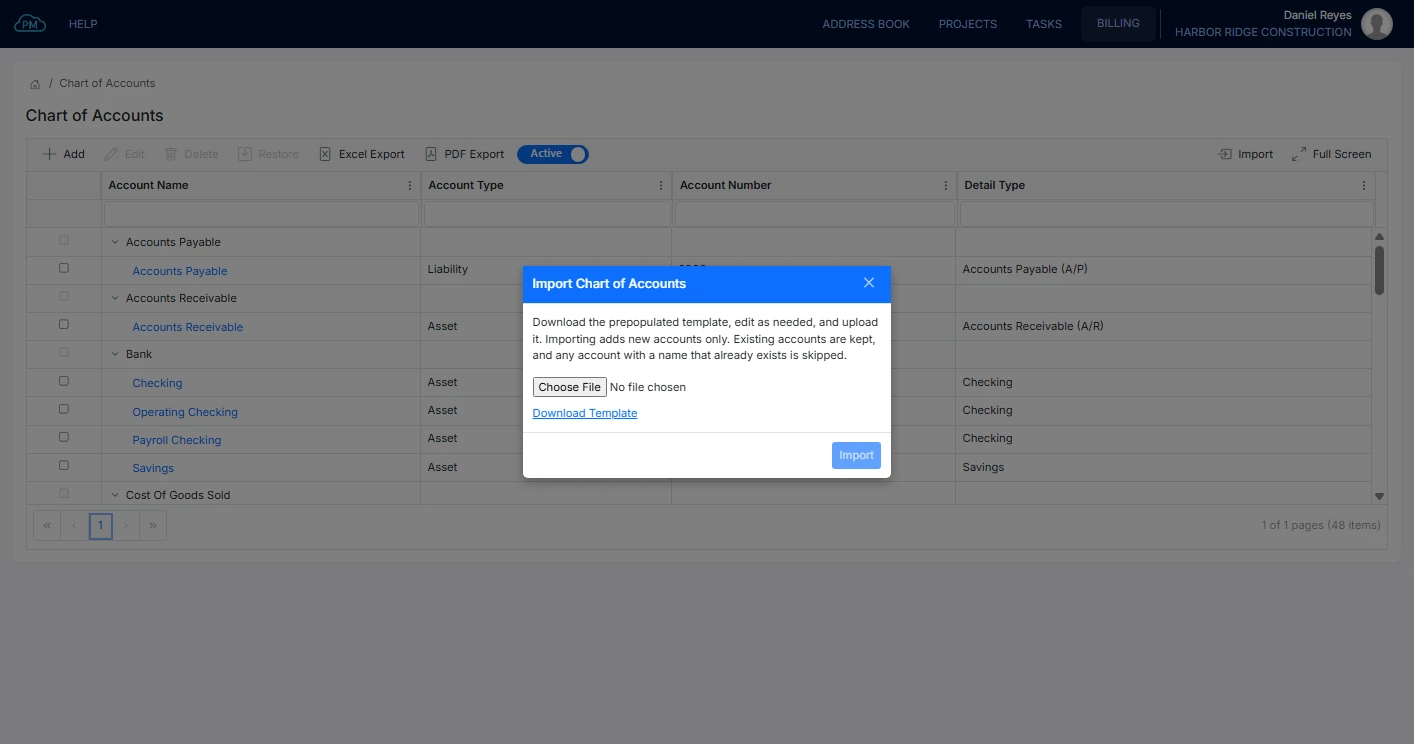
Importing a Construction Chart of Accounts
Instead of entering your chart of accounts by hand, you can download a prepopulated construction template, edit it and upload it. Only new accounts are added, so your existing accounts stay the same.
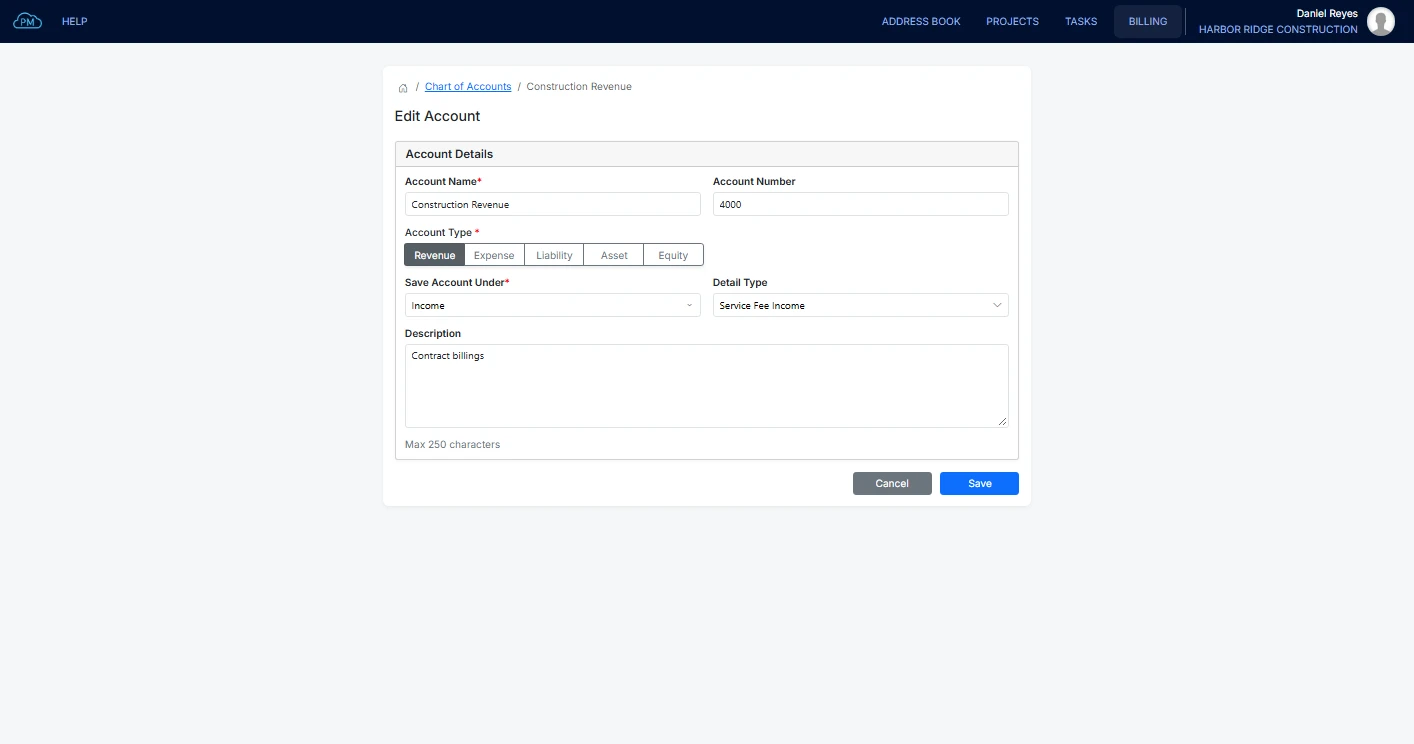
Editing an Account in Your Chart of Accounts
You can change an account's name, number or main account at any time, and when QuickBooks Online is connected, the change is made there too.
Where Your Accounts Are Used
In Cloud PM, every invoice, bill and product or service is linked to an account in your chart of accounts.
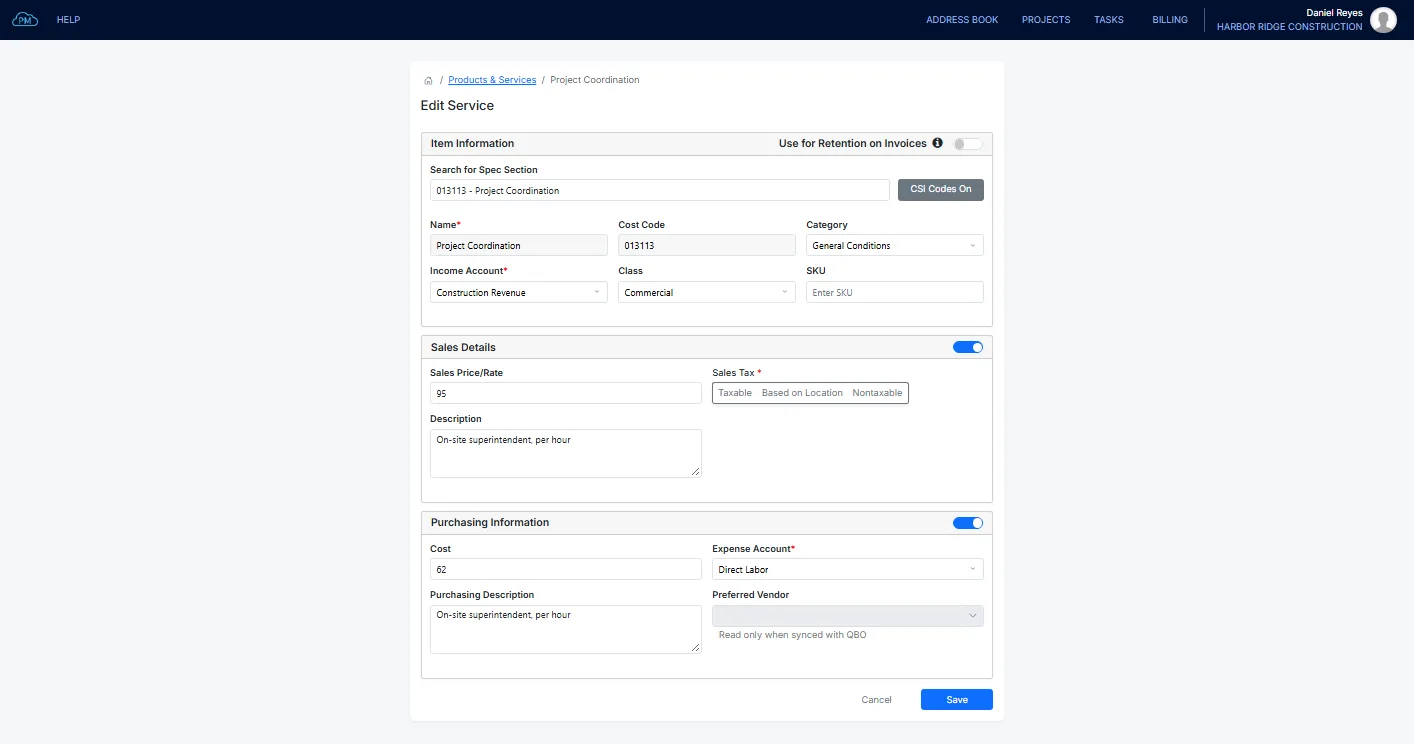
The Chart of Accounts for Your Products and Services
Each product or service has its own income account, and an expense account if you also purchase it. When your team adds it to an invoice or a bill, the right account is selected automatically.
Your Chart of Accounts in QuickBooks Online
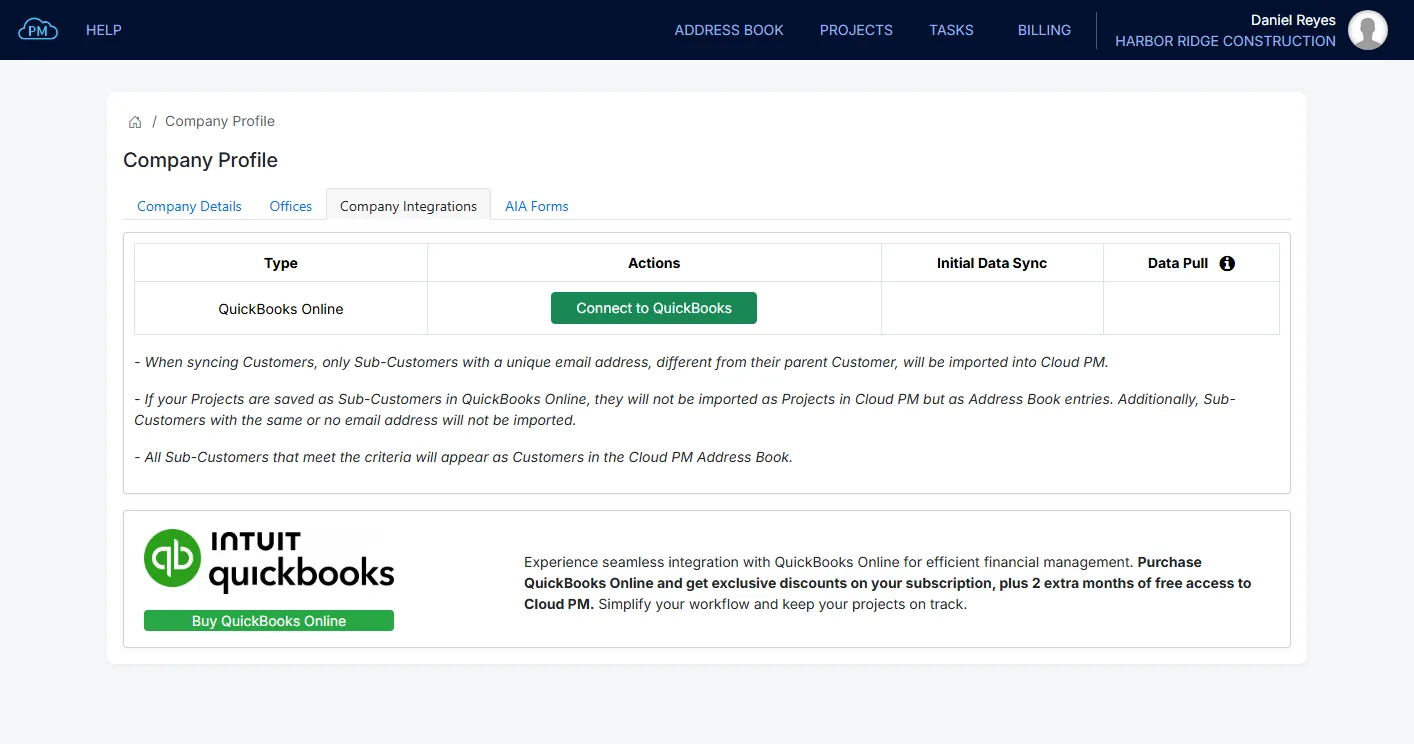
When you connect QuickBooks Online, your chart of accounts syncs both ways, and you can see which accounts have synced. To keep the two charts the same, the import from a spreadsheet is turned off while QuickBooks Online is connected.
Why Choose Cloud PM for Your Chart of Accounts
With Cloud PM, your chart of accounts is connected to your invoices, bills and products and services, which saves time and reduces errors. The chart of accounts is included in the Advanced plan, from $60 a month.
-
Built for Construction
You can organize your accounts with sub-accounts and numbers, so you can keep project costs and overhead separate.
-
Construction Template
You can start from our construction template instead of an empty chart of accounts.
-
Connected to Your Billing
Because the accounts are set on each product or service, every invoice and bill is recorded to the right account automatically.
Construction Chart of Accounts FAQ
A chart of accounts is the list of accounts a company uses to record its income and costs, grouped as revenue, expenses, assets, liabilities and equity. A construction chart of accounts also separates the direct project costs, such as labor, materials and subcontractors, from overhead, so you can track the true cost of each project.
It should include bank accounts, accounts receivable with retainage receivable, and accounts payable with retainage payable. It also needs income accounts for the types of work you do and cost accounts for labor, materials, subcontractors and equipment. Overhead should be kept separate, so you can see the profit on each project, not only for the company.
Yes. When you connect QuickBooks Online, Cloud PM syncs your accounts and shows which ones are synced. The accounts you add or edit in Cloud PM are updated in QuickBooks Online too.
No. You can download the prepopulated construction template, edit it and upload it, so you start with a complete chart of accounts. If you use QuickBooks Online, your accounts come from QuickBooks instead.