
Administration Panel
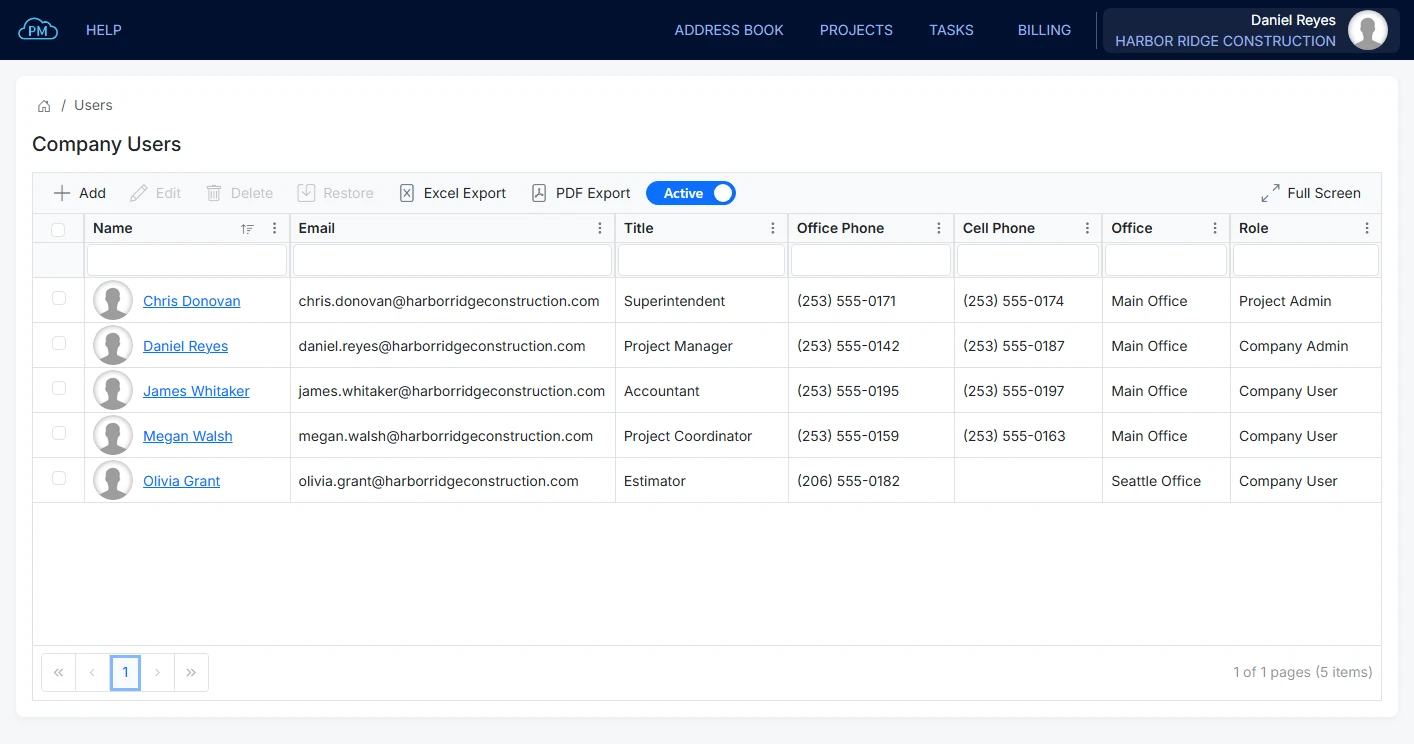
Cloud PM's administration panel is designed to help you manage your company account, from your offices, users and employees to your subscription and integrations. You can decide what each user can access, change your subscription level and connect QuickBooks Online, and every subscription level includes unlimited users.
Company Profile | Offices | Employees | Permissions | Integrations | FAQ
Your Company Profile
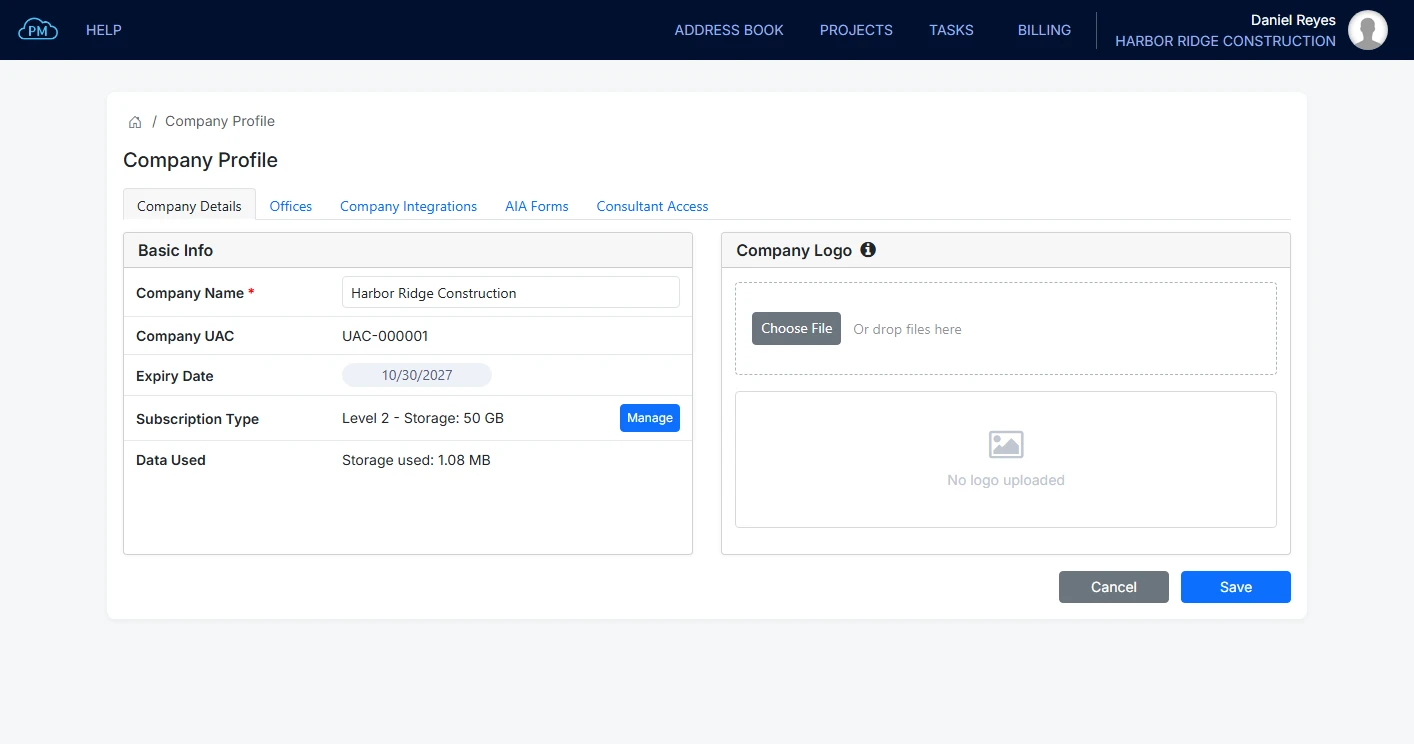
In your company profile, you can manage your company name, logo, offices and subscription. Only a Company Admin can make changes to the company profile, so your company details are always correct.
-
Your Company on Every Document
You can upload your company logo, and Cloud PM adds it to the transmittals and reports you send.
-
Users and Employees
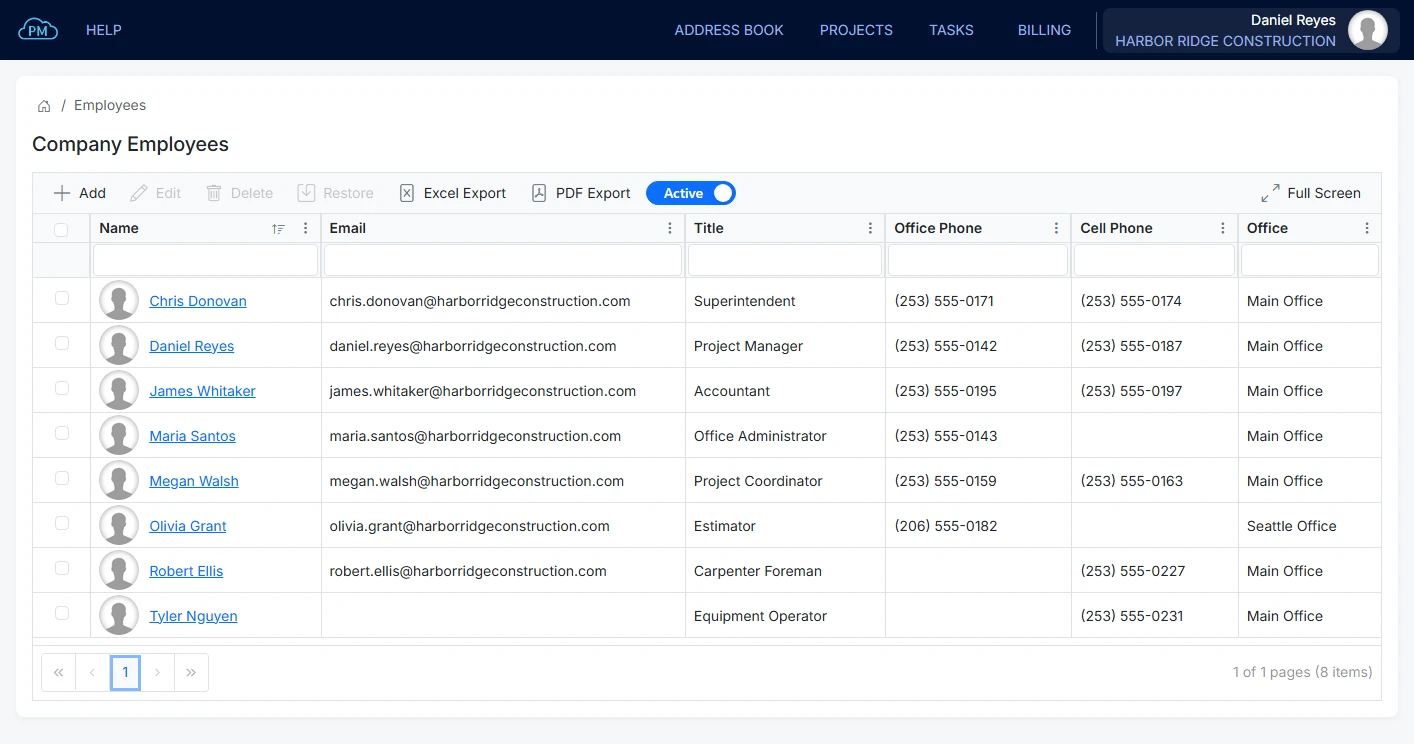
You can add employees who do not use Cloud PM, such as field staff, and keep their records separate from your users.
-
User Permissions
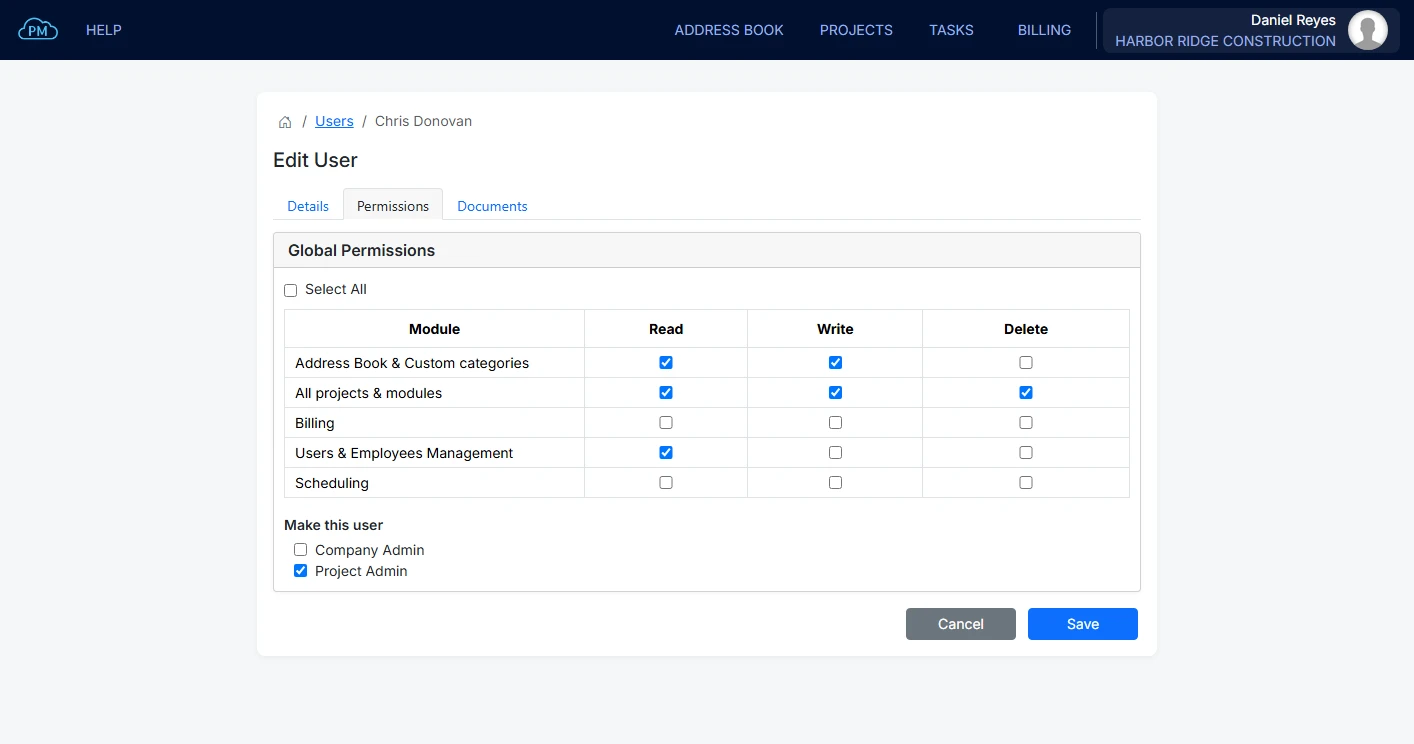
You can set Read, Write and Delete permissions for each user on every module, and make a user a Project Admin.
Company Details in the Construction Administration Panel
On the Company Details tab, you can see your subscription level, its storage limit and how much storage you have used. Your company logo is shown on every transmittal and report you send.
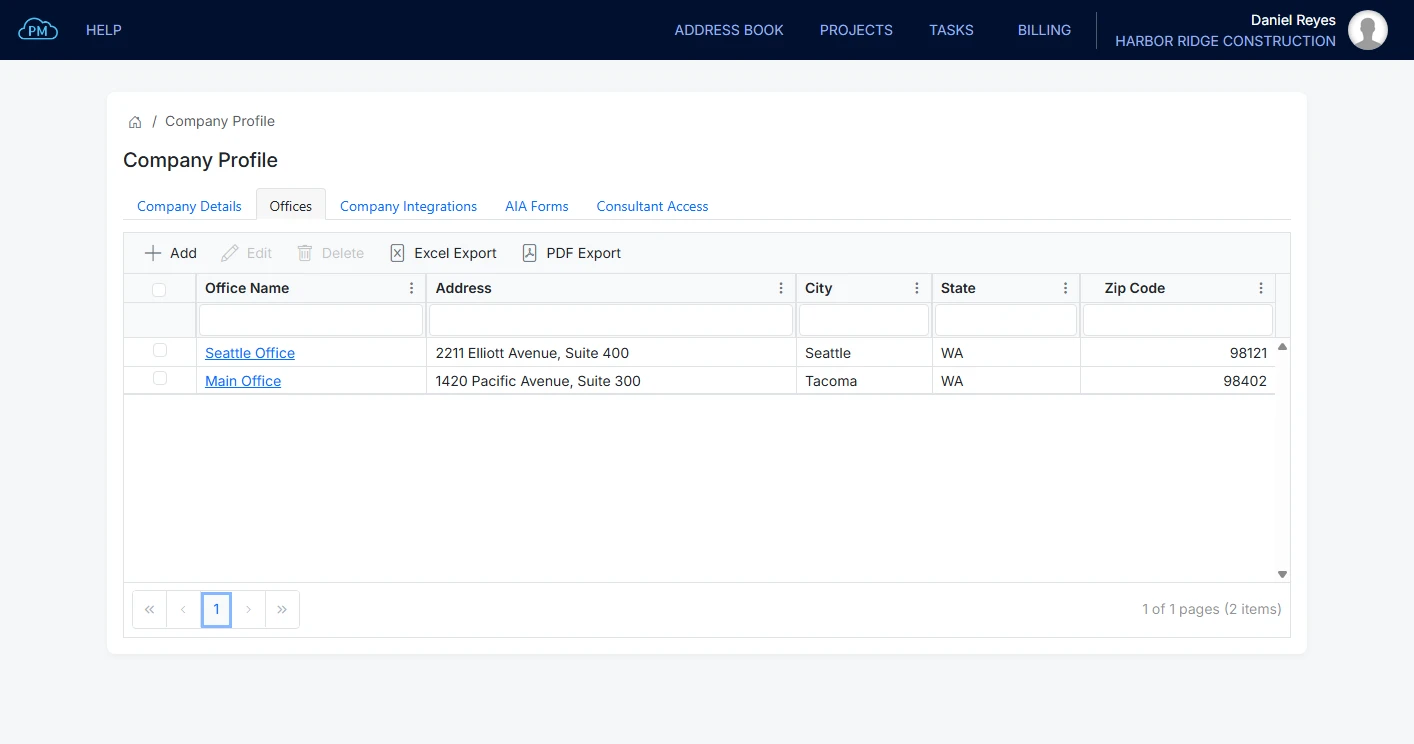
Company Offices on Your Construction Company Profile
You can add all your company offices, each with its address, and assign every user and employee to an office, so you always know who works where.
Company Employees and Their Documents
You can keep records of all your employees, including the staff who do not use Cloud PM, with their contact details and documents, such as an OSHA card or a certificate. Each document has an expiration date, so you can see which ones are expired or expiring soon. When an employee needs access to Cloud PM, you can make them a user, and Cloud PM emails them their sign-in details.
Access, Subscription and Integrations
In the administration panel, you can also set global user permissions, change your subscription level and connect QuickBooks Online. You can move to a higher subscription level at any time, and to a lower level in the last 28 days before your subscription renews.
Global Permissions and Construction User Management
You can give each user Read, Write and Delete permission on the Address Book, Billing, Scheduling and user management, so an estimator and an accountant each have access to only what they need. You can also make a user a Project Admin. Permissions on each project are set separately, and you can read about them on our User Permissions page.
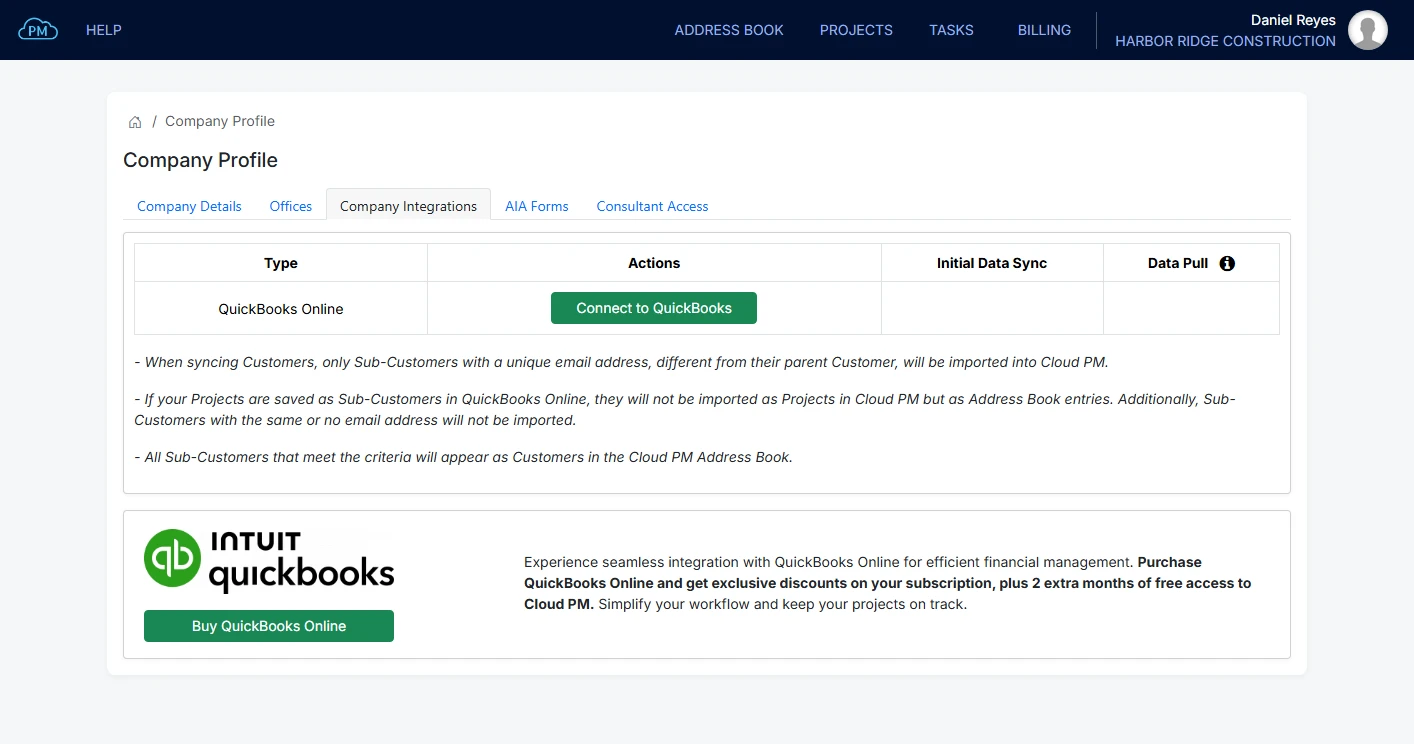
Connecting QuickBooks Online to Your Company Profile
When you connect Cloud PM to QuickBooks Online, you don't need to enter the same data twice. Before you connect, Cloud PM shows you which data will be shared, and you can import your tax rates and payment terms from QuickBooks Online at any time. You can read more on our QuickBooks Online page.
Why Choose Cloud PM for Company Administration
With Cloud PM, you can manage your offices, users, employees and QuickBooks Online connection yourself, as your company grows. The other companies on your projects use Cloud PM free of charge, and plans start from $40 a month.
-
Unlimited Users on Every Level
Every subscription level includes unlimited users, so you can add your entire team without paying more. Cloud PM emails each new user their sign-in details.
-
Employee Documents
You can save each employee's certifications and cards with their expiration dates, so you can renew them before they expire.
-
Subscription and QuickBooks
You can change your subscription level yourself, and depending on your level, connect QuickBooks Online and add the AIA G702 and G703 forms.
Construction Administration Panel FAQ
An administration panel is a page where you manage your company account, such as your offices, users, employees, permissions and subscription. In Cloud PM, only a Company Admin can change the company profile.
A Company Admin can manage users, and so can any user with the Users and Employees Management permission. A Project Admin manages their own projects, not the company account.
A user can sign in to Cloud PM, while an employee is a record of a staff member, with their contact details and documents, and does not need an account. When an employee needs access, you can make them a user.
Yes. A Company Admin can move to a higher level at any time, without contacting us, and to a lower level in the last 28 days before the subscription renews.