
Construction Bills & Expenses
Cloud PM's construction bills and expenses module helps you track the costs of each project, from the bills you still need to pay to the expenses you have already paid. You can see what each cost was for and how much is left to pay, so you never miss a vendor payment.
Project Costs
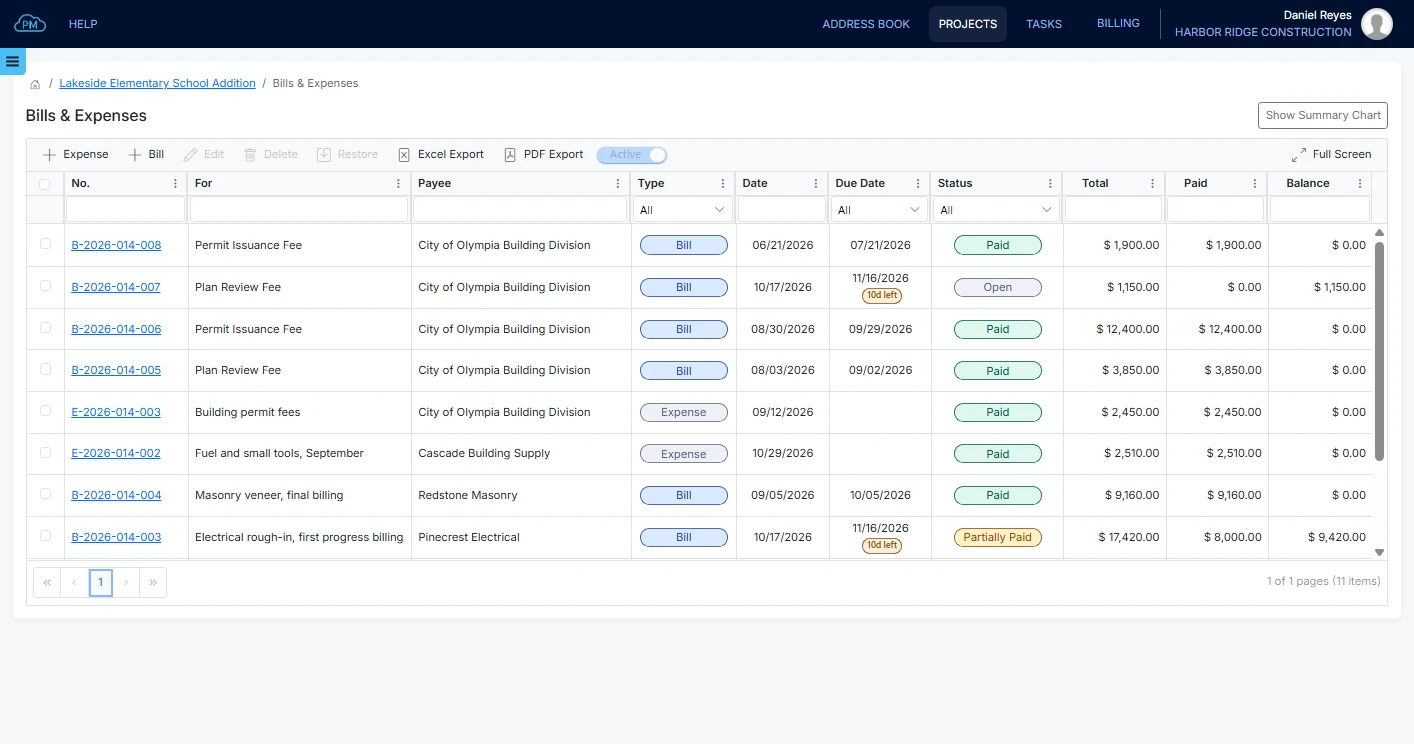
You can track what each project costs in the Bills & Expenses module, just as you track what you bill in your construction invoices. You can enter a vendor bill you still need to pay, or an expense you have already paid.
-
Bills and Expenses Together
You can see your bills and expenses in the same log and filter them by type whenever you need to.
-
Products & Services or Accounts
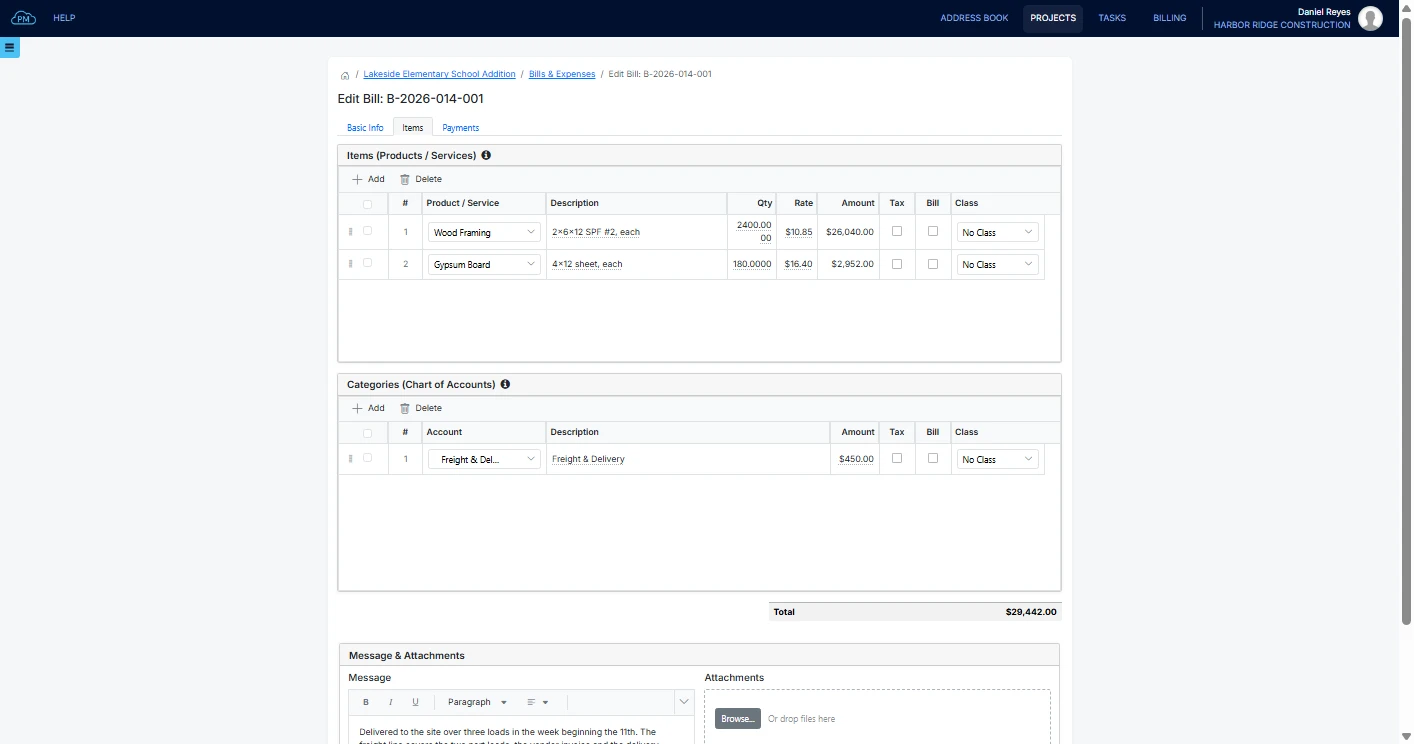
You can add materials and work from your products and services, and add other costs such as freight or permits directly to an account on the same bill.
-
Payment Terms
When you select the vendor's terms, Cloud PM calculates the due date from the bill date. You can also see how many days are left on each bill and which ones are overdue.
Adding a Bill From a Vendor
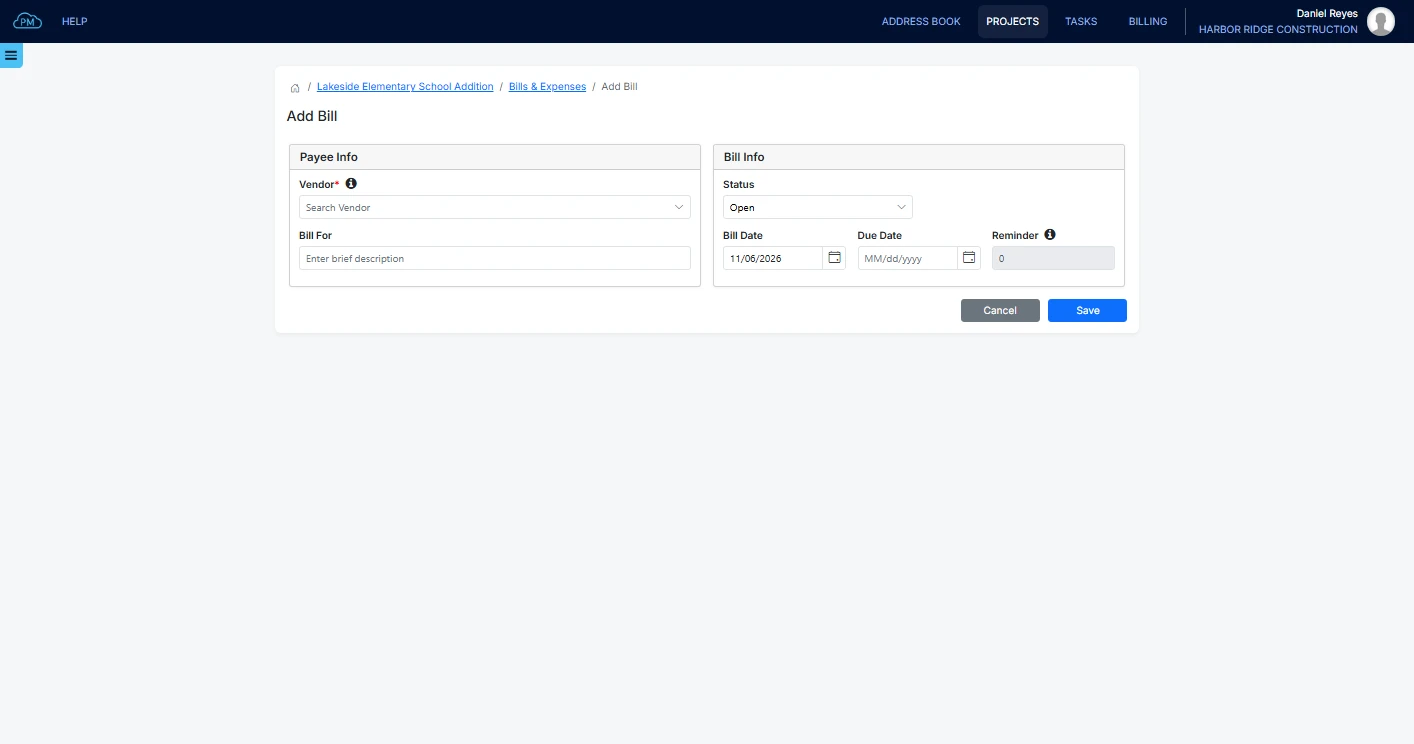
When you add a bill, you select the vendor and enter what the bill is for. Cloud PM calculates the due date from the payment terms and assigns the bill number when you save it. You can also set a reminder, so you receive an email a few days before the due date.
Recording an Expense
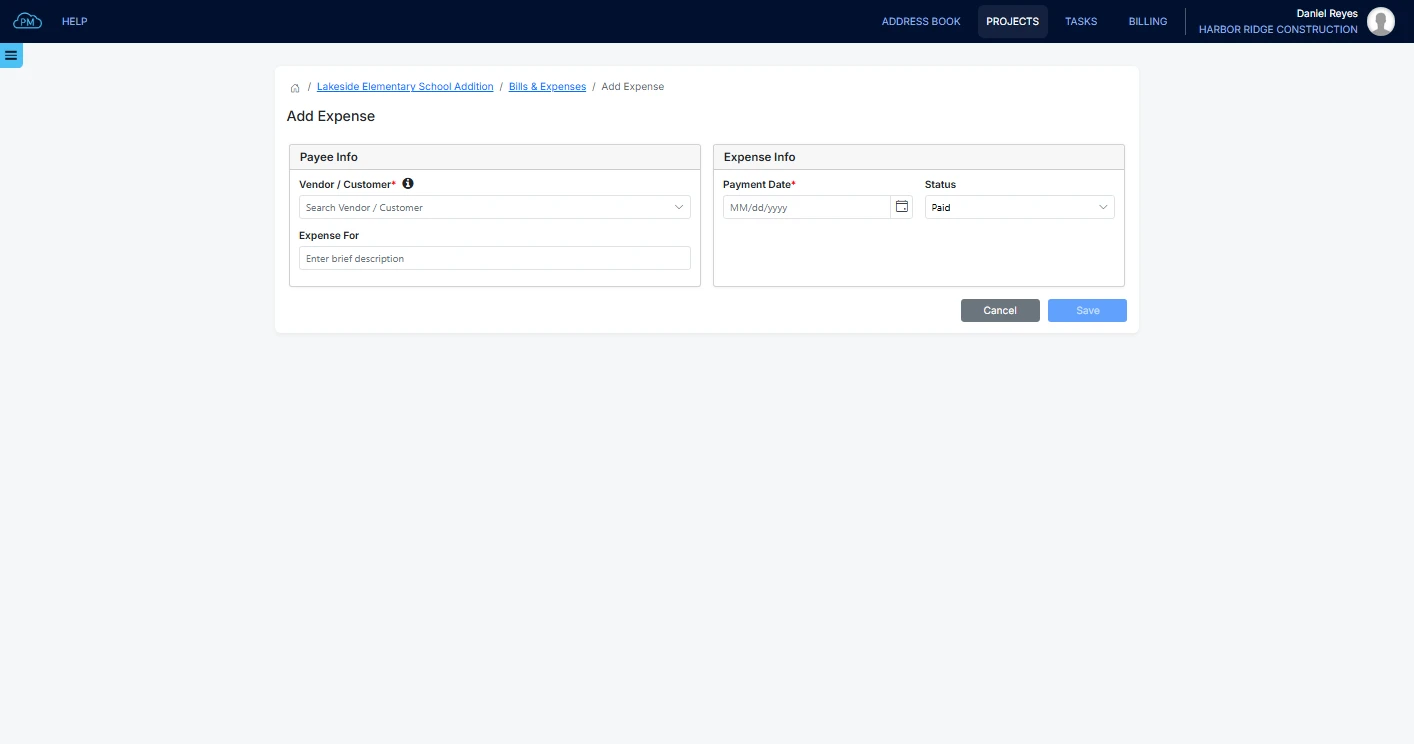
You can enter an expense after you have paid it, with the payment date and the account it was paid from. Like a bill, it is included in the costs of the project.
Bill Line Items
When you select a product or service, Cloud PM enters its description automatically, and each line is linked to the right account in your chart of accounts. You can also attach the vendor's invoice and add a message to the bill.
Paying a Bill
A bill stays open until it is paid in full. When you record a payment, Cloud PM updates the balance and the status automatically.
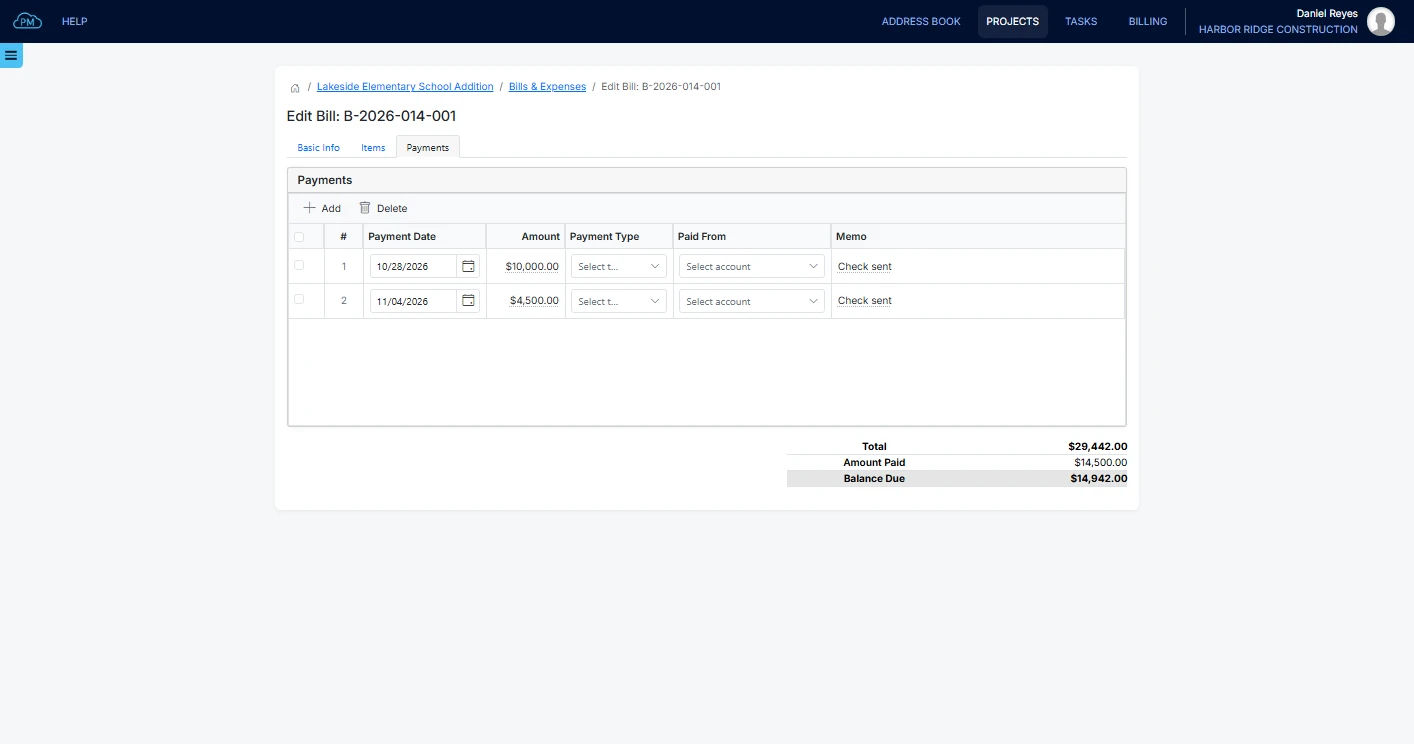
Recording Payments
When you record a payment, Cloud PM enters the remaining balance as the amount, so you don't need to type anything for a full payment. For a partial payment, you can enter the amount and a memo, such as the check number. The bill status changes to Partially Paid, and then to Paid when the balance is zero.
Cost Summary
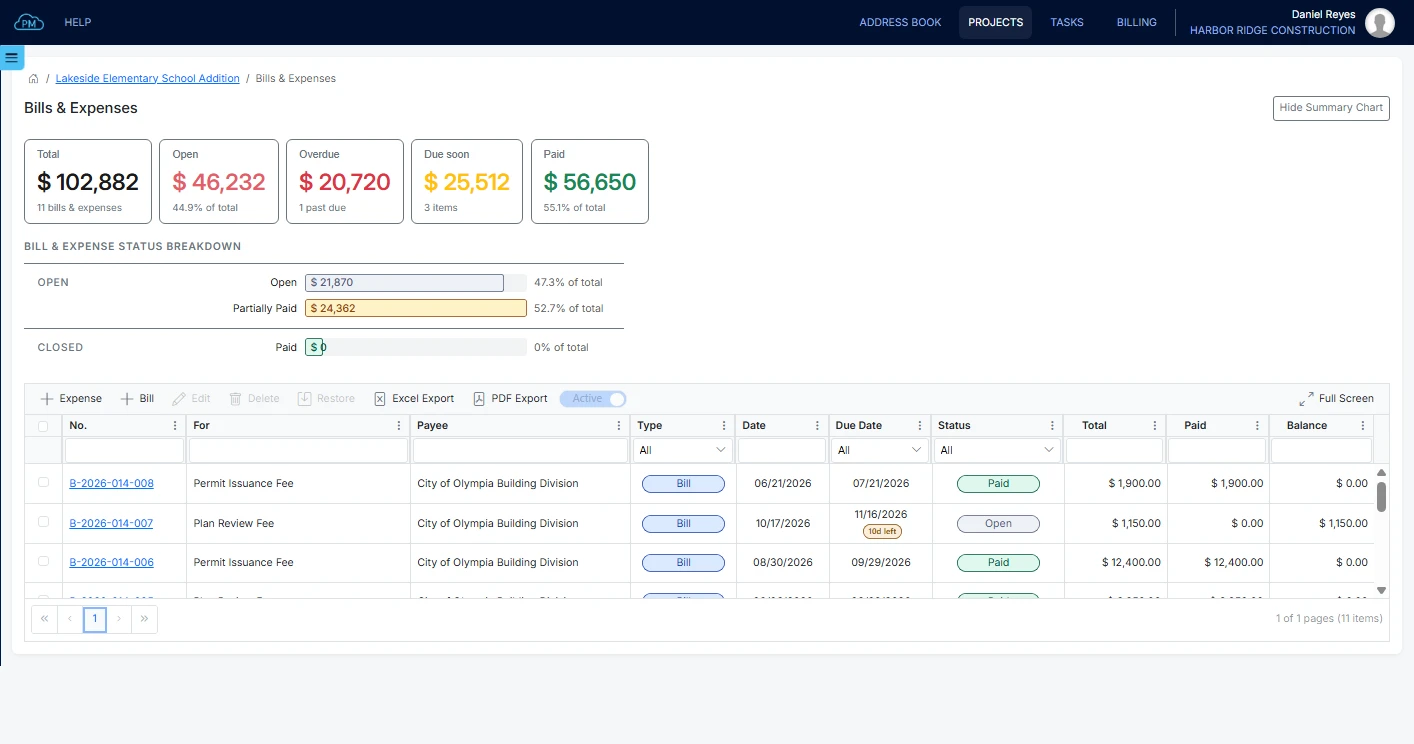
In the cost summary, you can see how much of the project's costs are open, overdue or paid, without waiting for the monthly reports.
Why Choose Cloud PM for Construction Bills & Expenses
With Cloud PM, you can track your costs in the same project as your contracts and invoices, so you can see how the project is doing while there is still time to act. Bills and expenses are included in the Advanced plan, from $60 a month.
-
Project Costs
Every bill and expense is linked to its project, so you always know how much each project has cost.
-
Documents on Every Bill
You can attach the vendor's invoice and the delivery tickets to the bill or expense, so you can easily find them if a charge is questioned later.
-
QuickBooks Online Sync
On the Premium plan, your bills and expenses sync with QuickBooks Online, so your accountant doesn't need to enter them again.
Construction Bills and Expenses FAQ
A bill is a vendor invoice you haven't paid yet, so it has payment terms, a due date and a balance. An expense is a cost you have already paid, so it has no balance. Both are included in the costs of the project.
Cloud PM assigns a number to each bill and expense when you save it, starting with the project number. For example, B-2026-014-002 is the second bill on project 2026-014, and expenses start with E, so a bill and an expense never have the same number.
Yes. You can link a line directly to an account in your chart of accounts, which is useful for freight, permits, insurance and other costs that are not products or services.
Cloud PM shows how many days are left on each open bill and how many days it is overdue once the due date has passed. You can also see the total overdue amount in the cost summary.