
Construction Invoices
Cloud PM's construction invoices help general contractors and subcontractors bill their customers directly from each project. You can create an invoice from your own products and services, record each payment as it arrives and see right away which invoices are overdue.
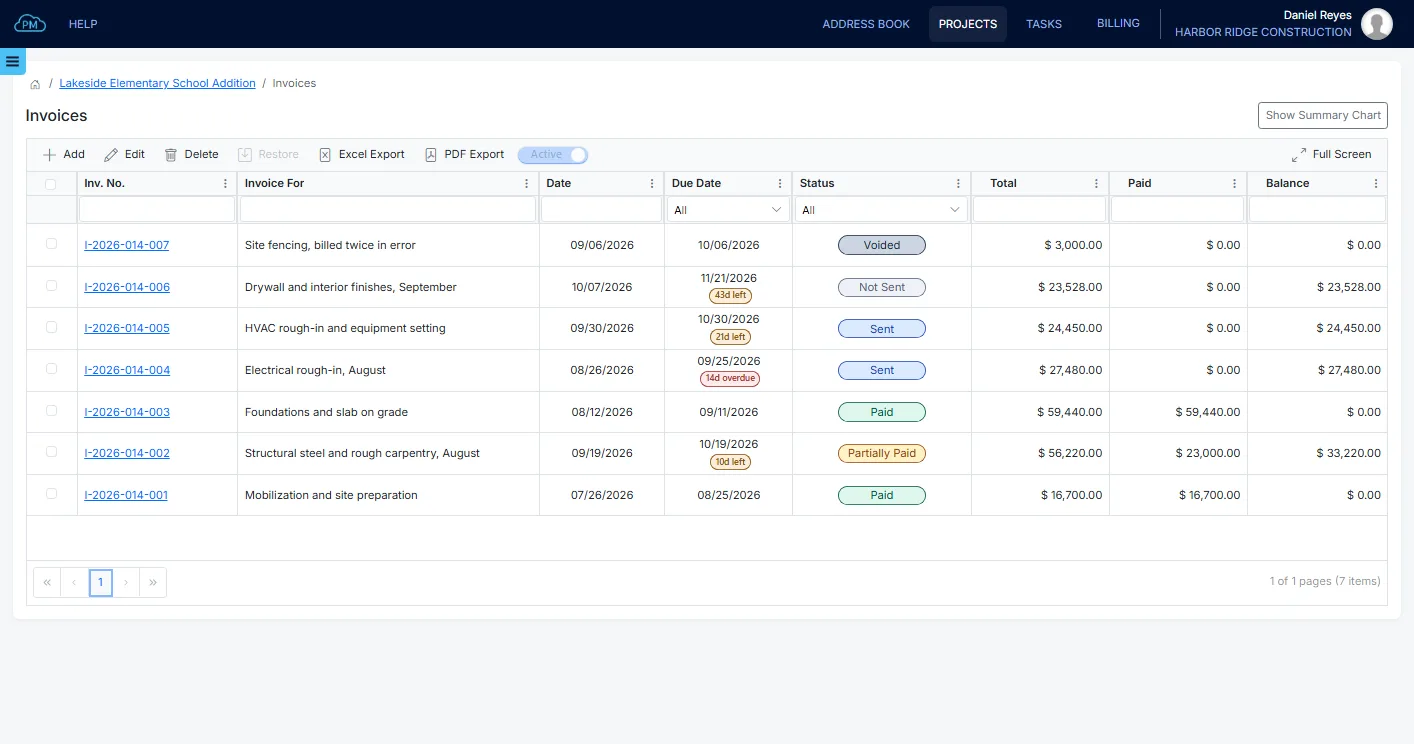
Invoices on Each Project
Every invoice is created within its project, so you always know how much has been invoiced on each project. Your project costs are tracked separately in Bills & Expenses.
-
Your Own Rates
You can select each line from the products and services you have already set up, so you bill the same rates on every invoice.
-
Payment Terms
When you select the terms, such as Net 30, Cloud PM calculates the due date from the invoice date. You can also see how many days are left on each invoice and which ones are overdue.
-
QuickBooks Online Sync
On the Premium plan, your invoices sync with QuickBooks Online, so your accountant doesn't need to enter them again.
Creating a Construction Invoice
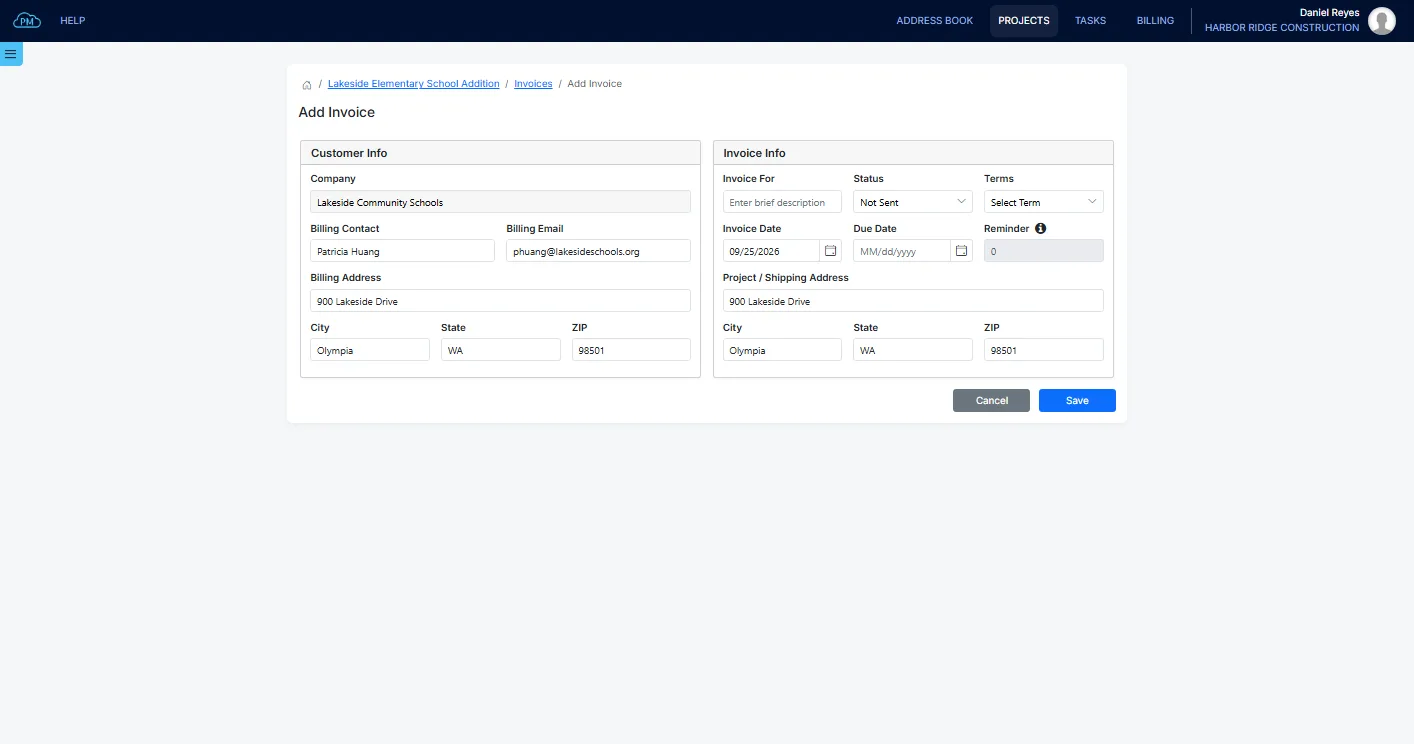
When you create an invoice, Cloud PM enters the customer from the project automatically. You only need to add what the invoice is for and select the payment terms, and the invoice number is assigned when you save it. You can also set a reminder, so you and the billing contact receive an email a few days before the due date.
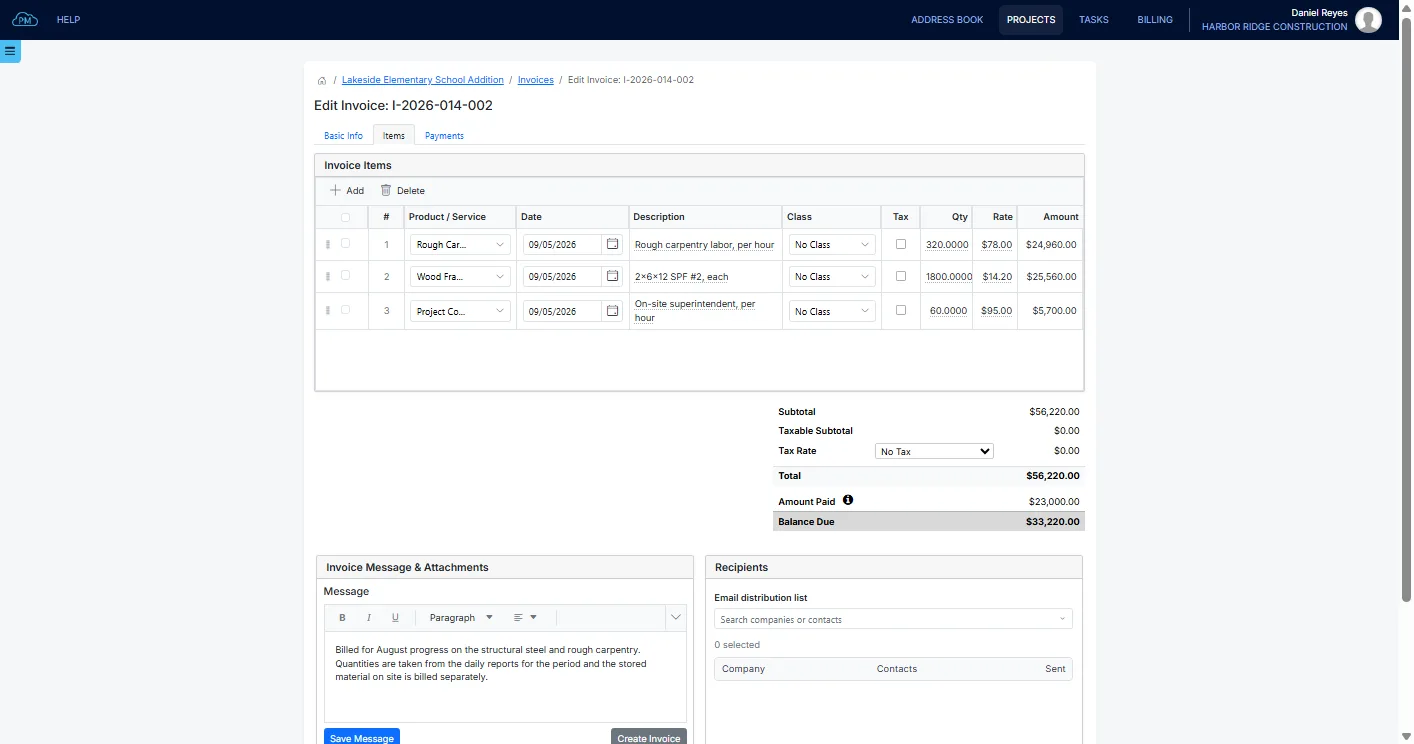
Invoice Line Items
When you select a product or service, Cloud PM enters its description and rate automatically. You only need to enter the quantity, and Cloud PM calculates the amounts and the tax. Each line is saved as soon as you change it, so you never lose an unfinished invoice.
Sending the Invoice to the Customer
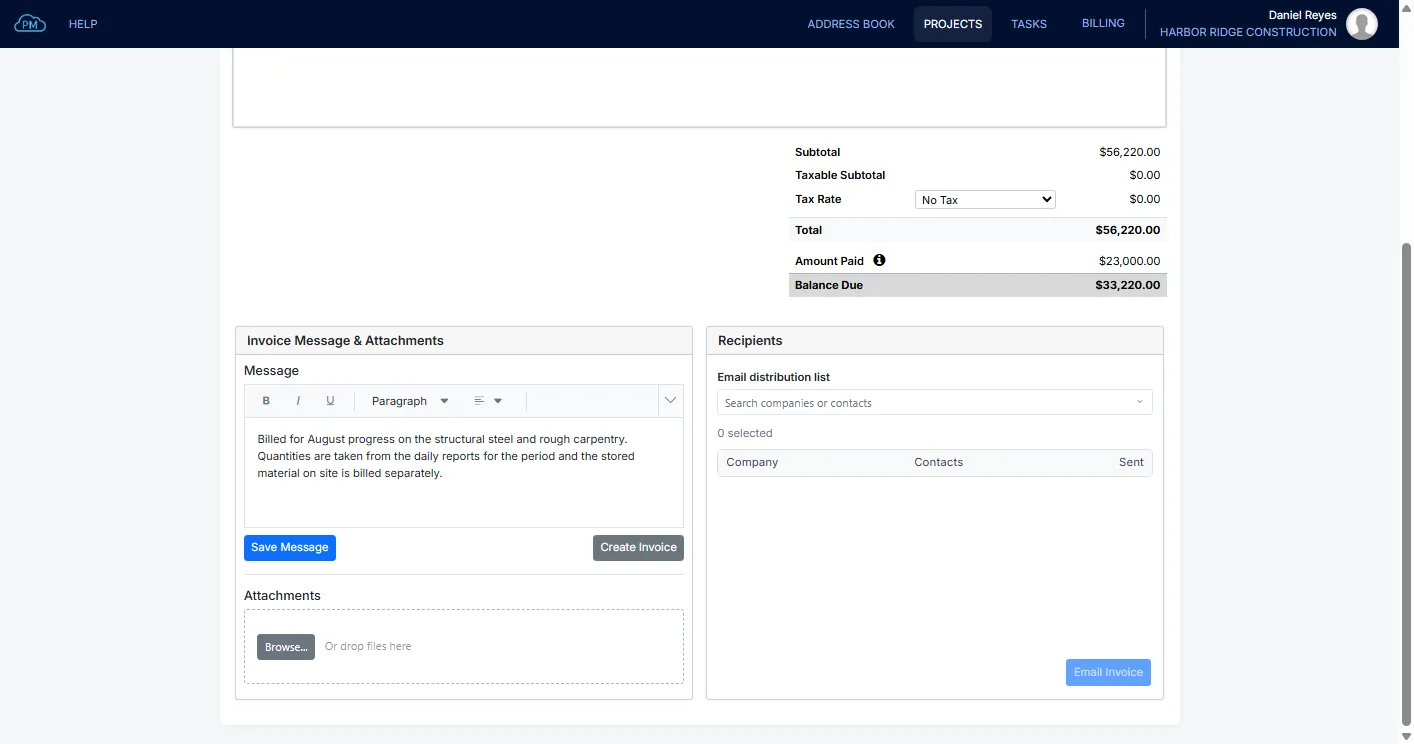
You can add a message to the invoice and attach any supporting documents. Cloud PM creates the PDF and emails it to the contacts you select from the Project Directory, and you can always see who received the invoice and when.
Getting Paid
You can track each invoice from the day you send it until it is fully paid. When you record a payment, Cloud PM updates the invoice balance automatically.
Recording Payments
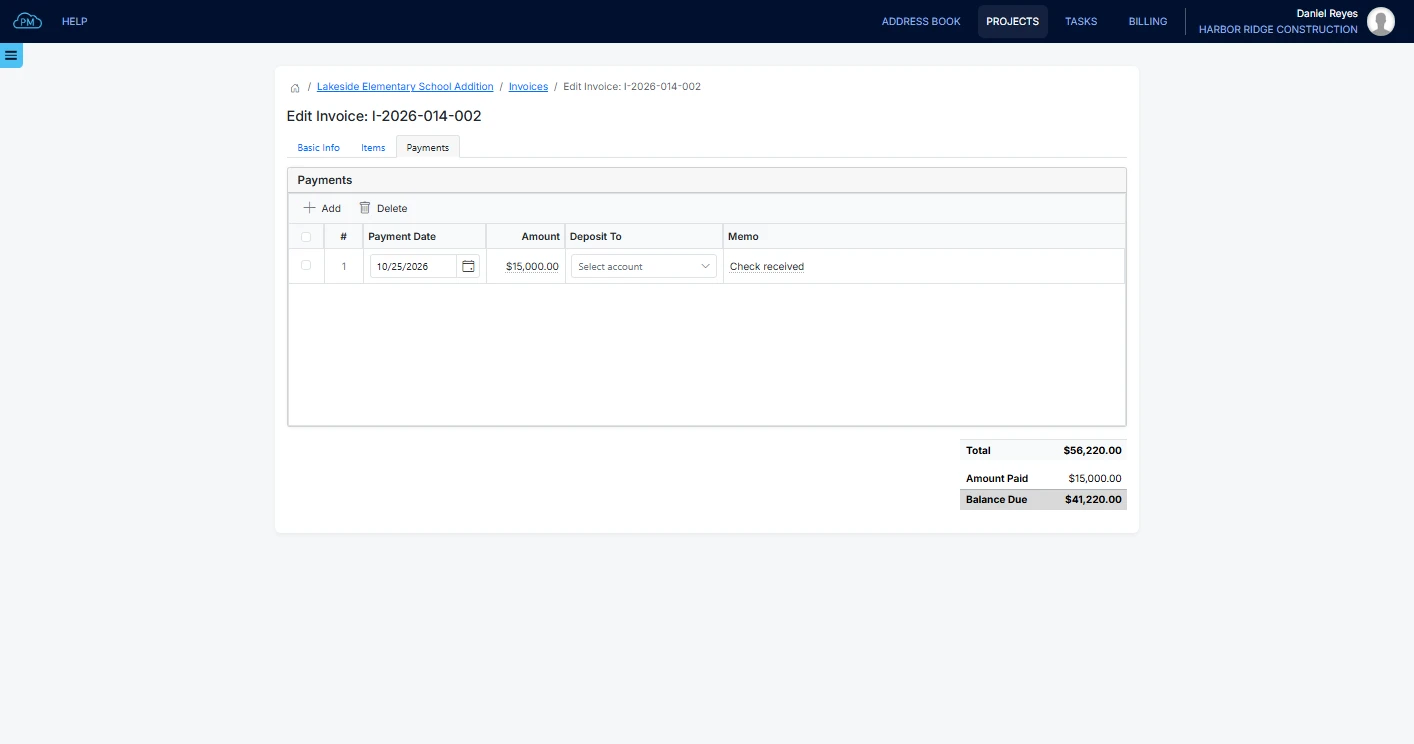
When you record a payment, Cloud PM enters the remaining balance as the amount, so you don't need to type anything for a full payment. For a partial payment, you can enter the amount and a memo, such as the check number. The invoice status changes to Partially Paid, and then to Paid when the balance is zero.
Billing Summary
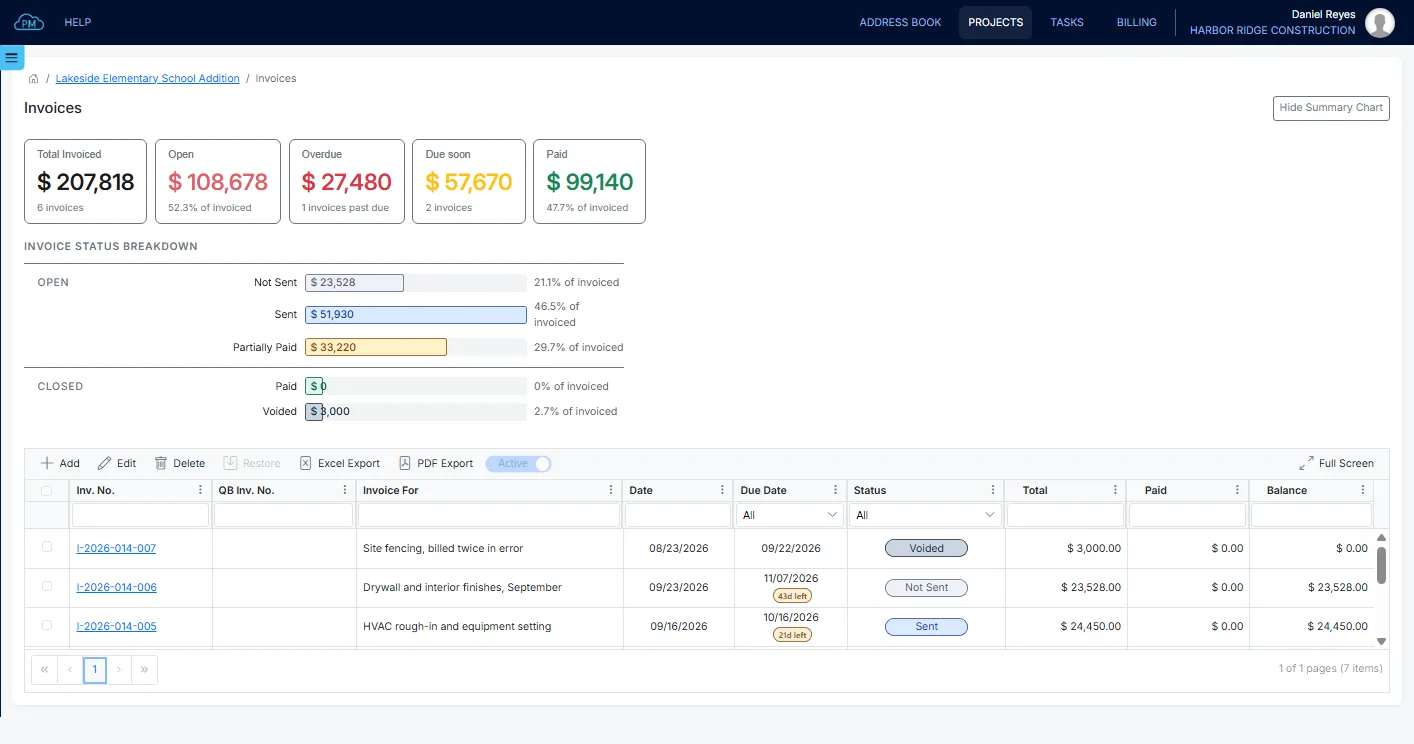
In the billing summary, you can see how much has been invoiced on the project and how much is open, overdue or paid, without preparing a report.
Why Choose Cloud PM for Construction Invoices
With Cloud PM, you can create your invoices in the same project as your contracts, change orders and payment applications, which saves time and reduces errors. Invoicing is included in the Advanced plan, from $60 a month.
-
Billing Within the Project
Your project managers can create invoices directly from the project, without using a separate billing system.
-
Overdue Invoices
You can see which invoices are overdue and by how many days, so you know which customers to contact.
-
Accurate Accounting
Each invoice line is linked to the account of its product or service, so your books match what you billed.
Construction Invoice FAQ
A construction invoice is the bill a contractor sends to the customer for the work completed on a project. When a project is billed in stages, each invoice covers one billing period and has its own balance.
Cloud PM assigns the invoice number when you save the invoice. The number starts with the project number, so I-2026-014-003 is the third invoice on project 2026-014.
Yes. You can bill a project month by month or stage by stage, and each invoice has its own balance. In the billing summary, you can see how much has been invoiced on the project to date.
Cloud PM shows how many days are left on each open invoice and how many days it is overdue once the due date has passed. You can also see the total overdue amount in the summary above the invoice log.