
Construction Gantt Chart
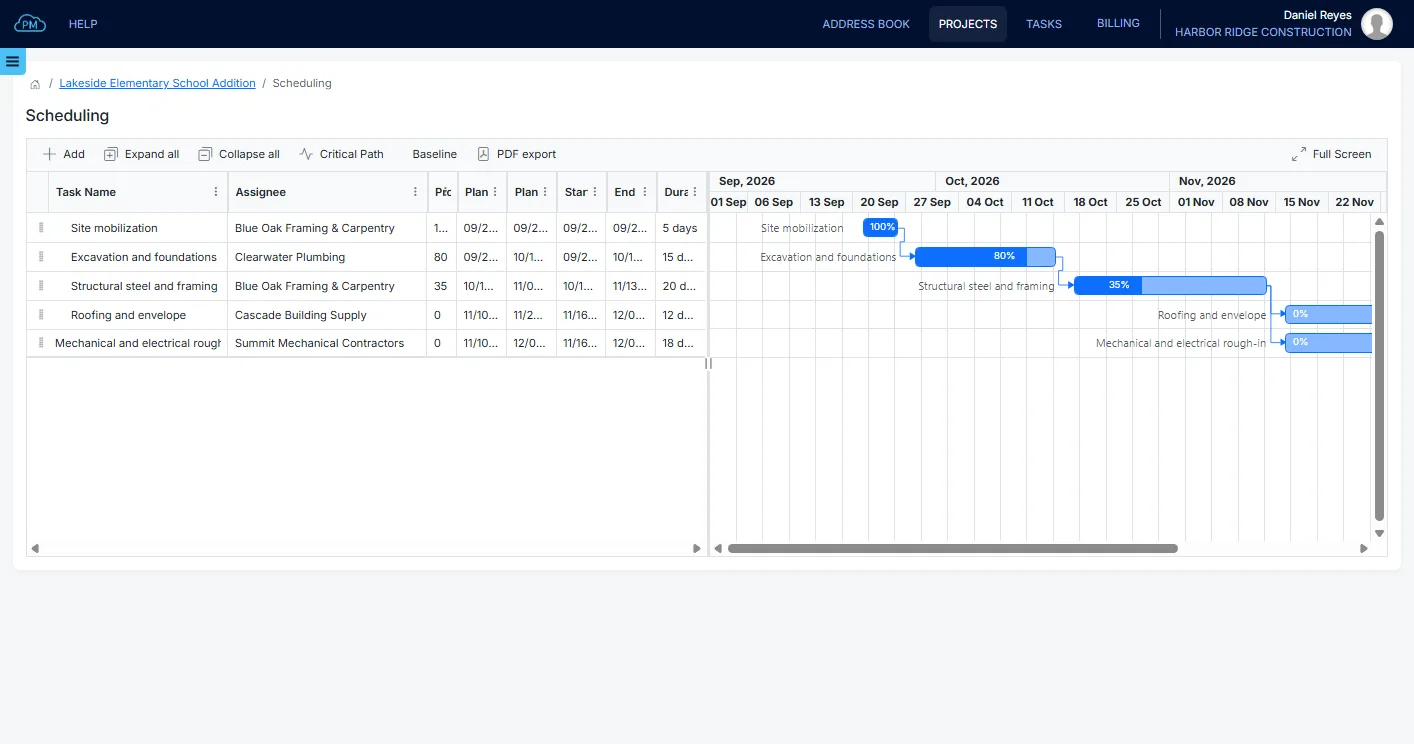
Cloud PM's construction Gantt chart helps you plan, manage and track your project schedule, so you can deliver your projects on time. You can link the tasks so the schedule is updated automatically when one is delayed, and see on the critical path which tasks affect your finish date.
The Schedule | Adding a Task | Assigning | Linking Tasks | Critical Path | Baseline | FAQ
The Project Schedule
Every project in Cloud PM has its own construction Gantt chart, so you can plan the schedule, assign the work and link the tasks in the same project.
-
Easy to Read
You can expand or collapse groups of tasks, so even a long schedule is easy to read.
-
Linked Tasks
You can link each task to the tasks before it, so the schedule is updated automatically when the dates change.
-
Assigned Companies and Users
You can see the companies and users assigned to each task, so everyone on the project knows who is responsible.
Adding Tasks to the Construction Gantt Chart
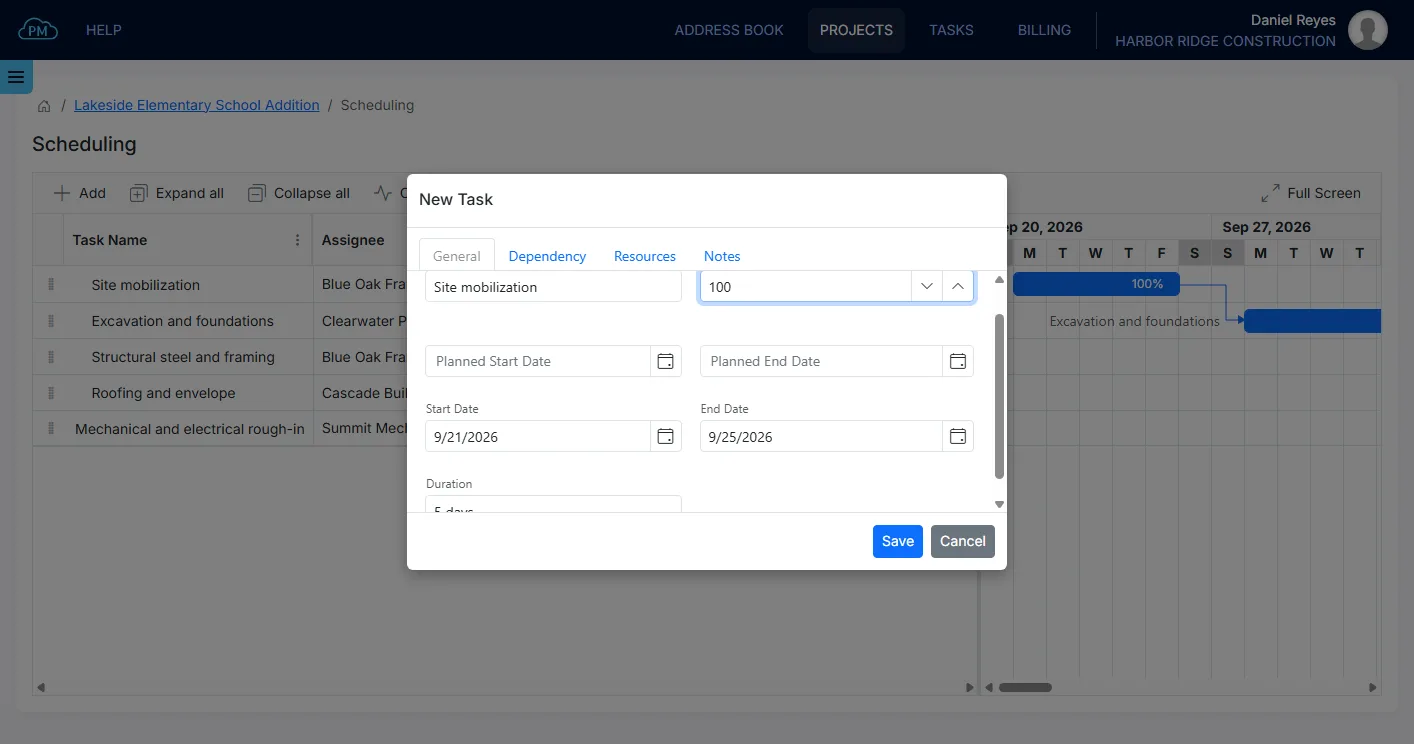
When you add a task, you enter its name, start date and duration, and Cloud PM calculates the end date in working days, excluding weekends. You can group tasks under a parent task and Cloud PM calculates its dates and progress from the subtasks. You can also add milestones to mark the key dates of the project.
Assigning the Work
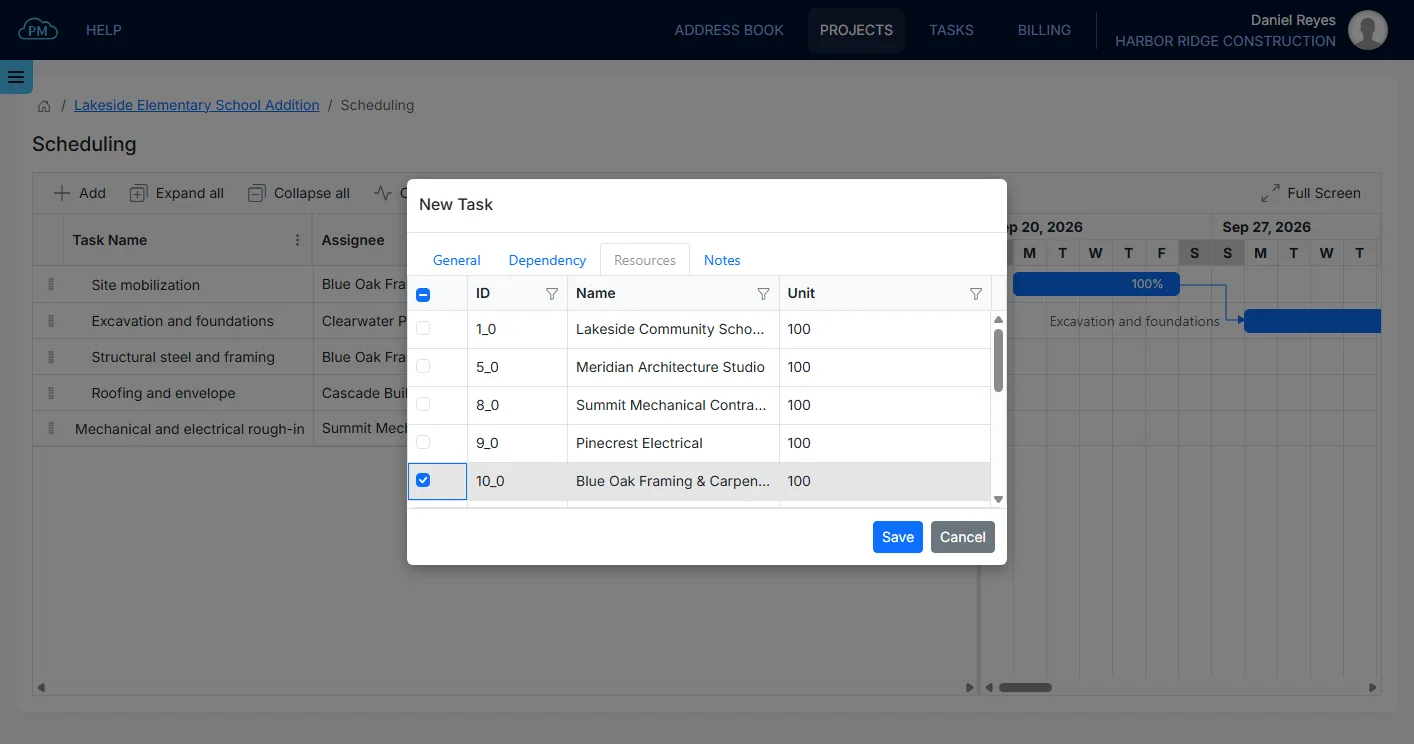
You can assign a task to any company in the Project Directory or to any of your users. A task can have more than one assignee.
Linking Tasks on a Gantt Chart for Construction
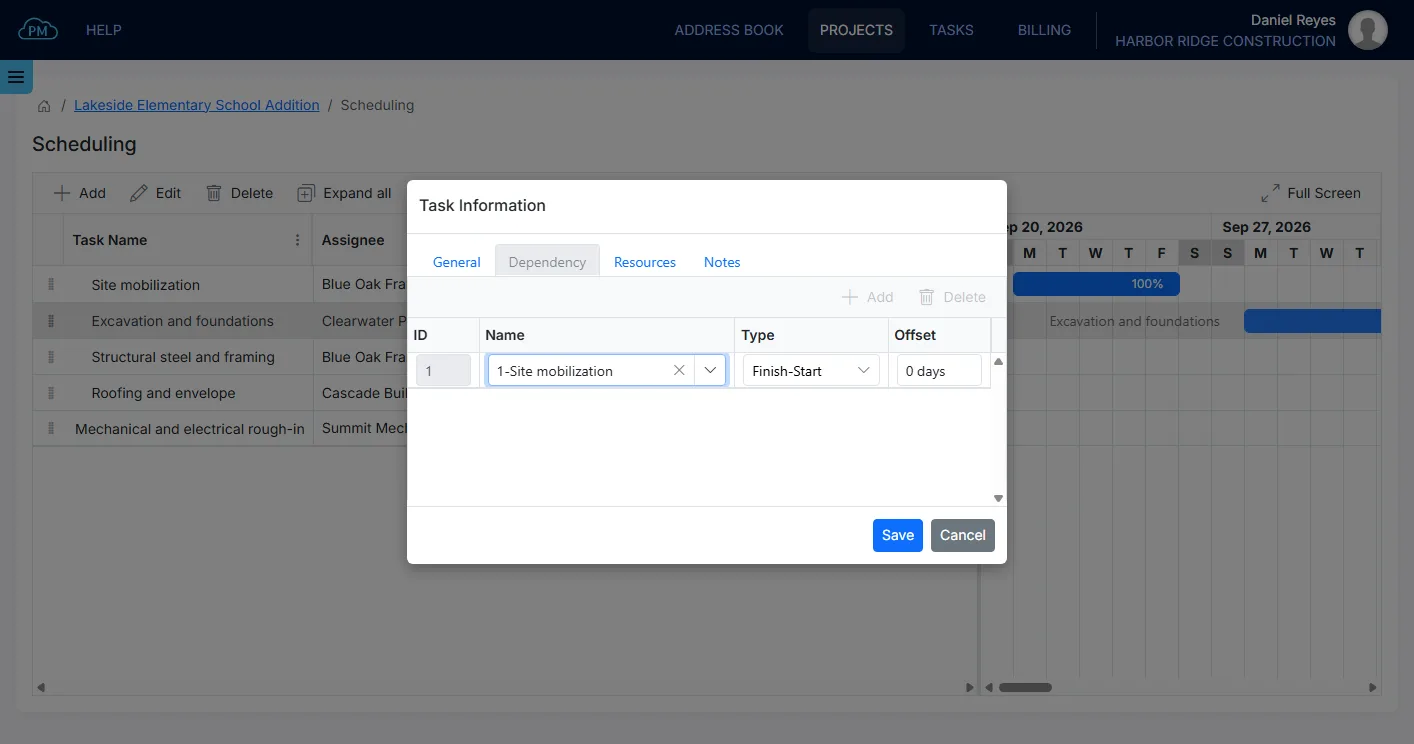
Most construction tasks depend on other tasks, so you can link a task to the tasks before it and add an offset in days. You can use any of the four link types, such as finish to start or start to start, and when a task's dates change, the linked tasks move with it.
Progress Against the Plan
You can compare the progress of the project with the plan in two views. Critical Path shows the tasks that cannot be delayed without moving the finish date, and Baseline compares the planned dates with the current dates.
The Critical Path on a Construction Gantt Chart
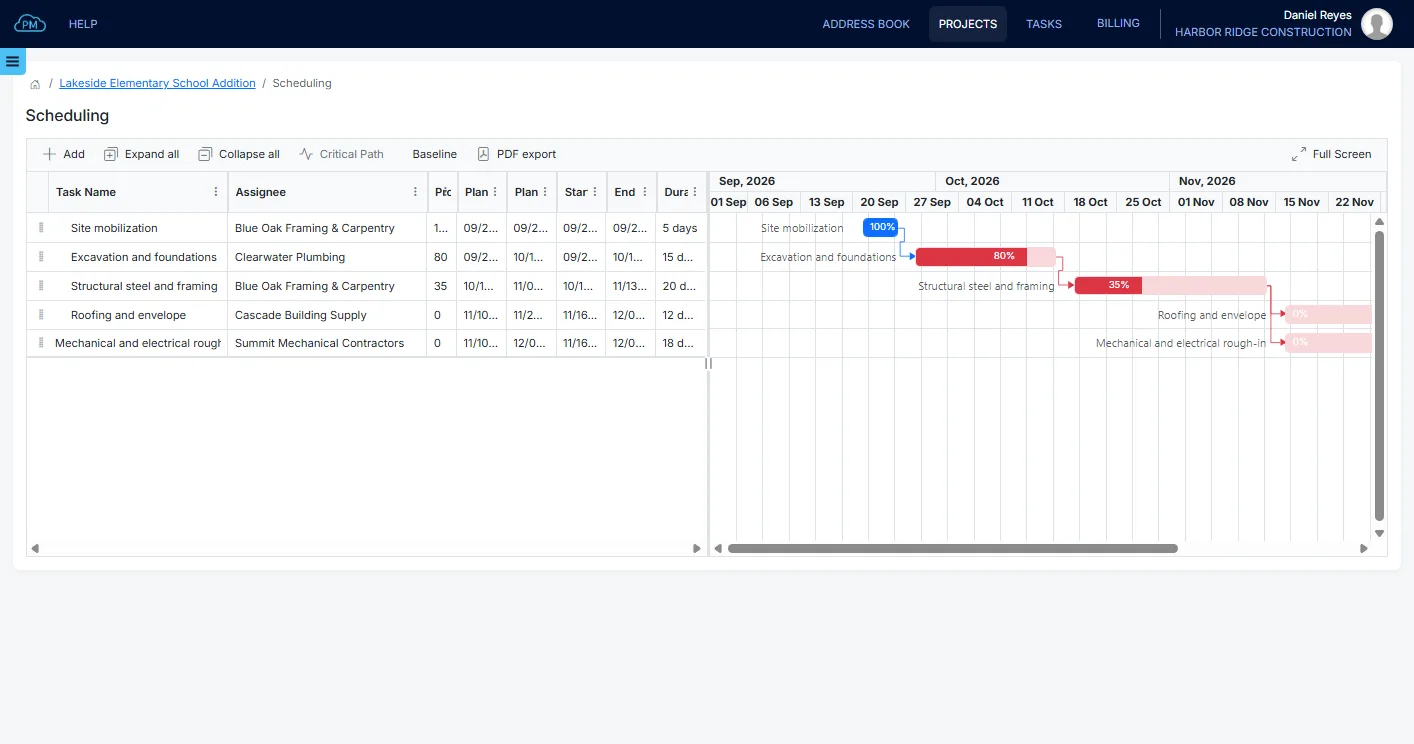
The critical path is the longest sequence of dependent tasks in your schedule, and Cloud PM shows it in red. If a task on the critical path is delayed, the finish date moves with it, so you can see which tasks need attention first.
Planned and Current Dates
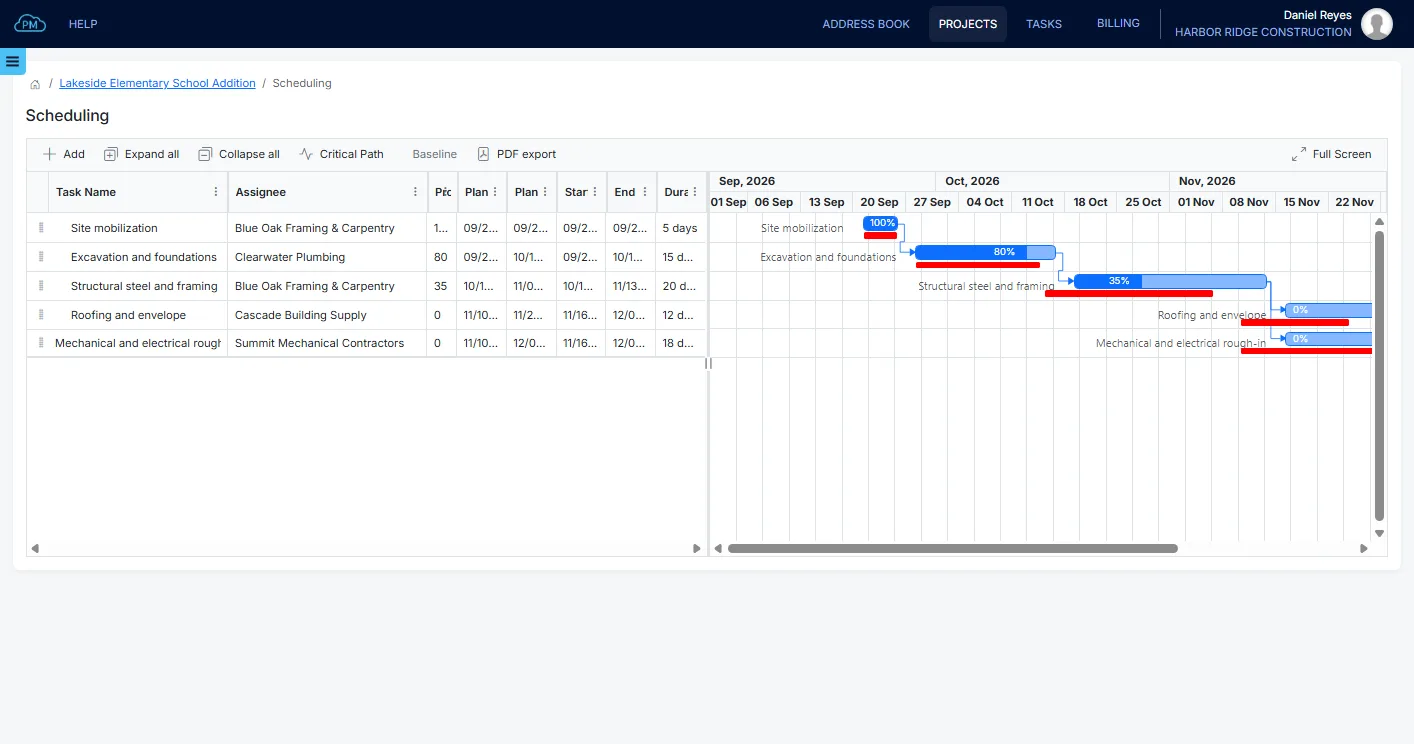
Each task has its planned dates and its current dates. When you select Baseline, you can see the planned dates together with the current ones, so you can compare the plan with the current schedule.
Exporting a Construction Gantt Chart to PDF
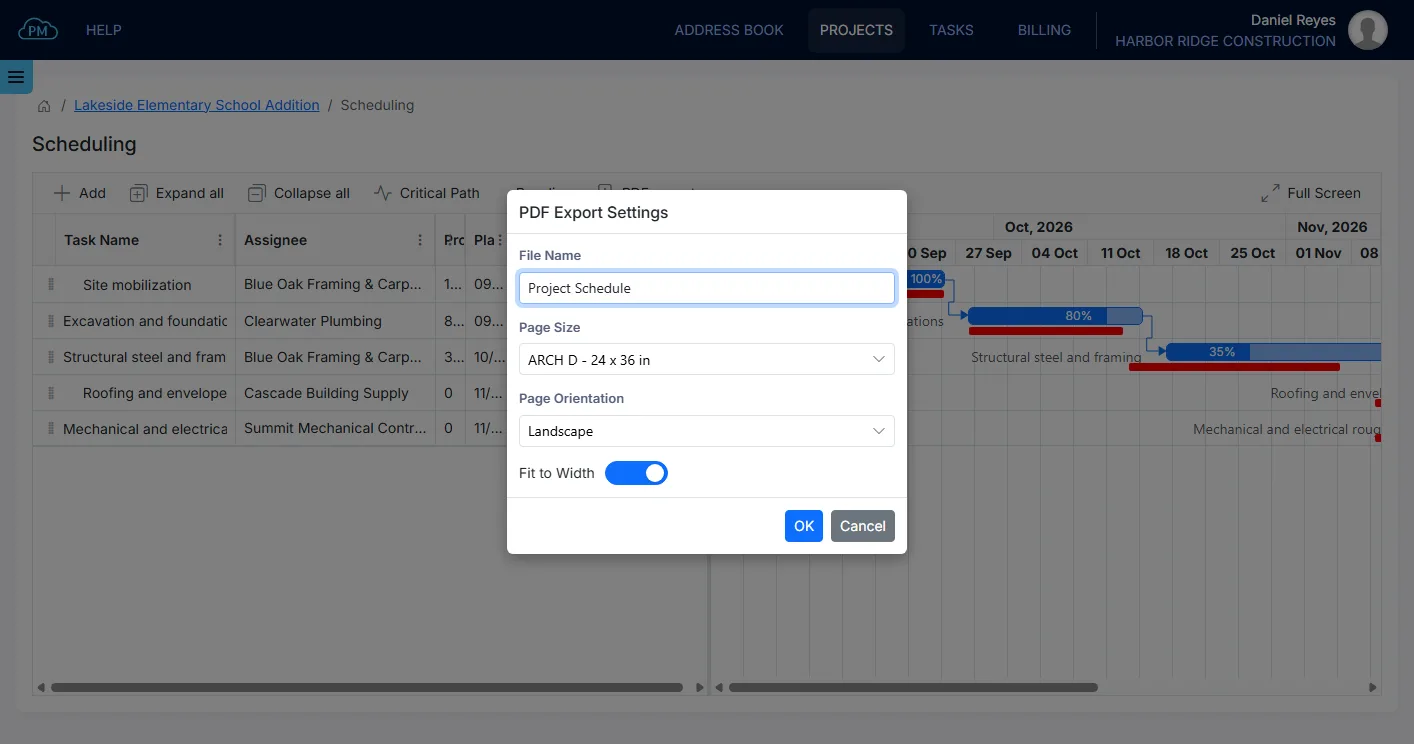
You can export the schedule to PDF in drawing sizes from ARCH A to ARCH E, A0 to B4, or Letter, in landscape or portrait. The PDF shows your company name, your office address and the date. Cloud PM also saves a copy in the project's Work Schedules folder.
Why Choose Cloud PM for Construction Scheduling
With Cloud PM, your construction schedule is in the same project as your submittals, procurement log and daily reports, so your team always works from the current schedule. The other companies on the project use Cloud PM free of charge, and plans start from $40 a month.
-
Dates That Move Together
When a task takes longer, the tasks linked to it move automatically, so you don't need to change them one by one and the finish date is always current.
-
Planned Dates on Every Task
Each task has its planned dates, so you can compare them with the current dates without keeping a separate copy of the original schedule.
-
A Schedule You Can Share
You can export the schedule to PDF in drawing sizes, and Cloud PM saves a copy in the project's Work Schedules folder, so you always have the version you sent.
Construction Gantt Chart FAQ
A construction Gantt chart is a visual project schedule that shows every task on a timeline, with its start date, duration and the tasks it depends on. It helps you see when each trade works on the project and in what order.
You list the tasks of the project, give each task a duration and link the tasks that follow each other. In Cloud PM, you can also assign each task to a company or to one of your users, and the chart is drawn as you add the tasks.
The critical path is the longest sequence of dependent tasks in a project schedule. These tasks have no slack, so if one of them is delayed, the project finish date is delayed too. Tasks that are not on the critical path can usually move without changing the finish date. Cloud PM shows the critical path in red.
Yes. In Cloud PM, you can export the schedule to PDF in drawing sizes, in landscape or portrait, and fit it to the page width.