
Construction Daily Reports
Cloud PM's construction daily reports are designed to make the documentation process easy and efficient. You can log the site activities, the weather conditions and any incidents as they happen. The finished report is easily shared with everyone on the project, so the whole team stays informed and aligned.
A Record of Every Day on Site
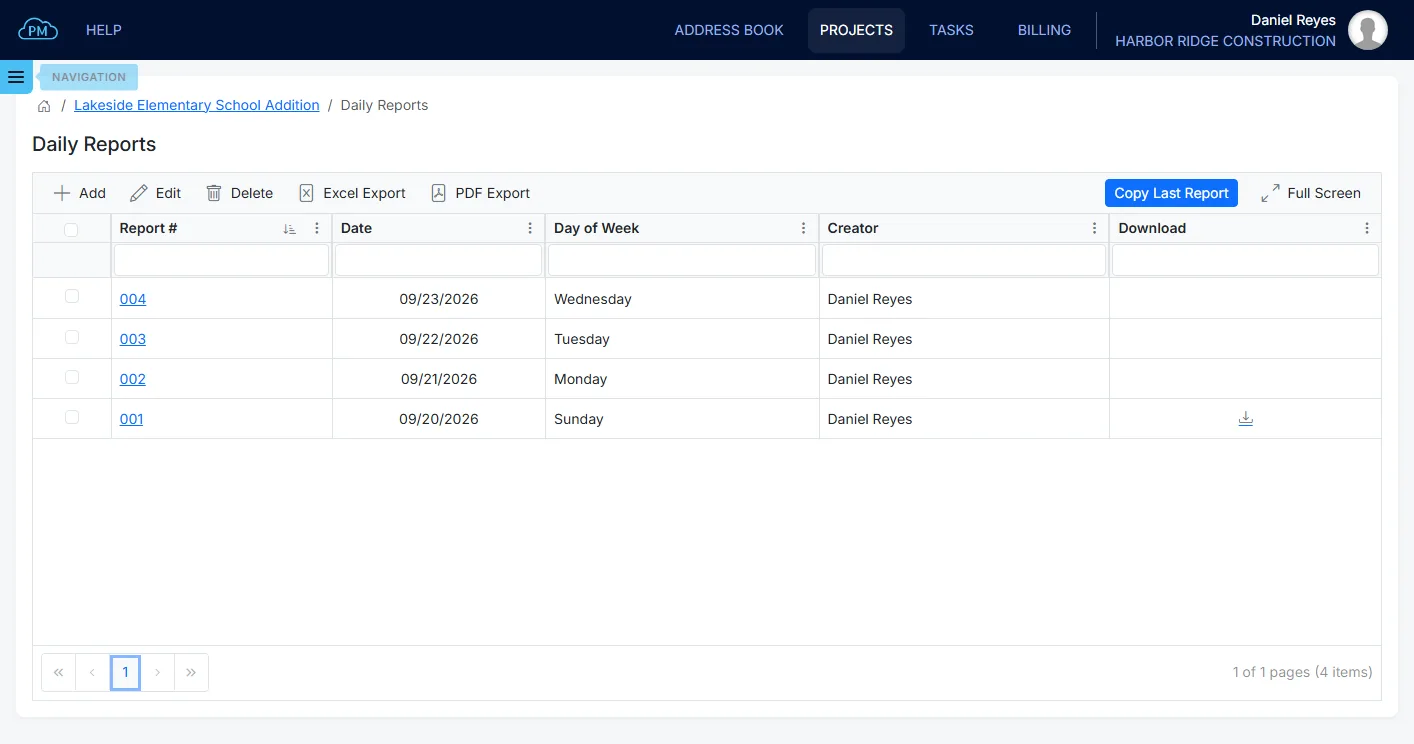
With Cloud PM, your daily reports are the record of what happened on site each day. If a delay or a claim is disputed months later, you have the report to show. You can find all your construction daily reports on the Daily Reports page, listed by date and by the person who created them, and open the PDF of any report directly from the list. Because each report is created the same day, you don't have to rely on memory later.
-
Quick Filtering
You can search any column and sort by any heading to find the day you need, by number, date or the person who created it.
-
Copy Last Report
Copy Last Report copies the previous report, including the labor lines, so you can create the next day's report in a minute.
-
Instant File Access
You can download the PDF of any report directly from the log, with or without the photos.
Starting Today's Report
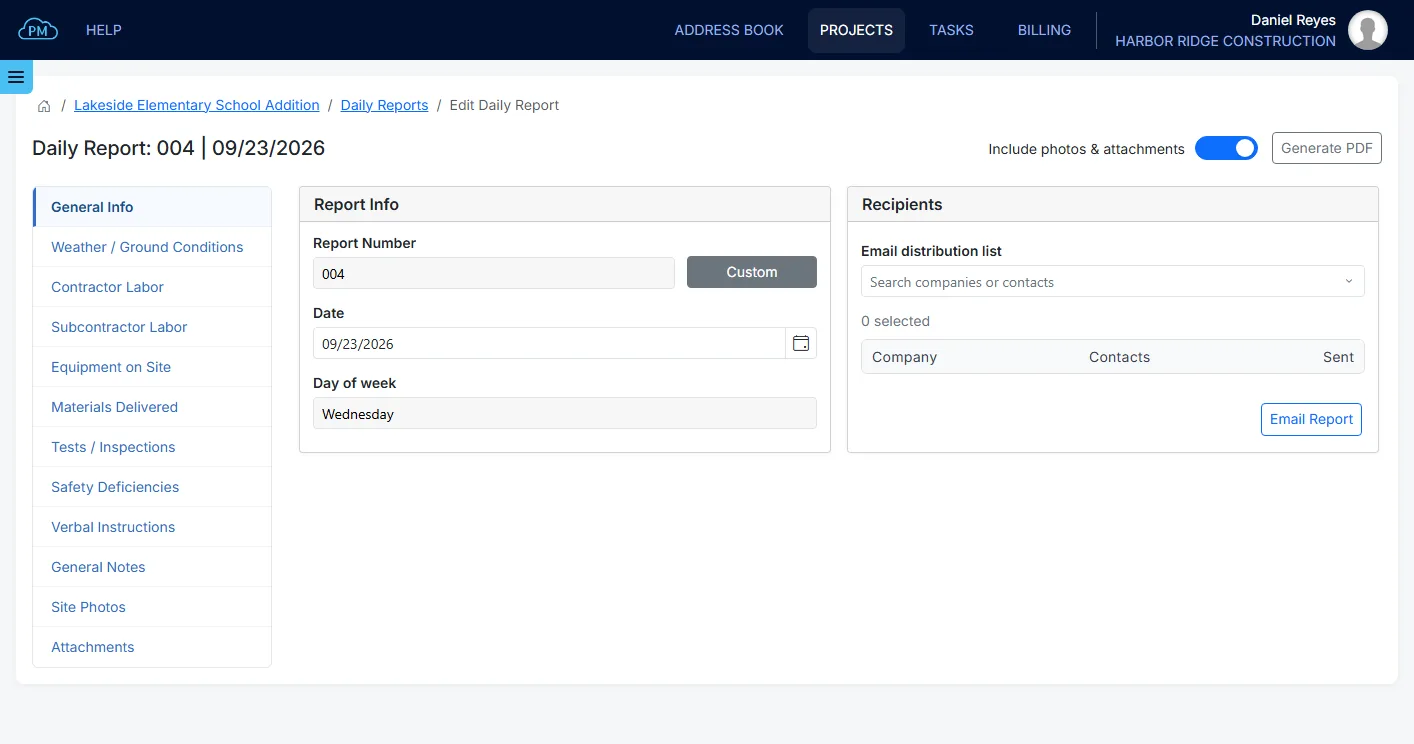
When you create a new report, Cloud PM gives it the next number and today's date, so you can start right away. When the same crews work on site every day, Copy Last Report copies the previous report with its labor lines, and you only change what is different. You don't need to save the daily report, because Cloud PM saves each entry automatically.
Weather and Ground Conditions
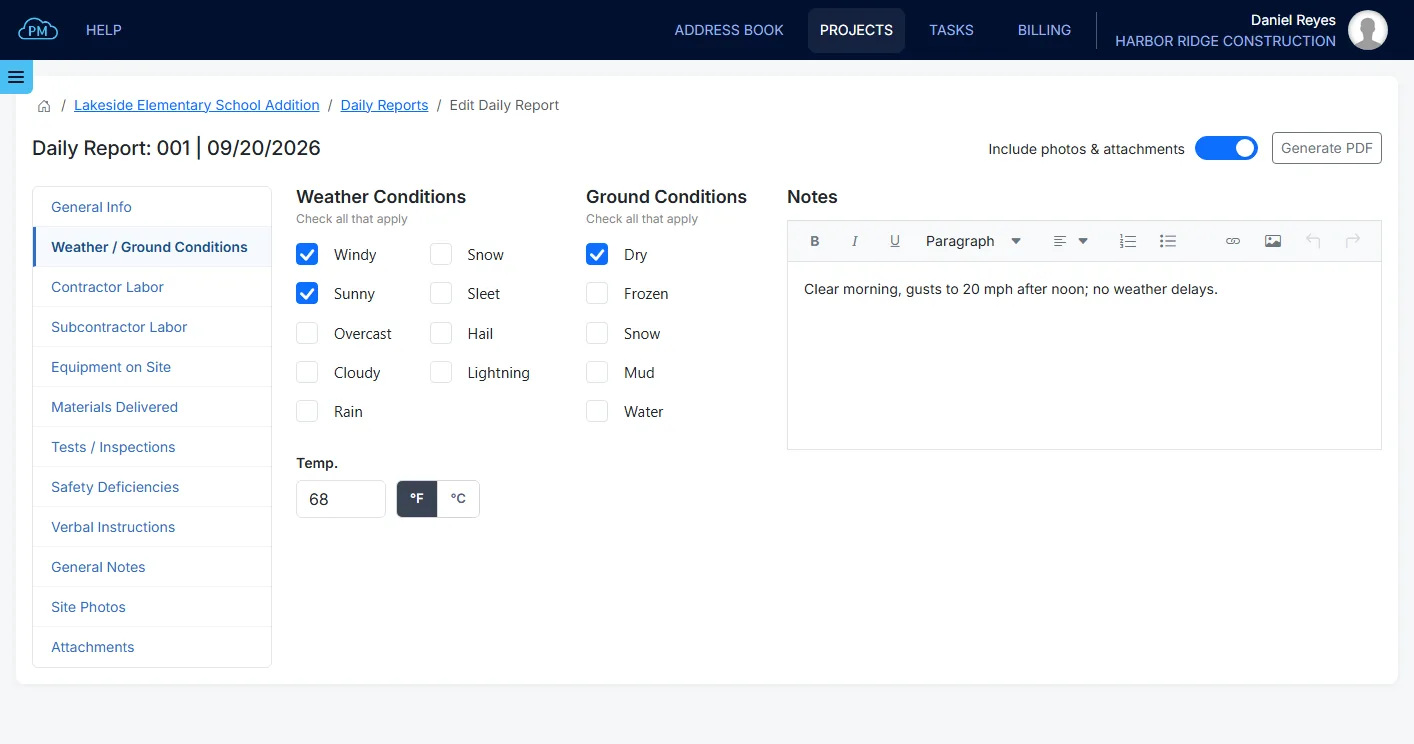
Weather is the most common reason for lost days on site, so it is important to record it the same day. You can select the weather conditions, from overcast to rain, snow and lightning, and the ground conditions. You can also enter the temperature in Fahrenheit or Celsius and add notes. If you claim a weather delay later, you will need this record.
What a Daily Report Includes
Each daily report in Cloud PM has a separate section for each part of the day, and you can complete them in any order.
Labor, Equipment and Materials
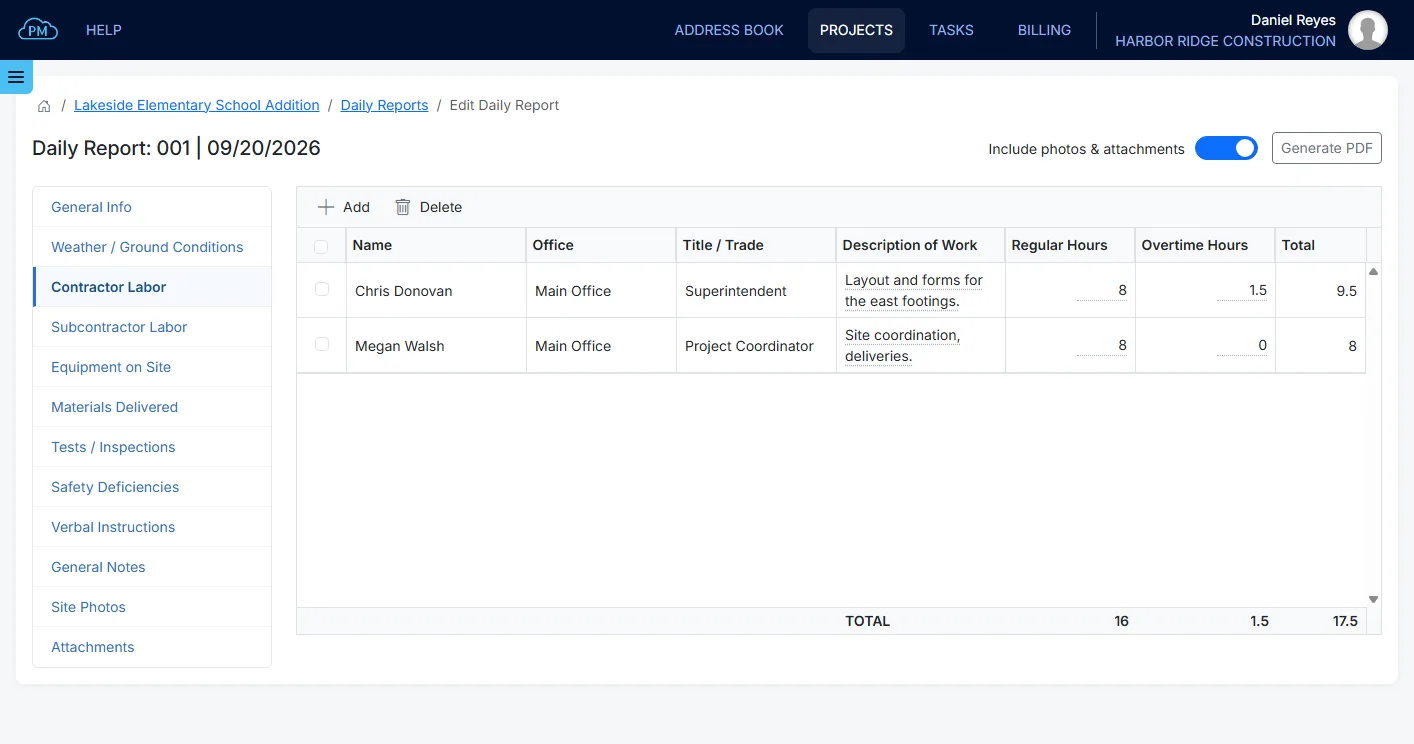
For your own crew, you can select the employees from your company's employee list, enter their regular and overtime hours and describe their work. Cloud PM calculates the total hours. You can add each subcontractor crew with its number of workers and hours, so you know exactly who was on site. You can also record the equipment on site with its hours and owner, and the materials delivered, with who delivered them and the quantity. Equipment, materials and units are selected from your company's lists, and you can add new items without leaving the report.
Tests, Safety and Verbal Instructions
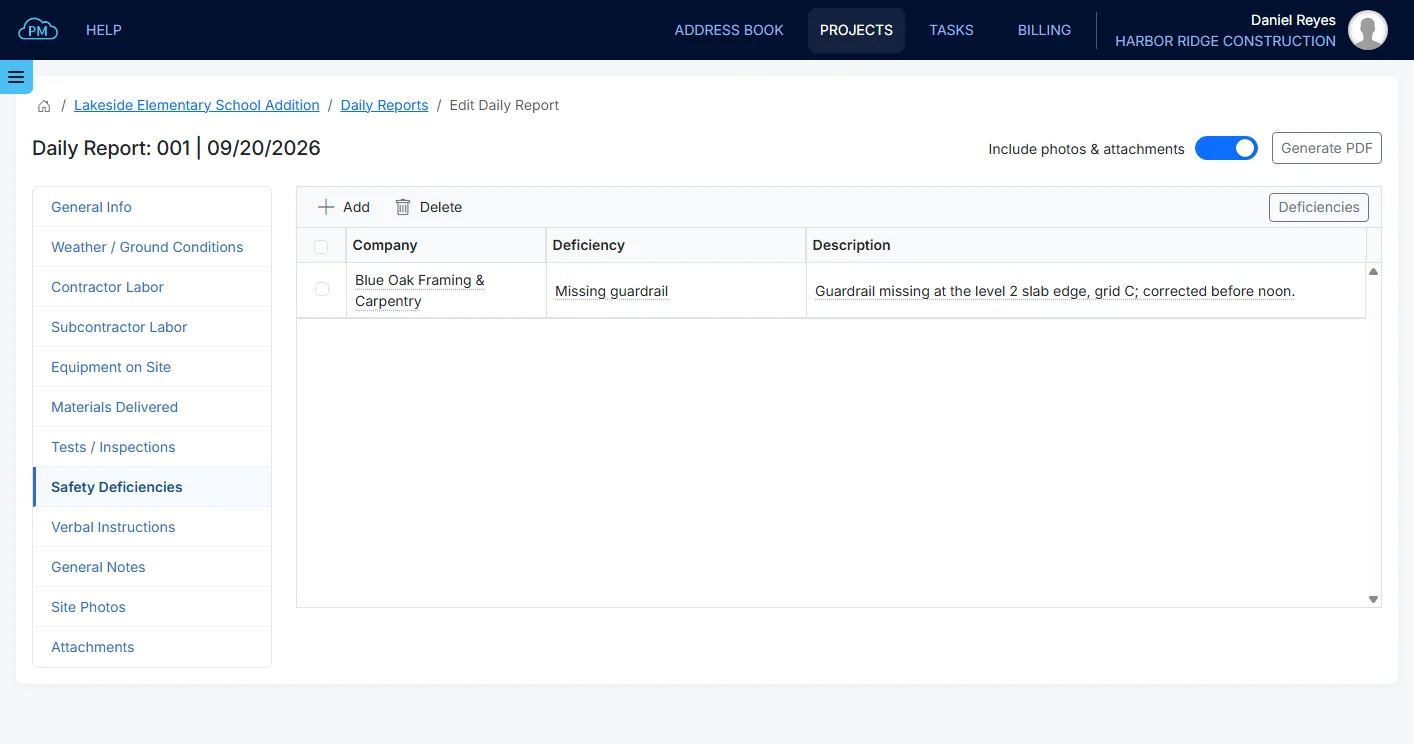
The report also records the tests, safety issues and instructions from the day. You can add tests and inspections from the report, and Cloud PM enters the report's date and keeps them in the Inspection & Test Reports module. You can record safety deficiencies for each company, with what was observed and the action taken. You can also record verbal instructions, with what was said and who gave them, in case somebody later denies giving the instruction. Anything else from the day can be added under General Notes.
Photos and Attachments
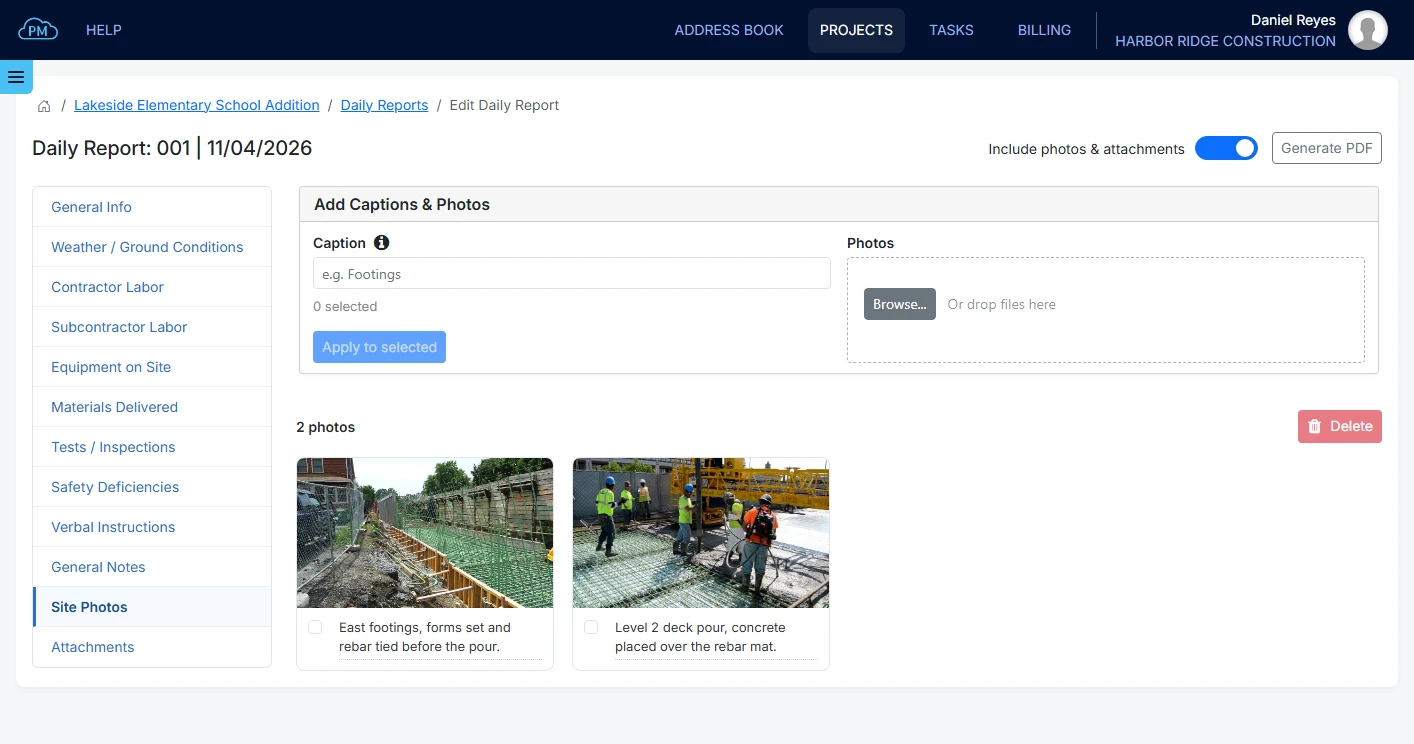
You can upload the day's site photos directly to the report and add a caption to each one, or add one caption to all the selected photos. You can also attach documents, such as a delivery ticket, a test result or a signed instruction. Each attachment has a title, a description and its files, so anyone reading the report knows what it is. You can choose whether to include the photos and attachments in the PDF, so you can email a short or a full report.
Why Choose Cloud PM for Daily Reports
Daily reports are usually completed at the end of a long day, so Cloud PM makes them quick to create. Each new report is already numbered and dated, Copy Last Report copies the crews from the previous day, and every field is saved automatically. The subcontractors and the design team have free accounts as outside users, and plans start from $40 a month.
-
Everything in One Report
Every part of the day is recorded on one report, from the morning weather to the photos taken at the end of the day. You don't need a separate spreadsheet, and you don't have to collect the day's information from different places later.
-
Ready to Share at Any Time
You can create the report as a PDF at any time, with or without the photos and attachments, and email it to the contacts you select from the project directory. Cloud PM records who received it and when, so the email is also part of the record.
-
Records for Delays and Claims
The weather, the site photos and the verbal instructions are all kept on the report for the day they happened. When a delay or a claim is raised months later, you already have the report and don't have to rely on memory.
Construction Daily Reports FAQ
A daily report is the record of one working day on a construction site. It includes the weather, the crews and their hours, and the equipment and materials on site. It also includes the day's tests and inspections, the safety observations and any instructions or events worth recording. Because it is completed the same day, it is reliable evidence later.
Construction daily reports include, at a minimum, the date, the weather and ground conditions, and the labor on site by company and hours. They should also include the equipment, the materials delivered, the day's notes, the photos and any verbal instructions, because those are hard to reconstruct later.
They are two names for the same record. A daily log usually means the book kept on site during the day, and a daily report means the document sent at the end of the day. In Cloud PM, they are the same record, and you can email it or print it.
Usually the superintendent or the site engineer who was on site all day. Cloud PM records who created each report, and you can email the report to the owner, the architect and anyone else in the project directory.