
Products and Services
Cloud PM's Products & Services module helps you manage the materials, work and equipment your company bills on its construction projects. You can select them on your invoices, bills and payment applications, which saves time and reduces errors.
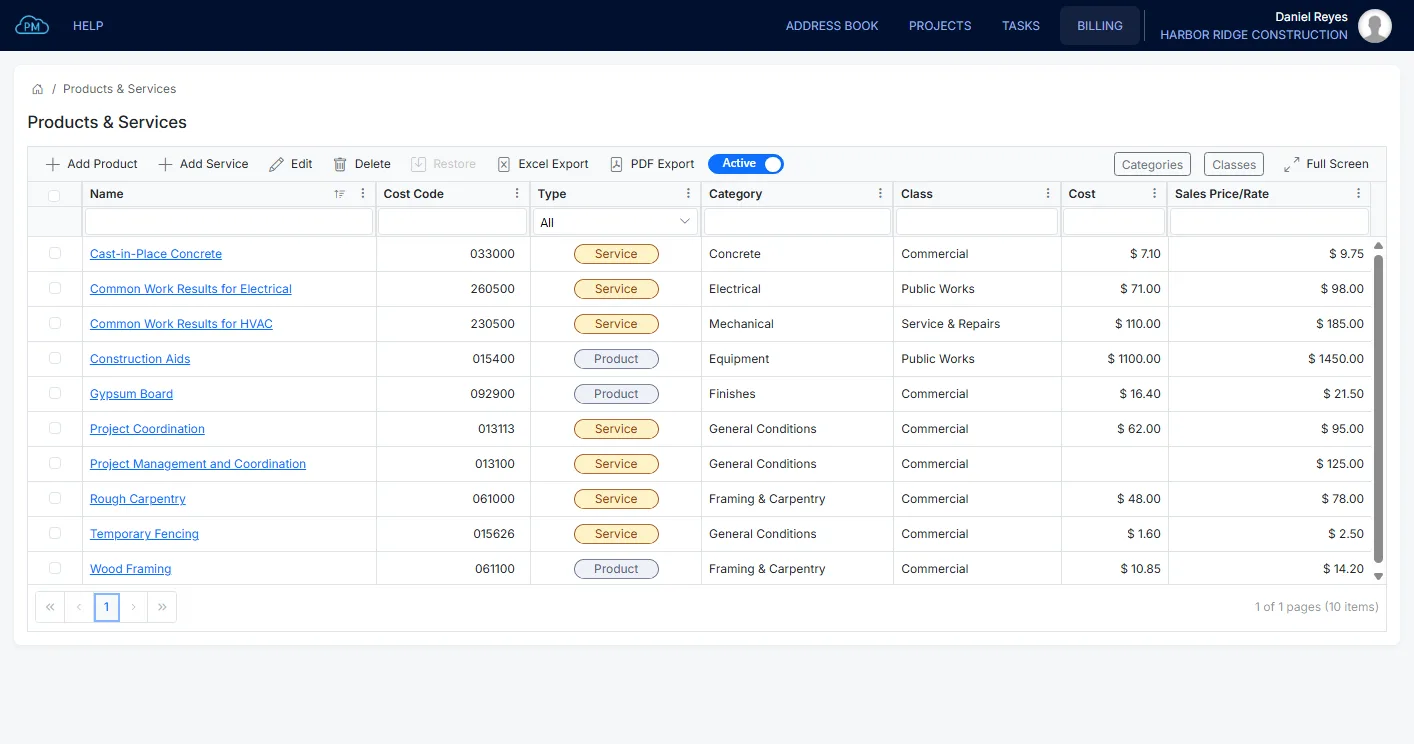
Your Products and Services
You can add each product or service with its price, and your team can use it on every project, so the same work is always billed at the same rate.
-
Shared Price List
You can manage your products, services and bundles in Cloud PM, so you don't need a separate price list in a spreadsheet.
-
Cost Codes
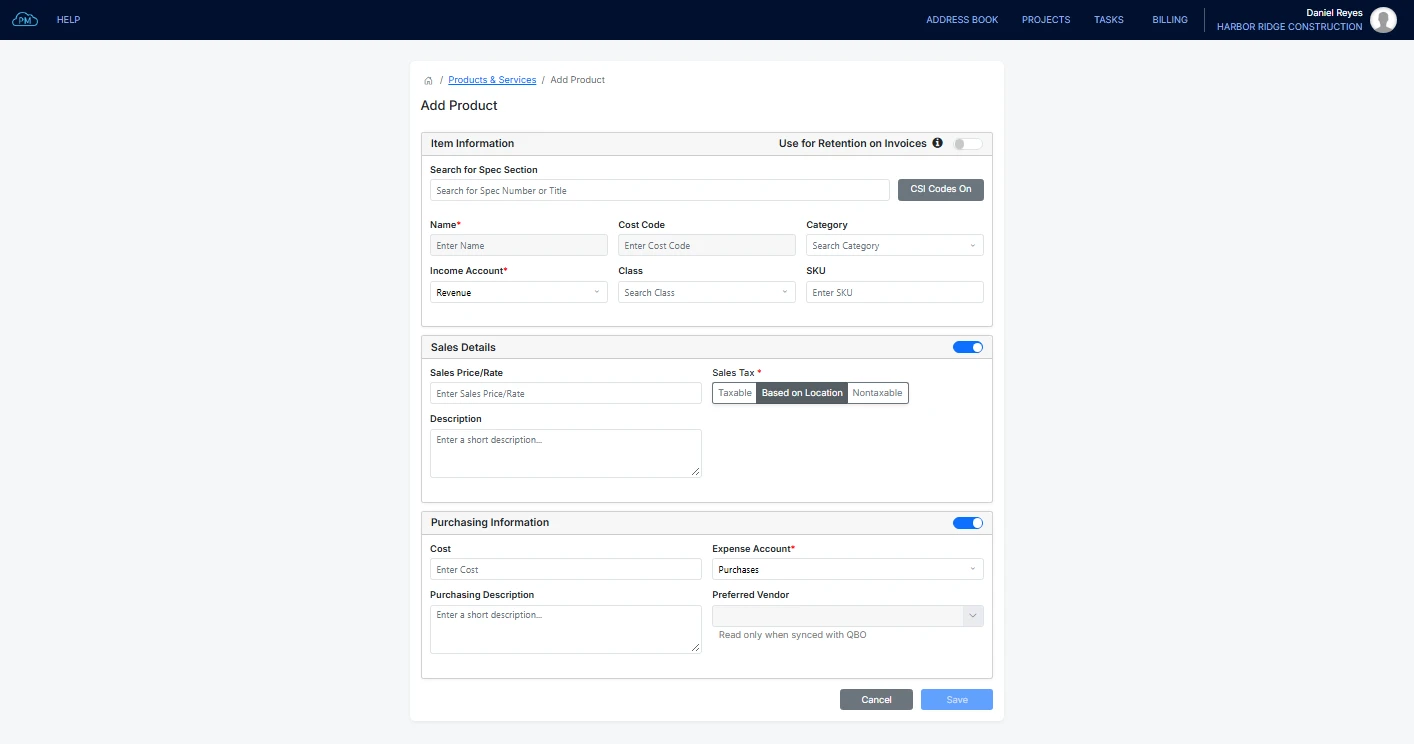
You can give each product or service a cost code, or select a MasterFormat section and use its number as the cost code.
-
Income and Expense Accounts
You can select the income and expense accounts for each product or service, so your team doesn't need to select an account on each invoice.
Adding Products and Services
When you add a product or service, you can enter its sales price and cost and select its accounts and sales tax. You don't need to enter these details again when you add it to an invoice, a bill or a payment application.
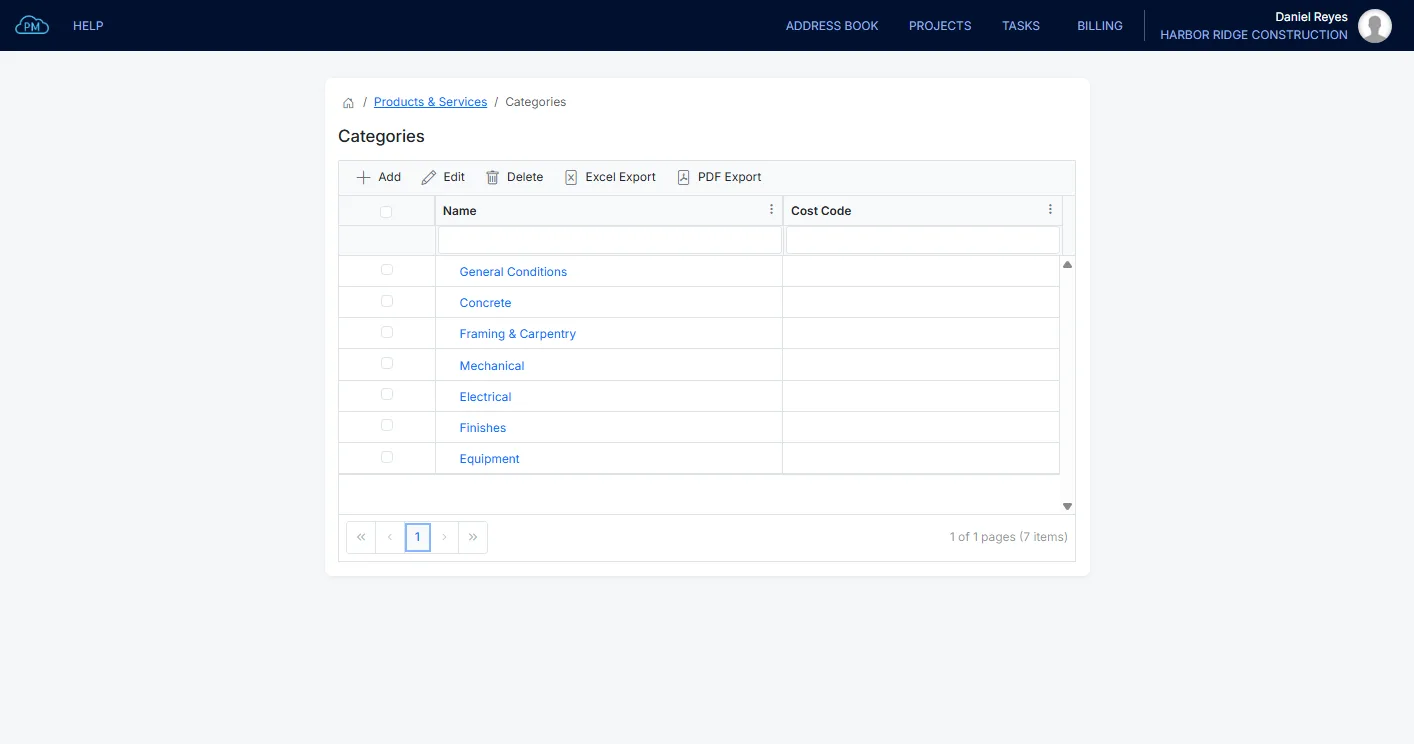
Categories for Your Products and Services
You can group your products and services into categories, such as by trade or by phase, so your price list stays organized.
Classes on Your Products and Services
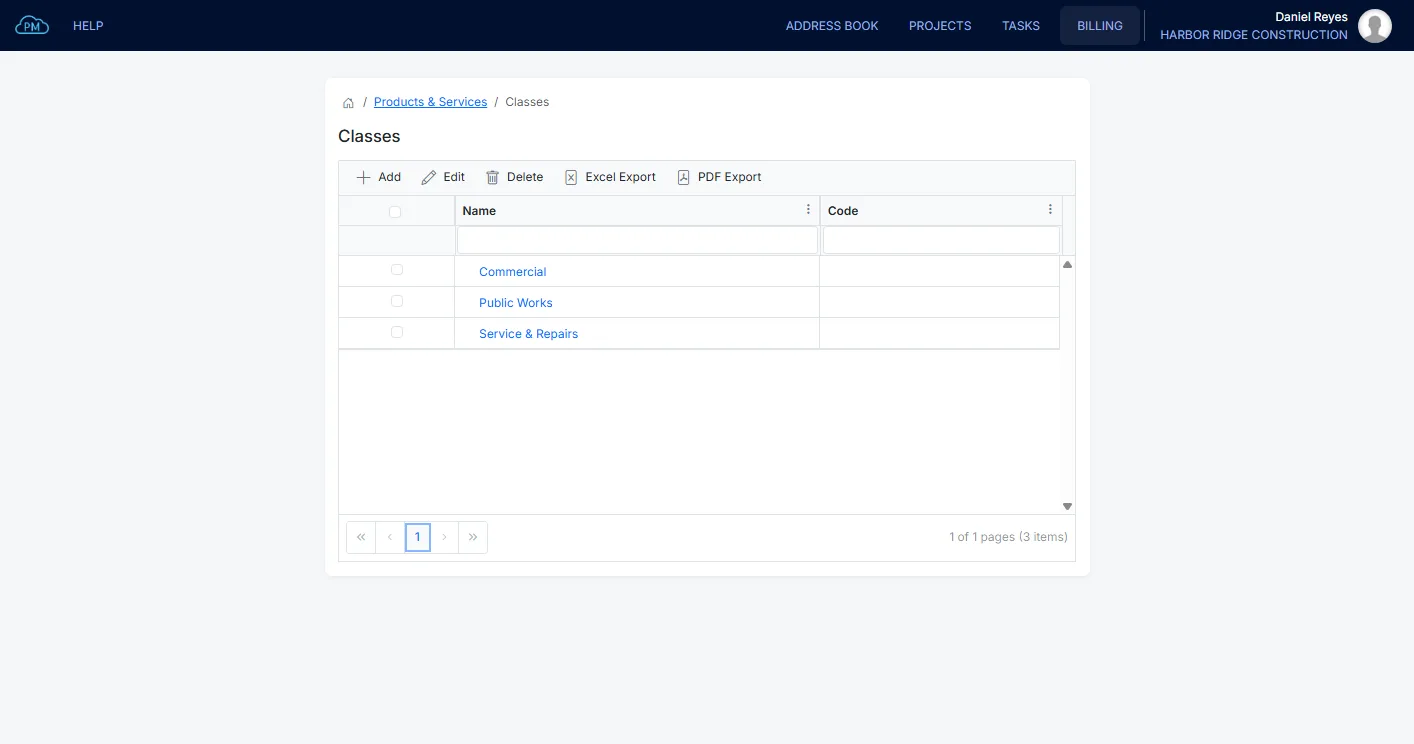
You can assign a class to each product or service, such as commercial, public works or service and repairs, so you can track your income by type of work.
Where Your Products and Services Are Used
After your products and services are set up, you can select them on your invoices, bills and expenses, and on the schedule of values for each payment application.
Products and Services on an Invoice
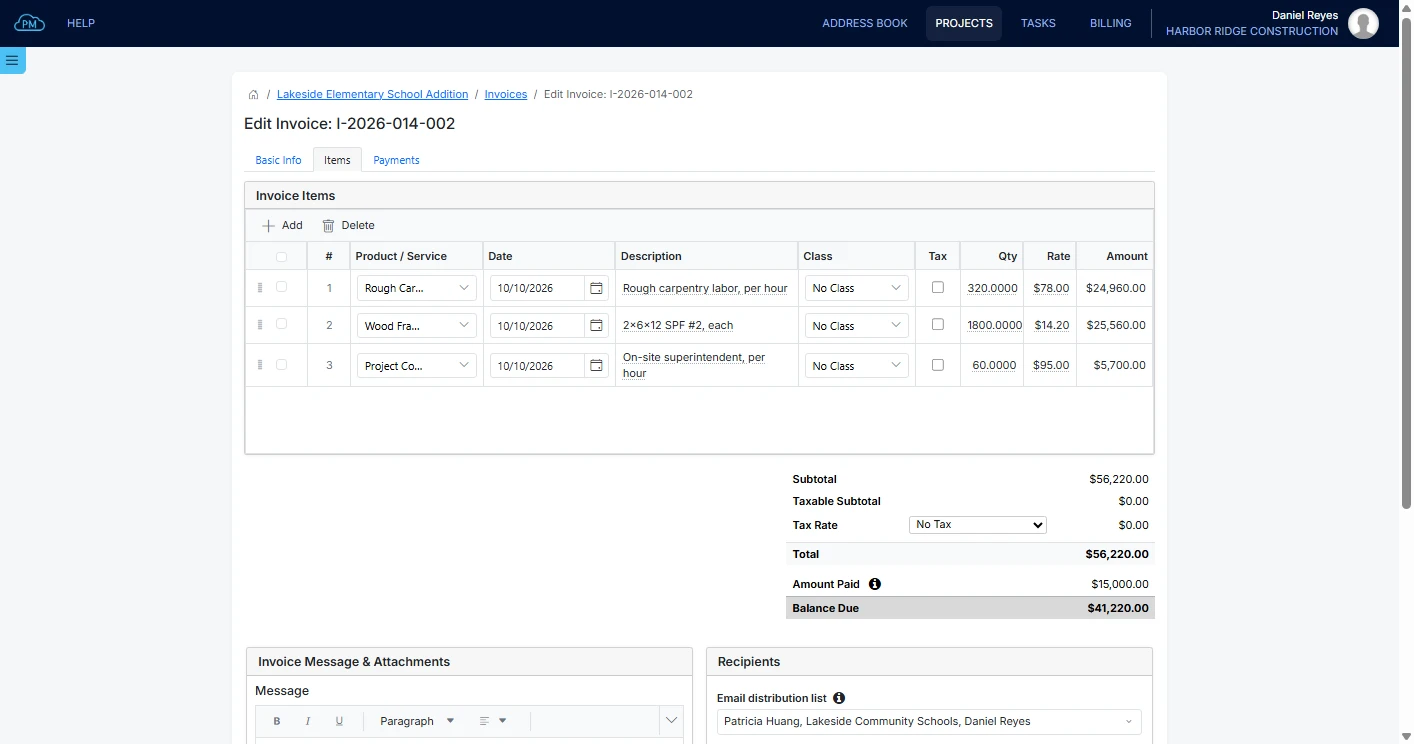
When you create an invoice, you can select the products and services and enter the quantity, and Cloud PM enters the rate and description automatically, so the same prices are used on every invoice.
Products and Services on Bills & Expenses
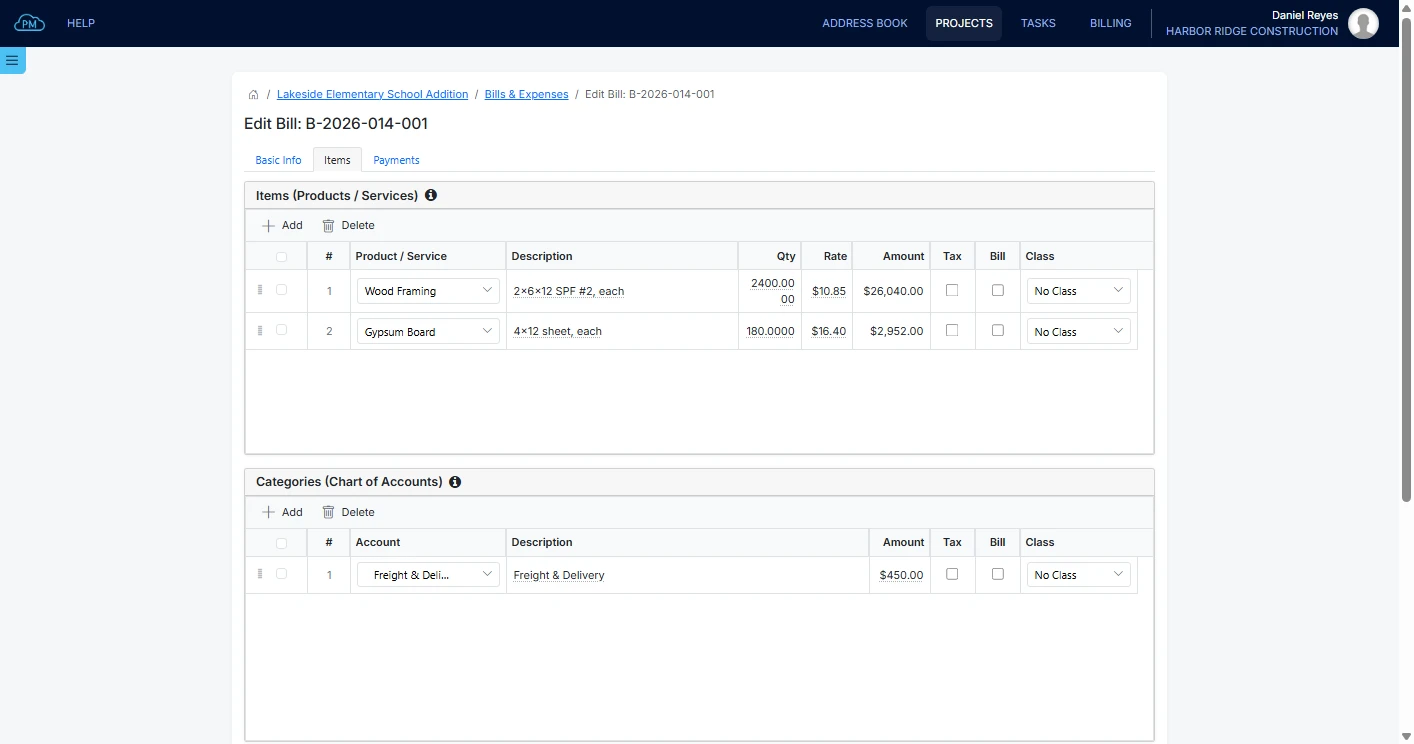
You can select the same products and services on Bills & Expenses as on your invoices, so you can easily compare what you paid a supplier with what you charged the owner.
Products and Services on the Schedule of Values
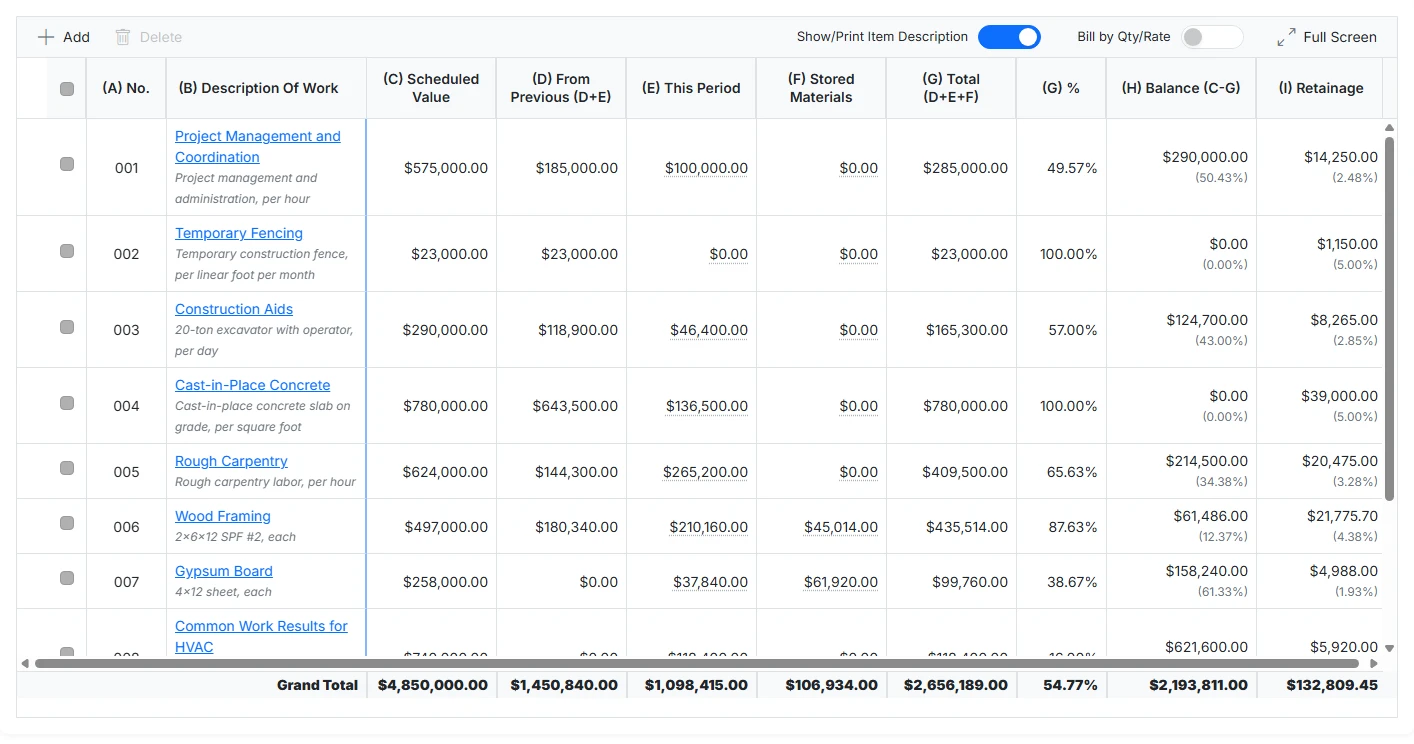
On the schedule of values, you can add your products and services as single lines, groups or bundles, and Cloud PM enters the description and rate of each one automatically.
Why Choose Cloud PM for Products and Services
With Cloud PM, you can manage your prices and use them across all your billing, which saves time and reduces errors. Products & Services is included in the Advanced plan, from $60 a month, and on the Premium plan it also syncs with QuickBooks Online.
-
Consistent Prices
Everyone on your team uses the same prices on every project, so your billing stays consistent and accurate.
-
Clear Invoice Lines
Each invoice line shows the product or service it was billed from, with its description, so the owner can easily see what each amount is for.
-
QuickBooks Online Sync
On the Premium plan, your products and services sync with QuickBooks Online, so you don't need to enter them in both systems.
Construction Products and Services FAQ
Products and services are the materials, work and equipment a contractor bills for on a project. Keeping them in a price list helps the contractor bill accurately and use the same prices on every project.
A product is something you supply, and a service is work you perform, often priced by the hour. In Cloud PM, you can manage both in the same module, along with bundles and inventory items.
Yes. Products and services sync to QuickBooks Online, and you can see which ones have synced. The sales tax can use the tax codes from your QuickBooks Online account.
You can use them on invoices, bills and expenses, and the schedule of values for a payment application, so your company charges the same price on every document.