
Task Management and Reminders
With Cloud PM's construction task management, you can keep track of the work that needs to be done on every project. You can create a task, assign it to your team or a subcontractor and set a due date, and Cloud PM emails a reminder before the task is due.
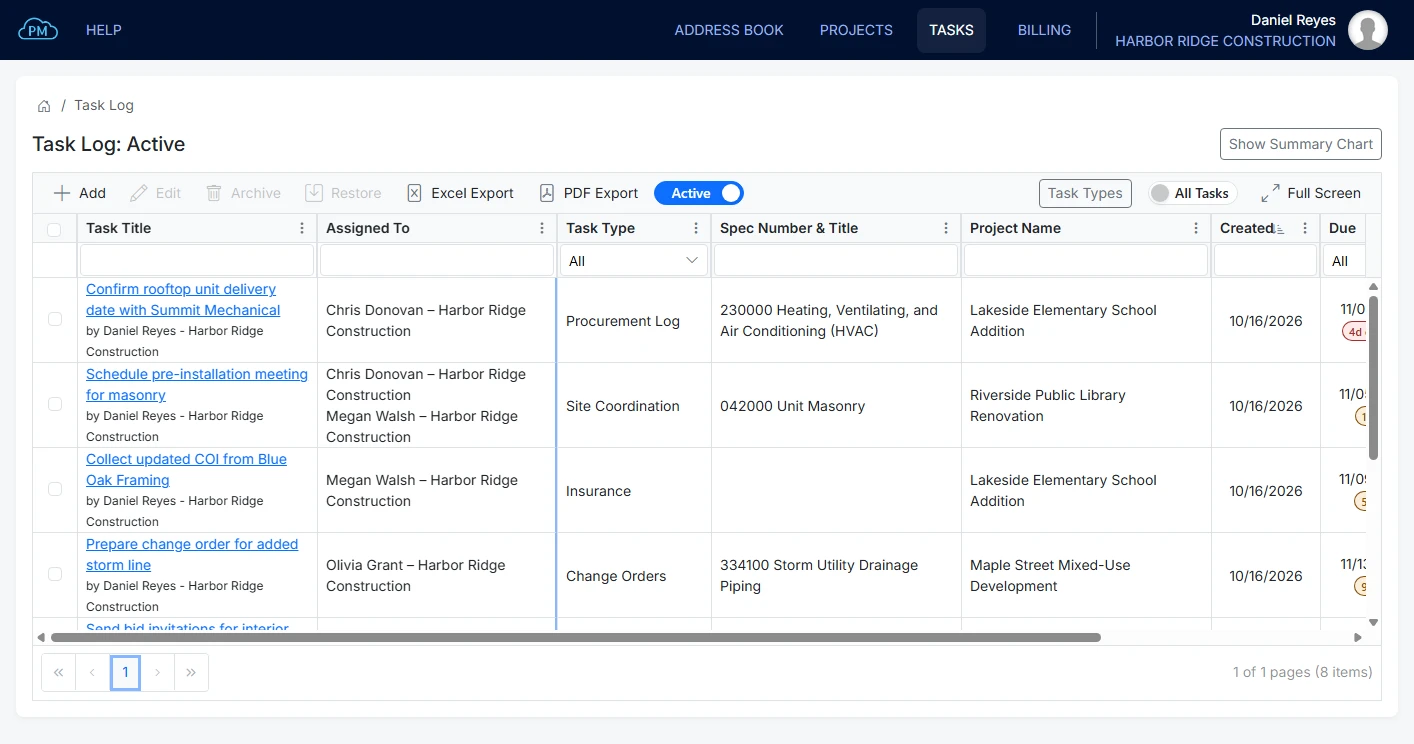
Task Log
You can see the tasks from all your projects in the Task Log, and each project also has its own Task Log with only the tasks for that project. For each task you can see who it is assigned to and when it is due, so you know right away which tasks are on time and which are overdue.
-
Quick Filtering
You can find any task in seconds by searching any column or filtering by task type or due date.
-
Due Date Tracking
Cloud PM tracks every due date and shows how many days are left before a task is due, or how many days it is overdue. -
Instant File Access
You can attach a file to a task, such as a drawing or a letter, so you don't have to look for it in your emails later.
Task Status Summary
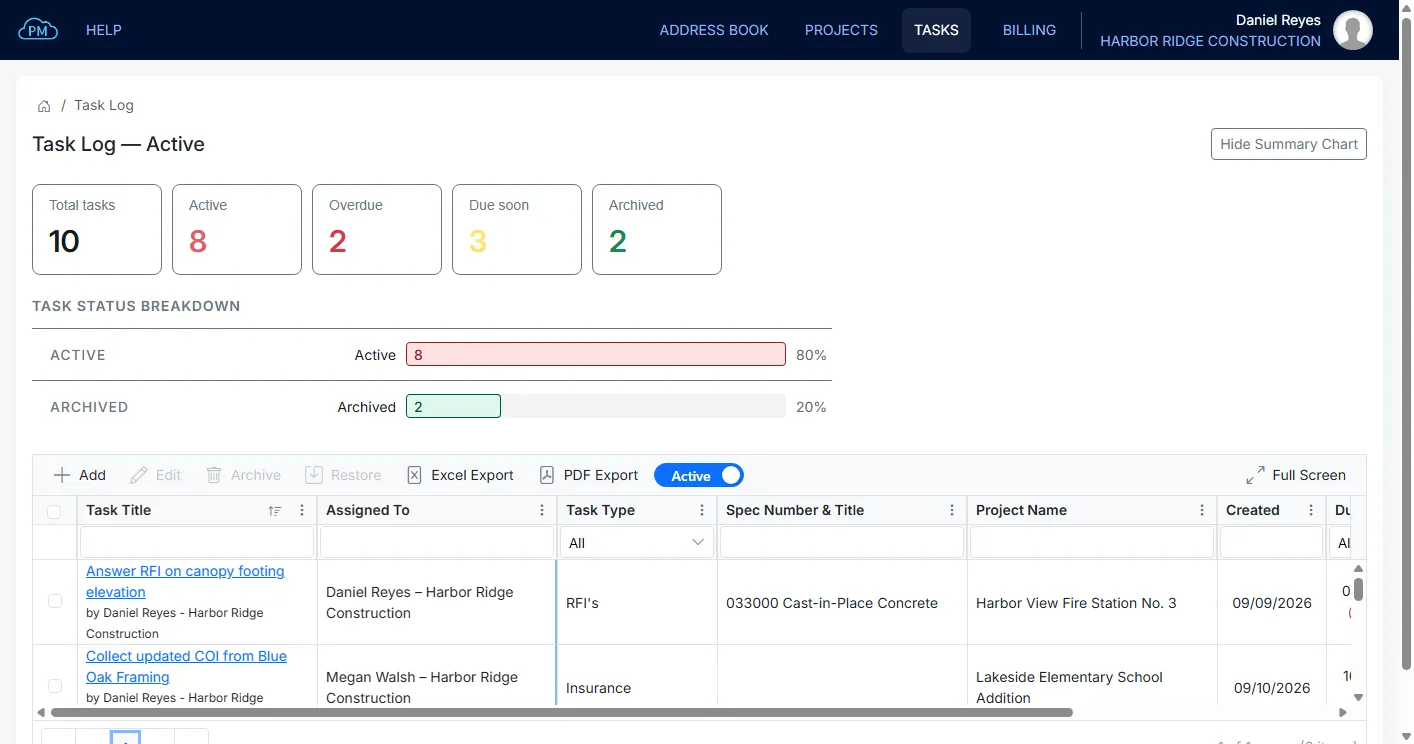
Cloud PM shows the status of your tasks as soon as you open the Task Log. You can see right away how many tasks are active, overdue or due soon, and how many have been completed and archived, so you know how much work is still left on your projects.
Due Soon and Overdue
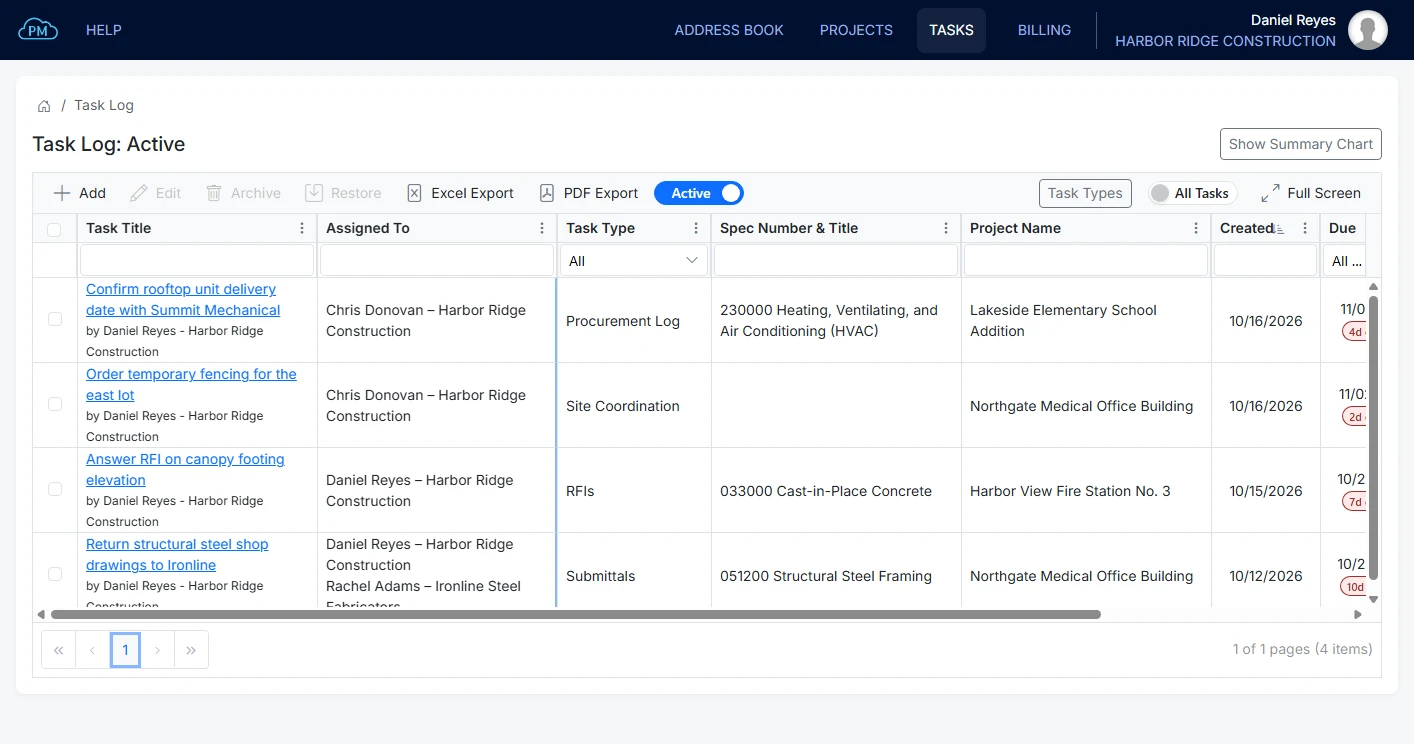
You can filter the Task Log to show only the tasks that are due in the next few days or the ones that are already overdue, so you can deal with the most urgent ones first.
Adding and Assigning Tasks
You can create a task directly from a submittal, an RFI or a change order, and assign it to the person who is responsible for the work.
Adding a Task From a Submittal
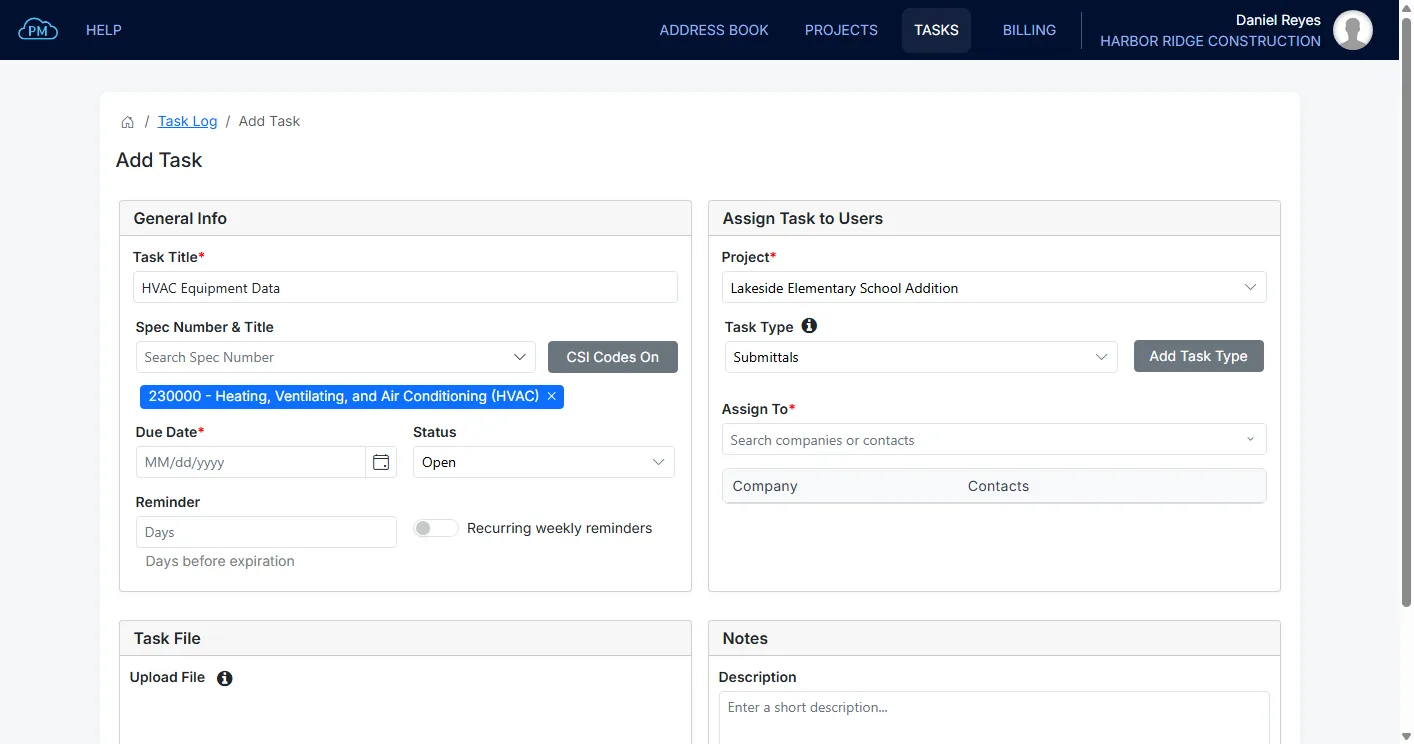
When you create a task from a submittal, Cloud PM enters the title, the project and the specification section automatically, so you only need to choose who it is assigned to and set the due date. Cloud PM comes with a task type for each module, such as Submittals, RFIs and Change Orders, and you can add your own task types, such as Site Coordination or Insurance.
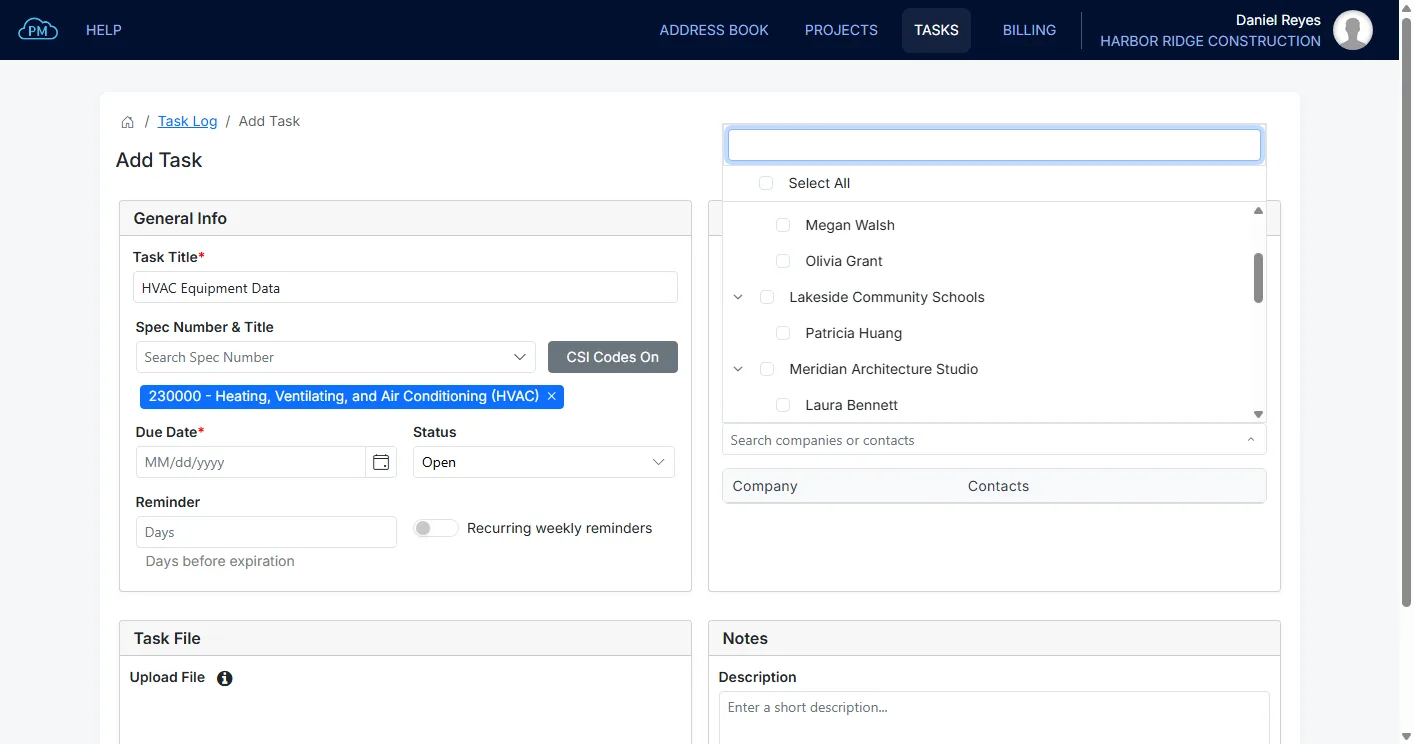
Assigning a Task
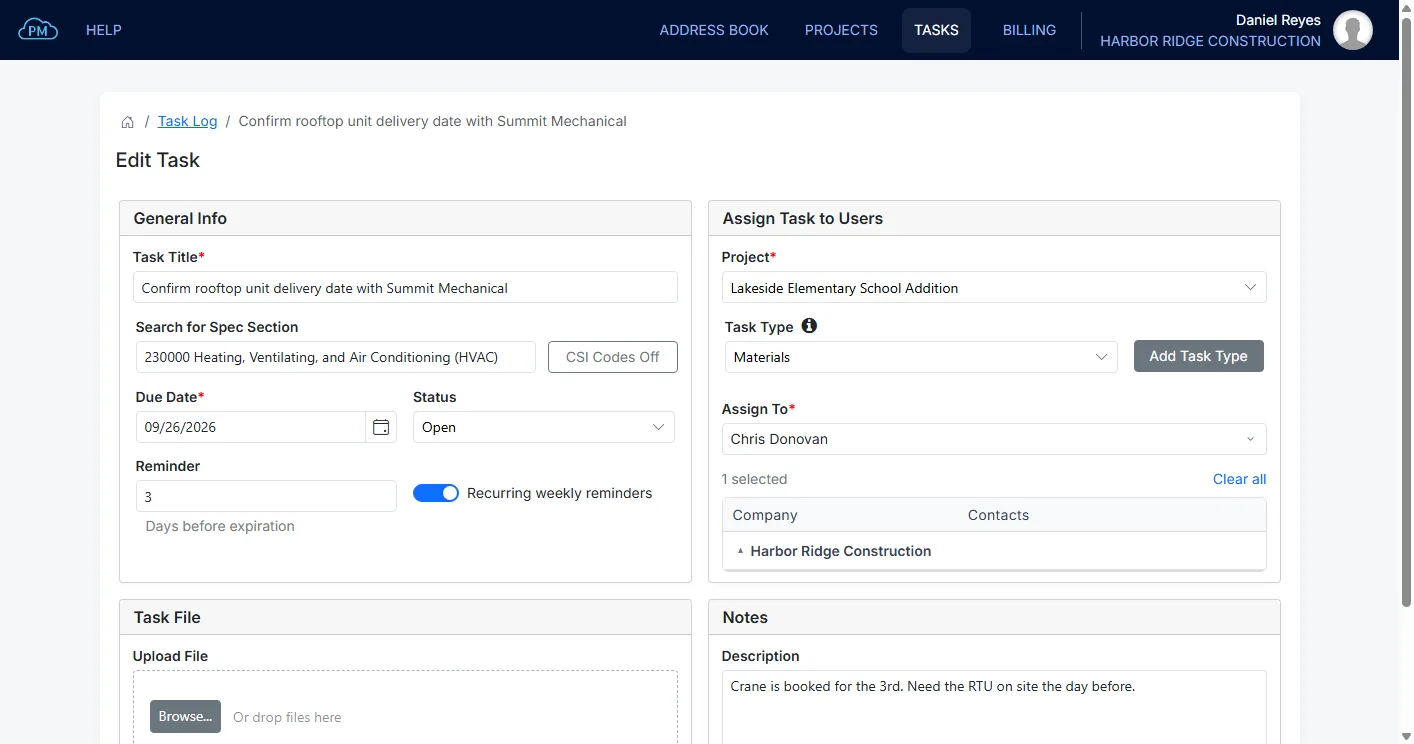
You can assign a task to your own users or to the contacts of any company on the project, such as a subcontractor's project manager. They receive the task and its reminders by email, so everyone knows what they are responsible for and when it is due.
Task Reminders
You can choose how many days before the due date Cloud PM sends a reminder. If you select Recurring weekly reminders, Cloud PM also sends a reminder every week after the due date until the task is archived. When a task is done you can archive it, and if it was archived too early you can restore it with its file and notes.
Why Choose Cloud PM for Task Management
Your tasks are part of the same projects as your submittals, RFIs and change orders, so your team works from one system instead of separate lists and spreadsheets. The other companies on the project use Cloud PM free of charge, and plans start from $40 a month.
-
Tasks Linked to the Work
A task created from a submittal stays linked to it, with the project, task type and specification section already entered. Months later, you can still find it in the Task Log by any of them.
-
Assigned to the Right Person
You can assign a task to anyone on your team or to a contact at any company on the project, so the task goes directly to the person who is responsible for the work.
-
Weekly Reminders
Cloud PM sends a reminder before the due date and, if you choose, every week after it until the task is archived, so overdue tasks are not forgotten.
Construction Task Management FAQ
Task management in construction is how a project team keeps track of the work that needs to be done, such as returning a drawing, collecting a certificate or arranging a meeting. The people assigned to the work usually belong to different companies, so every task needs a clear owner and a due date. With Cloud PM, every task has both, and the people assigned to it receive it by email.
You need a list that shows who each task is assigned to and when it is due. In Cloud PM's Task Log you can see this for every task, on all your projects or on one project at a time, with the number of days left or overdue.
Yes. You can assign a task to the contacts of any company on the project, such as a subcontractor's project manager, and they receive the task and its reminders by email.
A punch list item is a defect or unfinished work found during a walk-through, and it is recorded with its location and closed when the work is fixed. A task can be any work that needs to be done at any stage of the project. Cloud PM keeps tasks and punch lists in separate modules.