
Project Blog
Cloud PM's construction project blog helps you keep your project team informed about project updates and changes. You can post progress updates, photos and important announcements, such as weather delays, instead of sending multiple emails, so everyone on your team has the latest information.
The Project Blog
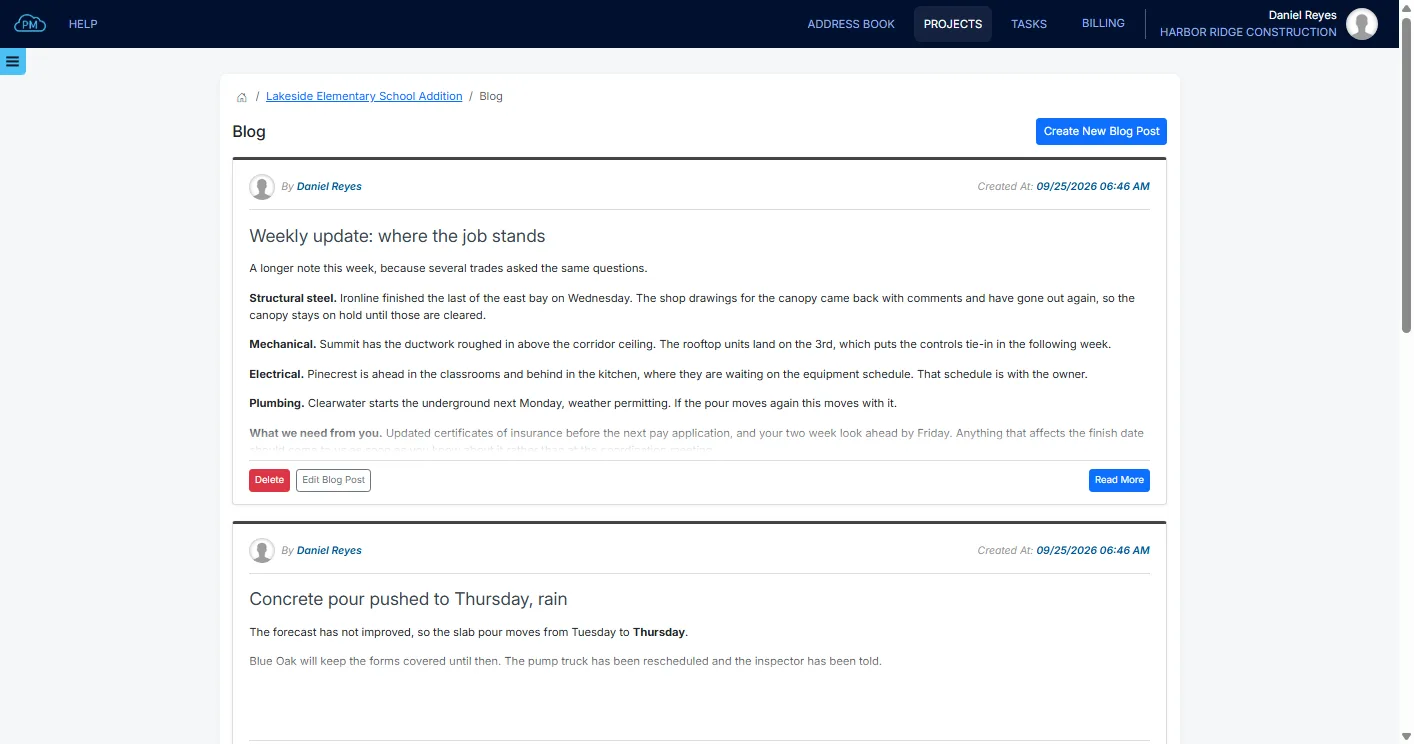
Every project in Cloud PM has its own blog, where you can share news about the project with your team. The newest posts are shown first, so your team can quickly see what has changed.
-
Everyone Reads the Same Posts
Everyone on your project team can read the same posts, so your entire team works from the same information.
-
Formatted Posts With Photos
You can format your posts with headings, lists and links, and add photos to show the progress on site.
-
You Decide Who Posts
You can choose which users can read the blog and which users can also post, separately on each project.
Every Post Shows Who Shared It and When
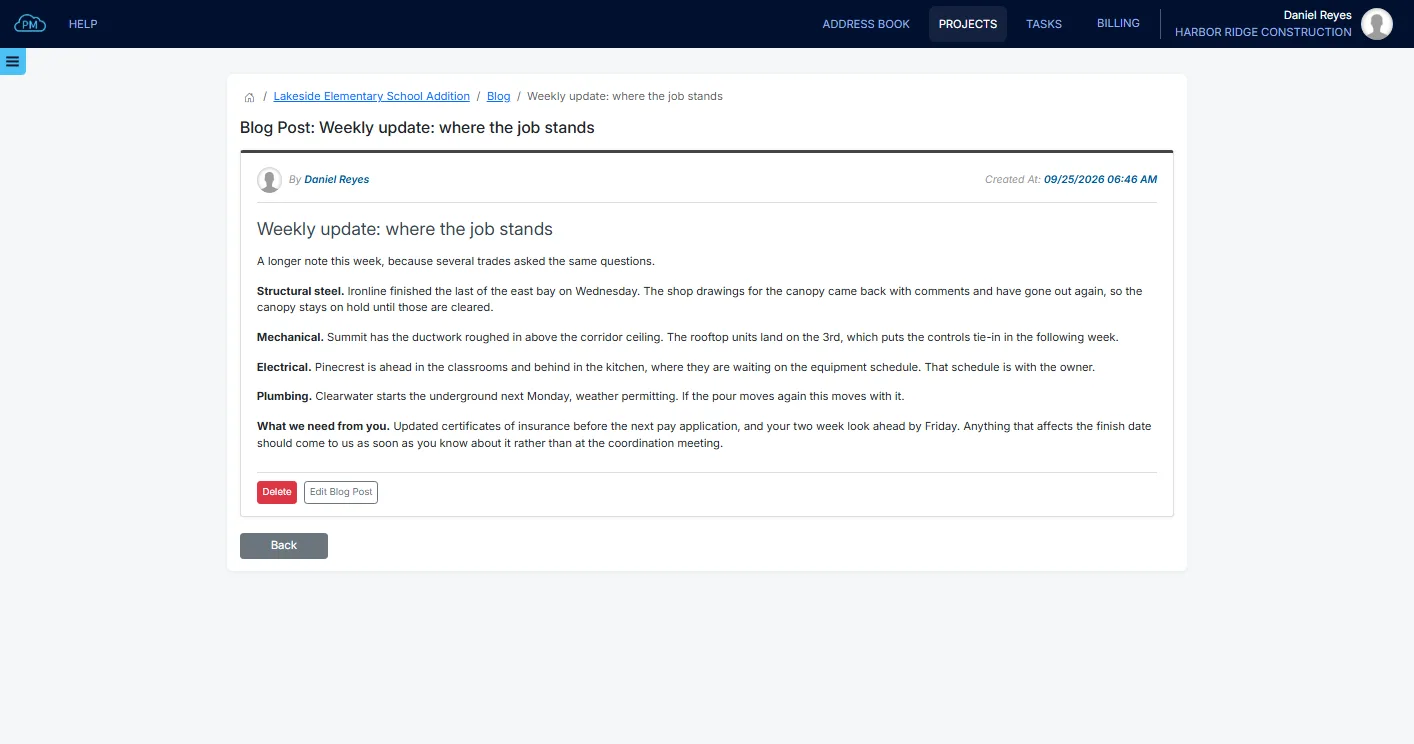
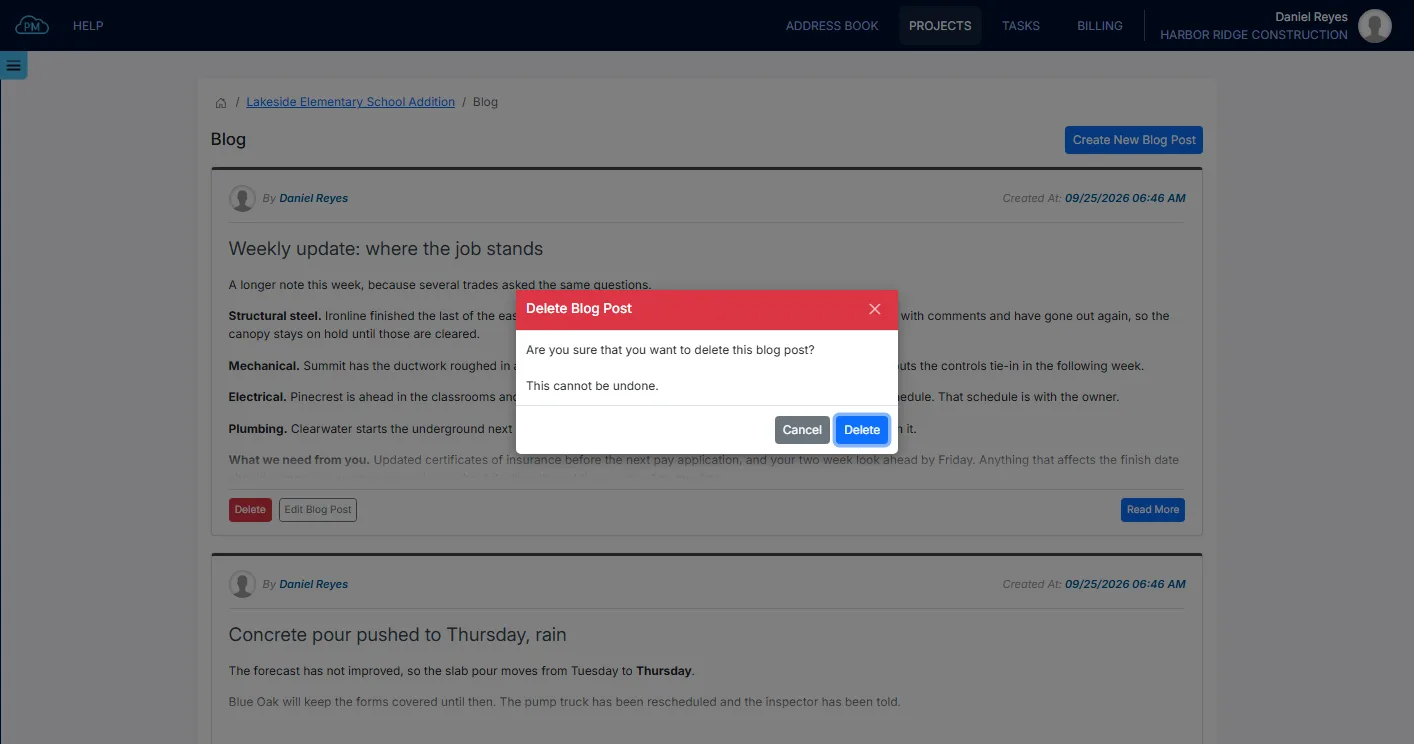
Every post shows who posted it and when, and you can open each post on its own page to read it in full. All the news about the project is saved in the project, instead of in your team's inboxes.
Sharing an Update on the Project Blog
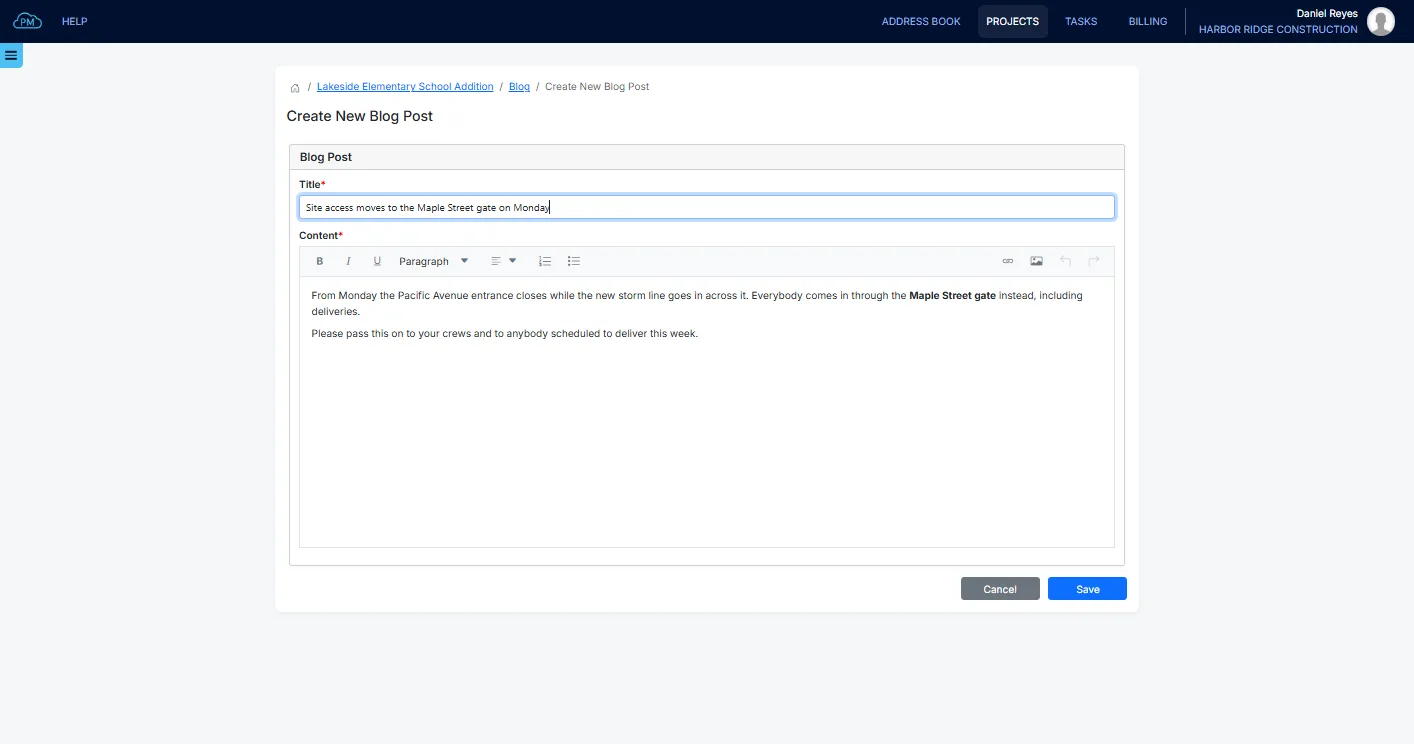
To share an update, you enter a title and the text of the post, and you can add headings, lists, photos and links. Your project team can read the post as soon as you save it.
Photos and Links Inside a Project Blog Post
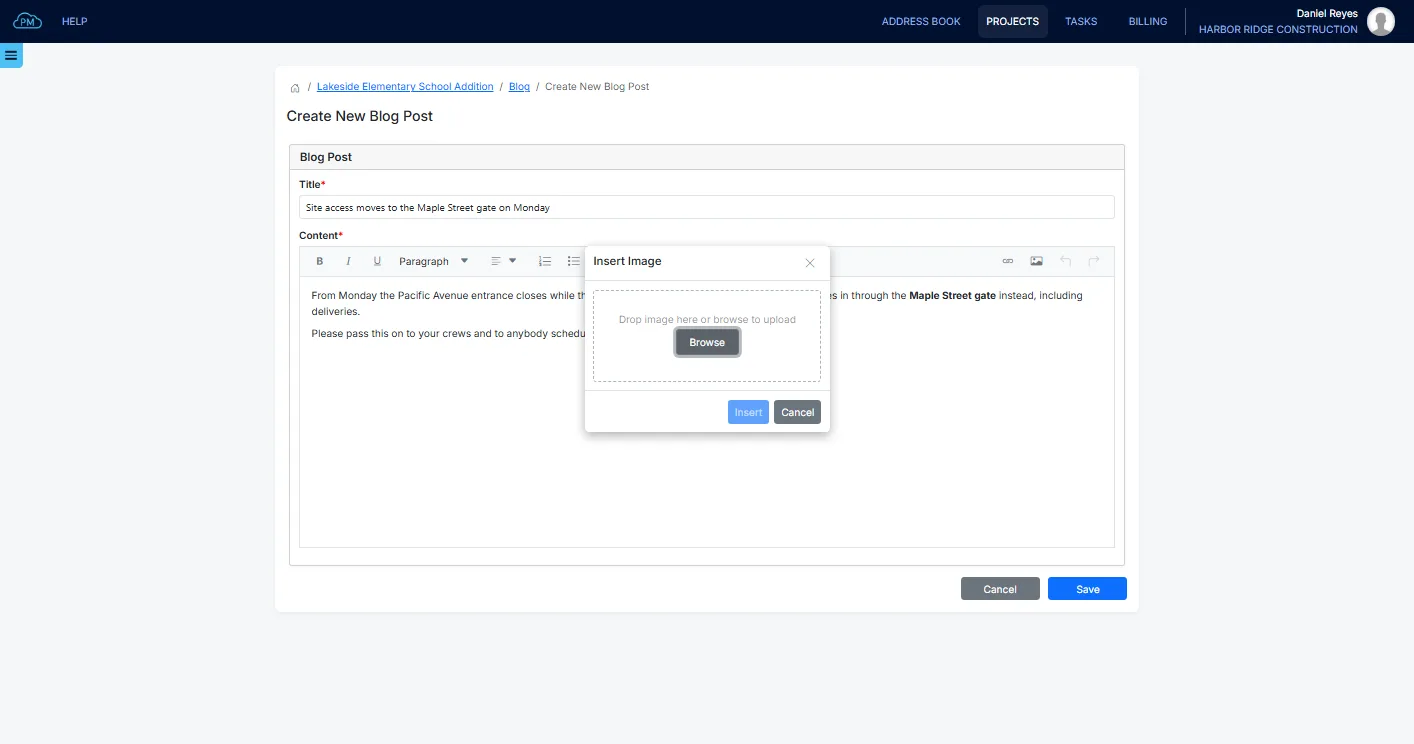
You can upload project progress photos into a post, and they are saved with it, so they are still there months later. Your team can open each photo in full size without leaving the blog.
Who Posts and Who Reads
The blog is only for your own users on the project. You can give users Write permission to create and edit posts, Delete permission to delete them, or Read permission if they only need to read them.
Keeping the Project Blog Current
If a post needs a correction, you can edit it, and Cloud PM shows the date it was edited. You can also delete posts that no longer apply.
Why Choose Cloud PM for Construction Project Communication
With Cloud PM, the project blog is part of the same project as your submittals, schedule and daily reports, so your team can read the latest news where they already work. Every subscription level includes unlimited users, and plans start from $40 a month.
-
No Distribution List
Every user with access to the blog on the project can read the posts, so you don't need a distribution list. Users who join the project later can also read all the earlier posts.
-
The News Stays With the Project
Posts are saved in the project, not in someone's inbox, so months later you can still find out why a pour was moved, who posted it and when.
-
Progress Photos
Photos are saved in the post, next to the text that describes them, and your team can open them in full size without downloading an attachment.
Construction Project Blog FAQ
A construction project blog is a page where you can share news about the project with your team, instead of sending it by email, such as progress updates, schedule changes and site notices. Each post shows who posted it and when, so your team always has the latest information.
With Cloud PM, you can post the news on the project blog, and every user on your project team can read it, without sending emails or keeping a distribution list.
No. The blog is only for your own users on the project, and the other companies on the project can't see it. You can set the blog permissions for each of your users.
Yes. You can upload photos into a post, and your team can open each photo in full size without leaving the blog.