
Construction Closeout Documents
Cloud PM's closeout documents help contractors collect the warranties, manuals and as-built drawings from every subcontractor and hand them over to the owner. You can approve each document before it goes out and track every package until the handover is complete.
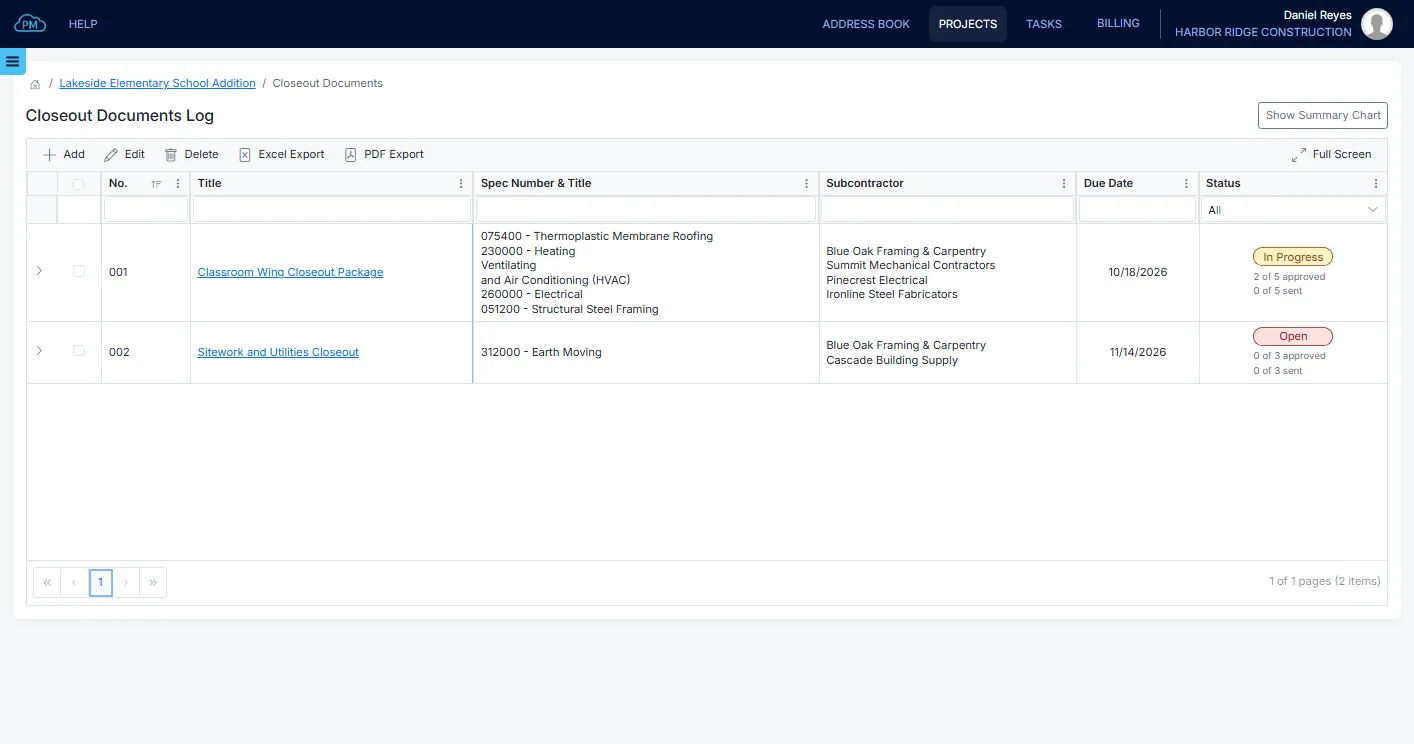
The Closeout Documents Log
You can see every closeout package on the project in one log, with its due date and status. For each package, Cloud PM shows how many of its documents have been approved and sent, so you always know what the owner is still waiting for.
-
Organized by Package
You can group the closeout documents into packages, such as one for each trade, and give each package its own due date.
-
Approved and Sent
The summary at the top of the log shows how many documents are approved, how many are still outstanding and how many have been sent.
-
Expiring Warranties
The log shows how many warranties end within the next 30 days, so you can let the owner know before a warranty expires.
The Closeout Package
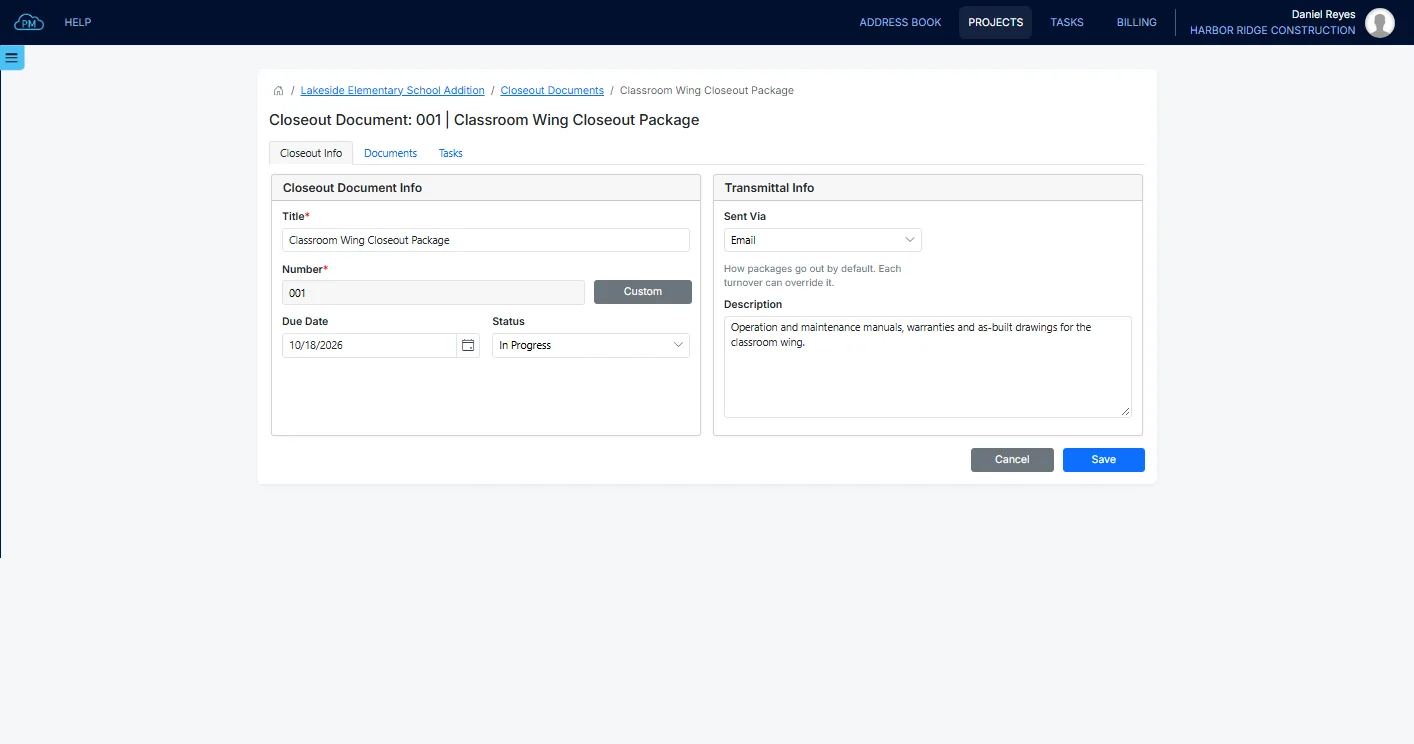
For each package, you can enter a title and a due date and select how it will be sent, by email, mail or hand delivery. The package changes from Open to In Progress when you first send it, and you can close it when the handover is complete. You can also add tasks to the package and assign them to your team.
The Documents in Each Package
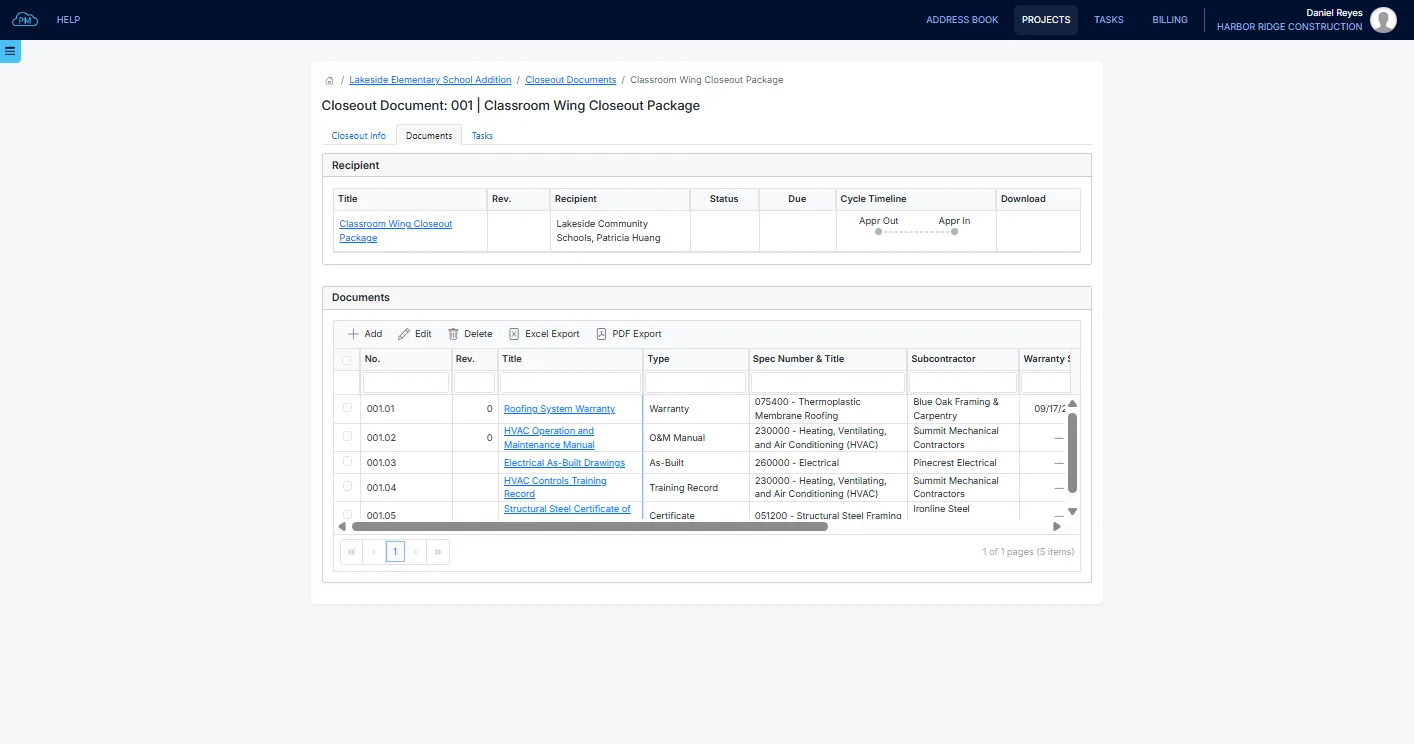
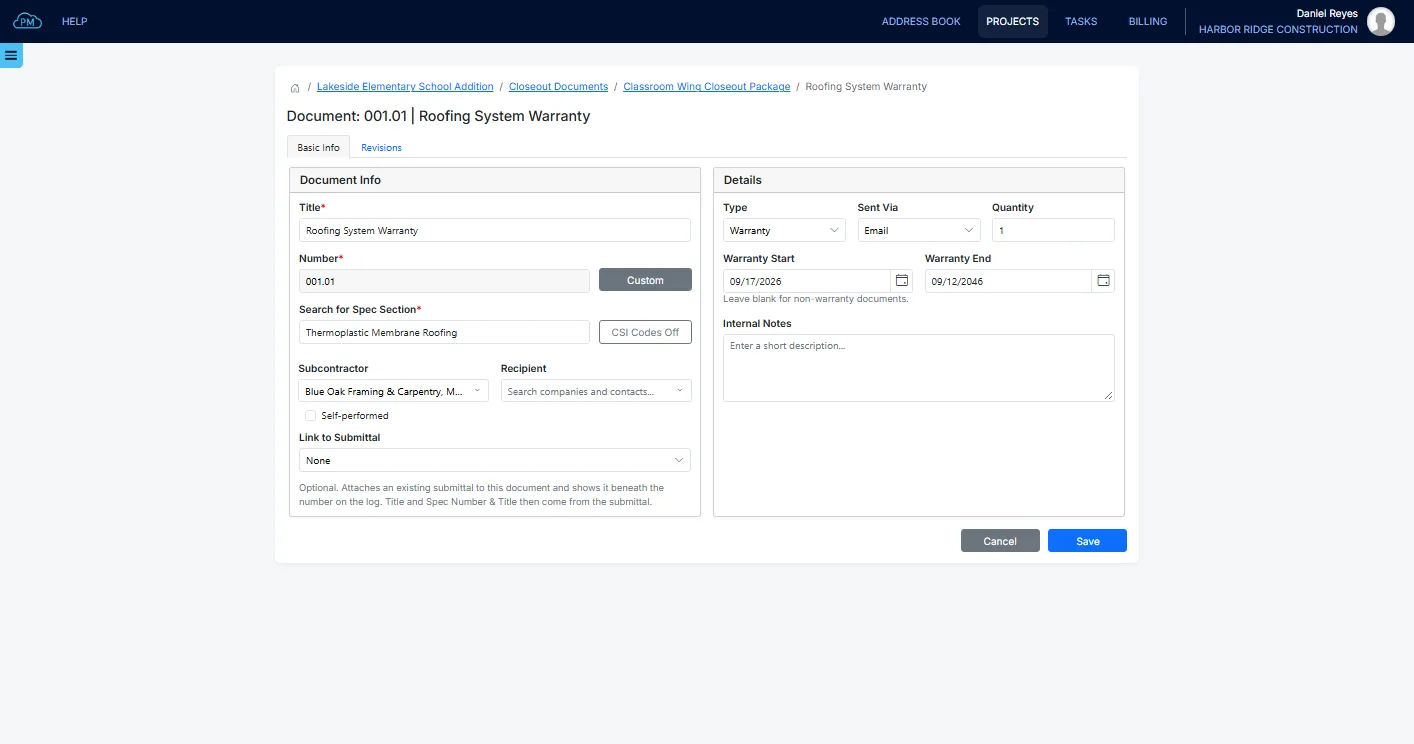
For each document, you can select its type, such as an O&M manual, a warranty or an as-built drawing, along with its spec section and the subcontractor who supplies it. Cloud PM numbers the documents under their package, and for a warranty you can also enter the start and end dates.
Approval of Each Document
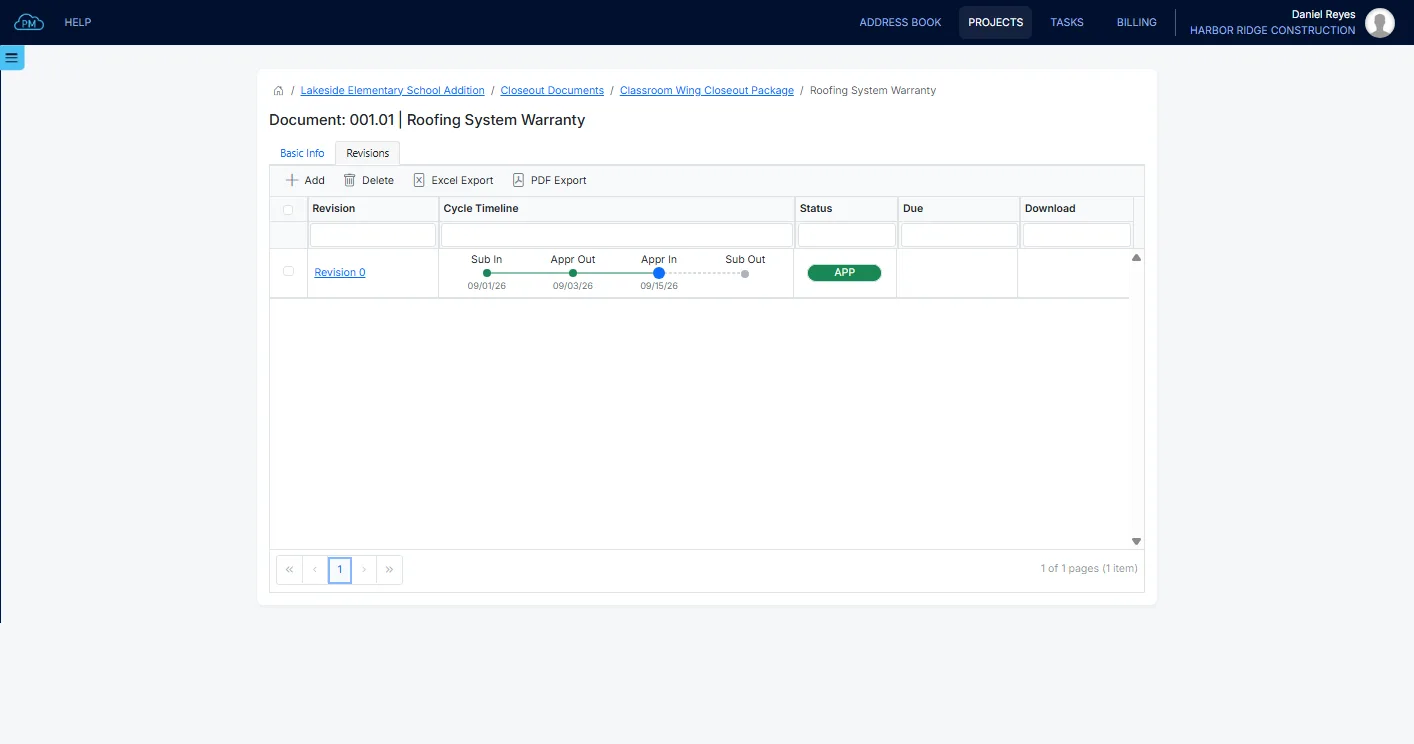
Each document is approved in revisions, the same way as a submittal, with a due date, a reminder and a cycle timeline. If the document was already approved as a submittal, you can link it to that submittal, and its approval comes from there, so you don't need to approve it twice.
From the Subcontractors to the Owner
You can track each document from the subcontractor to the architect for approval and back, and only approved documents can be added to the package you send to the owner.
Sending the Package to the Owner
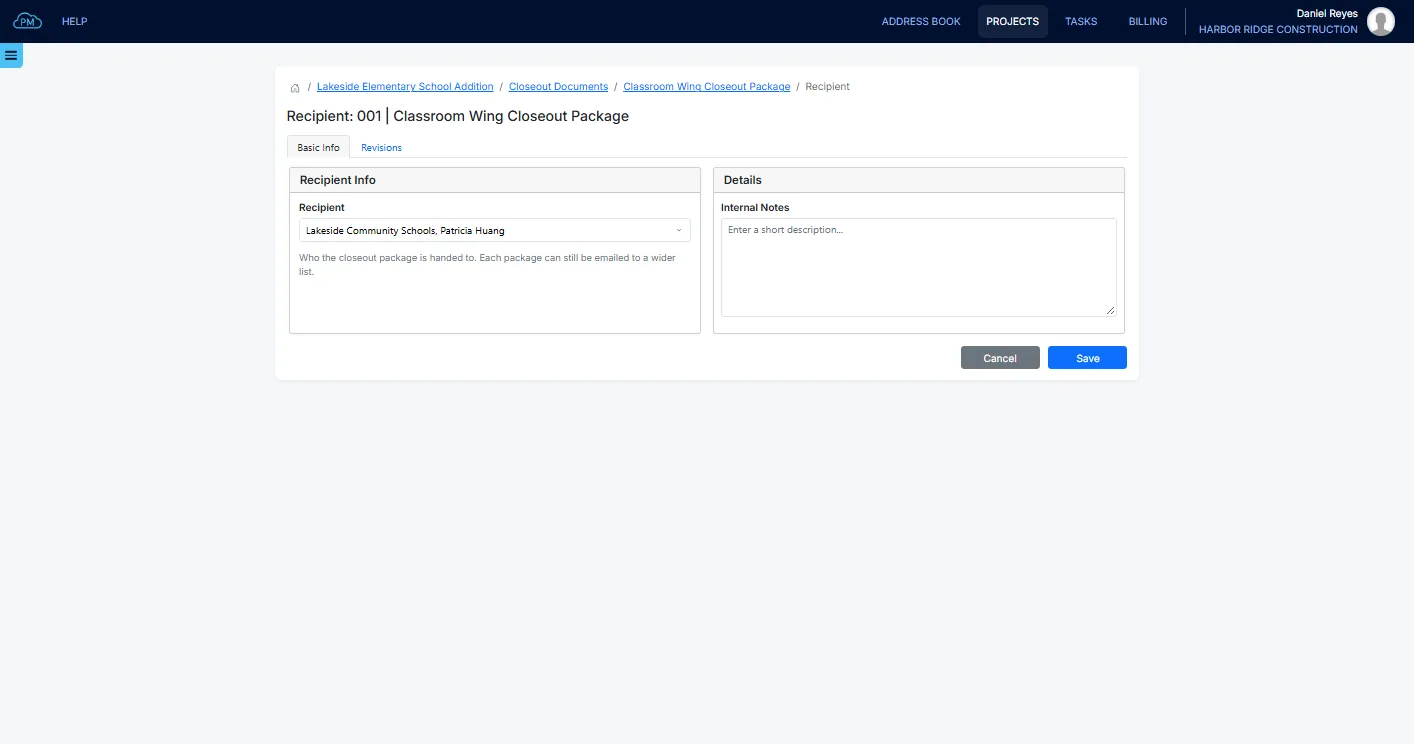
When the documents are approved, you can create a transmittal for the package, with the project's default recipient already selected, and the recipients receive it by email. Cloud PM records what was sent, when and to whom. If there are changes to the package, you can send a new revision of it.
Warranty Dates
You can record when each warranty starts and ends, along with its spec section and the subcontractor who issued it. When the owner asks whether a system is still under warranty, even years after the handover, you can find the answer in seconds.
Why Choose Cloud PM for Closeout Documents
With Cloud PM, every closeout document is approved and tracked until the owner receives it, so you can complete the closeout and request final payment on time. The other companies on the project use Cloud PM free of charge, and plans start from $40 a month.
-
Outstanding Documents
You can see how many documents in each package are still outstanding, so you know which subcontractors to contact first.
-
Linked to Submittals
When a closeout document was already approved as a submittal, you can link it to that submittal, so the same approval is not repeated.
-
Files From Subcontractors
The subcontractor supplying a document can upload its file in Cloud PM, so you don't need to collect the files by email.
Construction Closeout Documents FAQ
Closeout documents are the documents the contractor gives the owner when the work is finished, such as operation and maintenance manuals, warranties and as-built drawings. Final payment is usually held until they are complete and accepted.
It depends on the project specification, which lists what each trade has to provide. Most closeout packages include the manuals and warranties for the installed systems, the as-built drawings and the certificates the authorities require. Records of the training given to the owner's staff are usually included too.
Closeout documents are best collected while the subcontractors are still on site. After a subcontractor is paid and leaves the site, it is much harder to get a warranty or a manual from them, so it is best to create the closeout packages early and add the documents as the work is completed.
An as-built drawing shows what was actually installed, which can differ from the design drawings. It includes routing changes, relocated equipment and decisions made in the field. The owner needs it to maintain the building, and it is one of the documents most often missing at handover.