
Construction closeout documents are the records a contractor hands to the owner at the end of a project: the manuals, warranties, drawings and certificates the owner needs to run and maintain the building. Most contracts hold back final payment until the owner has them, so a late closeout package means a late final payment.
In this post we list the closeout documents most owners expect, go through the closeout process step by step and give you a checklist. Then we show how closeout documents work in Cloud PM.
What Are Construction Closeout Documents?
Closeout documents tell the owner what was built and how to take care of it. They come from many sources: the subcontractors, the suppliers and manufacturers, the testing agencies and the building department. The general contractor collects them, the architect reviews them, and the owner receives them in one or more closeout packages.
The contract and the specifications say which documents are required, in the general requirements and in each specification section. Read them at the start of the project, not at the end, so you know what to ask each subcontractor for.
Construction Closeout Documents List
The exact list depends on the contract, but most closeout packages include these documents:
- Operation and maintenance manuals. O&M manuals explain how to operate and maintain each system and piece of equipment, such as the HVAC units, the pumps and the fire alarm. They include the maintenance schedules, the spare parts lists and the manufacturer contacts.
- Warranties and guarantees. The warranties from the subcontractors and the manufacturers, such as the roof warranty, with the start date, the length and what each one covers. Most warranties start at substantial completion, so record the dates when you collect them.
- As-built drawings. Also called record drawings, they show how the project was actually built, with every change made in the field. The owner uses them for maintenance and for any future renovation.
- Test and inspection reports. The reports from the testing agencies and the inspectors, and the commissioning reports that show the building systems work as designed.
- Certificates. The certificate of occupancy from the building department, the certificate of substantial completion (AIA G704 on many projects) and any other certificates the specifications ask for.
- Training records. Records that the owner’s staff were trained on the building systems, with the date, the topics and who attended.
- Spare parts and extra materials. The extra materials left for the owner, often called attic stock, such as extra floor tiles, ceiling tiles and paint, with a list of what was delivered and where it is stored.
- Final lien waivers and payment documents. Final lien waivers from the subcontractors and suppliers, and the documents the owner needs before final payment. With AIA contracts, these are often the Contractor’s Affidavit of Payment of Debts and Claims (G706), the Contractor’s Affidavit of Release of Liens (G706A) and the Consent of Surety to Final Payment (G707). Learn more about AIA Contract Documents.
The Construction Closeout Process
Closeout goes faster when it starts early. Here are the steps on most projects:
- Make a list of the required documents. Go through the contract and the specifications and list every closeout document, with the subcontractor or supplier who provides it.
- Collect the documents as the work finishes. Ask each subcontractor for its closeout documents when its work is done, not when the whole project is done. Many of them are already in the submittals, such as the product data for the O&M manuals.
- Have the architect review them. The architect or the engineer reviews the documents and approves them or returns them for changes, the same way as a submittal.
- Complete the punch list. At substantial completion, the architect and the owner walk the project and list the work still to be done or corrected. Learn more about the punch list in construction.
- Send the closeout package to the owner. Put the approved documents together in a package and send it with a transmittal, so you have a record of what was sent and when. You can send it in more than one package, such as one for each building or each trade.
- Request final payment. When the punch list is done and the owner has the closeout documents, you can request final payment and the release of the retainage.
Construction Closeout Checklist
Use this checklist to keep track of the closeout, from the start of the project to the final payment:
- The required closeout documents listed at the start, with who provides each one
- Every document in the list above collected and approved by the architect
- Warranty start and end dates recorded
- Keys, access cards and codes handed over
- The punch list completed and signed off
- Final lien waivers received from every subcontractor and supplier
- A transmittal sent with every package
- Final payment and the release of the retainage requested
Managing Closeout Documents in Cloud PM
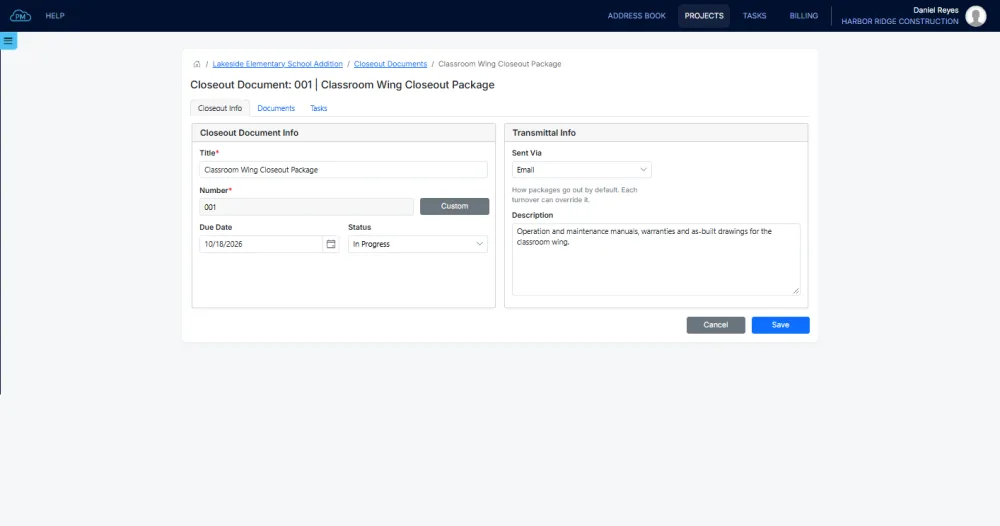
In Cloud PM, you can group the closeout documents of a project into packages, such as one for each trade, and give each package a title and a due date. You can select how each package is sent, by email, mail or hand delivery, and add tasks to it for your team.
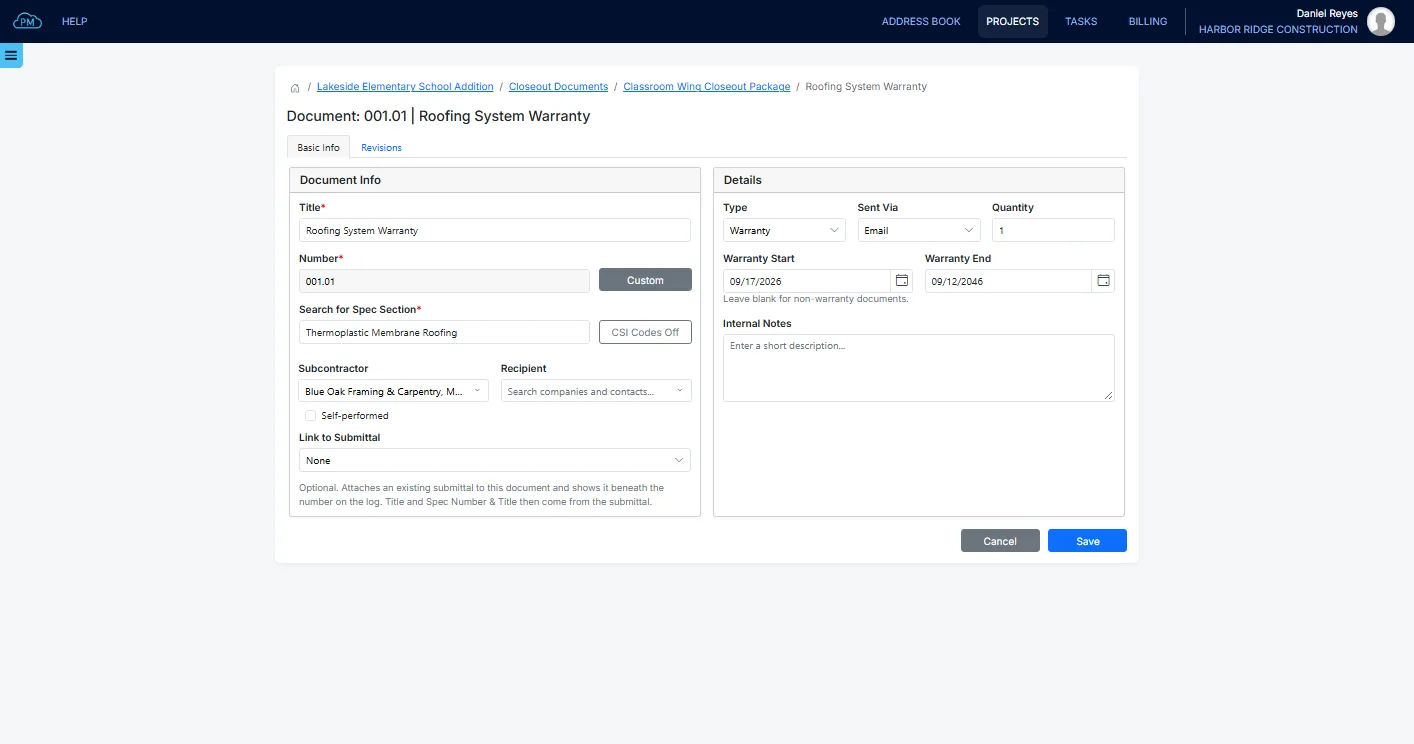
For each document in a package, you can select its type, such as an O&M manual, a warranty or an as-built drawing, along with its spec section and the subcontractor who supplies it. For a warranty, you can also enter the start and end dates, so when the owner asks whether a system is still under warranty, even years after the handover, you can find the answer in seconds.
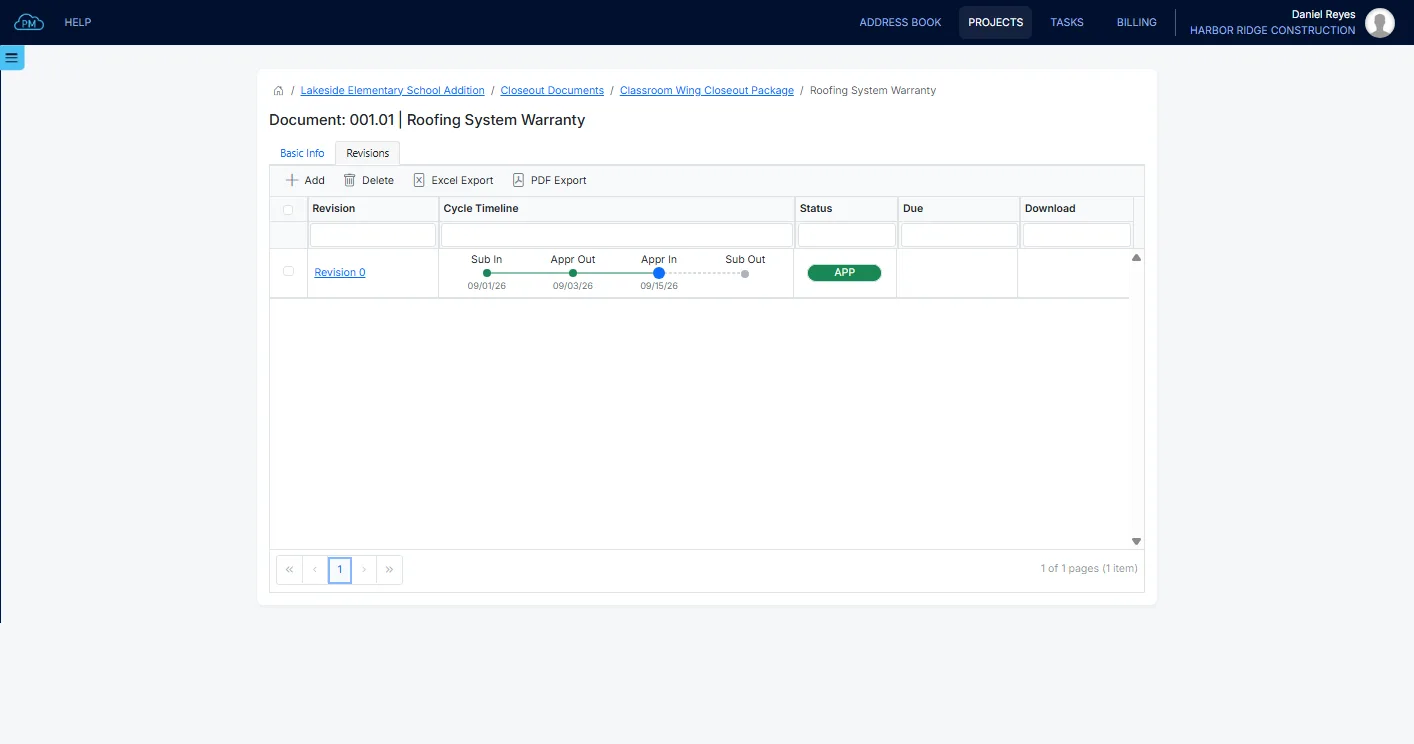
Each document is approved in revisions, the same way as a submittal, with a due date, a reminder and a cycle timeline. If the document was already approved as a submittal, you can link it to that submittal and its approval comes from there, so you don’t need to approve it twice.
Only approved documents can be added to the package you send to the owner. When you send a package, you can create a transmittal for it, and Cloud PM records what was sent, when and to whom. The log shows how many documents in each package are approved and how many have been sent, so you always know what the owner is still waiting for.
Your closeout documents are saved in the same project as your submittals and your punch list. The other companies on the project use Cloud PM free of charge, and plans start from $40 a month. Learn more about Cloud PM closeout documents.
Frequently Asked Questions
Who is responsible for the closeout documents?
The general contractor. It collects the documents from the subcontractors and suppliers, has the architect review them and sends them to the owner. Each subcontractor is responsible for the documents of its own work, as its subcontract requires.
What is the difference between substantial completion and final completion?
Substantial completion is when the project is complete enough for the owner to use it for its purpose, with only punch list work left. Final completion is when the punch list is done and the owner has received every closeout document. Final payment usually comes after final completion.
What is attic stock?
Attic stock is the extra material a contractor leaves for the owner for future repairs, such as floor tiles, ceiling tiles or paint from the same batch. The specifications say how much of each material to leave.
How long does construction closeout take?
It depends on the size of the project and how early the documents are collected. When the documents are collected as each trade finishes, the closeout package can be ready soon after substantial completion. When they are collected at the end, it can take months and hold up the final payment.