
Construction Transmittal Software
Cloud PM's construction transmittal software helps contractors send a transmittal with every submittal, RFI, change order, closeout package and payment application. Each transmittal is saved in the project, so you always know what was sent, to whom and when.
A Transmittal for Everything You Send
A transmittal is the cover sheet sent with a project document, such as a submittal or an RFI, showing what was sent, to whom and when. In Cloud PM, every transmittal is saved with the record it belongs to, so you can find it at any time.
-
Created From the Revision
When you enter the date a revision is sent, you can create its transmittal with one click, and the recipient and the date are filled in automatically.
-
Every Round Saved
If a submittal is returned and sent again, each round gets its own transmittal, so you can see every round in the log.
-
PDF Transmittals
Every transmittal is a PDF that you can download at any time, so you can always show which revision each company received.
The Construction Transmittal Log
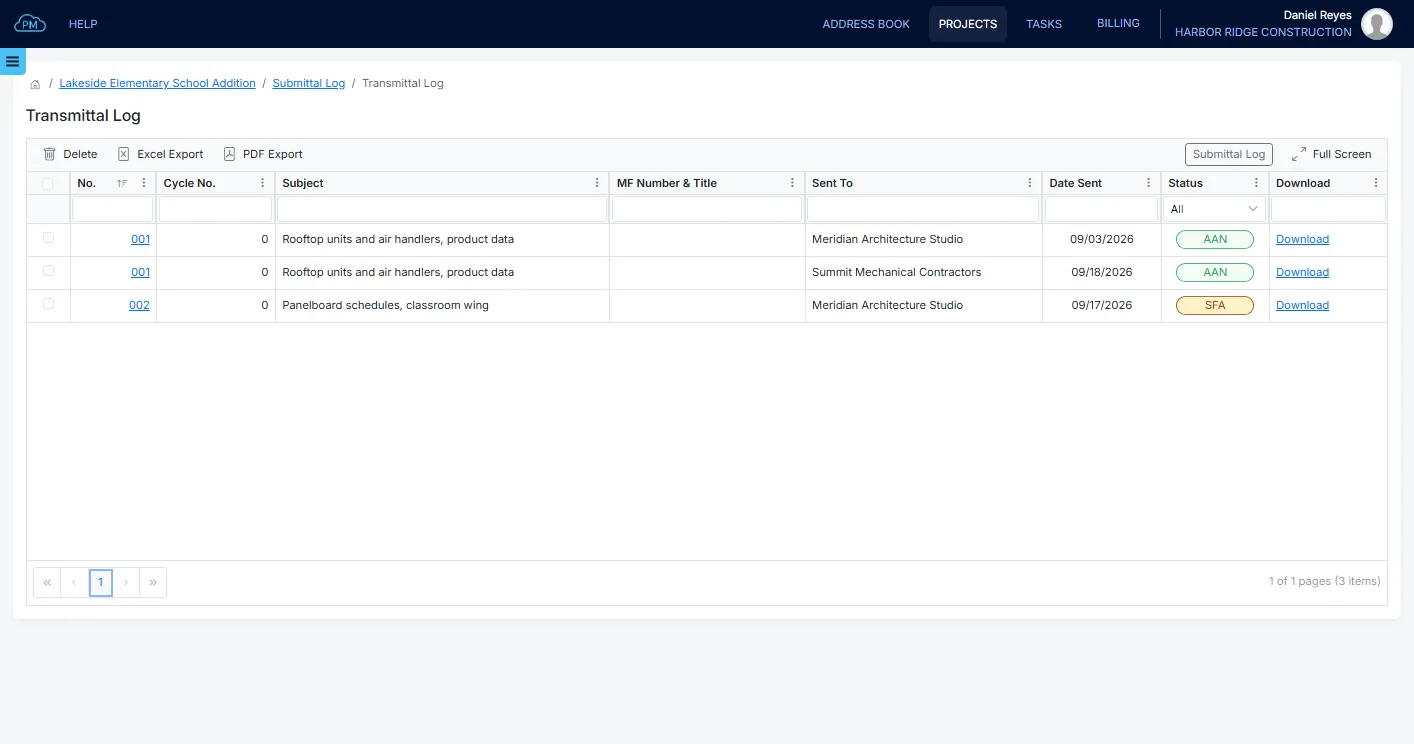
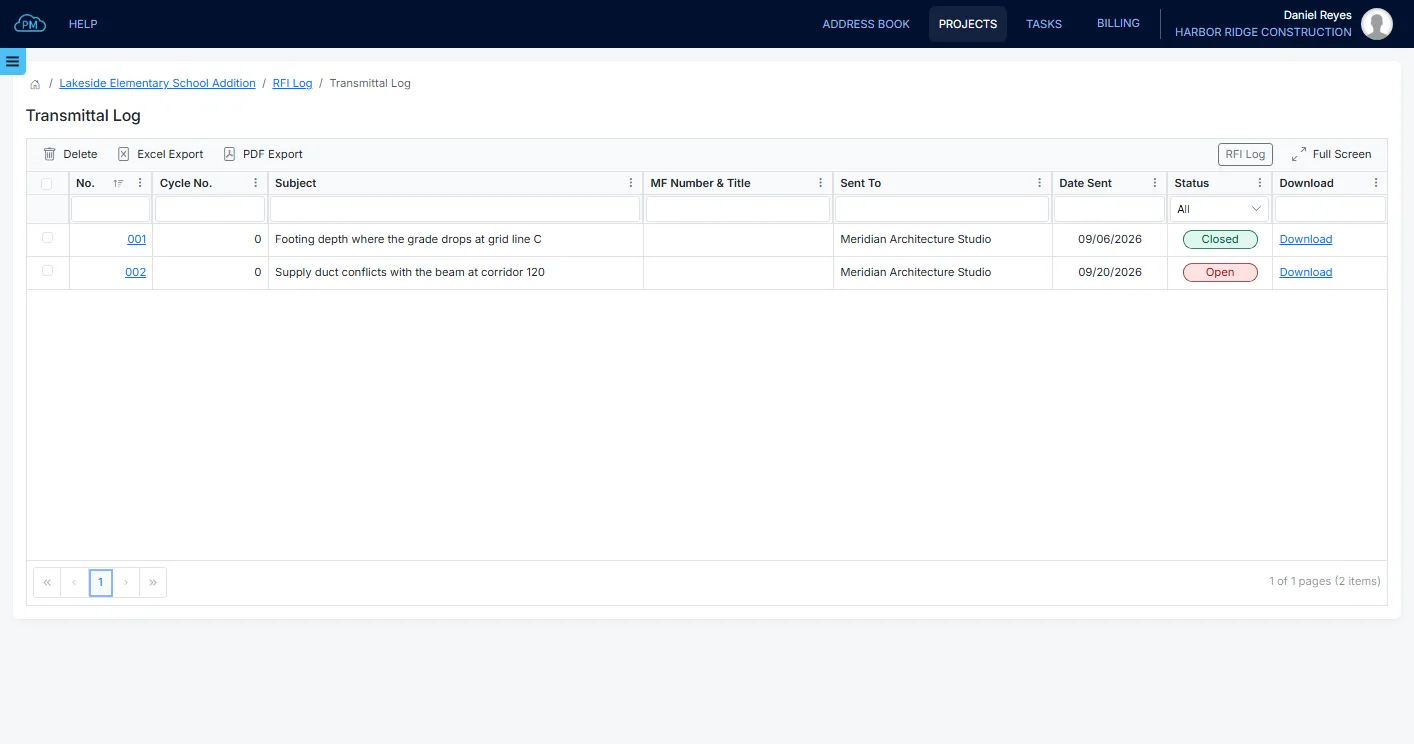
Submittals, RFIs and Change Orders each have their own transmittal log, where you can see every transmittal with its subject, recipient, date sent and status. You can download any transmittal and export the log to Excel or PDF.
Creating and Sending a Transmittal
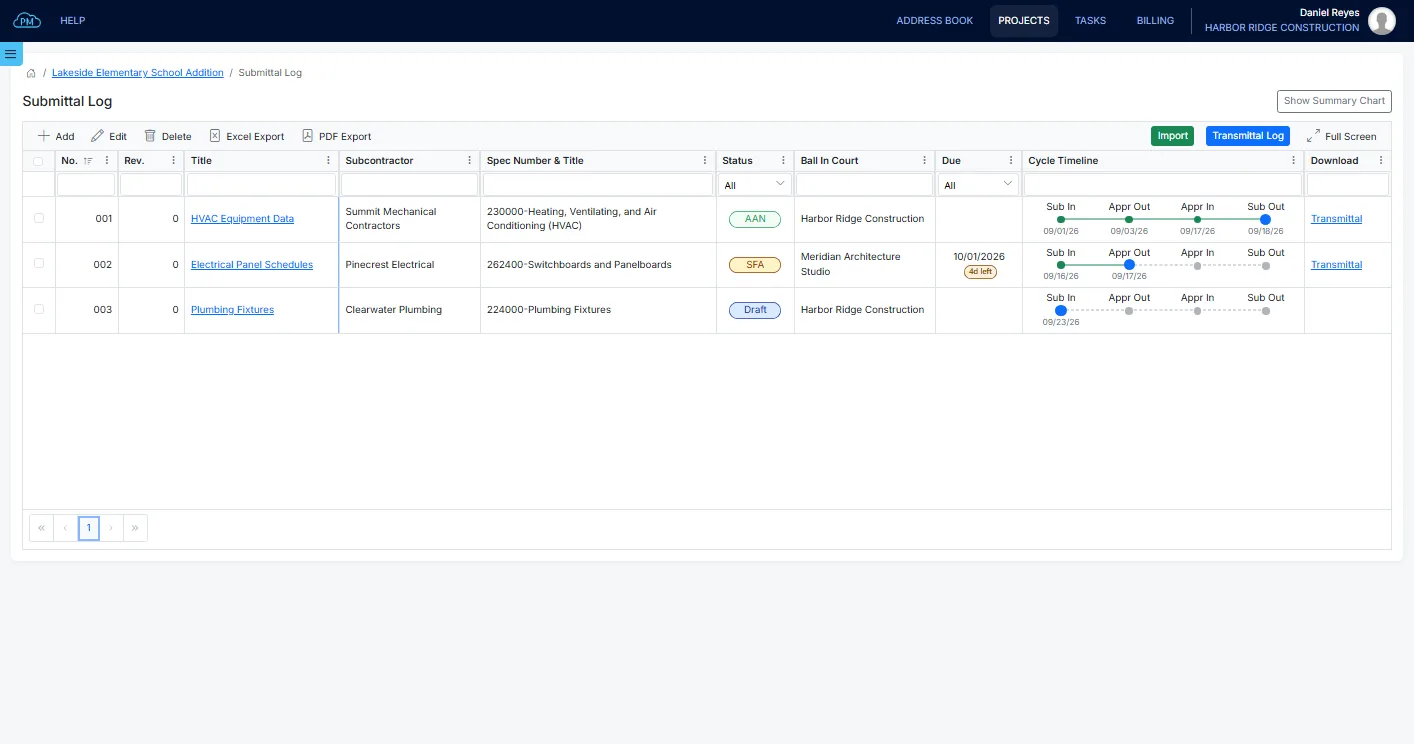
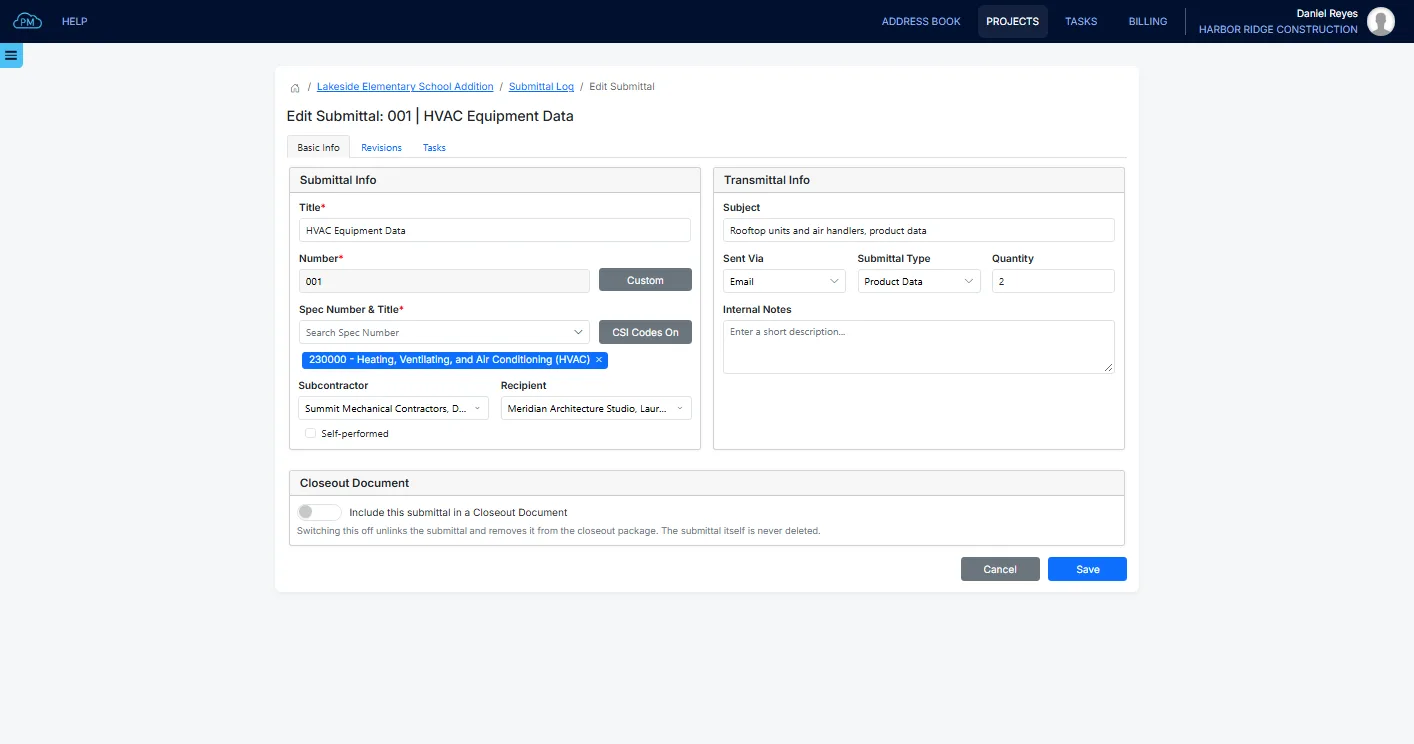
When you enter the date a revision is sent, you can create its transmittal and email it to your distribution list. You can also merge the file into the transmittal, so the recipients receive a single PDF, and they can open it from the email even if they don't use Cloud PM.
Transmittals in Each Module
You can create transmittals in Submittals, RFIs, Change Orders, Closeout Documents and Payment Applications, and every transmittal is linked to the record and revision it belongs to.
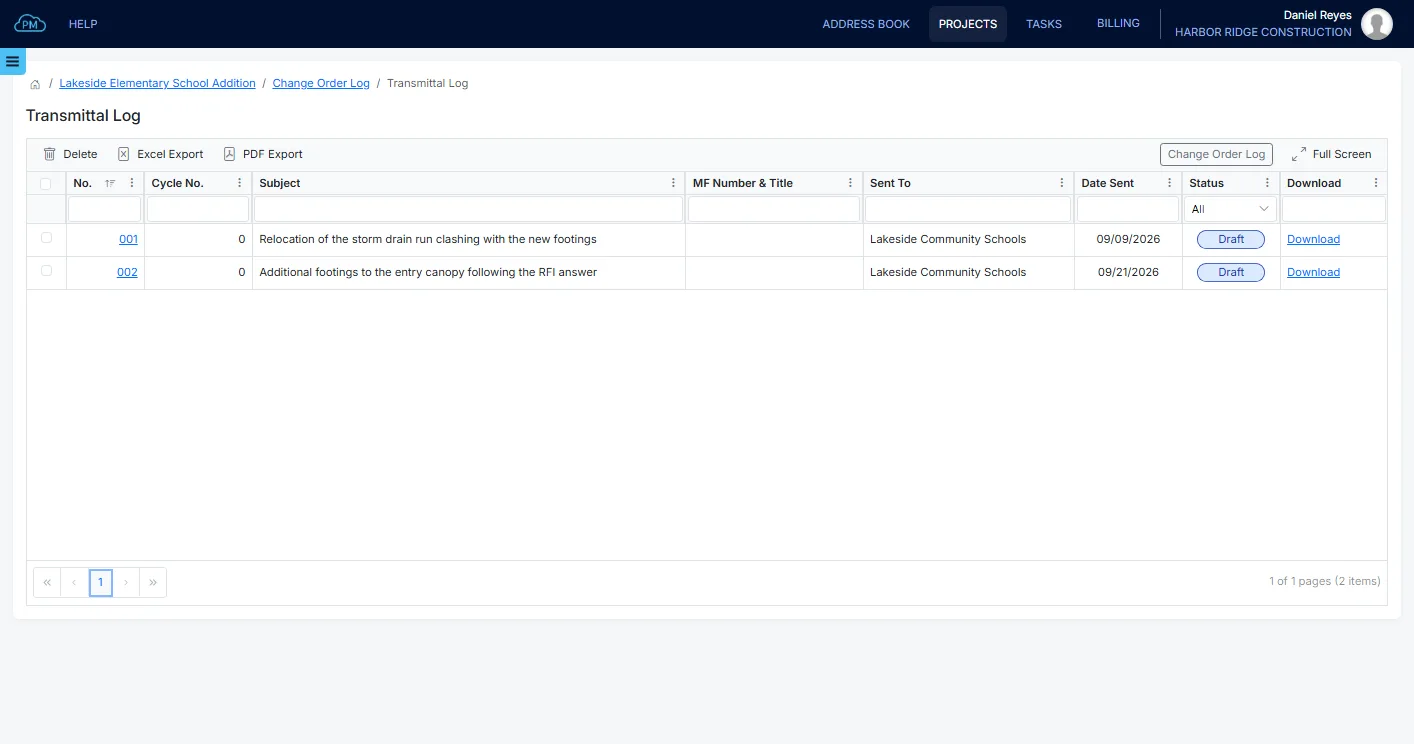
Change Orders, Closeout and Payment Applications
Change orders have transmittals for the subcontractors and for the approval, and you can hide the subcontractors on the transmittal you send for approval. You can also send a transmittal with each closeout package and with each payment application.
A Record of Everything Sent
Cloud PM records who received each transmittal and when, so if there is a question at the end of the project about who received what, you can find the answer in the log instead of searching through mailboxes.
Why Choose Cloud PM for Construction Transmittals
With Cloud PM's construction transmittal software, every transmittal is created from the revision you are sending and saved in the project, so your records always match what was sent. The other companies on the project use Cloud PM free of charge, and plans start from $40 a month.
-
Filled In Automatically
The recipient and the date come from the revision, so you don't need to type them on each transmittal.
-
Linked to the Revision
Each transmittal is linked to its record and revision, so you know which revision each company received.
-
No Login Needed
The recipients can open the transmittal from the email without logging in, so you can send it to anyone on the project.
Construction Transmittal FAQ
A transmittal is the cover document sent with drawings, a submittal or other documents on a project. It shows what is enclosed, who sent it, who receives it, the date and usually the reason. It is the record that a document was sent and received.
A transmittal log is the list of all the transmittals sent on a project. Each row shows the date, the recipient, what was enclosed and which revision it was. At the end of a project, it shows what each company received and when.
A submittal is the document being reviewed, such as product data or shop drawings. A transmittal is the cover document sent with it to the reviewer. One submittal can have several transmittals, one for each time it is sent.
Yes. The transmittal log shows when each document was sent and who received it, which matters when there are questions about delays or notices. When the transmittals are saved in the project instead of in individual mailboxes, you can find them years later.