
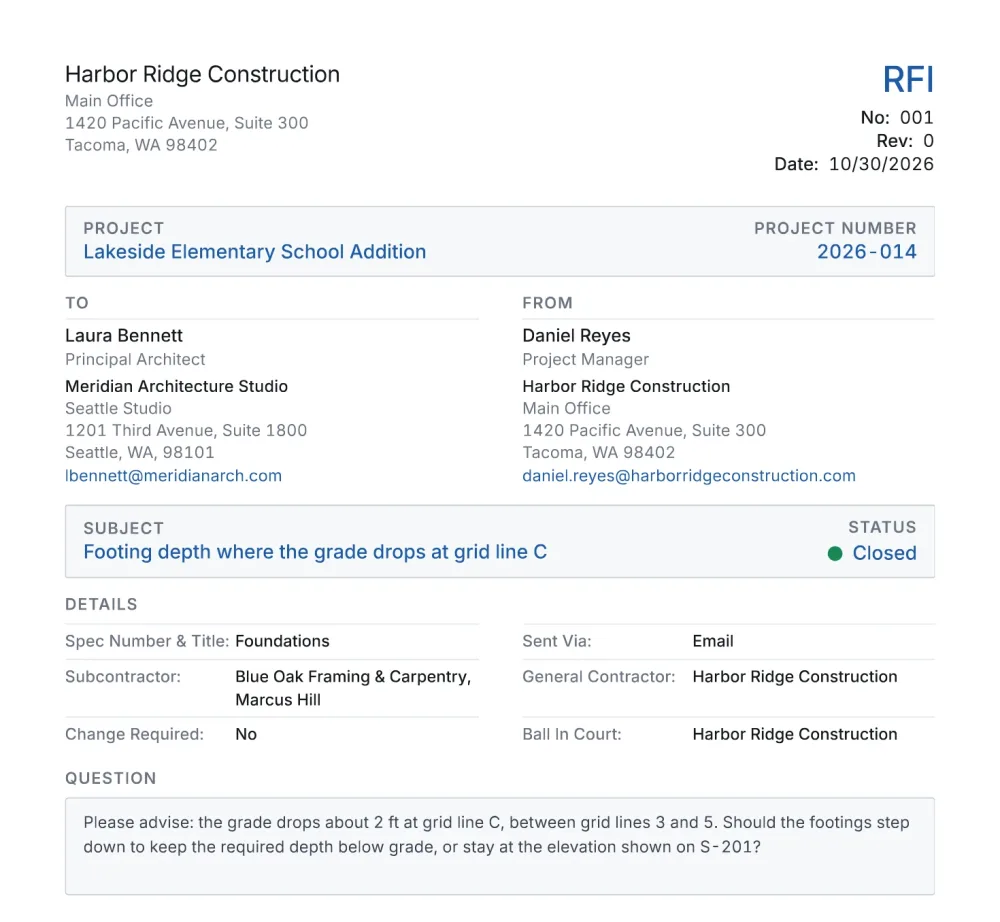
A transmittal in construction is the cover sheet sent with anything that goes out on a project: a submittal, an RFI, a set of drawings, or physical items such as samples and mockup materials. It shows what was sent, to whom, when and why. Months later, when someone asks whether the architect received a submittal or which drawings a subcontractor was given, the transmittal is the record that answers the question.
In this post we explain what a transmittal is, what to include in a transmittal form and when to send one, and how to keep a transmittal log. Then we show how transmittals work in Cloud PM.
What Is a Transmittal in Construction?
A transmittal, also called a letter of transmittal, is a one-page document that goes on top of whatever you send. It lists the documents in the package, says what the recipient is expected to do with them and records the date they were sent.
The transmittal doesn’t replace the documents. It is the proof that they were sent. On a project where hundreds of documents go back and forth between the contractor, the subcontractors, the architect and the owner, transmittals are how each company keeps track of what it sent and received.
Transmittal vs. Submittal
The two words are often confused. A submittal is the document itself, such as a shop drawing, product data or a sample, that a subcontractor submits for the architect’s approval. The transmittal is the cover sheet that sends it. A submittal usually has two transmittals: one when the contractor sends it to the architect for approval, and one when the contractor returns it to the subcontractor with the architect’s response. Learn more about construction submittals.
What to Include in a Construction Transmittal Form
A transmittal form is short, but each part of it matters when you need to prove what was sent. Include:
- The project. The project name and number.
- The transmittal number and date. Number the transmittals in order, so a missing one is easy to spot.
- From and to. The company and the person sending it, and the company and the person receiving it, with the people who receive a copy.
- What was sent. For each document, its number, title, revision and date, and the number of copies. For a sample or another physical item, its description and quantity.
- The purpose. What the recipient should do with the documents, such as for approval, for review and comment, for your information or for construction.
- How it was sent. By email, mail, courier or hand delivery.
- The response date. When you need the documents back, if a response is required.
- Remarks. Anything the recipient needs to know, such as the drawings a revision replaces.
When to Send a Transmittal
Send a transmittal whenever a document that matters to the project changes hands, for example:
- A submittal sent to the architect for approval, and returned to the subcontractor
- An RFI sent to the architect, and the answer sent back to the subcontractor
- A revised set of drawings or specifications issued to the subcontractors
- A change order sent to the subcontractors for pricing, or to the owner for approval
- A payment application sent to the owner
- The closeout documents handed over to the owner at the end of the project
Keeping a Transmittal Log
A transmittal log lists every transmittal on the project, with its number, subject, recipient, date sent and status. It is the first place to look when there is a question about who received what, and it is part of good document control. Keep the log for the whole project and with the project records after it ends, since a dispute can come up long after the work is done.
Transmittals in Cloud PM
In Cloud PM, you can create transmittals in Submittals, RFIs, Change Orders, Closeout Documents and Payment Applications, and every transmittal is linked to the record and revision it belongs to.
When you enter the date a revision is sent, you can create its transmittal and email it to your distribution list. You can also merge the file into the transmittal, so the recipients receive a single PDF, and they can open it from the email even if they don’t use Cloud PM.
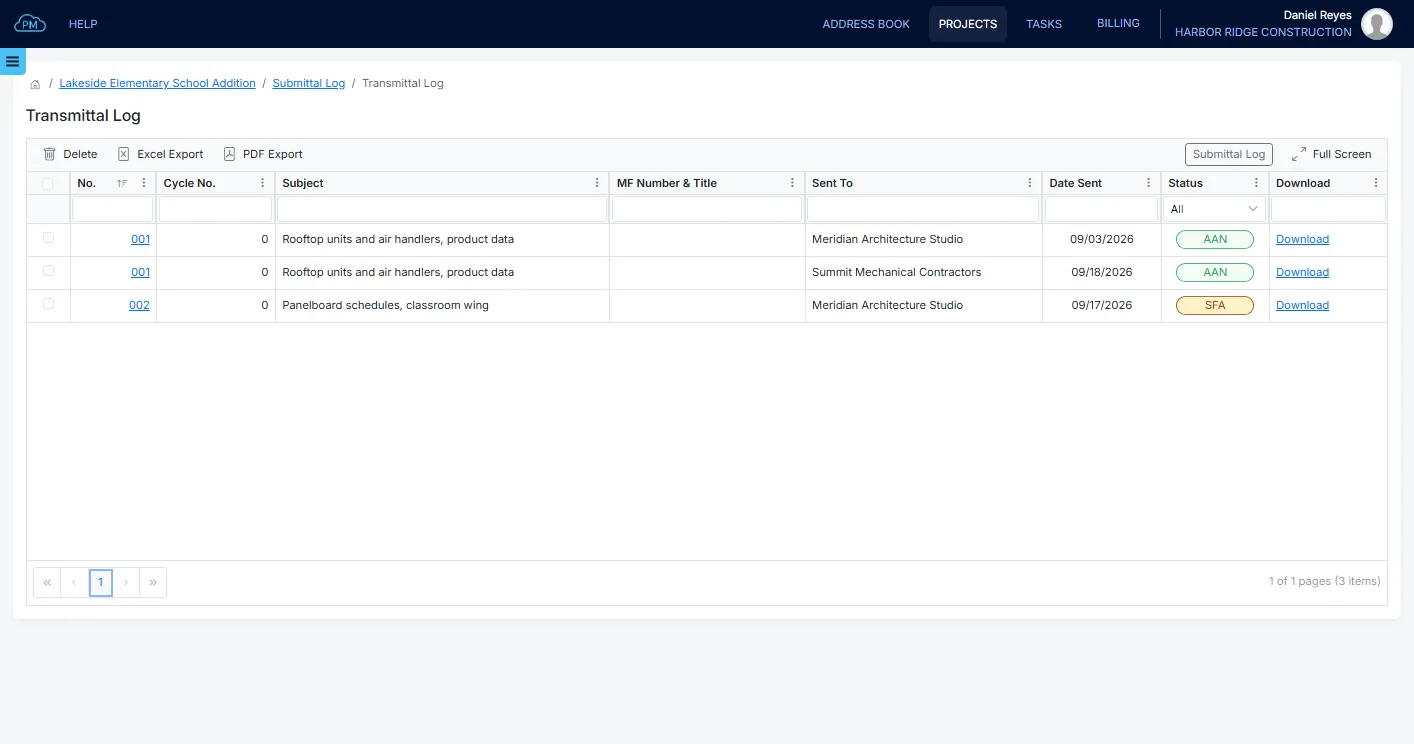
A submittal or an RFI can have two transmittals for each revision, one when it is sent to the architect for approval and one when it is returned to the subcontractor. For an RFI, the transmittal back to the subcontractor also includes the answer.
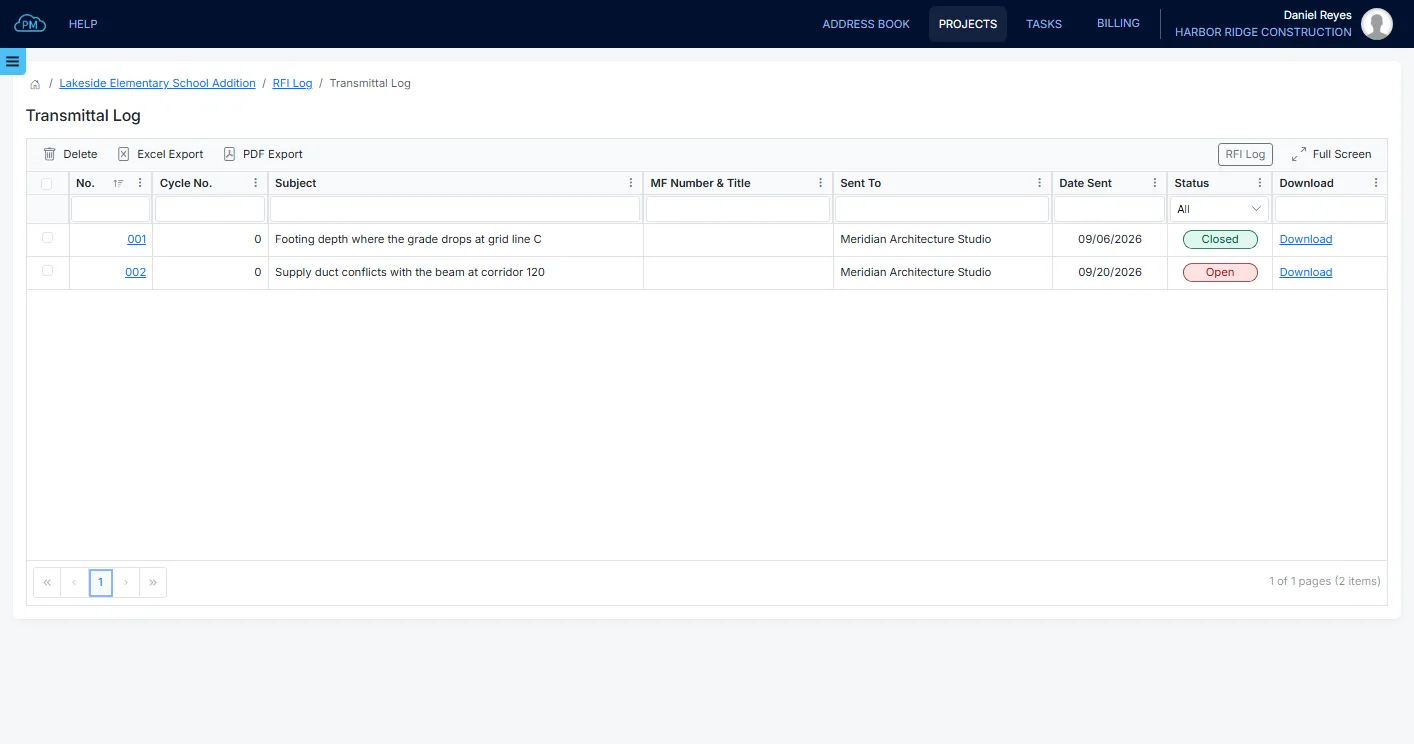
Change orders have transmittals for the subcontractors and for the approval, and you can hide the subcontractors on the transmittal you send for approval. Submittals, RFIs and Change Orders each have their own transmittal log, where you can download any transmittal and export the log to Excel or PDF.
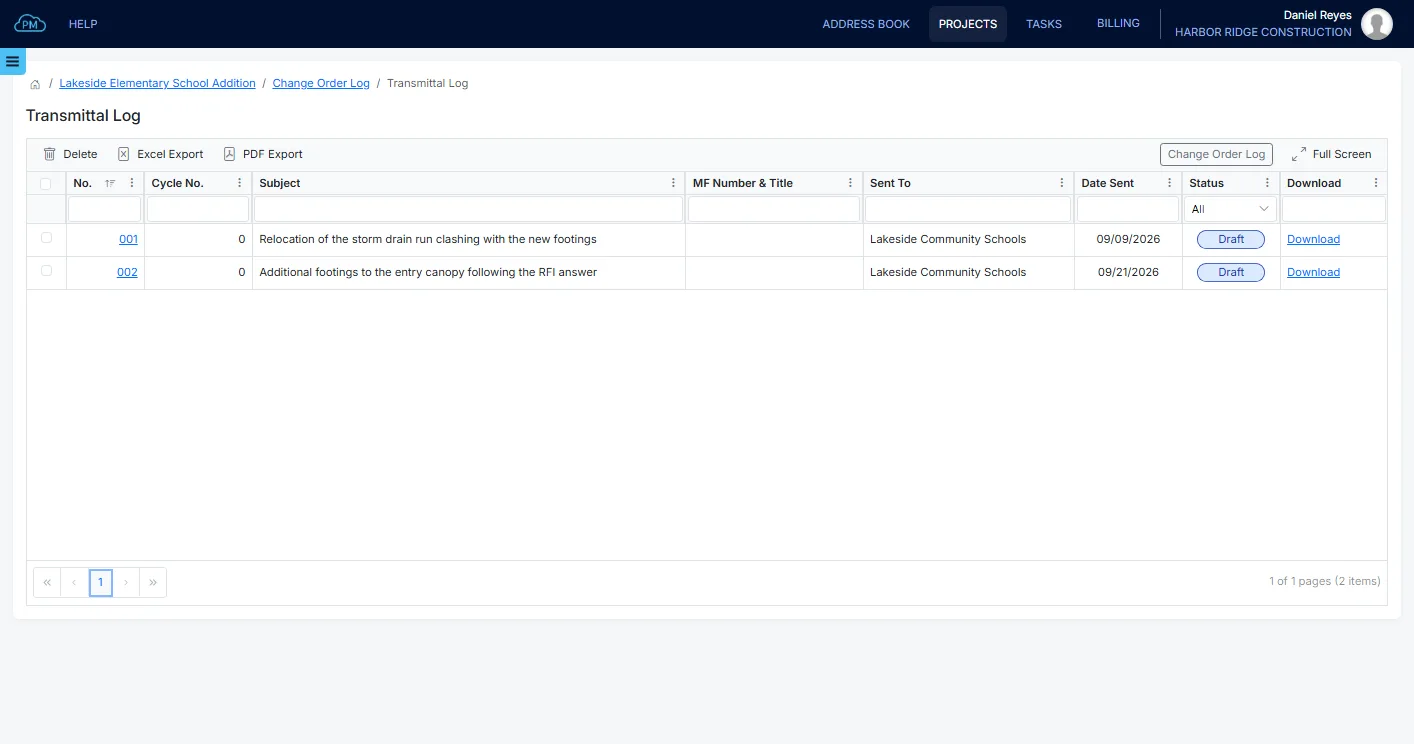
Cloud PM records who received each transmittal and when, so if there is a question at the end of the project about who received what, you can find the answer in the log instead of searching through mailboxes. The other companies on the project use Cloud PM free of charge, and plans start from $40 a month. Learn more about Cloud PM construction transmittal software.
Frequently Asked Questions
Is a transmittal the same as a letter of transmittal?
Yes. Letter of transmittal, transmittal form and transmittal sheet all mean the same document: the cover sheet that lists what was sent, to whom, when and why.
Does a transmittal need a signature?
Not usually. The transmittal records who sent it, and the date and the email or delivery record show that it was received. Some contracts or owners ask for a signed receipt for important documents, such as the closeout package.
What does “for information” mean on a transmittal?
It means the recipient doesn’t need to respond or take action. The documents are sent so the recipient knows about them. “For approval” or “for review and comment” means the recipient is expected to review the documents and send a response by the date on the transmittal.
Can a transmittal be sent by email?
Yes, and on most projects it is. Send the transmittal as a PDF with the documents attached or linked, and keep the transmittal and the email in the project records, so you can show what was sent and when.