
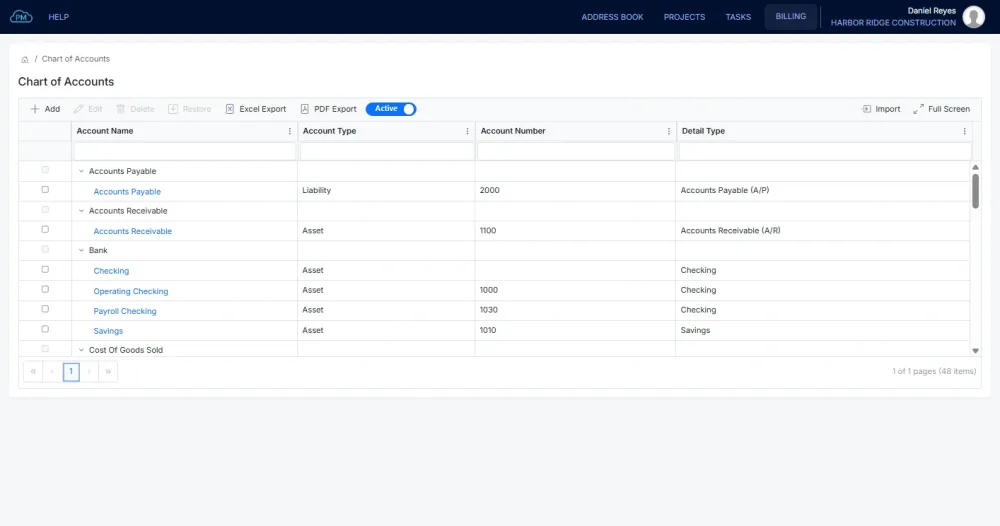
A construction chart of accounts is the numbered list of accounts a construction company uses to record its money. It looks like any other chart of accounts, with a few accounts that construction needs, such as retainage, and the job costs kept separate from overhead.
In this post we show a complete construction chart of accounts example for a general contractor, with account numbers, and explain what each group of accounts is for. It is the same list as the construction template in the Cloud PM chart of accounts, so you can use it as a sample for your own company.
What Is a Chart of Accounts?
A chart of accounts is the list of every account a company records its transactions in. Each invoice, bill, payment and purchase goes to one of these accounts, and your financial reports add them up.
The accounts are grouped by what they hold:
- Assets: what the company owns, such as cash, the money customers owe you, and equipment.
- Liabilities: what the company owes, such as bills to pay, credit cards and loans.
- Equity: what belongs to the owners.
- Income: the money you earn from your work.
- Costs and expenses: the money you spend, on your projects and on running the company.
The balance sheet is built from the assets, liabilities and equity, and the profit and loss statement from the income, costs and expenses.
How Construction Accounts Are Numbered
Most companies number their accounts so that the number tells you the group. A common way is to give each group its own range:
- 1000s: assets
- 2000s: liabilities
- 3000s: equity
- 4000s: income
- 5000s: job costs
- 6000s: overhead
- 7000s: other income and expenses
Leave gaps between the numbers, such as 5000, 5100 and 5200, so you can add an account later in the right place. When you need more detail, you can add sub-accounts under an account, such as Workers’ Compensation under Insurance.
Ask your accountant before you set up the numbers. If they already use a numbering for your books, use the same one.
A Construction Chart of Accounts Example
Here is a sample chart of accounts for a general contractor, group by group. It has 54 accounts, which is enough for most small and mid-size construction companies to start with. You can rename the accounts, remove the ones you don’t use and add your own.
Assets (1000 to 1999)
| Number | Account | Account Type |
|---|---|---|
| 1000 | Checking | Bank |
| 1010 | Savings | Bank |
| 1020 | Petty Cash | Bank |
| 1100 | Accounts Receivable | Accounts Receivable |
| 1200 | Undeposited Funds | Other Current Asset |
| 1210 | Retainage Receivable | Other Current Asset |
| 1220 | Prepaid Expenses | Other Current Asset |
| 1230 | Employee Advances | Other Current Asset |
| 1240 | Inventory | Other Current Asset |
| 1500 | Vehicles & Trucks | Fixed Asset |
| 1510 | Machinery & Equipment | Fixed Asset |
| 1520 | Tools & Equipment | Fixed Asset |
| 1590 | Accumulated Depreciation | Fixed Asset |
Retainage Receivable holds the amounts your customers withhold from each payment until the job is complete. Keeping it separate from Accounts Receivable shows what you can collect now and what you collect at the end of the job.
Liabilities (2000 to 2999)
| Number | Account | Account Type |
|---|---|---|
| 2000 | Accounts Payable | Accounts Payable |
| 2100 | Credit Card | Credit Card |
| 2200 | Retainage Payable | Other Current Liability |
| 2210 | Payroll Liabilities | Other Current Liability |
| 2220 | Sales Tax Payable | Other Current Liability |
| 2500 | Equipment Loans | Long Term Liability |
| 2510 | Vehicle Loans | Long Term Liability |
Retainage Payable holds the amounts you withhold from your subcontractors’ payments. You owe it to them once their work is accepted.
Equity (3000 to 3999)
| Number | Account | Account Type |
|---|---|---|
| 3000 | Opening Balance Equity | Equity |
| 3100 | Owner's Investment | Equity |
| 3200 | Owner's Draw | Equity |
Income (4000 to 4999)
| Number | Account | Account Type |
|---|---|---|
| 4000 | Construction Income | Income |
| 4100 | Change Order Income | Income |
| 4200 | Service & Repair Income | Income |
Change Order Income is kept apart from Construction Income, so you can see how much of your revenue comes from changes to the original contract.
Job Costs (5000 to 5999)
| Number | Account | Account Type |
|---|---|---|
| 5000 | Subcontractors | Cost of Goods Sold |
| 5100 | Direct Labor | Cost of Goods Sold |
| 5200 | Job Materials | Cost of Goods Sold |
| 5300 | Equipment Rental | Cost of Goods Sold |
| 5400 | Permits & Fees | Cost of Goods Sold |
| 5500 | Disposal & Dumpster | Cost of Goods Sold |
| 5600 | Freight & Delivery | Cost of Goods Sold |
These are the costs of doing the work on your projects. Because they are recorded as cost of goods sold, your income minus these costs gives you the gross profit on your work.
Overhead (6000 to 6999)
| Number | Account | Account Type |
|---|---|---|
| 6000 | Advertising & Marketing | Expense |
| 6100 | Bank Charges & Fees | Expense |
| 6200 | Dues & Subscriptions | Expense |
| 6300 | Insurance – General Liability | Expense |
| 6310 | Insurance – Workers' Compensation | Expense |
| 6400 | Legal & Professional Fees | Expense |
| 6500 | Office Supplies & Software | Expense |
| 6600 | Payroll – Wages & Salaries | Expense |
| 6610 | Payroll Taxes | Expense |
| 6700 | Rent & Lease | Expense |
| 6800 | Repairs & Maintenance | Expense |
| 6900 | Small Tools & Supplies | Expense |
| 6950 | Telephone & Communication | Expense |
| 6960 | Travel | Expense |
| 6970 | Meals | Expense |
| 6980 | Utilities | Expense |
| 6990 | Fuel | Expense |
| 6991 | Vehicle Repairs & Maintenance | Expense |
| 6995 | Interest Expense | Expense |
These are the costs of running the company that don’t belong to one project, such as the office, insurance and the office staff’s payroll.
Other Income and Expenses (7000 and up)
| Number | Account | Account Type |
|---|---|---|
| 7000 | Interest Income | Other Income |
| 7500 | Depreciation Expense | Other Expense |
What Makes a Construction Chart of Accounts Different
A general chart of accounts works for a store or an office. A construction company needs a few more things:
- Retainage on both sides. Your customers withhold part of each payment from you, and you withhold part of each payment from your subcontractors. You need an account for each, so you know what is owed. Learn more about retainage in construction.
- Job costs separate from overhead. Subcontractors, direct labor, job materials and equipment rental are the cost of your projects. The office, insurance and marketing are the cost of the company. When you keep them apart, you can see whether your projects make money before overhead.
- Change order income. A separate income account shows how much of your revenue comes from changes to the contract.
- Equipment. Vehicles and machinery are assets, the loans to buy them are liabilities, and fuel and repairs are expenses.
A construction chart of accounts has one account per type of cost, not one per project. Each invoice and bill is linked to its project instead, so you can see the costs of each project without a longer chart of accounts.
Setting Up Your Chart of Accounts in QuickBooks
If you use QuickBooks Online, it creates a chart of accounts for you when you set up your company. You can edit it to match the example above: rename accounts, add the construction accounts, such as Retainage Receivable and Retainage Payable, and make the accounts you don’t use inactive.
QuickBooks Online doesn’t show account numbers until you turn them on. Go to Settings, then Account and settings, then Advanced, and turn on Enable account numbers in the Chart of accounts section. You can also import a list of accounts from a spreadsheet instead of adding them one at a time.
When you connect QuickBooks to Cloud PM, your chart of accounts syncs between the two, so you set it up only once.
Your Chart of Accounts in Cloud PM
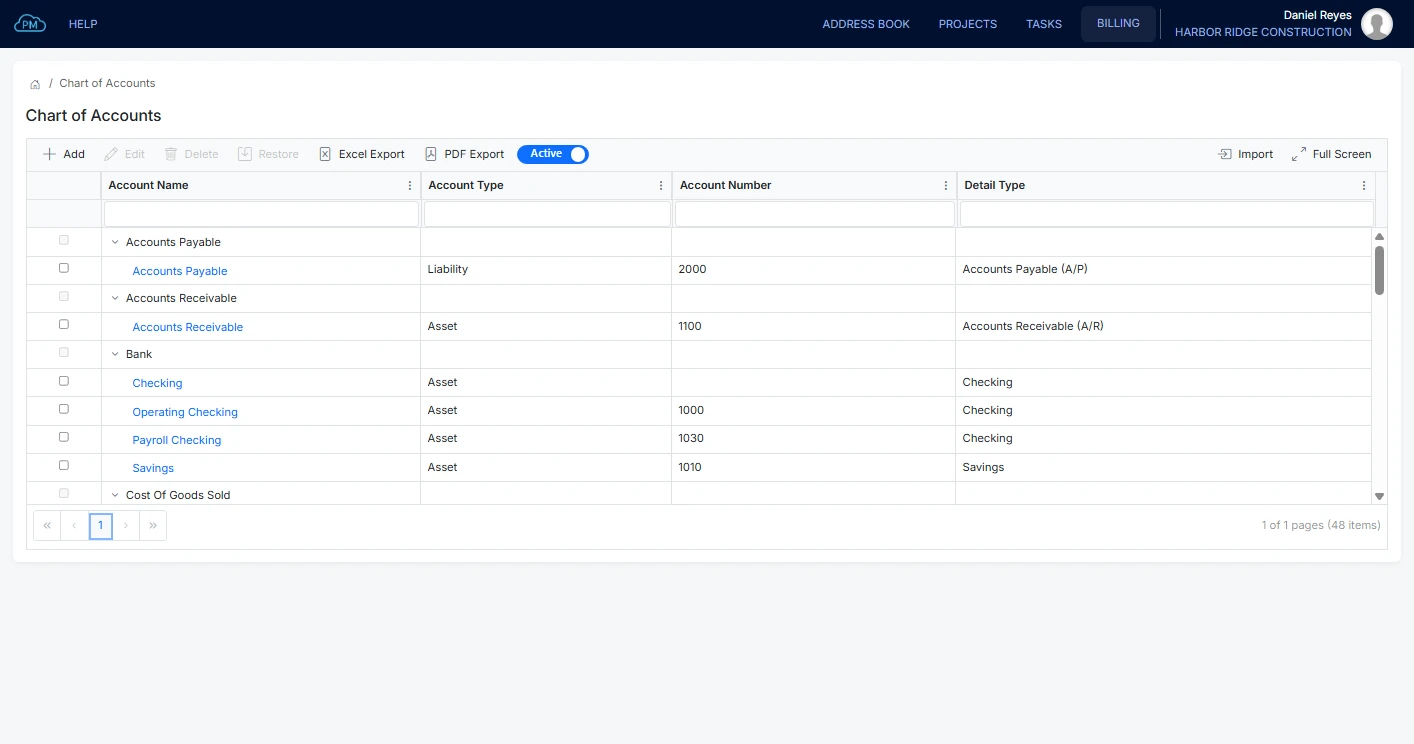
In Cloud PM, your accounts are organized by type, so you can quickly find the account you need. You can number your accounts the same way your accountant does, and track labor, materials and equipment as separate sub-accounts under your project costs.
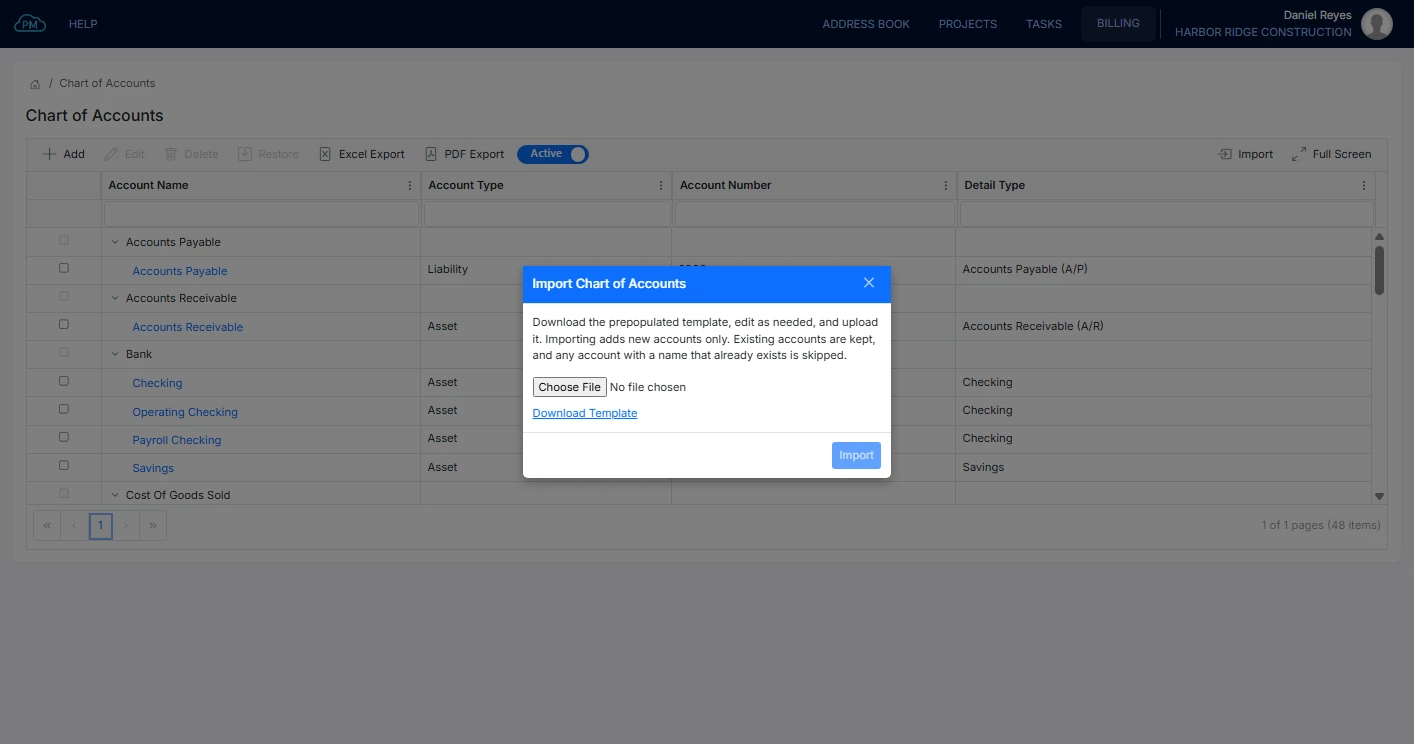
You don’t have to enter your chart of accounts by hand. You can download the prepopulated construction template, which has the accounts in the example above, edit it in Excel and upload it. Only new accounts are added, so your existing accounts stay the same.
Every invoice, bill and product or service is linked to an account. Each product or service has its own income account, and an expense account if you also purchase it. When your team adds it to an invoice or a bill, the right account is selected automatically.
When you connect QuickBooks Online or Intuit Enterprise Suite on the Premium plan, your chart of accounts syncs both ways, and you can see which accounts have synced. The chart of accounts is included in the Advanced plan, from $60 a month. Learn more about the Cloud PM construction chart of accounts.
Frequently Asked Questions
How many accounts does a construction company need?
Enough to see where your money comes from and where it goes. The example above has 54 accounts. A small contractor may use fewer, and a larger company adds sub-accounts for more detail. If you never look at an account on its own, it can usually be combined with another one.
Should each project have its own account?
No. Your chart of accounts lists the types of income and costs, such as Job Materials or Subcontractors. Each invoice and bill is linked to its project, so you can see the costs of each project without adding an account for every job.
What is the difference between job costs and overhead?
Job costs are the costs of doing the work on a project, such as subcontractors, labor, materials and equipment rental. Overhead is the cost of running the company, such as rent, insurance and office supplies. Job costs are usually recorded as cost of goods sold, so your reports show the gross profit on your projects before overhead.
Can I use a chart of accounts template in Excel?
Yes. You can type the example above into a spreadsheet and edit it for your company. QuickBooks Online can import accounts from a spreadsheet, and Cloud PM gives you the construction template as an Excel file that you can edit and upload.