
A construction daily report is the record of one working day on the job site. It shows the weather, who worked and for how long, the equipment and materials on site, and anything else that happened that day. The superintendent usually writes it at the end of the day and sends it to the project team.
In this post we explain why daily reports matter, what each one should include and how to write one that is still useful months later. Then we show how daily reports work in Cloud PM.
What Is a Construction Daily Report?
A daily report, also called a daily log or a site diary, is written for every day the site is open. It is short and sticks to the facts: the weather in the morning, the crews and their hours, the deliveries, the inspections and the problems. By the end of the project, the reports give you a day by day history of the job.
The report is written by someone who was on site all day, usually the superintendent or the site engineer. Because it is written the same day, people trust it more than anything put together later from memory.
Why Daily Reports Matter
- Delays and claims. When a delay or an extra cost is disputed, the daily reports show what happened on the days in question, such as rain that stopped the work, a late delivery or a crew that didn’t show up.
- Weather days. Many contracts allow extra time for bad weather, but only when you can show that the weather stopped the work. The daily report is that record.
- Payment. The reports show which crews worked and for how long, which helps when you check a subcontractor’s invoice or a time and material change order.
- Safety. A record of each safety issue and what was done about it shows how the site was managed, if an accident is investigated later.
- Keeping the team informed. The project manager, the owner and the architect can follow the job without being on site every day.
What to Include in a Daily Report
A complete daily report has these sections:
- Date and report number: one report for each working day, numbered in order.
- Weather and ground conditions: the conditions, the temperature and anything that affected the work, such as a muddy site after rain.
- Labor: your own crew with each person’s regular and overtime hours and what they worked on, and each subcontractor with its number of workers and their hours.
- Equipment: the equipment on site, its hours and who owns it.
- Materials delivered: what arrived, who delivered it and the quantity.
- Tests and inspections: what was tested or inspected that day.
- Safety: any safety deficiency, the company involved and the action taken.
- Verbal instructions: any instruction given on site that wasn’t in writing, and who gave it.
- General notes: anything else worth recording, such as a visit from the owner or a utility shutoff.
- Photos: pictures of the work, the conditions and any problems, with a caption for each.
How to Write a Good Daily Report
- Write it the same day. A report written days later is harder to defend, and details get lost.
- Stick to the facts. Write what you saw and what was done, with numbers where you have them: hours, quantities and temperatures.
- Say where the work was done. “Concrete placed at level 2, grid lines C to F” tells the reader more than “concrete placed”.
- Record problems even when they seem small. A late delivery or a short crew may turn out to matter weeks later.
- Write down verbal instructions. When someone tells the crew to change something on site, record what was said and who said it. If the change costs extra, the report shows where it came from.
- Add photos. A photo with a caption often explains more than a paragraph.
- Use the same format every day, so anyone reading the reports finds the same information in the same place.
A Daily Report Example
A general contractor building a three-story office building writes this report for one day. The details are an example:
| Section | Entry |
|---|---|
| Date | Report 42, Tuesday, 03/09/2027 |
| Weather | Overcast in the morning, rain from 1 PM, 48°F. Mud on the north side of the site. |
| Labor | Own crew: 6 workers, 48 regular hours. Framing subcontractor: 8 workers, 64 hours. Electrical subcontractor: 3 workers, 24 hours. |
| Equipment | Telehandler, 7 hours, owned. Concrete pump, 4 hours, rented. |
| Materials delivered | Metal studs, 400 pieces, delivered by the drywall supplier. |
| Tests and inspections | Concrete cylinders taken from the level 2 slab. |
| Safety | Framing subcontractor: two workers without hard hats at level 3. Stopped and corrected. |
| Verbal instructions | The architect asked to move the door in room 204 by 12 inches. |
| General notes | Exterior work stopped at 1 PM because of the rain. |
If the exterior work falls behind, this report shows that rain stopped it on 03/09. If moving the door in room 204 costs extra, the report shows who asked for it and when.
Creating Daily Reports in Cloud PM
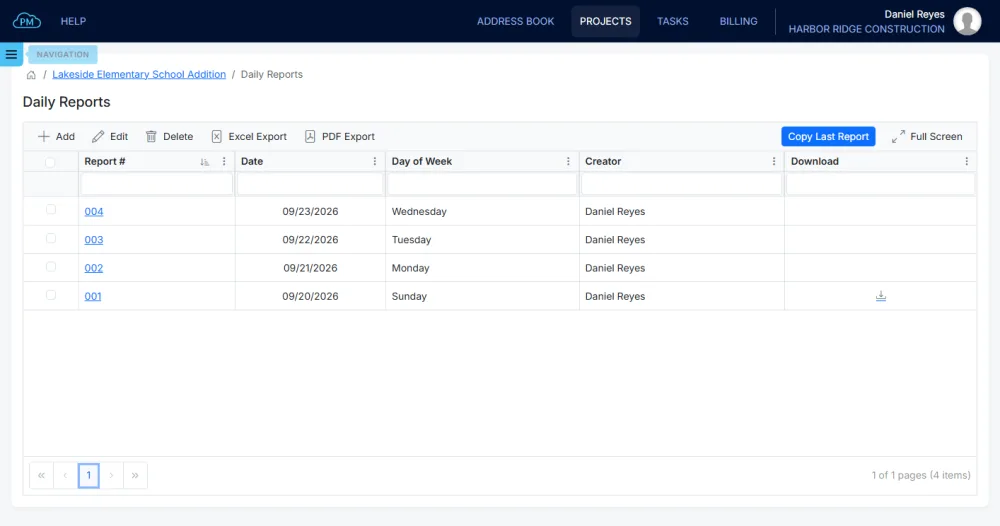
In Cloud PM, the Daily Reports page of each project lists every report by number, date and the person who created it. You can search and sort the list, and open the PDF of any report directly from it.
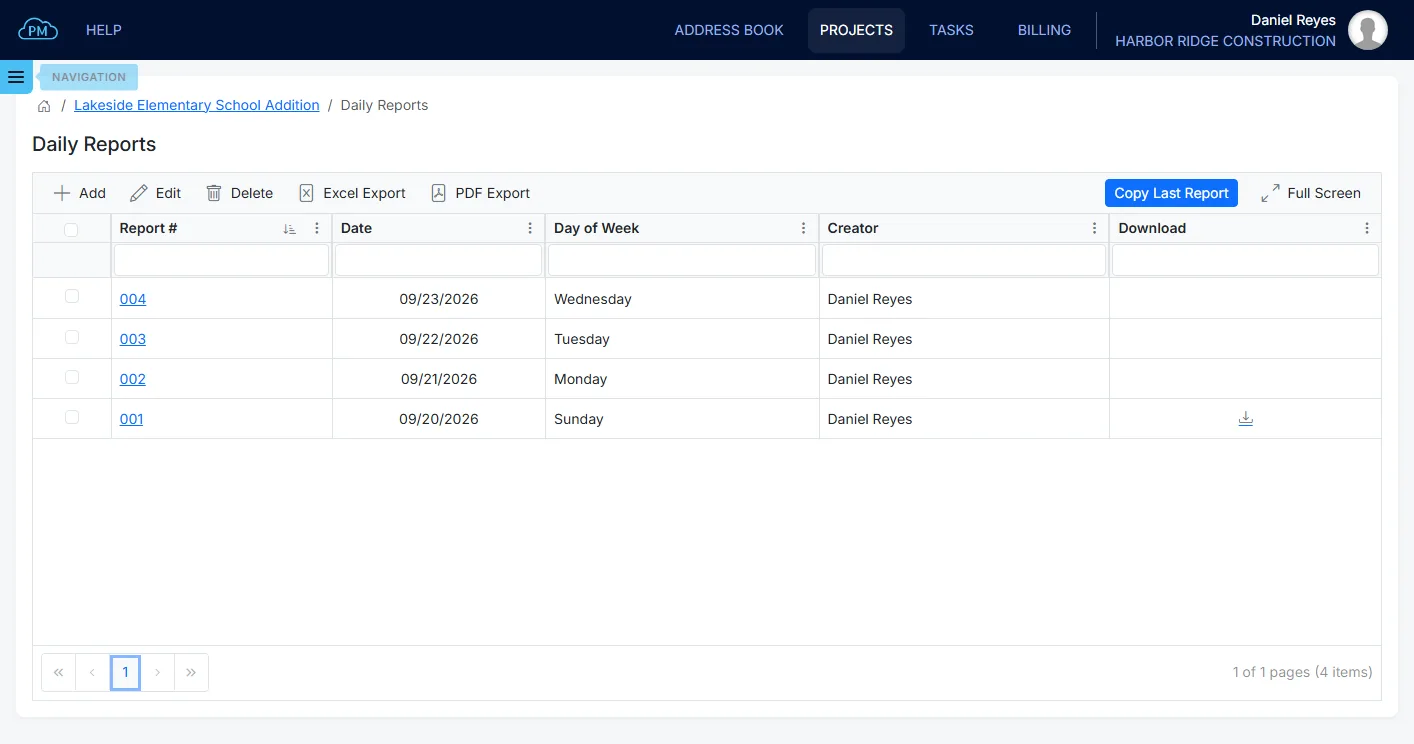
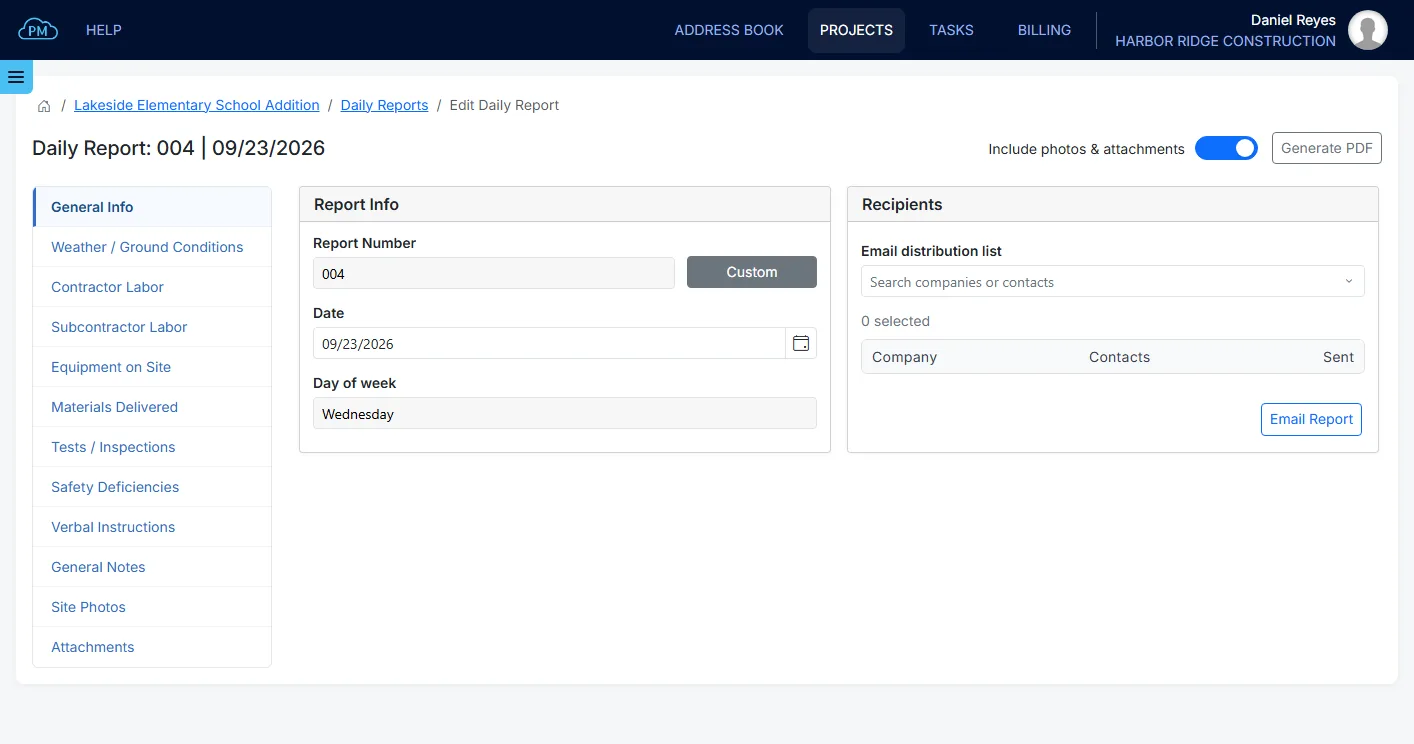
When you create a new report, Cloud PM gives it the next number and today’s date. When the same crews work on site every day, Copy Last Report copies the previous report with its labor lines, so you only change what is different. Cloud PM saves each entry automatically, so you don’t need to save the report.
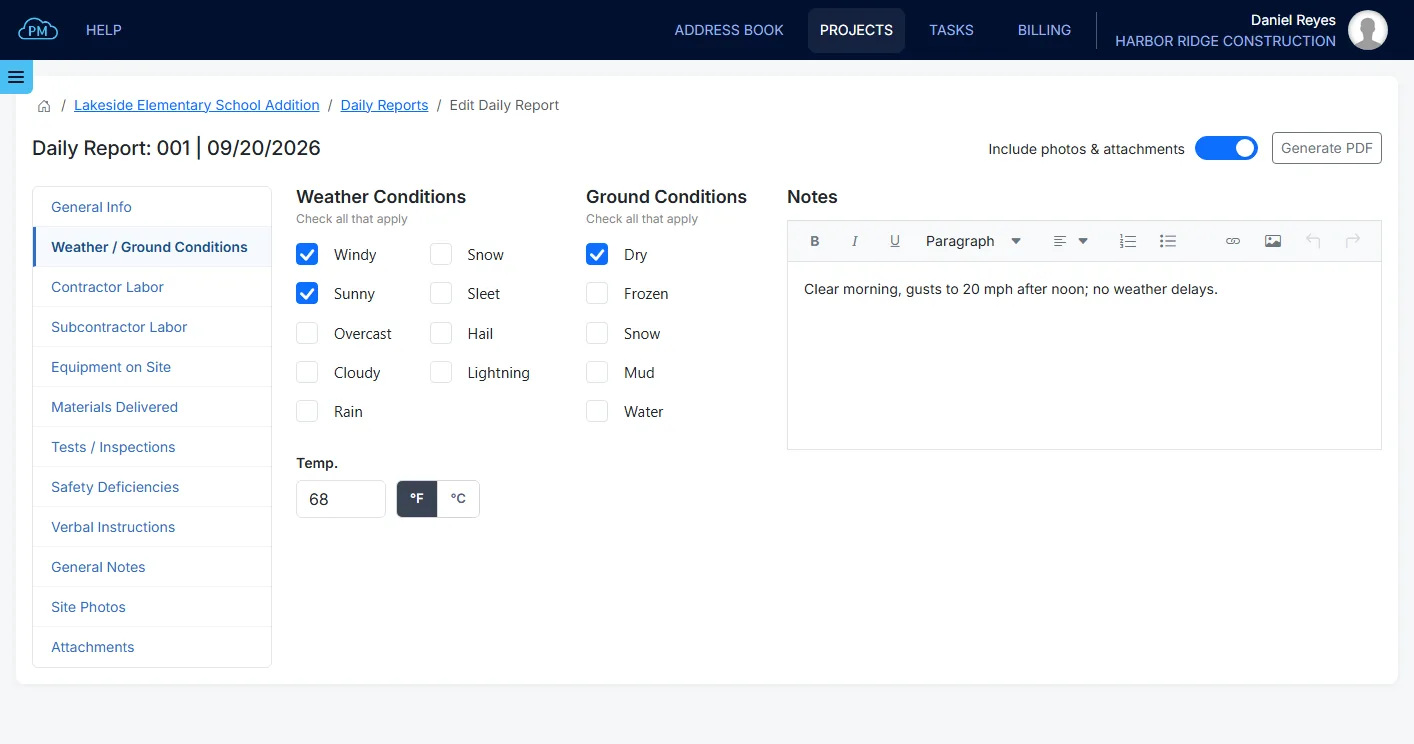
You can select the weather and ground conditions, enter the temperature in Fahrenheit or Celsius and add notes.
For your own crew, you select the employees from your company’s employee list and enter their regular and overtime hours, and Cloud PM calculates the total. You can add each subcontractor crew with its number of workers and hours, the equipment on site and the materials delivered.
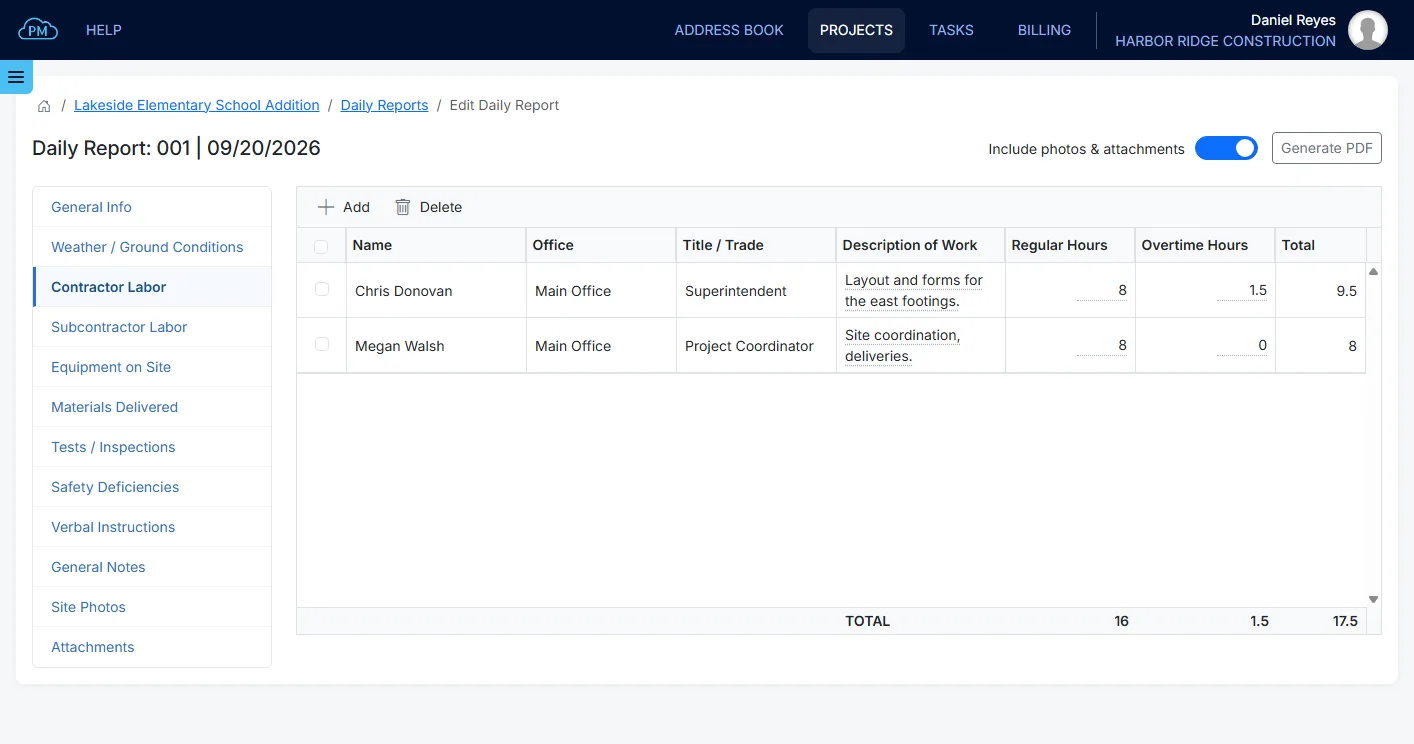
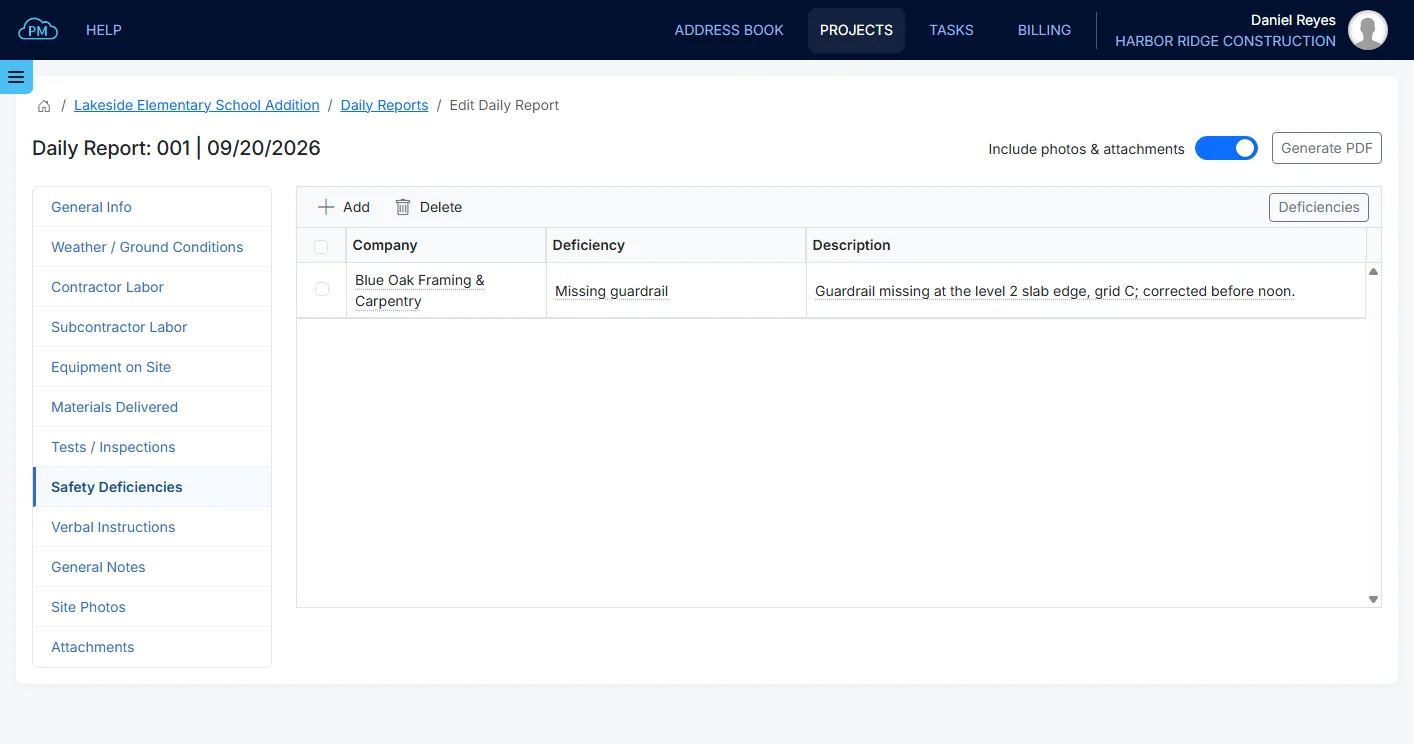
You can add tests and inspections from the report, and Cloud PM keeps them in the Inspection & Test Reports module with the report’s date. You can also record safety deficiencies for each company with the action taken, and verbal instructions with who gave them.
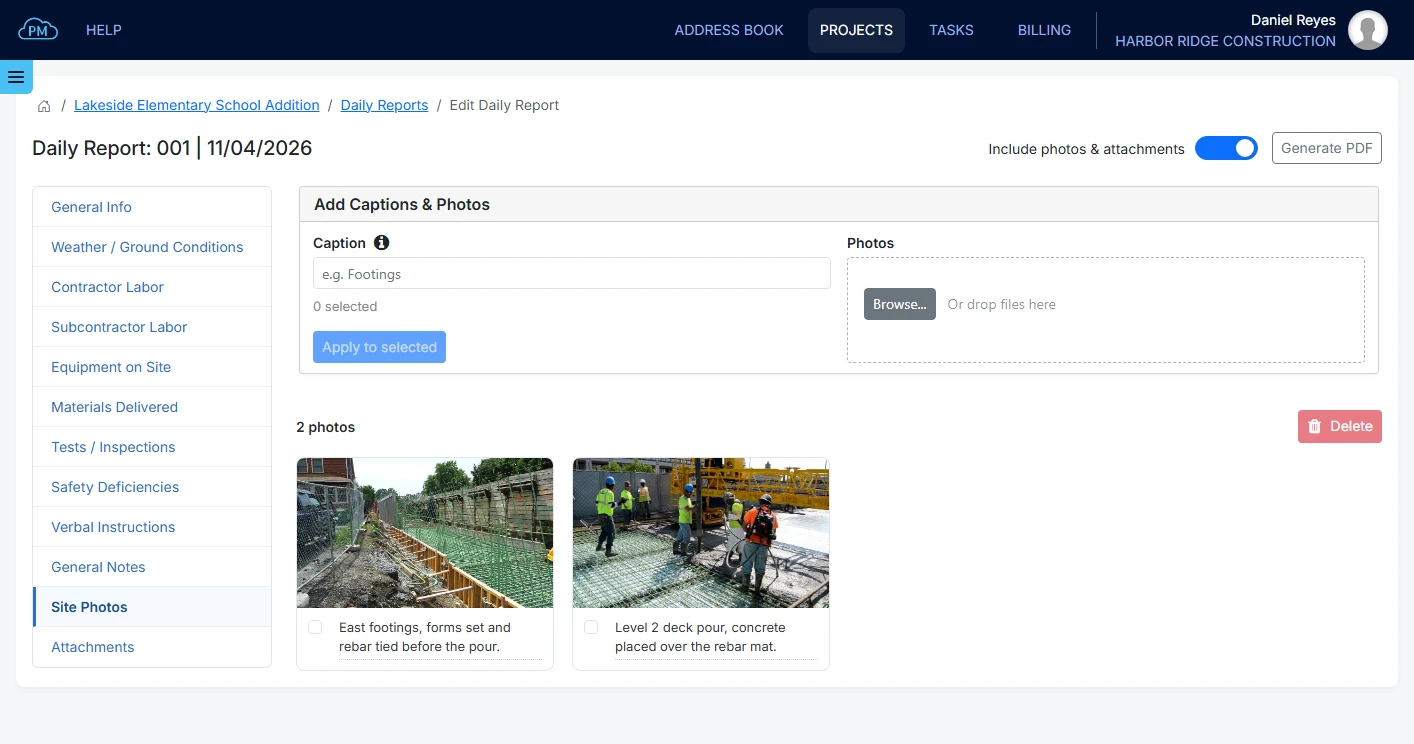
You can upload the day’s site photos with a caption for each one, and attach documents such as a delivery ticket or a test result.
You can create the report as a PDF, with or without the photos and attachments, and email it to the contacts you select from the project directory. Cloud PM records who received it and when. Subcontractors and the design team use Cloud PM free of charge, and plans start from $40 a month. Learn more about Cloud PM construction daily reports.
Frequently Asked Questions
Who writes the daily report on a construction site?
Usually the general contractor’s superintendent, or the site engineer on larger projects. Subcontractors often write their own daily reports and send them to the general contractor.
Is a daily report the same as a daily log?
In most companies, yes. Some use daily log for the notes kept on site during the day and daily report for the document sent at the end of it.
How long should you keep construction daily reports?
At least until the warranty period ends and any claims are settled. Many contractors keep them for years after the project is finished, as the contract or their lawyer advises.
Can daily reports be used as evidence?
Yes. Daily reports are often used in delay claims and disputes, because they were written on the day the events happened.