
Inspection and Test Reports
Cloud PM's inspection and test reports help contractors track every inspection and test on a project, along with its status and the report from the testing firm. At closeout, you can show the owner what was inspected or tested and that the work met the specification.
The Log | Details | Status and Retests | Report Files | Types | FAQ
The Inspection and Test Log
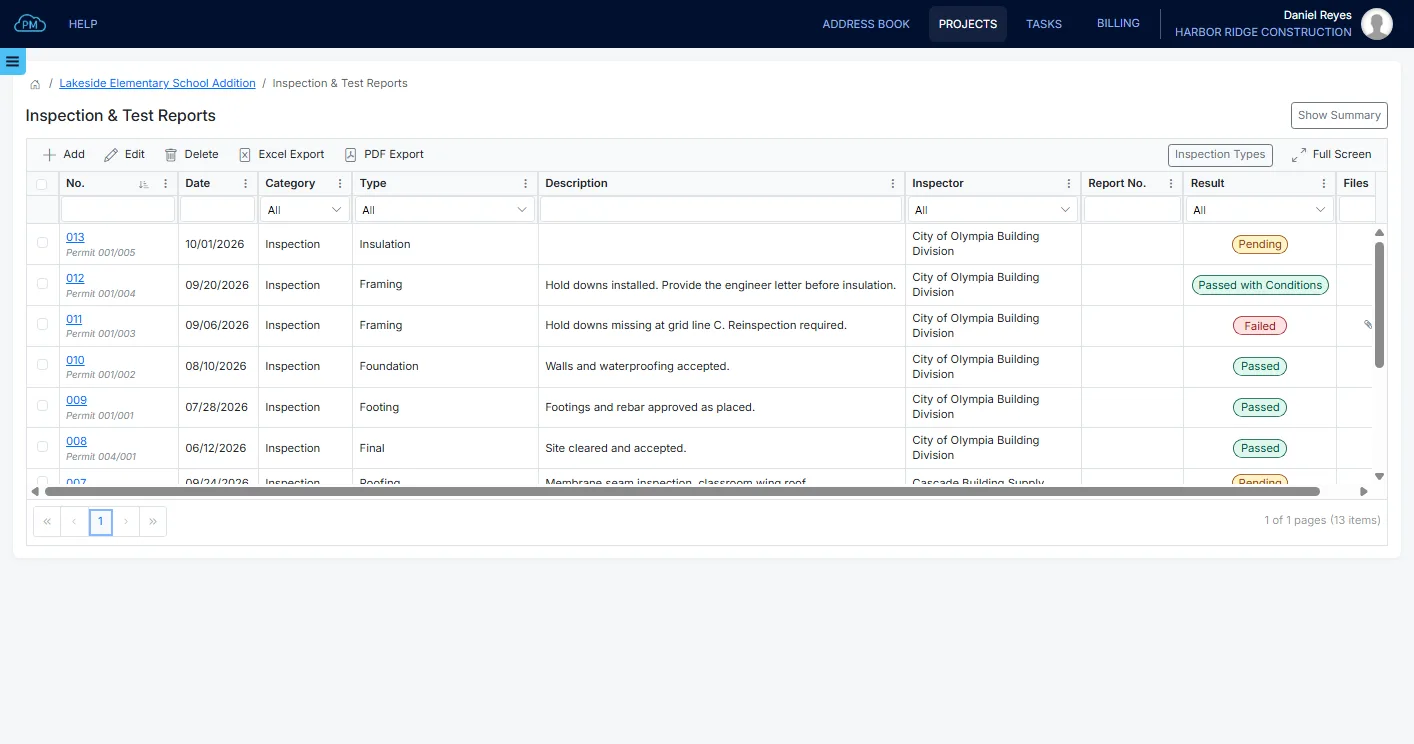
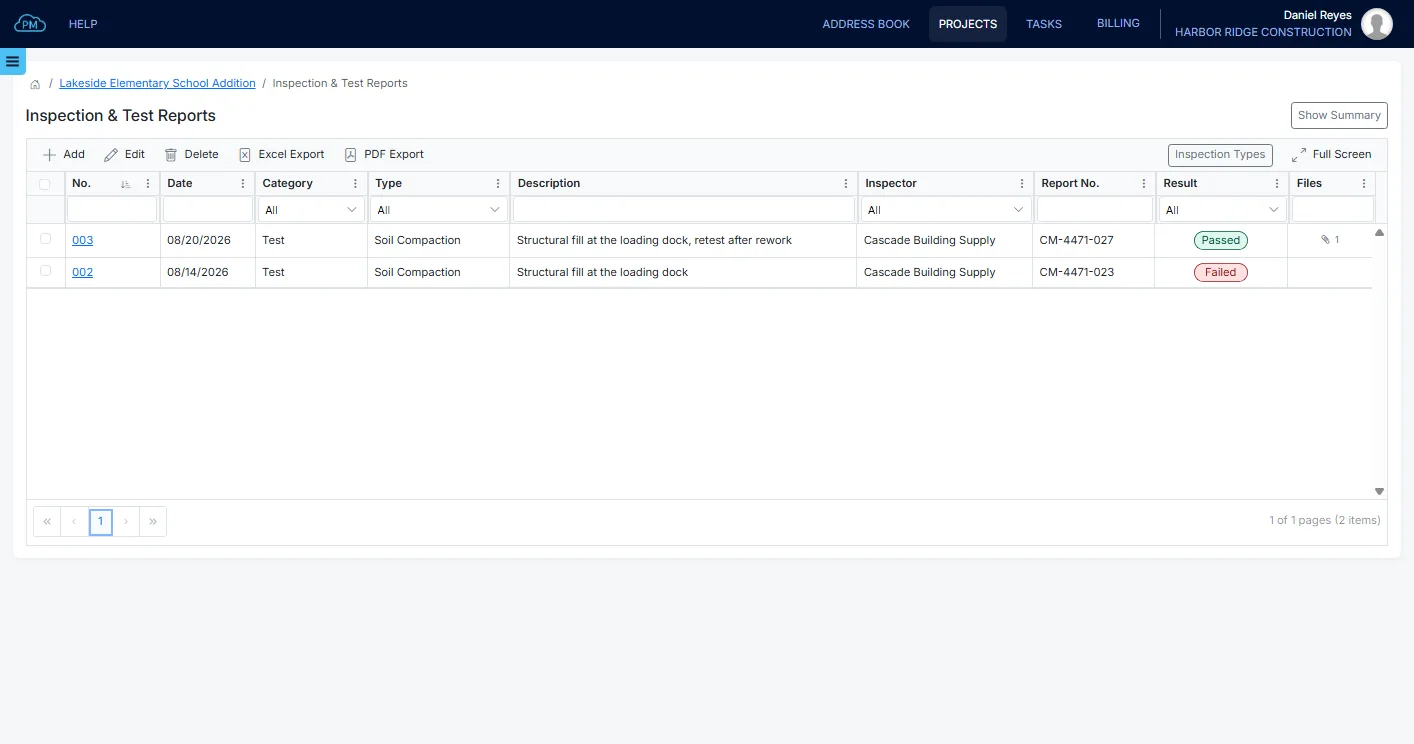
You can see every inspection and test on the project in one log, with the testing firm and the status of each. The inspections on your construction permits are also shown in the log, so you don't need to enter them twice.
-
Inspections and Tests Together
You can track inspections and tests in the same log, from weld inspections to concrete strength tests, so you can find them all in one place.
-
Status
You can record the status of each inspection or test and filter the log by status, so you can see right away which inspections and tests failed or are still pending.
-
Spec Sections
You can add the MasterFormat spec section to each record, so every record can be matched with its specification.
Record Details
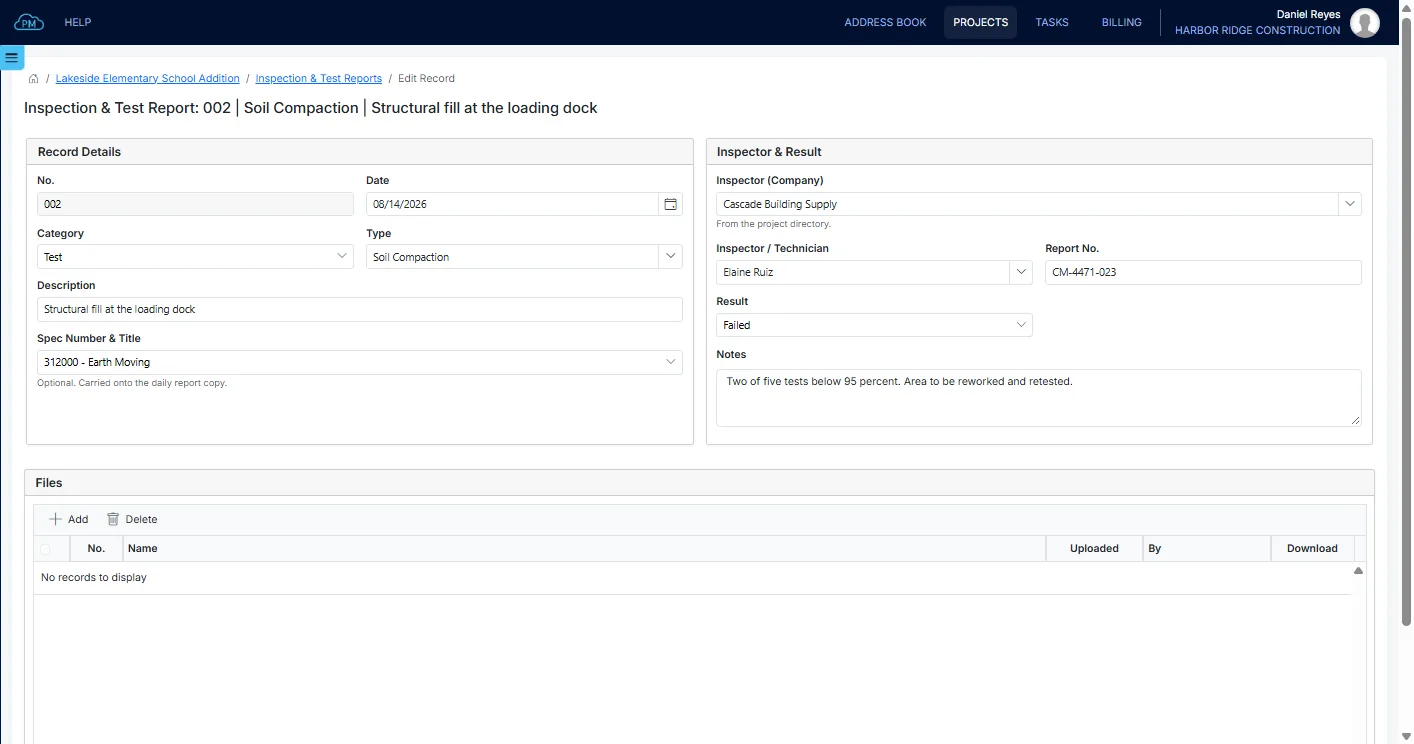
For each record, you can describe what was inspected or tested, add its spec section and select the testing firm from the project directory. When the report arrives, you can update the status and enter the report number and the inspector's comments.
When a Test Fails
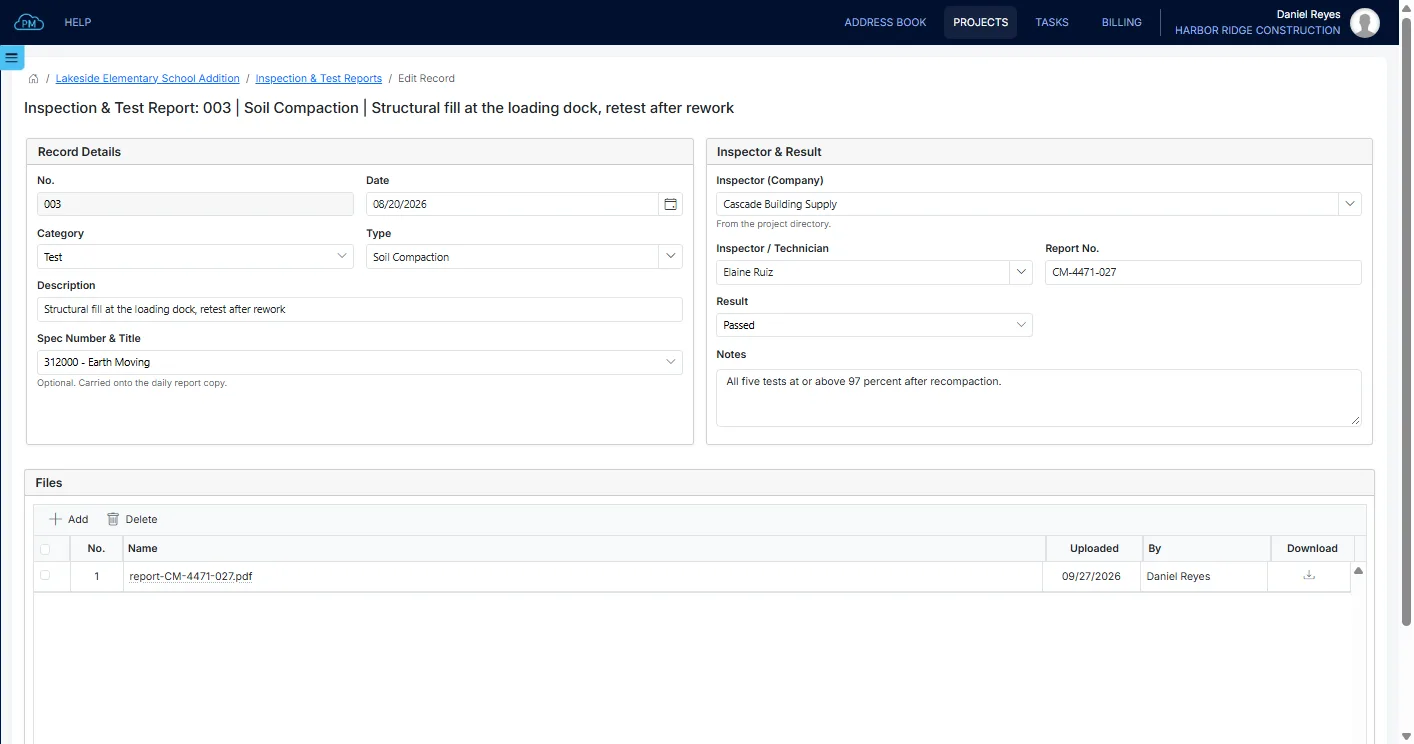
A failed test stays in the log, and you can add the retest as a new record with its own date, report number and status. This way, you can always show what failed and when the retest passed, which is what the owner asks for at closeout.
Report Files
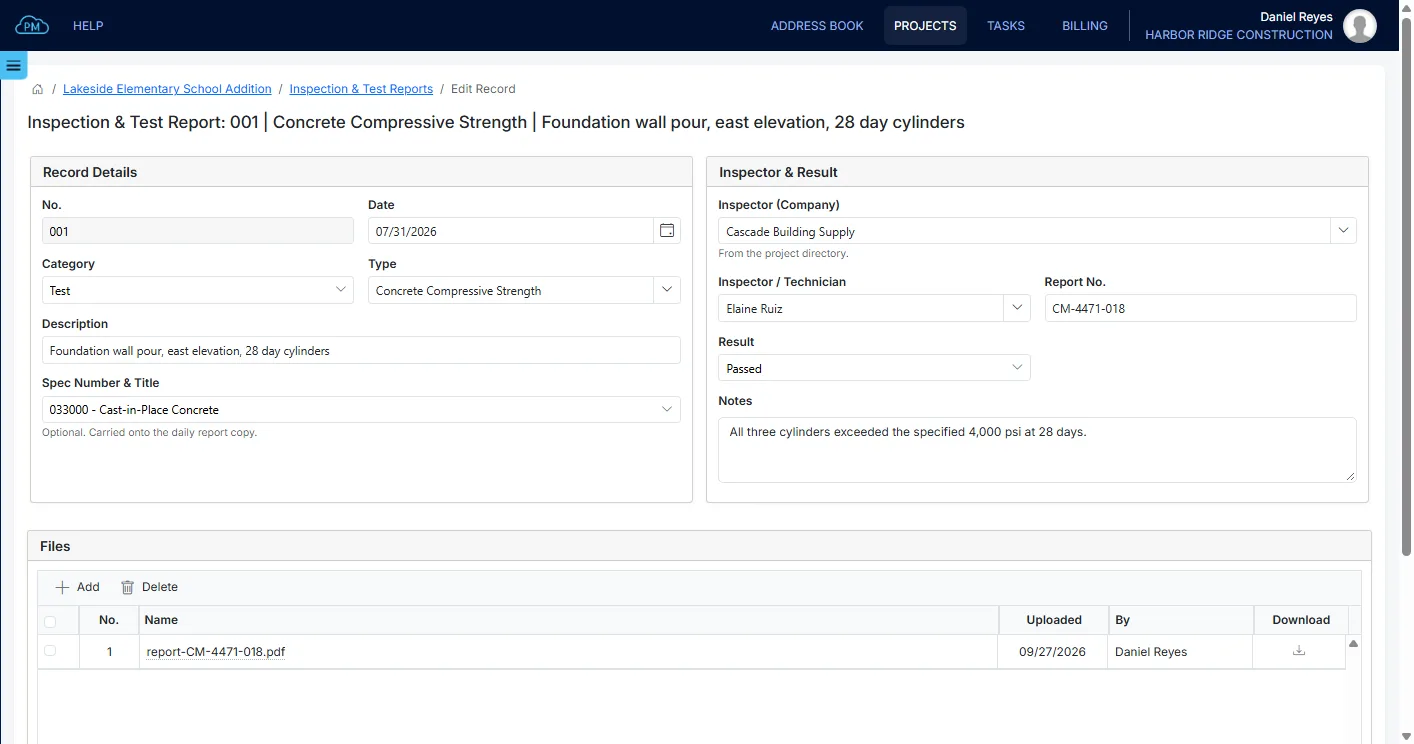
When the inspection or testing firm sends its report, you can upload it to the record, so your team can open it at any time. Cloud PM also records who uploaded each file and when.
Proof That the Work Met the Specification
When the owner or the architect asks for the inspection and test reports, you can show each inspection and test with its report, organized by spec section.
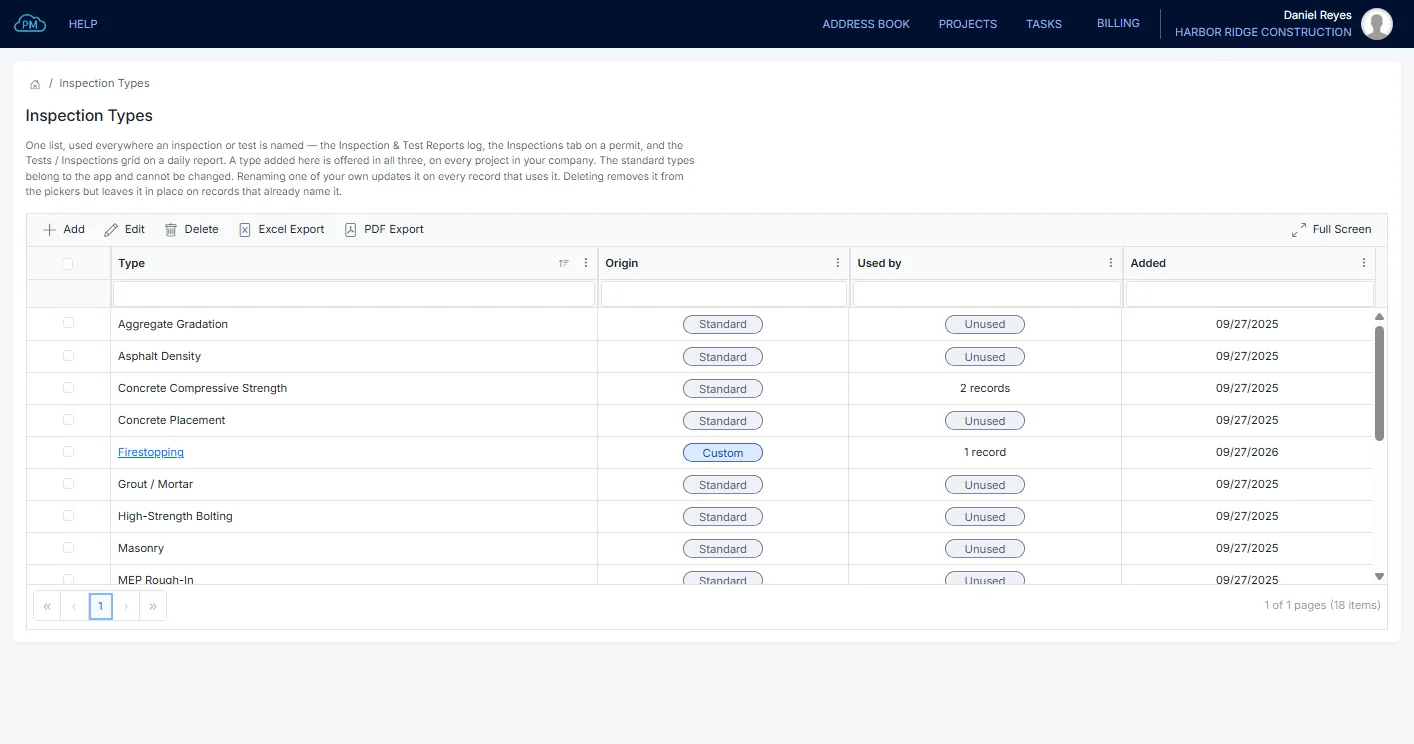
Inspection Types
Your company has one list of inspection and test types, which you can use on these records, on your construction permits and on your daily reports, so each type has the same name on every project.
Daily Reports
Each inspection and test is added automatically to the daily report of the same day, so the report for that day is always complete.
Why Choose Cloud PM for Inspection and Test Reports
With Cloud PM, the status and the report of every inspection and test are saved in the project, so you can find any report in seconds, even years later. The other companies on the project use Cloud PM free of charge, and plans start from $40 a month.
-
Failed Tests and Retests
A failed test and its retest are both in the log, each with its own report, so you can show what was found and when the retest passed.
-
Linked to Daily Reports
Each record is shown on the daily report of the same day, so the daily reports and the inspection log always match.
-
Reports on Every Record
Every inspection and test report is saved with its record, so you can always show the report behind a pass or a fail.
Inspection and Test Report FAQ
An inspection and test report shows whether a part of the work met the specification. It is issued by the inspection or testing firm and usually covers work such as concrete strength, soil compaction, welds and firestopping.
An inspection is a check of the work against the specification, such as welds or firestopping. A test measures something, such as the strength of a concrete cylinder. In Cloud PM, inspections and tests are in the same log, each with its category.
The testing is usually done by an independent testing agency, hired by the owner or the general contractor depending on the contract. The building department performs the permit inspections, and in Cloud PM those are shown in the same log.
At closeout, much of the inspected work is already covered by finishes, so the inspection and test records are the only way to show that it met the specification. If you add each record during construction, the records are complete at closeout.