
Construction Permits
Cloud PM's construction permits module helps contractors track every permit on a project, from the application to the expiration date. You can also record the inspections and fees for each permit and see right away which permits are about to expire.
Permits Log | Permit Details | Inspections | Fees | Status | FAQ
The Permits Log
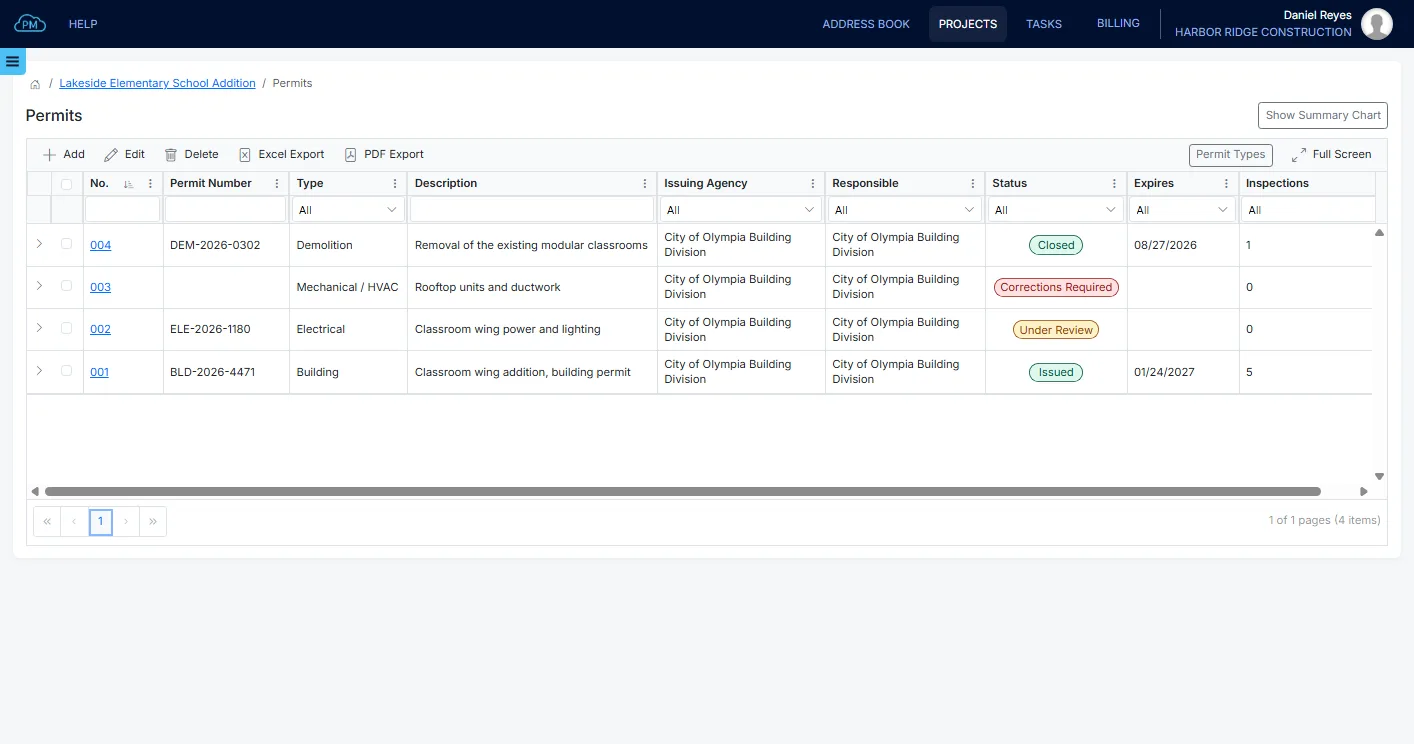
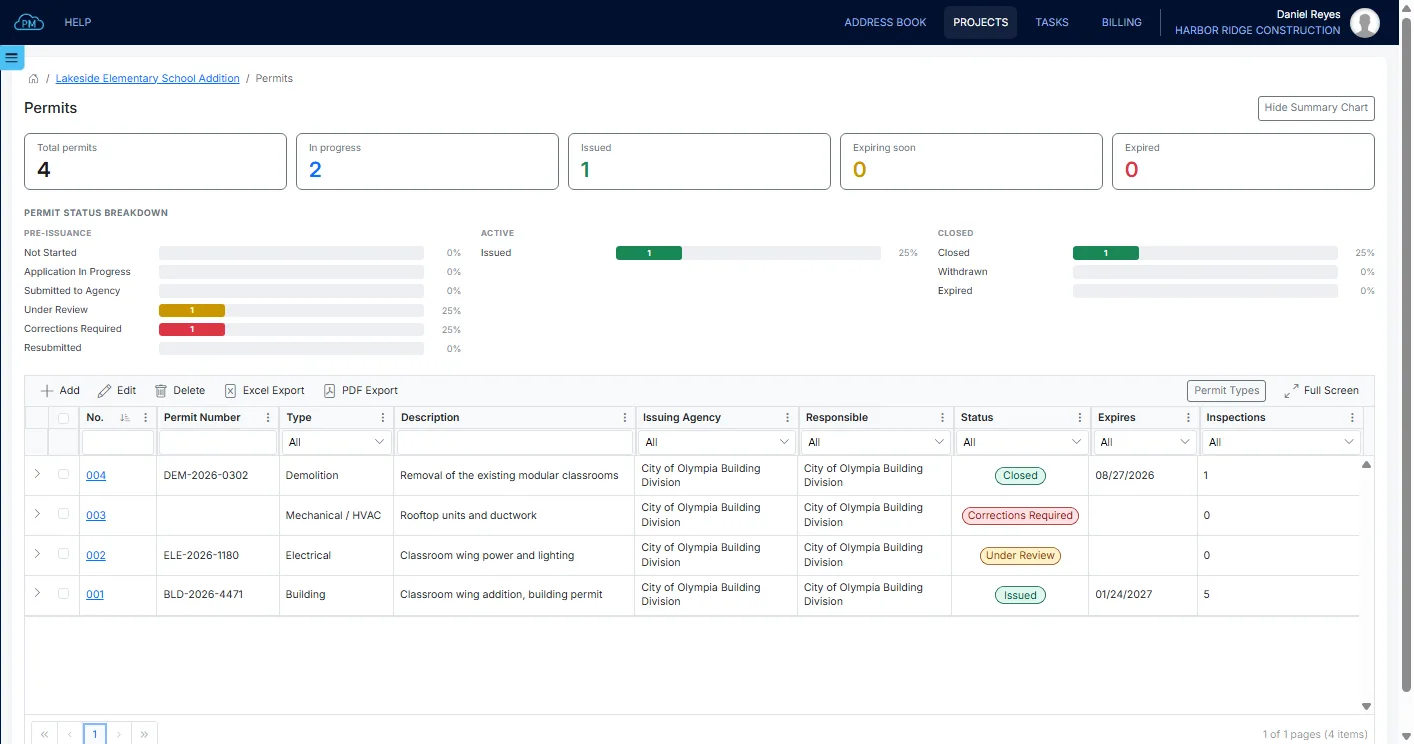
Every permit on the project is listed in the Permits log with its issuing agency, its status and its expiration date, so you know which permits need your attention.
-
Issuing Agency
You can select the issuing agency from the Project Directory and enter the agency's permit number, so you can match each permit with the agency's records.
-
Automatic Status
When you enter the date a permit was submitted, issued or closed, Cloud PM updates its status automatically.
-
Agency Documents
You can upload the issued permit, the stamped drawings and other agency documents to the permit, so your team can open them on site whenever they need them.
Permit Details
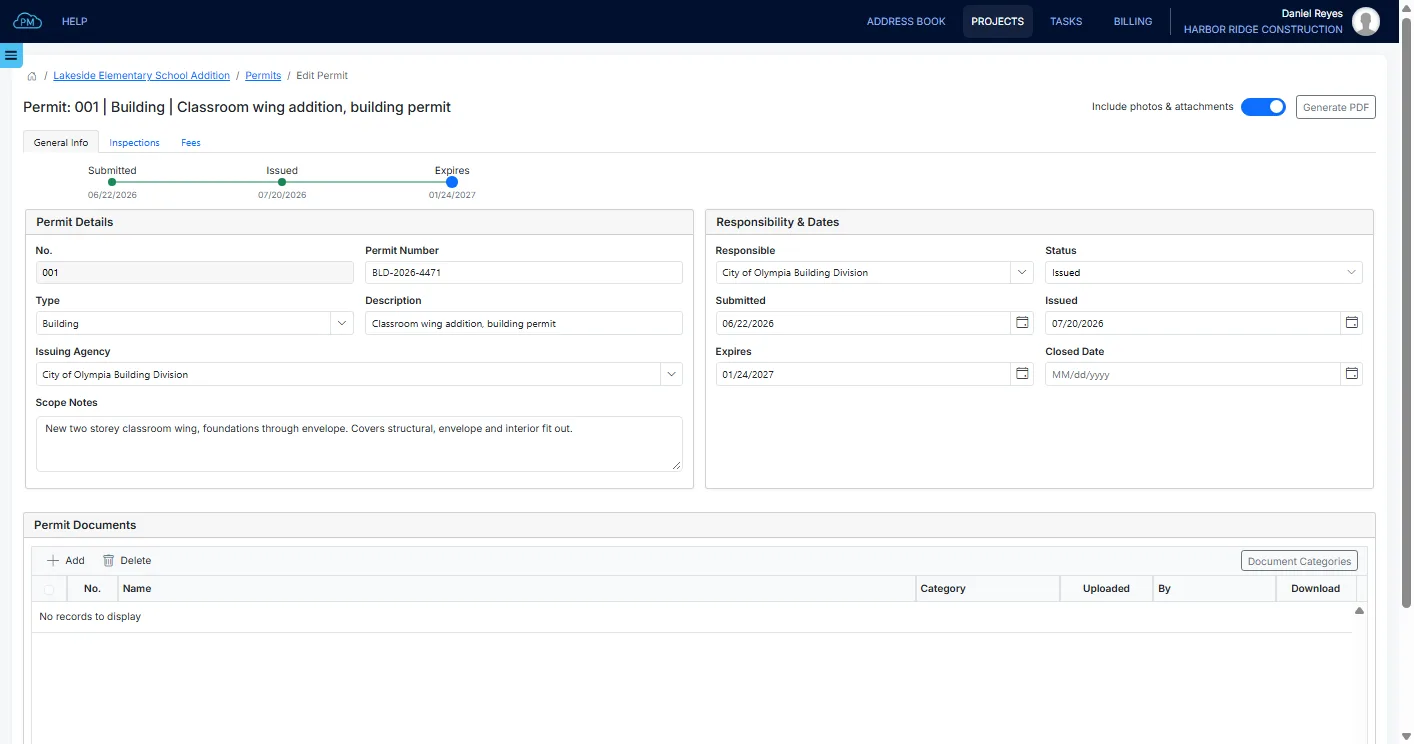
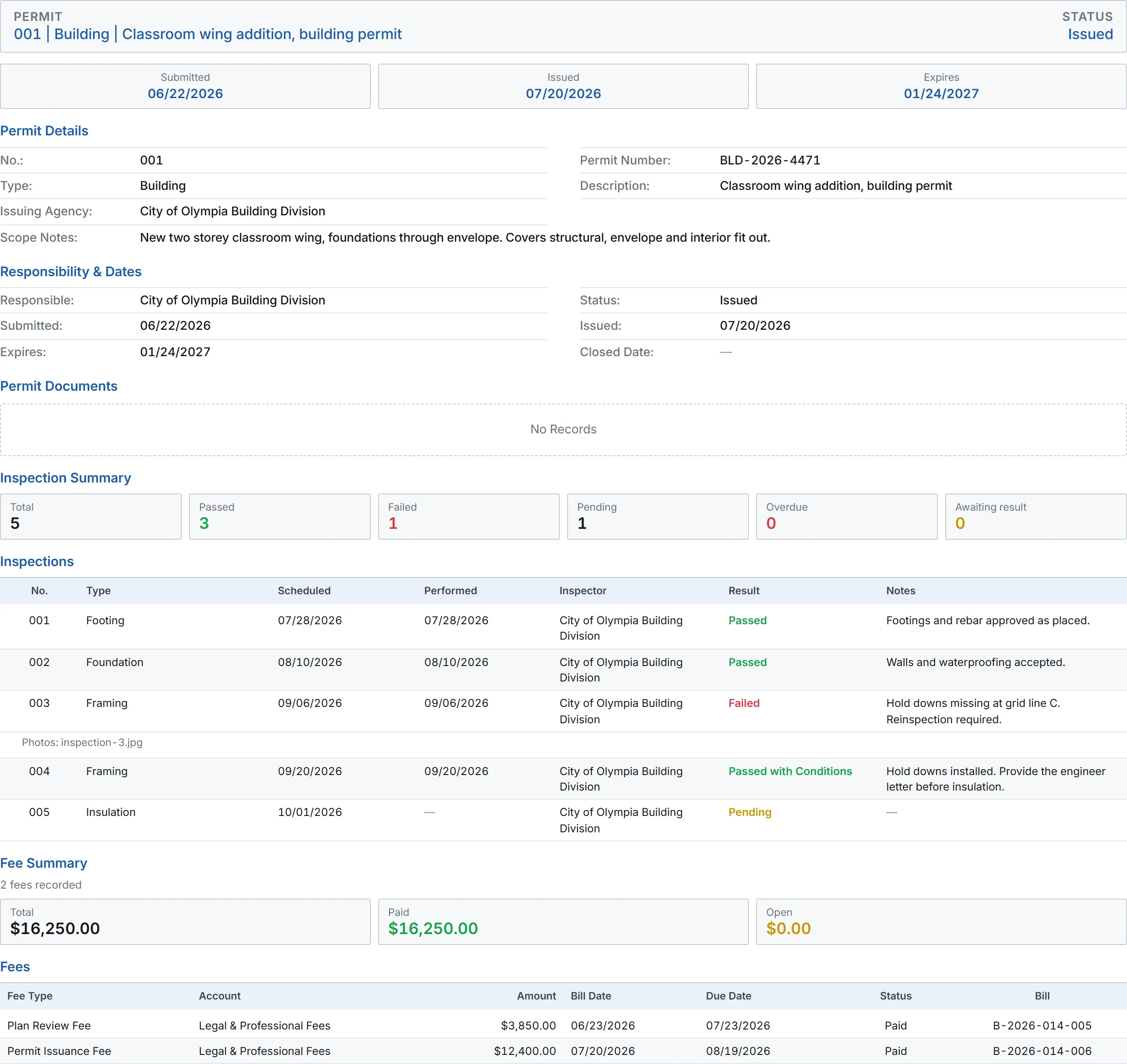
For each permit, you can enter the type of permit, the scope of work and the responsible company. You can also record when the permit was submitted and issued and when it expires, so you always know where each application stands.
Inspections on a Permit
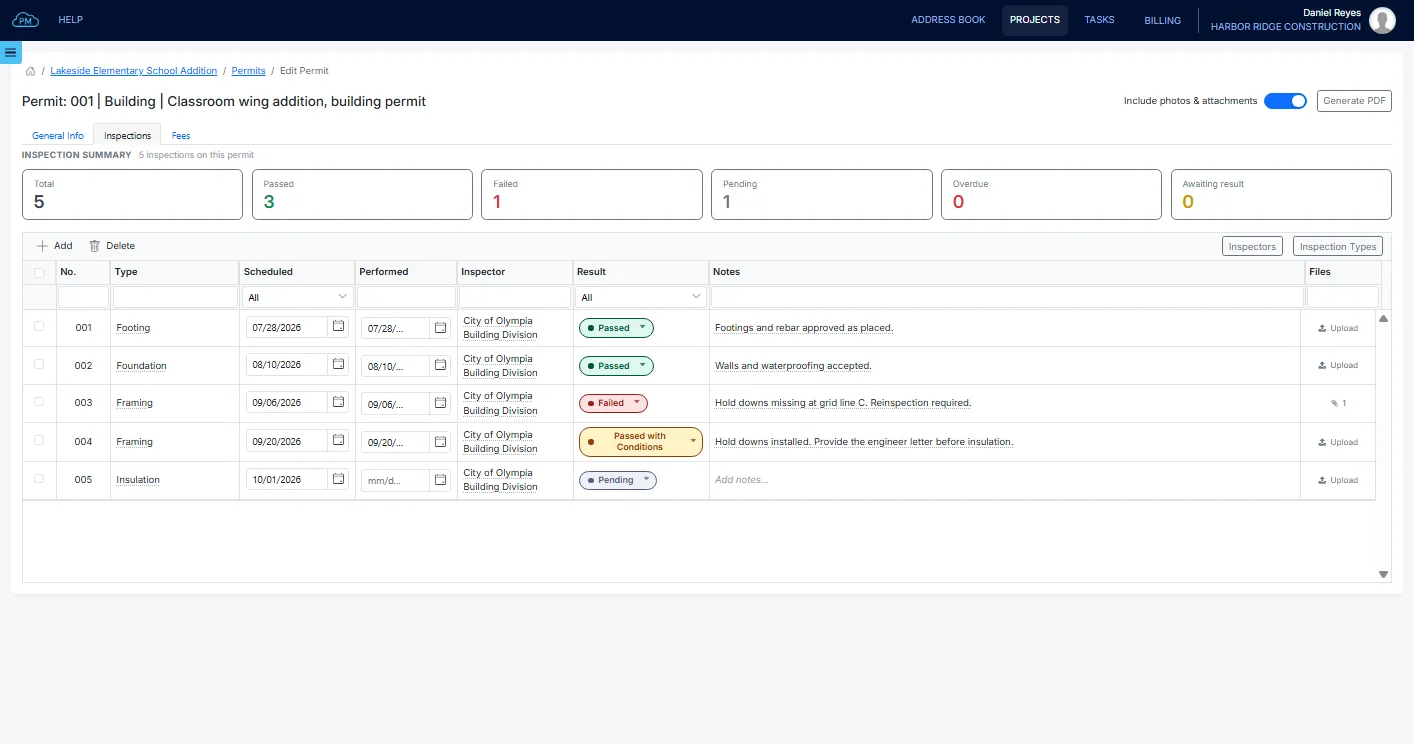
You can add every agency inspection to its permit, with the inspector and the scheduled date. When the inspection is performed, you can record the result, the inspector's notes and photos, and see how many inspections on each permit passed, failed or are still pending.
Permit Fees
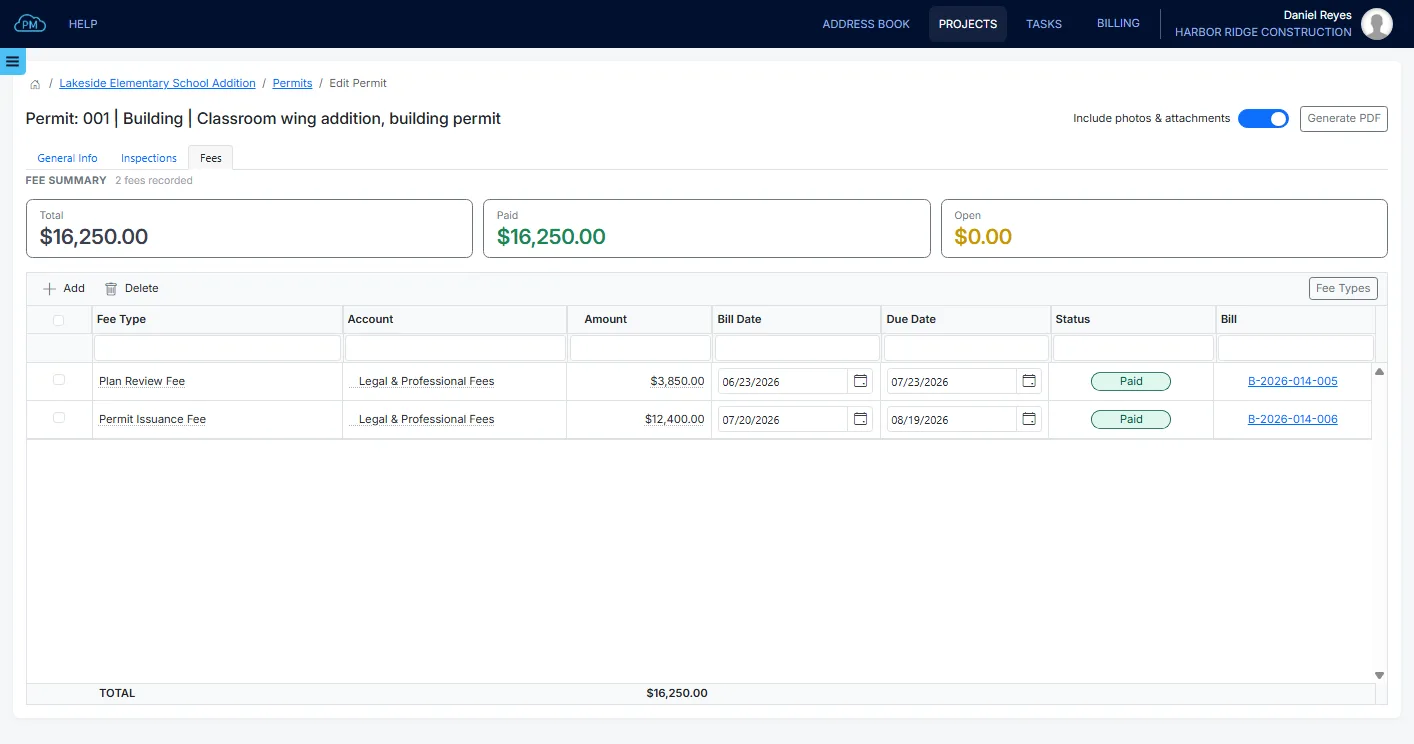
You can add each permit fee with an account from your Chart of Accounts, and Cloud PM creates a bill for it in Bills & Expenses. When the bill is paid, the payment is shown on the permit, so you only need to enter each fee once.
Permit Status
A missing or expired permit can stop the work on a project. With Cloud PM, you can see which permits expire in the next 30 days, so you have time to renew them.
Construction Permits That Expire Soon
With the summary chart, you can see how many permits on the project are in progress, issued, expiring soon or expired, so you can plan the renewals for the coming weeks.
Permit Report
Cloud PM prepares a permit report as a PDF with the details and dates of each permit. You can include its documents and photos, so you have everything in one file when an inspector asks for it.
Why Choose Cloud PM for Construction Permits
With Cloud PM, the agency documents, inspections and fees of each permit are saved in one place, so your team always knows which permits are valid and which need attention. The other companies on the project use Cloud PM free of charge, and plans start from $40 a month.
-
Timely Renewals
You can see which permits expire soon, so you can apply for a renewal in time.
-
Inspection History
A failed inspection and its reinspection are both saved on the permit with the inspector's notes, so you can always show what was found and when the inspection passed.
-
Fees and Bills
Each permit fee becomes a bill in Bills & Expenses with its account, so the permit and your project costs always show the same amount.
Construction Permit FAQ
Permit management means tracking every permit on a project, from the application to the expiration date, along with its inspections and fees. In Cloud PM, you can see the status of each one in the Permits log.
It depends on the work and the jurisdiction. A building permit is usually the main one, with separate permits for electrical, plumbing, mechanical, fire alarm and fire suppression. Demolition, elevators, signs, street openings and soil erosion control often need their own permits, and a certificate of occupancy is issued at the end of the project.
When a permit expires, the work it covers is no longer approved, and an inspector can stop the work until the permit is renewed. Most agencies allow a renewal or an extension if you apply before the permit expires.
Usually the general contractor applies for the building and trade permits, while the owner or the architect applies for planning approvals, depending on the contract. In Cloud PM, each permit shows the issuing agency and the responsible company.