
Construction Meeting Minutes
Cloud PM's construction meeting minutes help general contractors record what was discussed and decided at each project meeting and who is responsible for each item. Open items are copied to the next meeting, so you can track every item until it is closed.
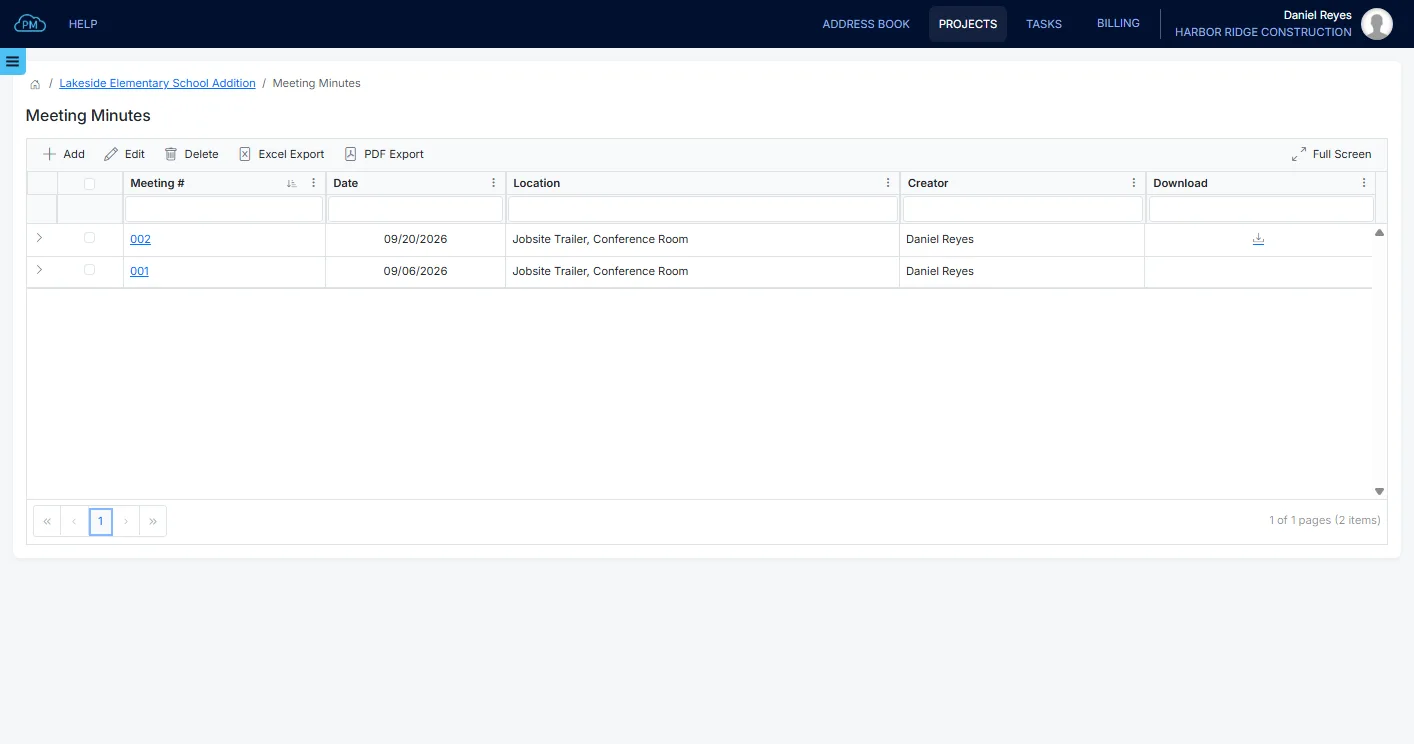
A Record of Every Project Meeting
Every meeting is saved in its project, along with the date, the location and the people who attended. You can open any meeting to see what was discussed and decided, even months later.
-
Numbered Meetings
Cloud PM numbers the meetings of each project in order, so you can find what was agreed at any meeting without searching your inbox.
-
Attendees From the Project
You can select the attendees from your own users and from the contacts of the other companies on the project.
-
Item Owners and Due Dates
Every item has a responsible person and a due date, and Cloud PM records who closed it and when.
Meeting Details and Attendees
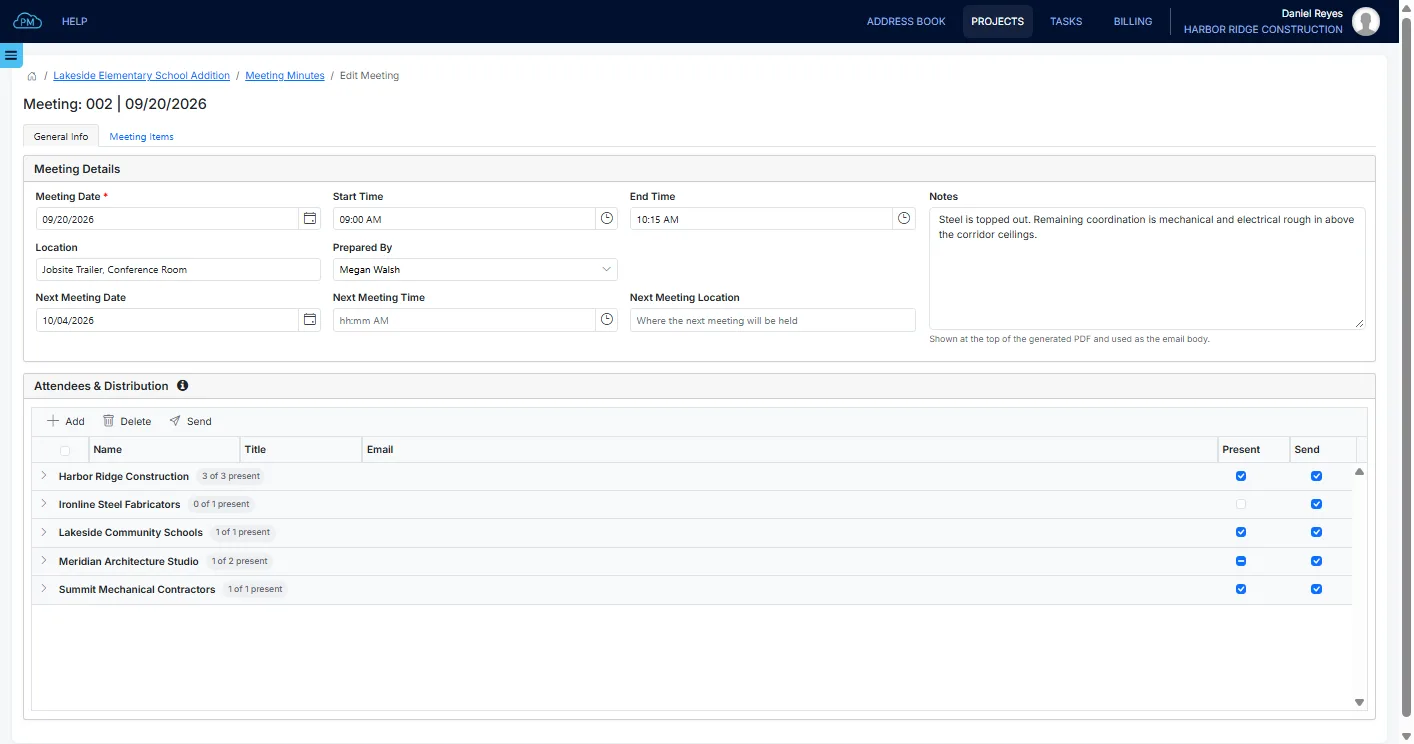
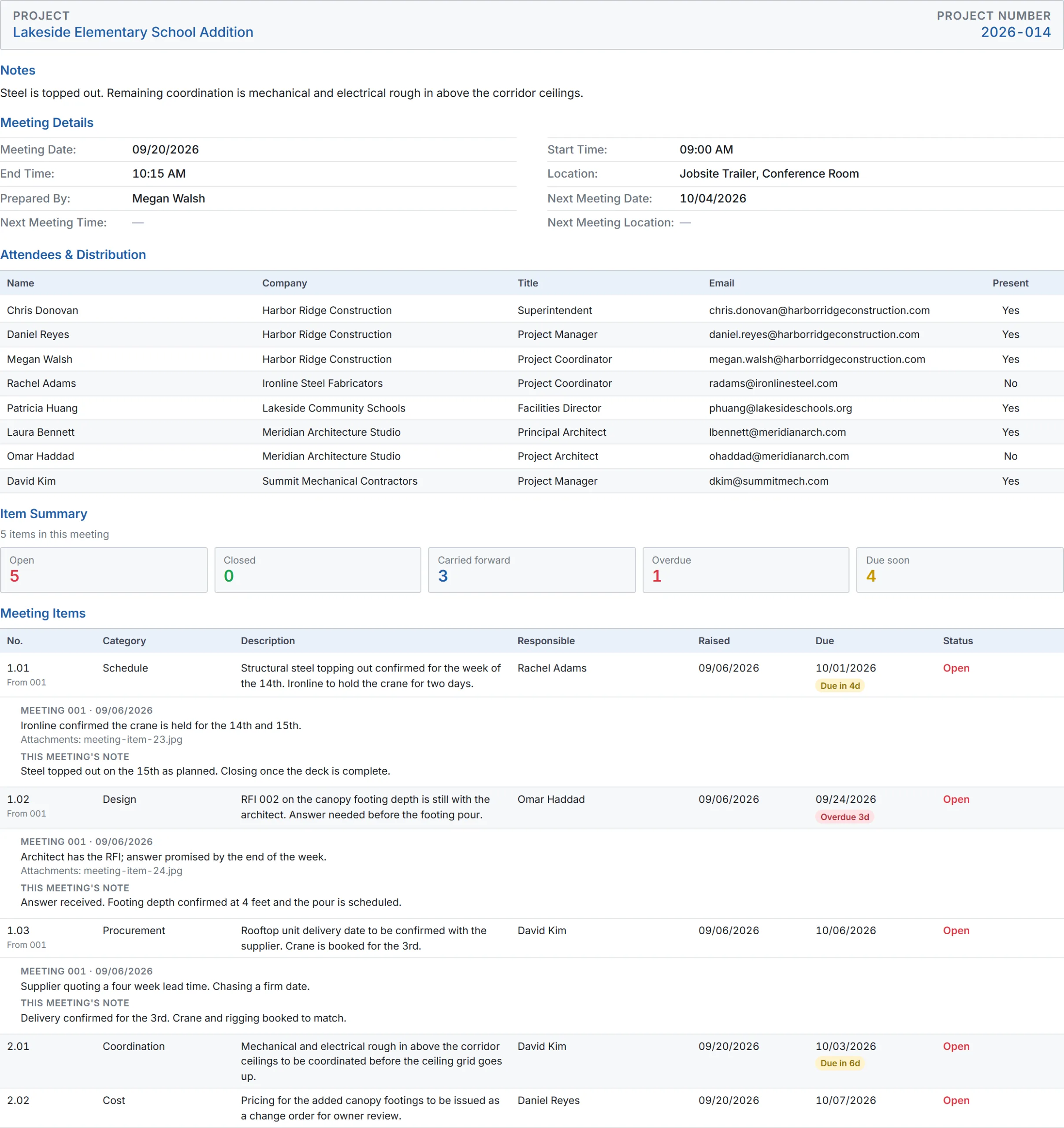
You can enter the date, time and location of each meeting and the date of the next one. You can select the attendees from your own users and the contacts in the project directory, mark who was present and choose who receives the minutes.
Meeting Items
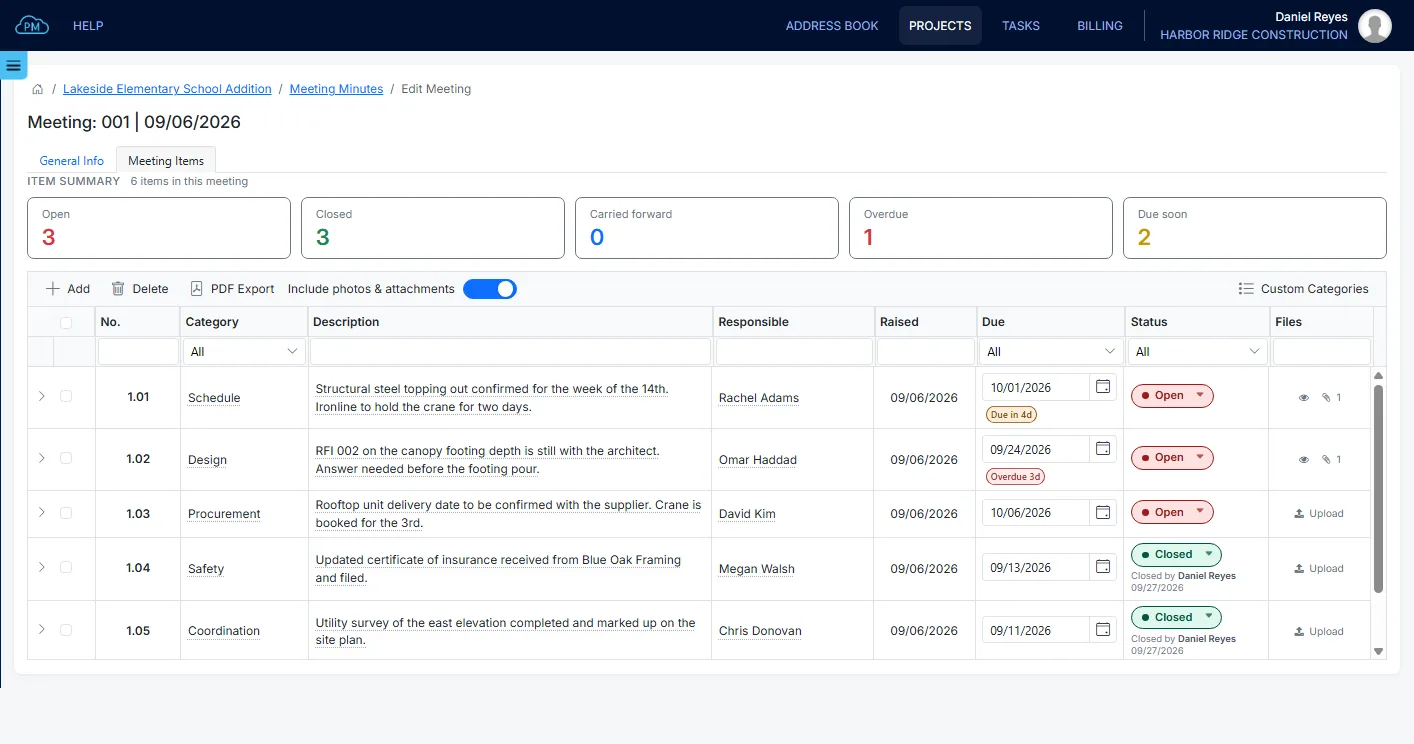
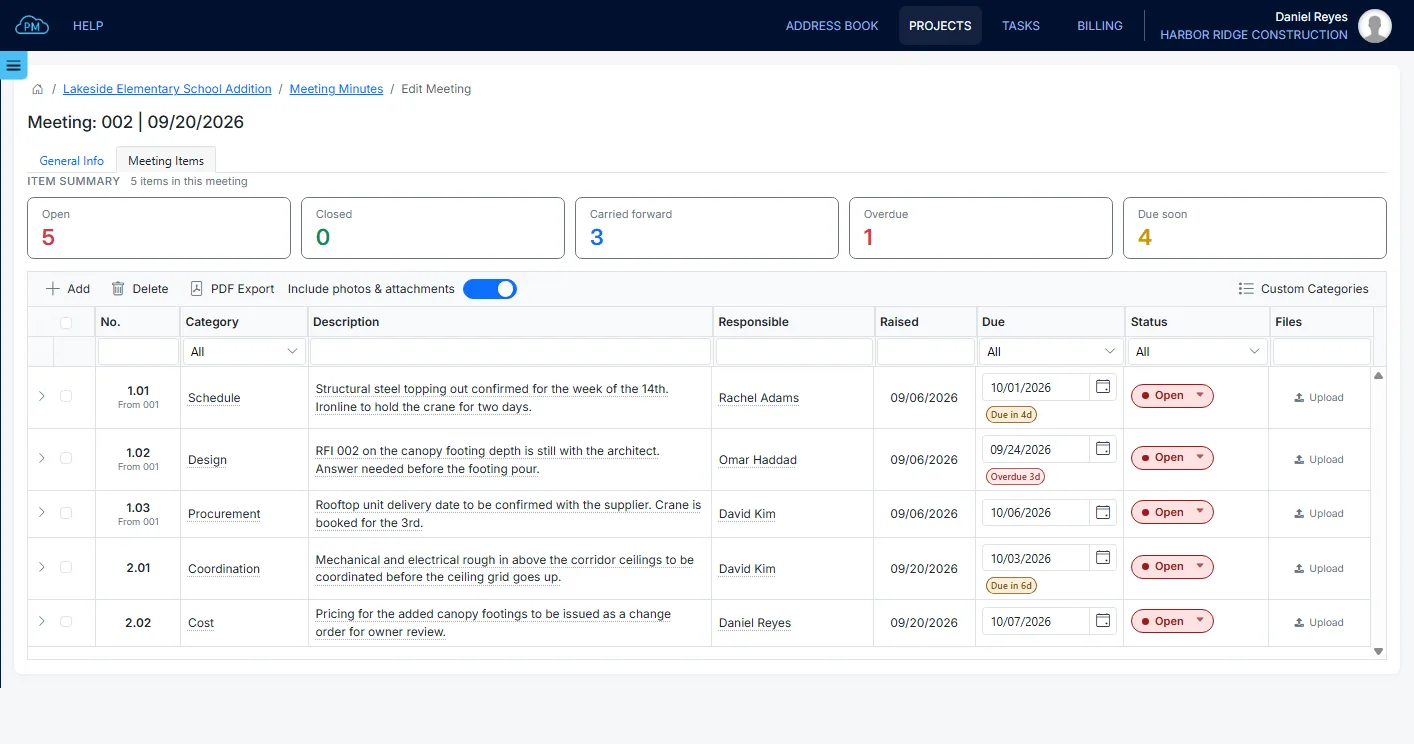
You can enter each item discussed, with the responsible person and the due date. Each item number starts with the number of the meeting where it was raised, so you always know which meeting an item came from. You can also see how many items in each meeting are open, overdue or due soon.
Item Categories
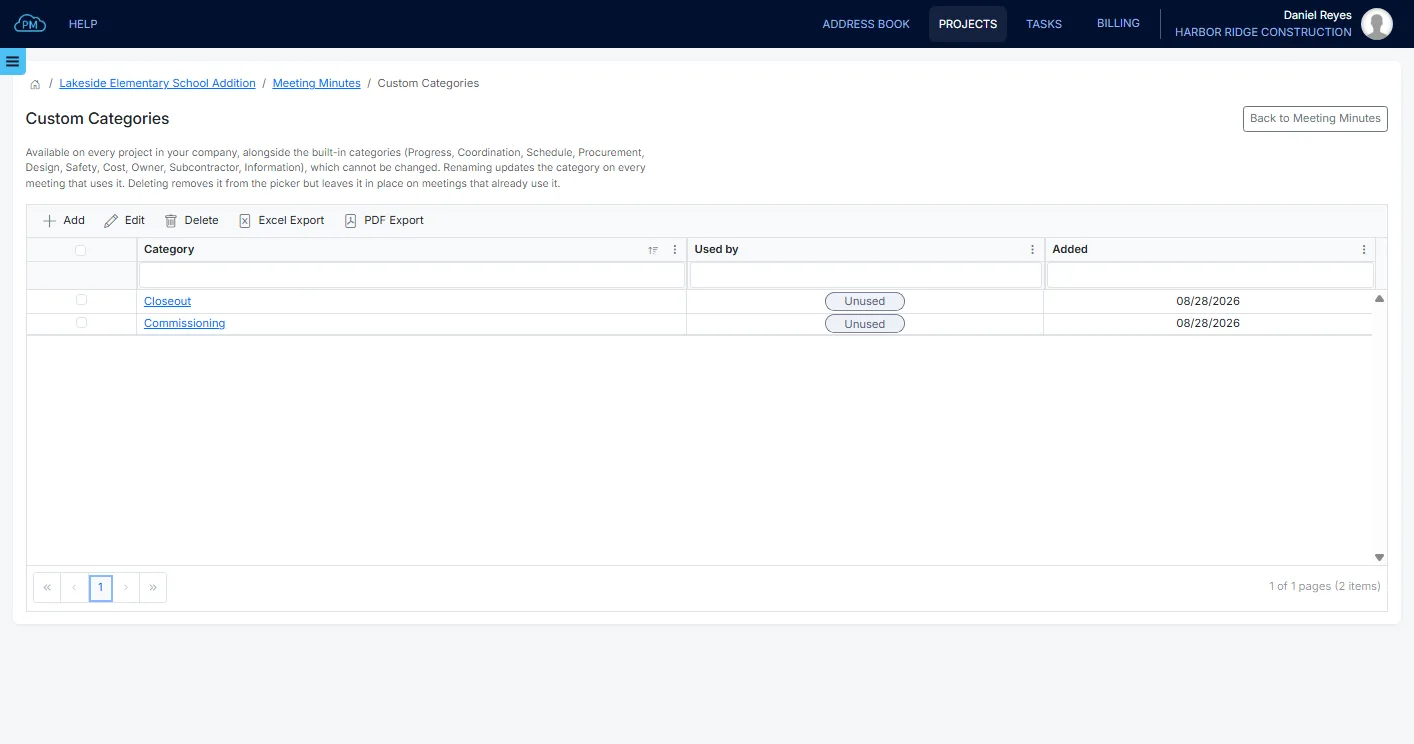
Each item has a category, such as Progress, Coordination, Schedule or Safety. Cloud PM includes ten standard categories, and any category you add is available on every project of your company.
From One Meeting to the Next
Most items take more than one meeting to resolve, so open items stay on the agenda under their original numbers until someone closes them.
Open Items in the Next Meeting
When you create the next meeting, Cloud PM copies the attendees, the location and every open item from the last meeting. Closed items stay with the meeting where they were closed, so each new meeting starts with only the items that still need attention.
Issuing the Construction Meeting Minutes
When the meeting is over, Cloud PM prepares the minutes as a PDF with the attendees and every item discussed. You can include the photos and attachments of each item and email the minutes to everyone on the distribution list.
Why Choose Cloud PM for Meeting Minutes
With Cloud PM, every item has a responsible person and a due date, and the minutes of every meeting are saved in the project, so you always know what was agreed and what is still open. The other companies on the project use Cloud PM free of charge, and plans start from $40 a month.
-
Photos and Attachments
You can attach photos and documents to each item and include them in the PDF, so the minutes show exactly what was discussed.
-
Same-Day Minutes
Cloud PM prepares the minutes from the items you enter during the meeting, so everyone can receive them on the day of the meeting.
-
Item History
You can see the notes on each item from every meeting, so months later you can still find how a question was answered.
Construction Meeting Minutes FAQ
Construction meeting minutes are the record of a project meeting. They show who attended, what was discussed and decided, and who is responsible for each item, and they are usually sent to the owner, the architect and the subcontractors after the meeting.
They should include the date and location of the meeting, who was present and each item discussed. Every item needs a description, a responsible person and a due date, so everyone knows what to do before the next meeting.
Open items from an earlier meeting are listed again at the next one under their original numbers, so everyone can see how long each item has been open. In Cloud PM, open items are copied to the next meeting when you create it.
The minutes are usually prepared by the general contractor's project manager or project coordinator. In Cloud PM, the Prepared By field shows who prepared them, and the minutes are emailed to the contacts on the distribution list.