
Procurement Log
Cloud PM's procurement log is designed to help general contractors track the status of every material and service on the project, from the purchase order to the delivery on site. You can monitor the progress of each order and see early which deliveries are late, so you can take action before they delay the project.
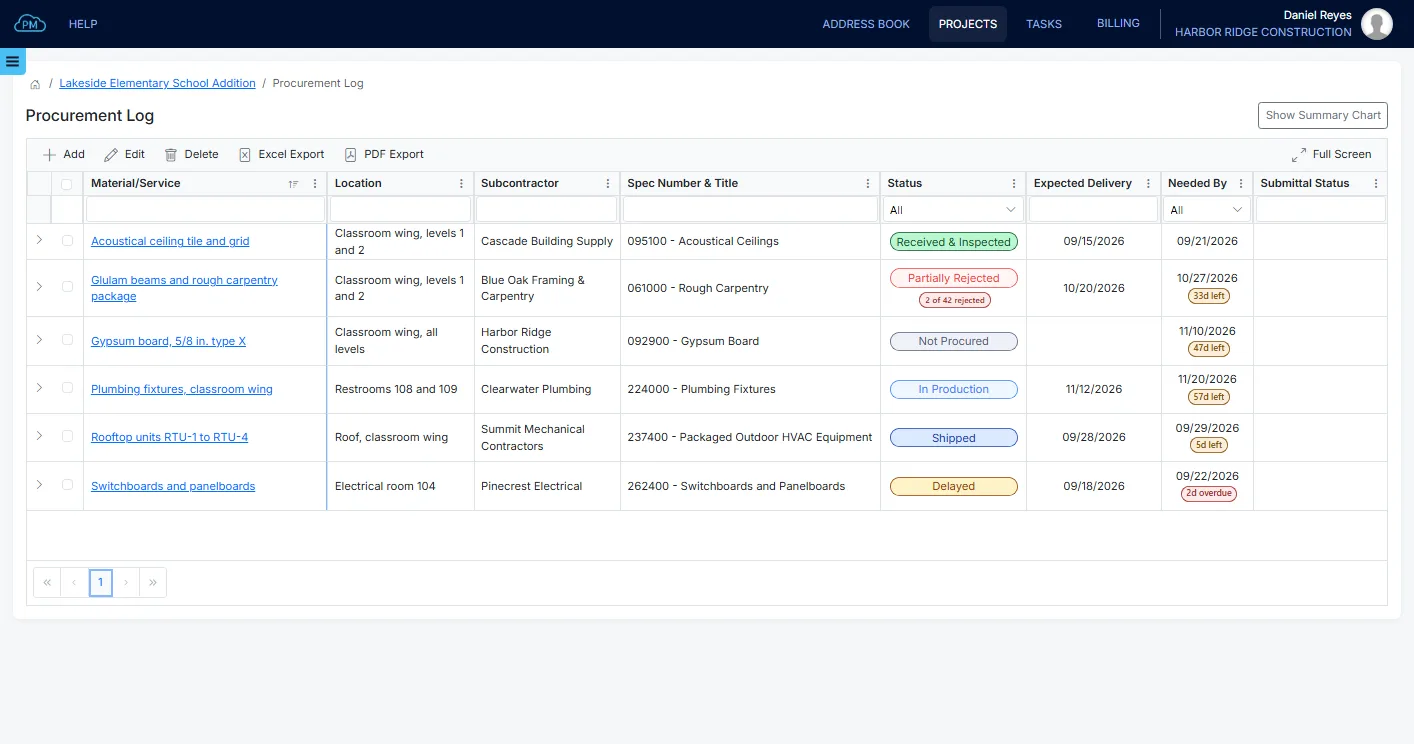
The Procurement Log
A procurement log, also called an expediting report, is an essential tool in construction project management. It helps you track every material and service the project needs, along with the company supplying it, its status and the date it is needed on site. With Cloud PM, the procurement log is part of each project, so your team no longer needs separate spreadsheets to track orders.
-
Materials and Services
You can track materials, services and the work your own company performs in the same log. Each item includes its spec section, so you can easily match it to the project specifications and its submittals.
-
Statuses for Every Stage
Each item's status is updated as the order moves from purchasing and production to shipping and delivery, so everyone on your team knows its current status.
-
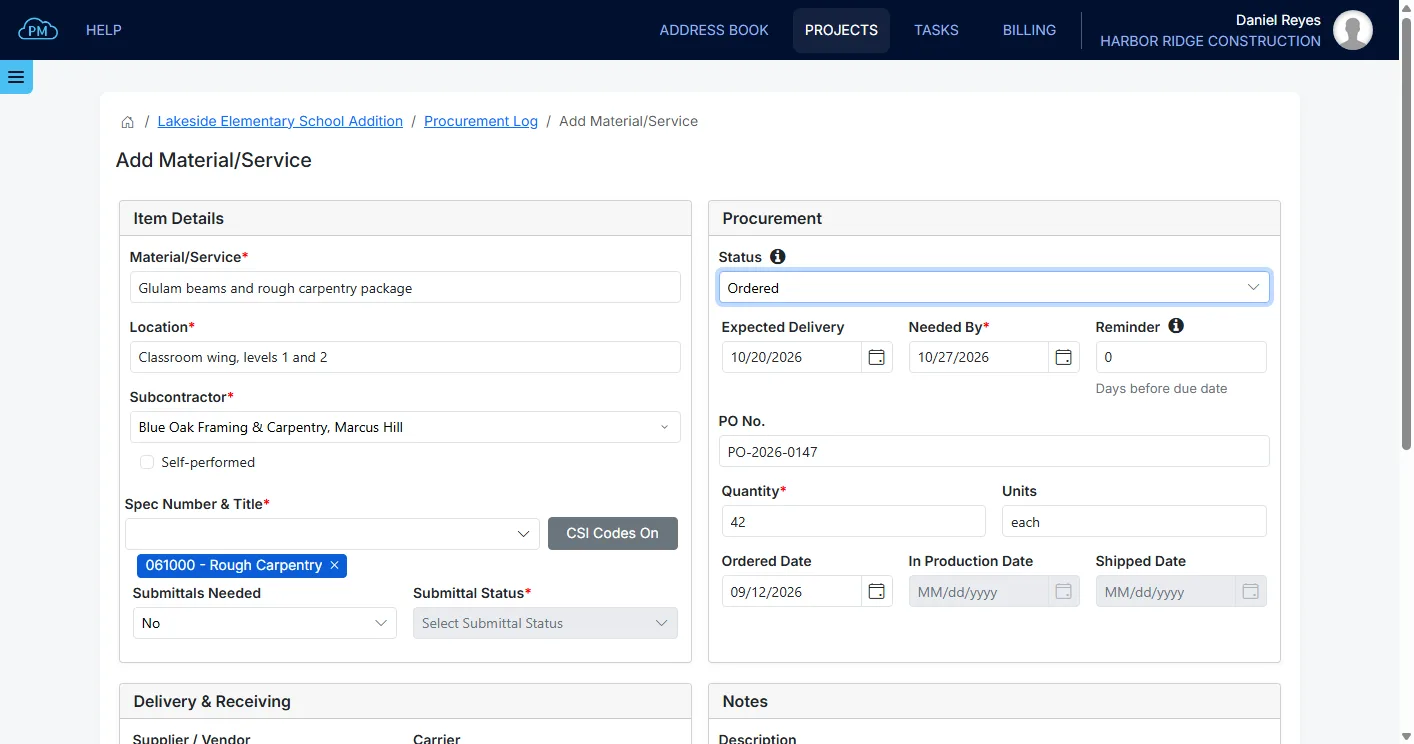
Expected Delivery and Needed By
By comparing the expected delivery date with the date the material is needed on site, you can identify potential delays early and adjust your schedule.
The History of Each Item
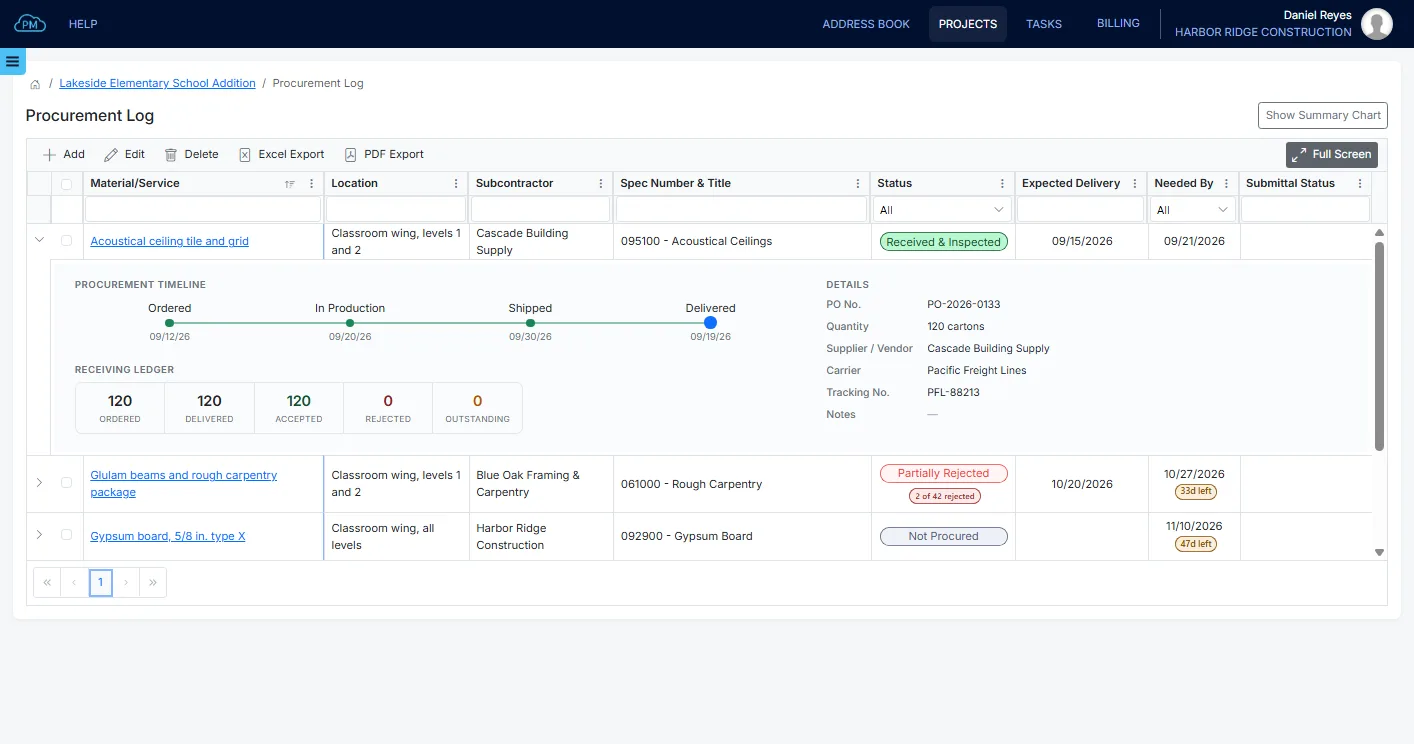
For each item, Cloud PM records the responsible company, whether submittals are required and the date of every step from the order to the delivery. The quantities delivered, accepted and rejected are recorded as well, so you always know what the supplier still has to deliver.
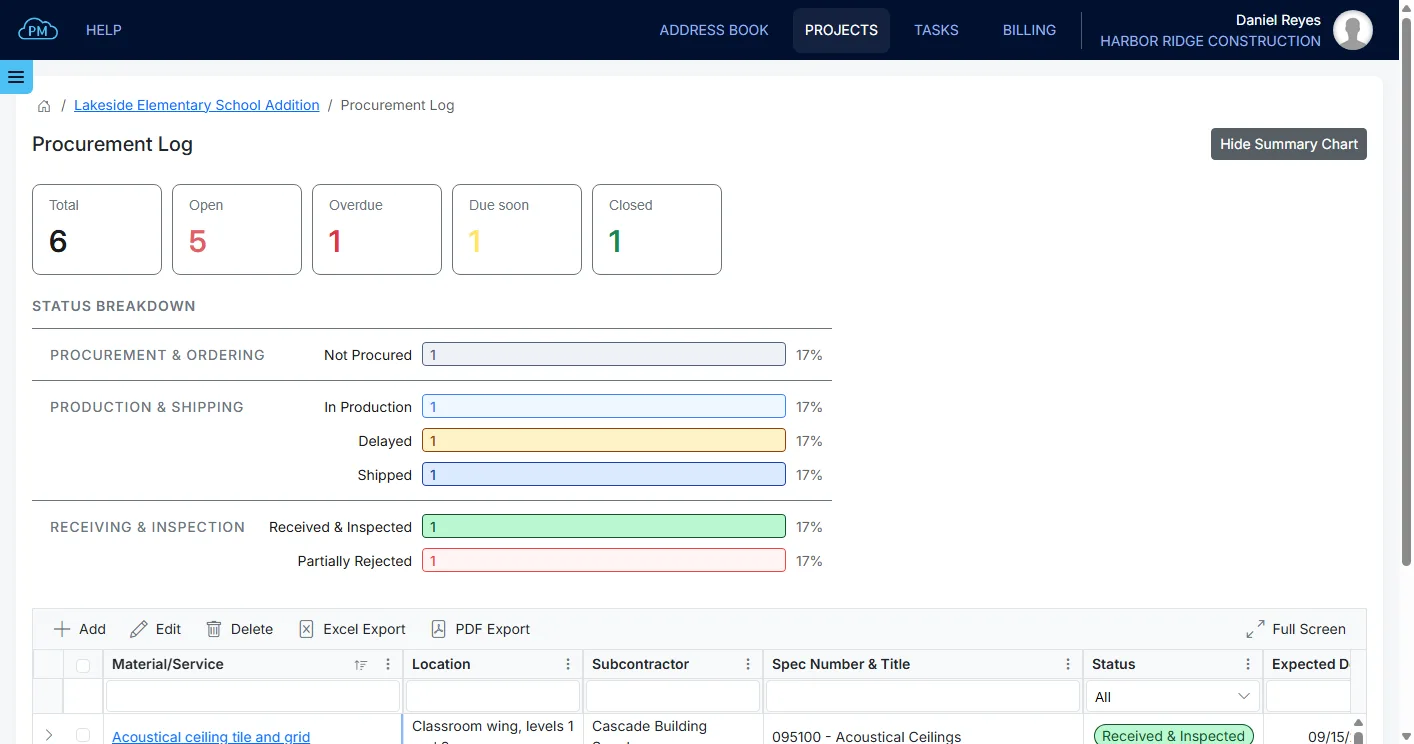
The Status Filter and the Summary Chart
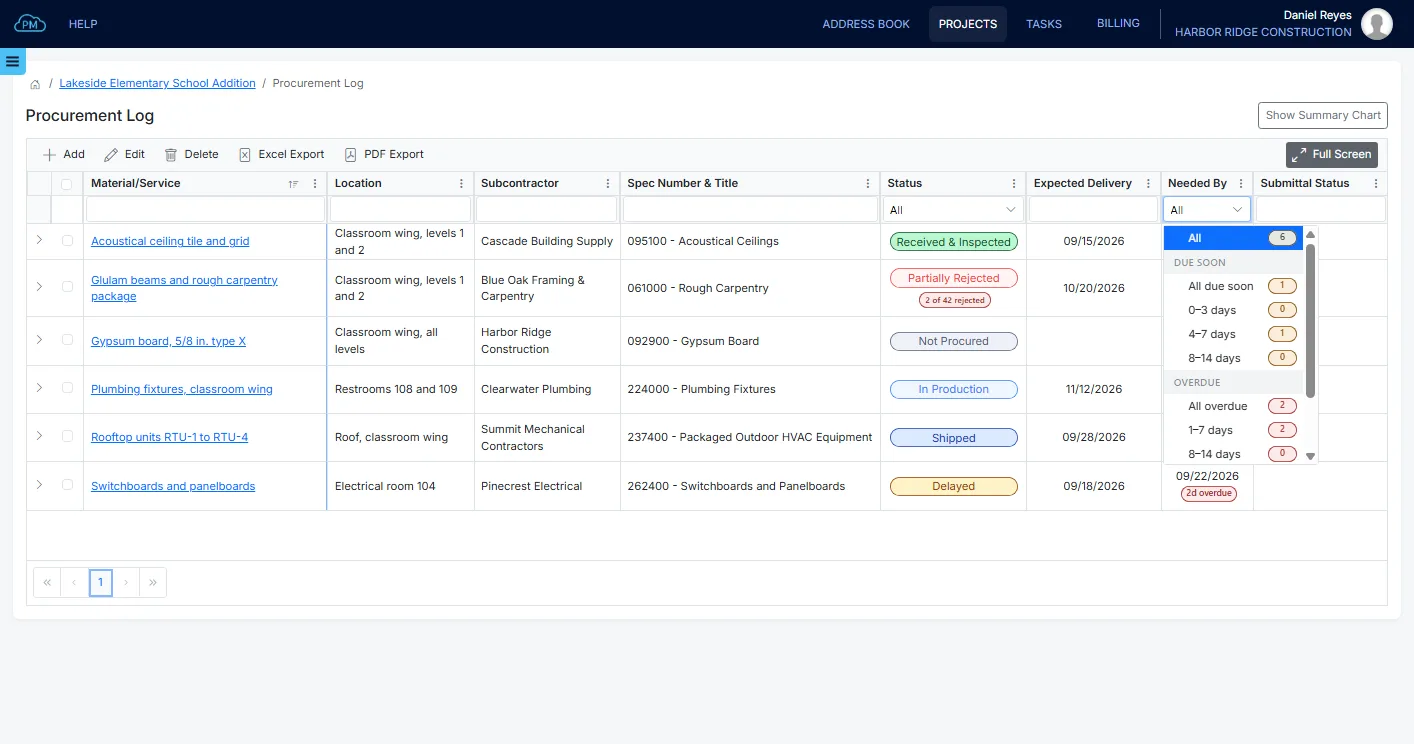
You can filter the procurement log by status to focus on the items that are being ordered, produced, shipped or received. With the summary chart, you can see at a glance how many items are at each stage and how many are overdue or due soon.
Due Soon and Overdue Items
Cloud PM tracks the date each item is needed on site and shows how many days are left or how many days it is overdue. You can also set a reminder before that date, which gives you time to take corrective action before a late delivery affects your project schedule.
From the Order to the Delivery
With Cloud PM, you can add an item to the procurement log as soon as you decide to purchase it and update it as the supplier reports progress. When the delivery arrives, you can record what was received, so the procurement log always reflects what is on site.
Adding a Material or Service
When you add a new item, you enter the material or service you are purchasing and the company supplying it. Work performed by your own company can be marked as self-performed, so it is tracked together with everything else. The shipping and receiving details can be added later, once the material is shipped.
Keeping an Item Up to Date
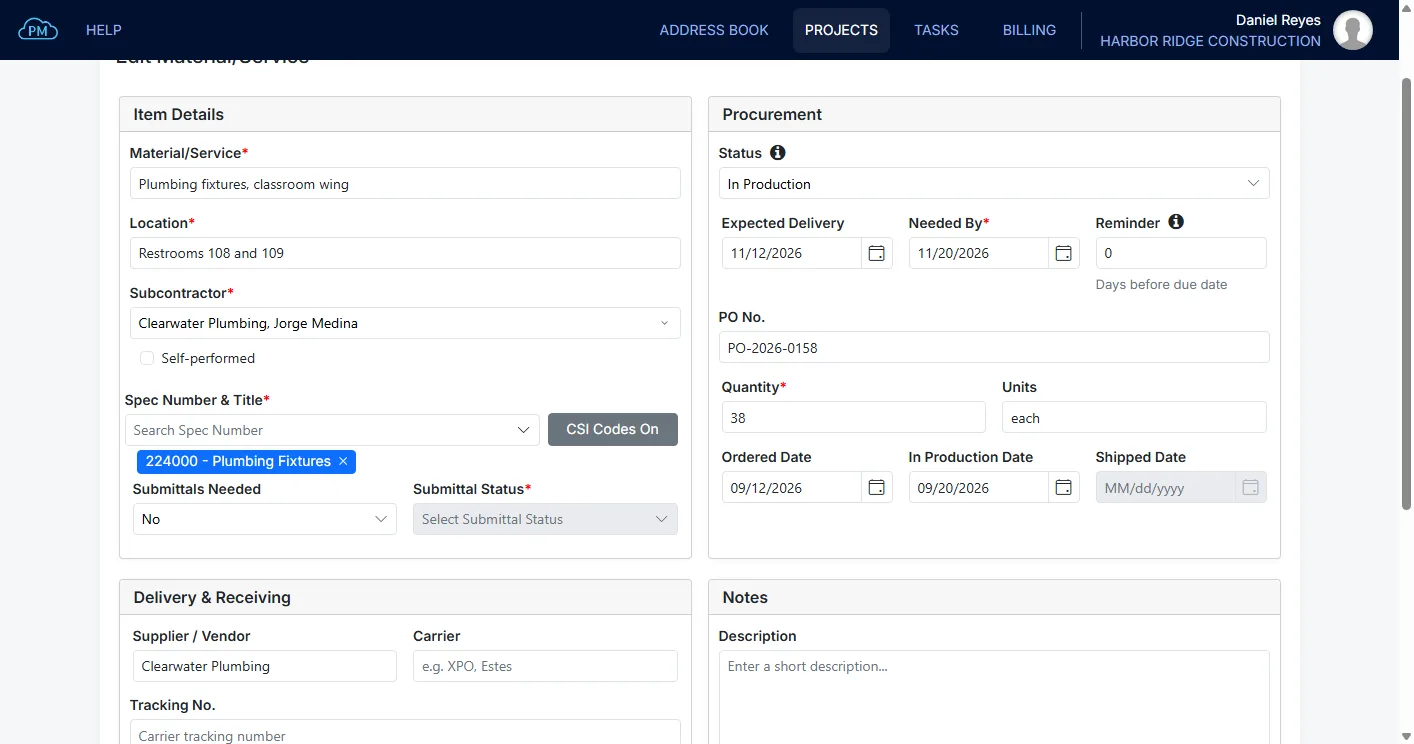
As the supplier reports progress, you can update the item's status from Ordered to In Production and Shipped, and Cloud PM records the date of each change. You can also add the carrier and the tracking number, so anyone on your team can check a delivery without calling the supplier.
Receiving What Arrives
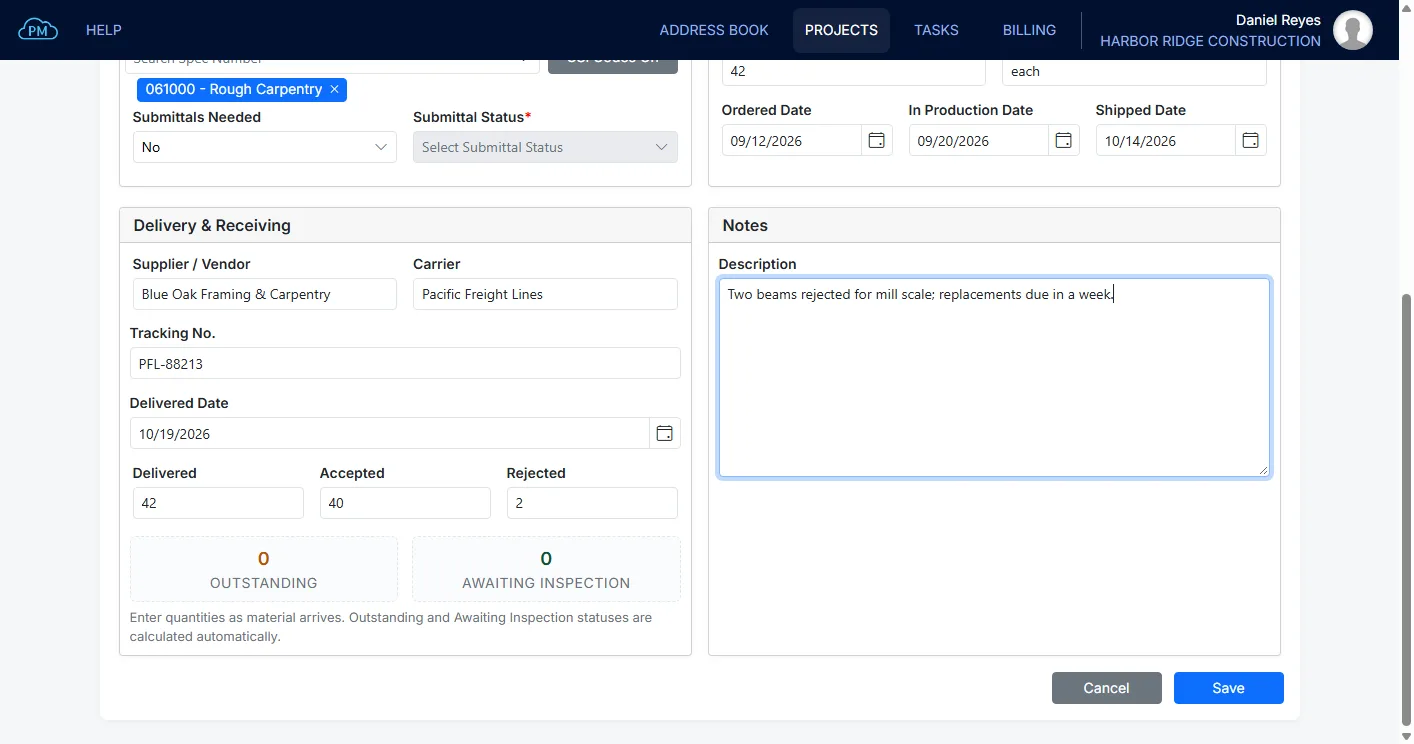
When the material arrives on site, you enter the quantities accepted and rejected, and Cloud PM updates the receiving status automatically. This way, partial deliveries and rejected materials are clearly visible on the log, and you know exactly what is still missing.
Why Choose Cloud PM for Procurement Management
Cloud PM's procurement log is part of the same project as your submittals and project files, which improves communication and helps keep your project on track. When you give them access, subcontractors and suppliers can also see the procurement log, and they use Cloud PM free of charge. Plans start from $40 a month.
-
Procurement in the Same Project
Your procurement log is kept in the same project as the submittals and files for each material, not in a separate spreadsheet. Because every item includes its spec section, you can easily match a material to its submittal.
-
Early Warning on Late Deliveries
With a reminder on every item and a clear view of what is overdue or due soon, you can identify potential delays while there is still time to act.
-
A Record of Every Delivery
Every delivery is recorded with the quantities accepted and rejected, the carrier and the tracking number. If questions come up later, you have a complete record of what arrived on site and what was returned.
Construction Procurement Log FAQ
A procurement log is a list of all the materials and services a construction project needs to purchase. It tracks the supplier, the status of each order and the date each item is needed on site, which helps the general contractor avoid delays and keep the project on schedule.
They are two names for the same thing. Expediting report is the older term, and in Cloud PM the module is called Procurement Log.
A construction procurement log should include the material or service being purchased, the company supplying it, its location on the project and its spec section. It should also include the purchase order number, the quantity, the expected delivery date and the date the item is needed on site, along with a record of each delivery.
Yes. When you give a subcontractor or supplier access to the project, they can see the procurement log and the delivery dates. They use Cloud PM free of charge.