
Construction Punch List
Cloud PM's construction punch list helps contractors track every item that still needs to be fixed or completed before the end of the project. You can assign each item to the responsible company with photos and a due date, and close it only after you have checked the work.
Walk-Throughs | Recipients | The Items | Photos | Status | FAQ
A Punch List for Each Walk-Through
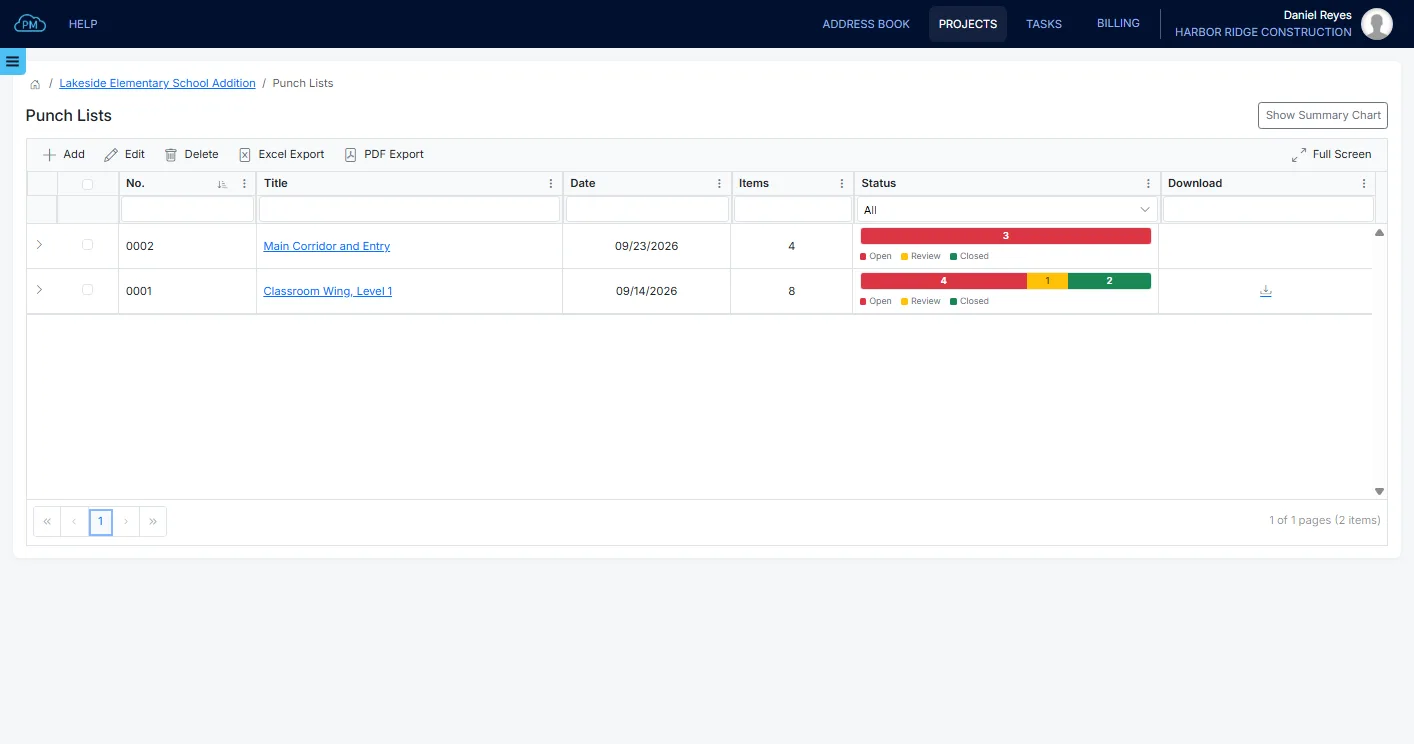
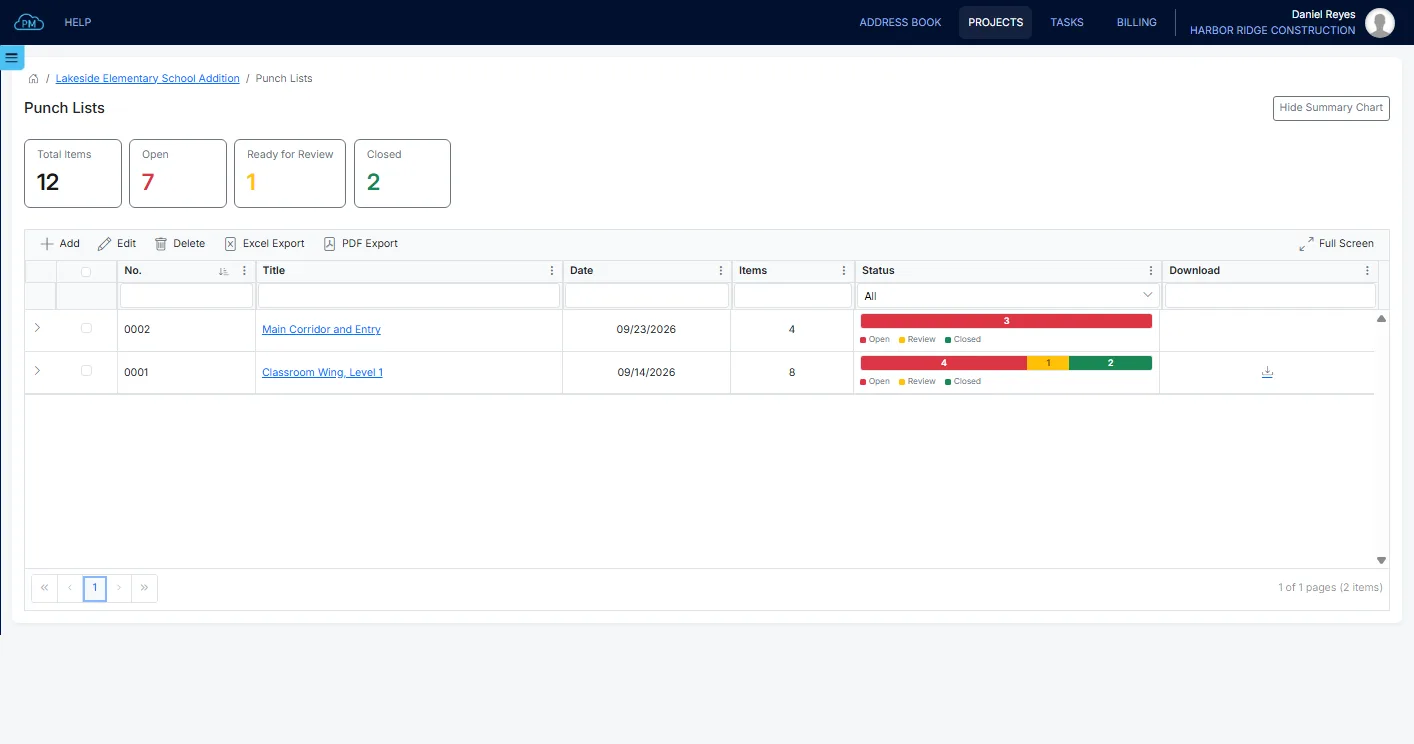
You can create a punch list for each walk-through and track all of them in the Punch Lists log, with the number of items on each list and how many are still open.
-
Separate Lists by Area
You can create a separate punch list for each area, such as the classroom wing or the main corridor, so each list stays short and easy to follow.
-
Responsible Company
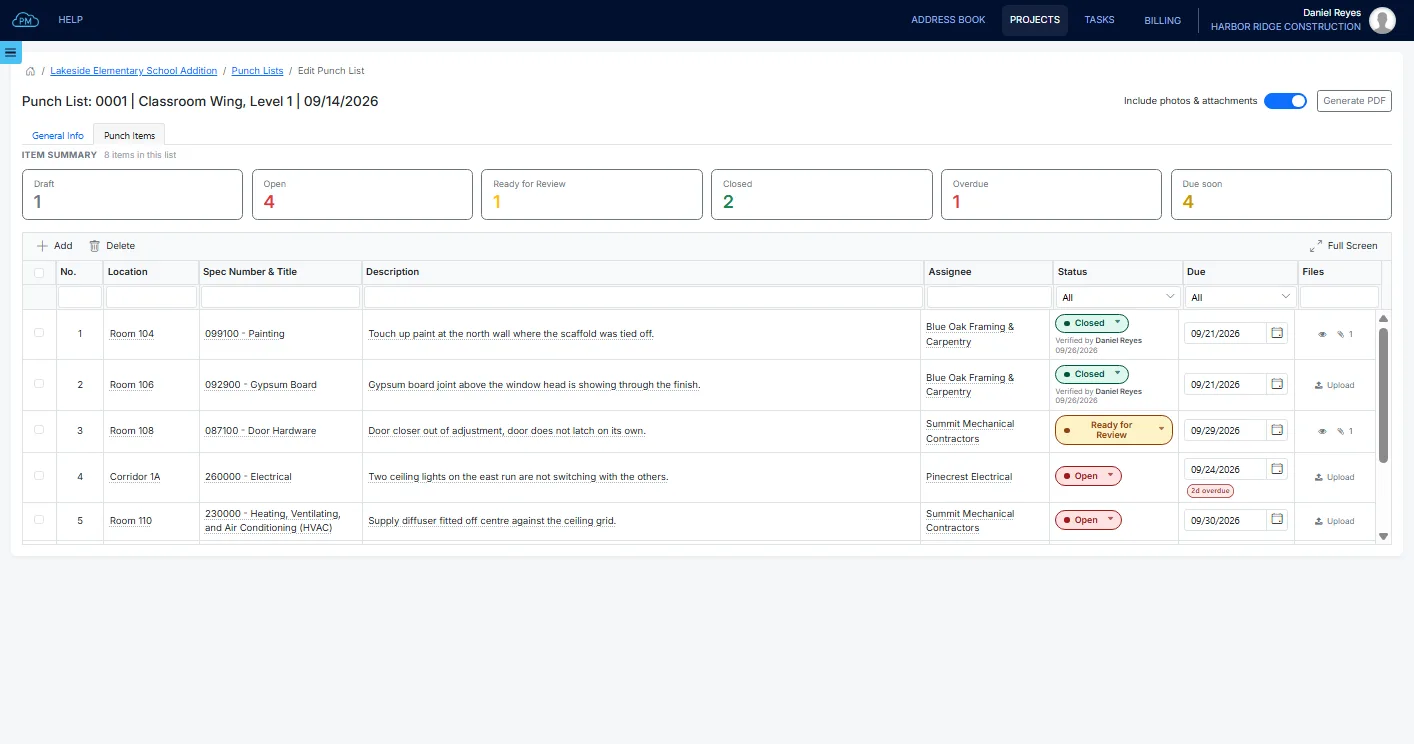
You can assign each item to a company from the Project Directory, so each subcontractor knows exactly which items are theirs.
-
Due Dates
When you add a due date, the item becomes Open, so the subcontractor can plan the work.
Recipients and Notes
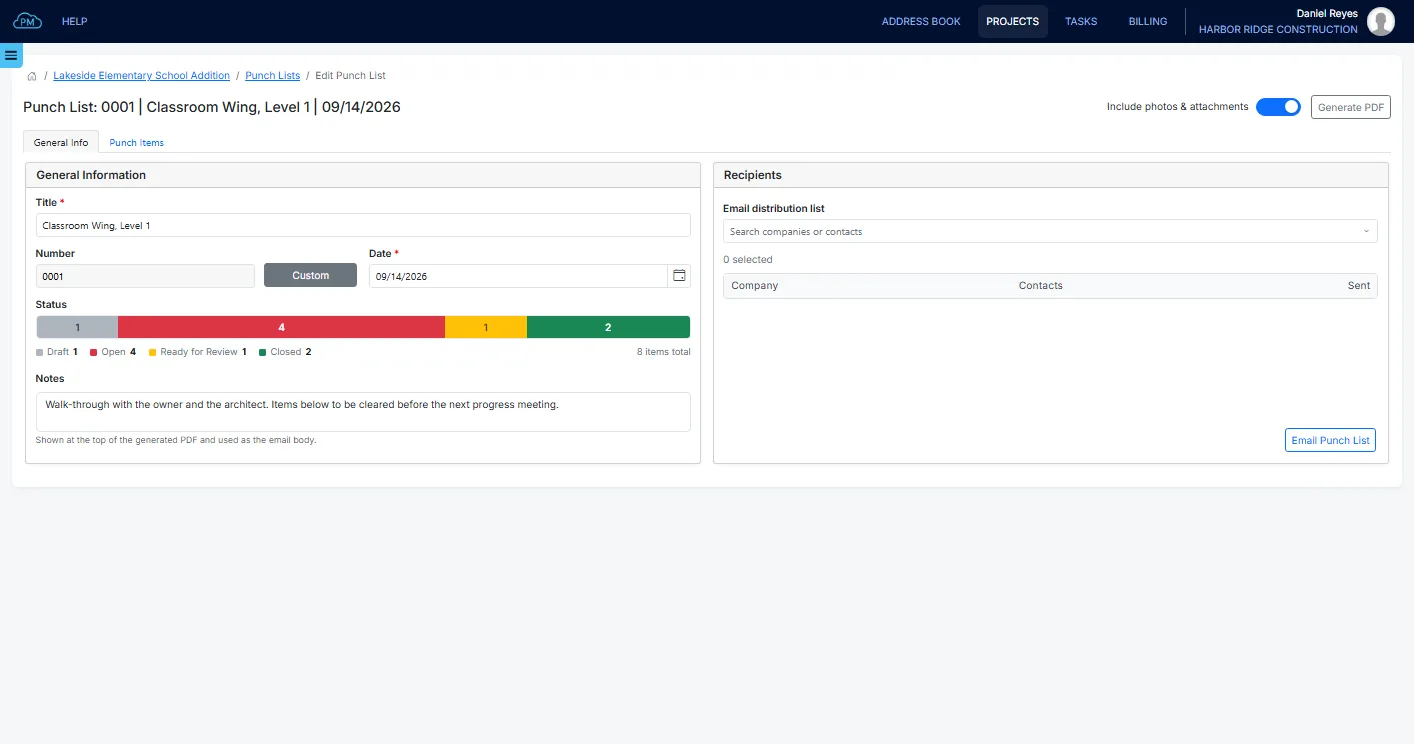
For each punch list, you can enter the area and the date of the walk-through, along with any notes for the recipients. You can select the recipients from the project directory and see who has received the punch list.
Punch List Items
For each item, you can describe the work and its location and select the responsible company, so there is no question about who needs to do what. Each item then moves from Draft to Open, Ready for Review and Closed as the work is completed.
Photos and Documents on Each Item
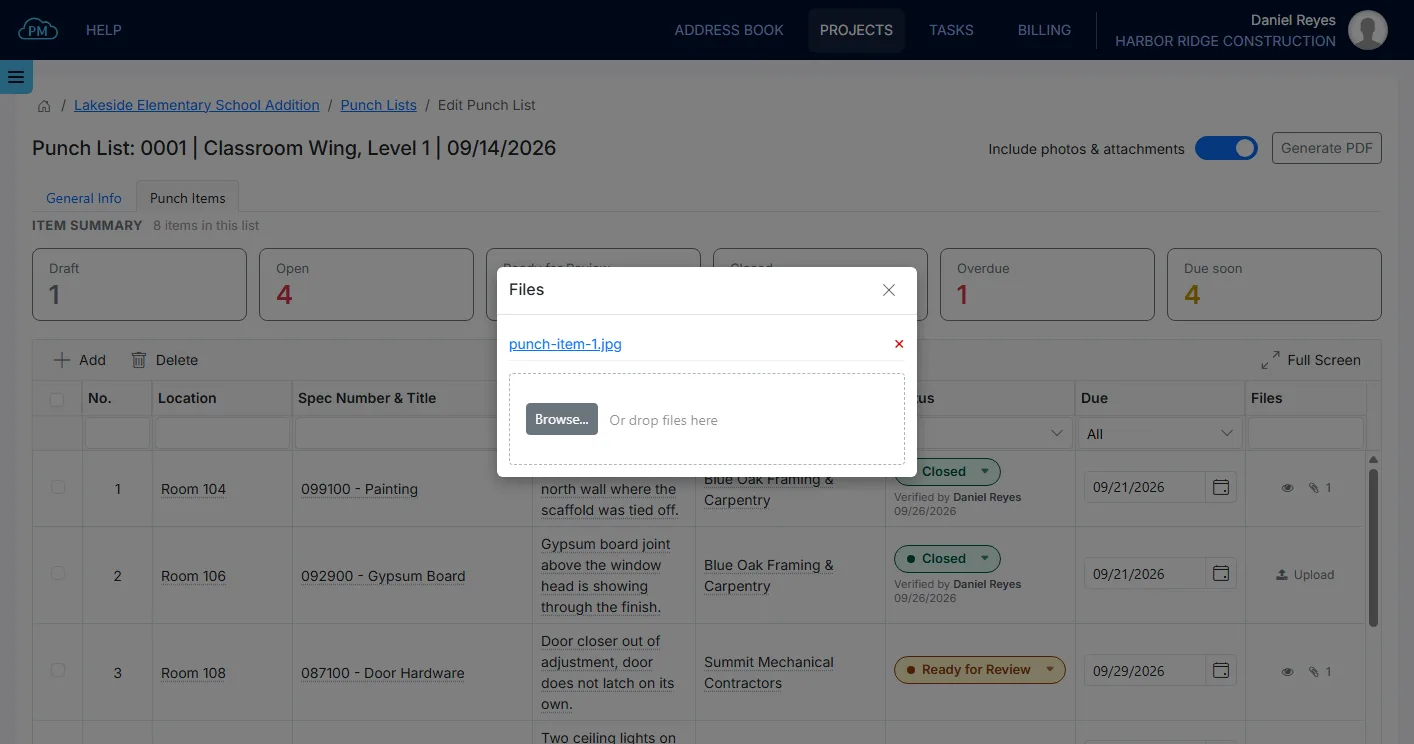
You can add photos and documents to each item, such as a photo of a damaged door frame. When you include them in the punch list you send, the subcontractor can see exactly what needs to be fixed.
From Walk-Through to Closed Item
A punch list item is closed only after you accept the work. When the subcontractor has finished, it marks the item Ready for Review, and you can close it once you have checked the work.
Punch List Status
You can see how many items on each punch list are open, ready for review or closed, and the summary chart shows the totals for all punch lists on the project.
Issuing the Punch List
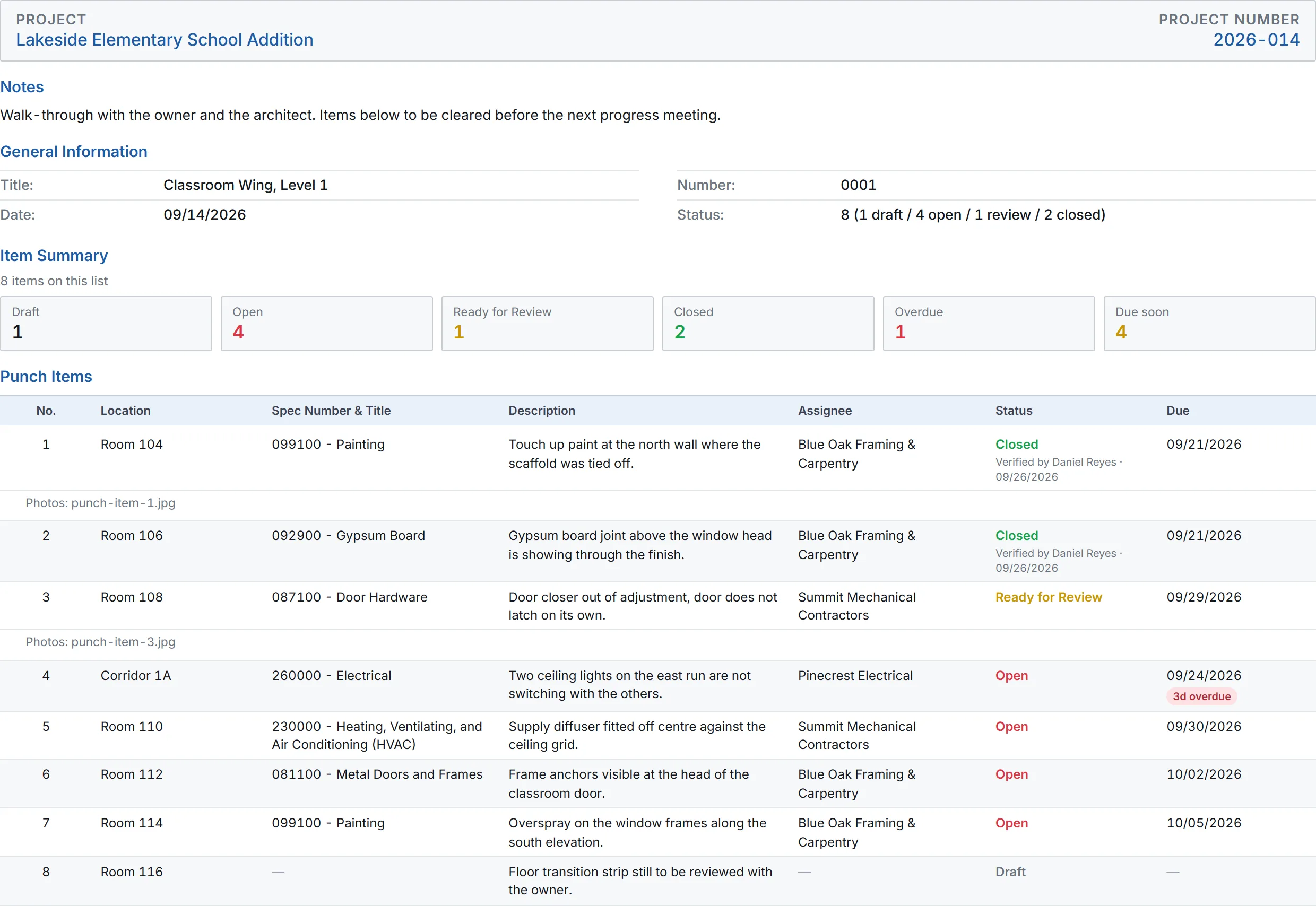
Cloud PM prepares the punch list as a PDF with every item, its status and its due date, along with your notes. The recipients receive it by email, with the photos and attachments you chose to include.
Why Choose Cloud PM for Punch Lists
With Cloud PM, every punch list item is assigned to a company with a due date, so everyone knows what still needs to be done before the project is complete. The other companies on the project use Cloud PM free of charge, and plans start from $40 a month.
-
Verified Work
Cloud PM records who closed each item and when, so you can always see who accepted the work.
-
Photos With Each Item
The photos you take during the walk-through are saved with each item, so they are always there when the work is checked.
-
Overdue Items
You can see which items on each punch list are overdue, so you know which companies to contact first.
Construction Punch List FAQ
A punch list is a list of the work that still needs to be fixed or completed before the owner accepts the project. It is usually created during a walk-through near the end of construction, and the project is not complete until every item is closed.
Each item should have a location, a description of the work, the responsible company and a due date. A spec section and a photo make the item easier to understand, and the punch list itself needs a date and a list of recipients.
Substantial completion is the stage when the project, or part of it, can be used for its intended purpose, even though some minor work is still open. The punch list is usually prepared at this stage, and every item on it must be completed before final completion and final payment.
Usually the general contractor accepts the subcontractors' work, and the owner or the architect accepts the general contractor's work. In Cloud PM, the subcontractor changes an item to Ready for Review, and you can close it after you check the work.