
Construction Contract Management
Cloud PM's construction contract management helps general contractors track the contract with the owner and every subcontract on each project. You can attach the signed documents and add each approved change, so you always know what each contract is worth today.
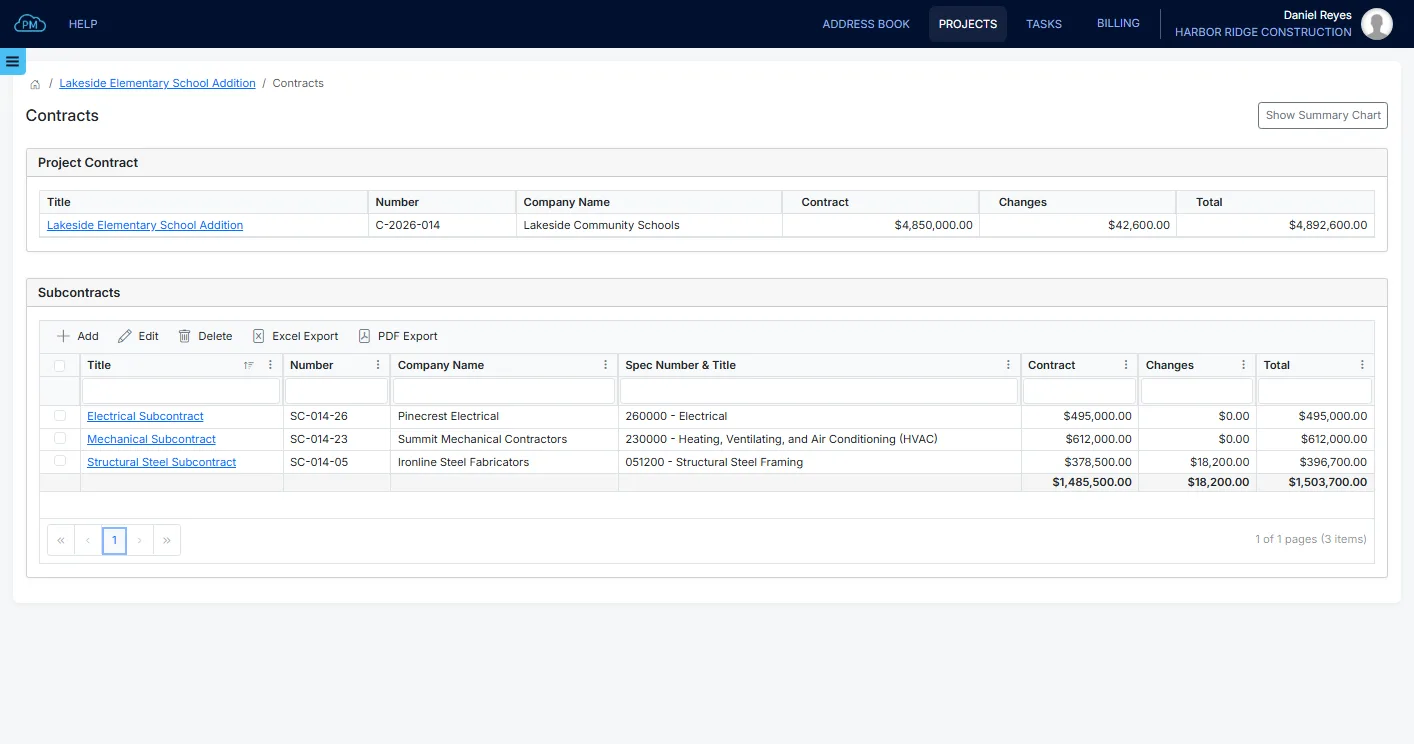
Every Contract on the Project
Every contract is saved with its project, from your agreement with the owner to the subcontracts with your trades. For each contract, you can see the original amount, the approved changes and the current total in one place.
-
Prime Contract and Subcontracts
You can track your contract with the owner and all your subcontracts in the same project, so you always know what the owner will pay you and what you will pay your subcontractors.
-
Contract Sum to Date
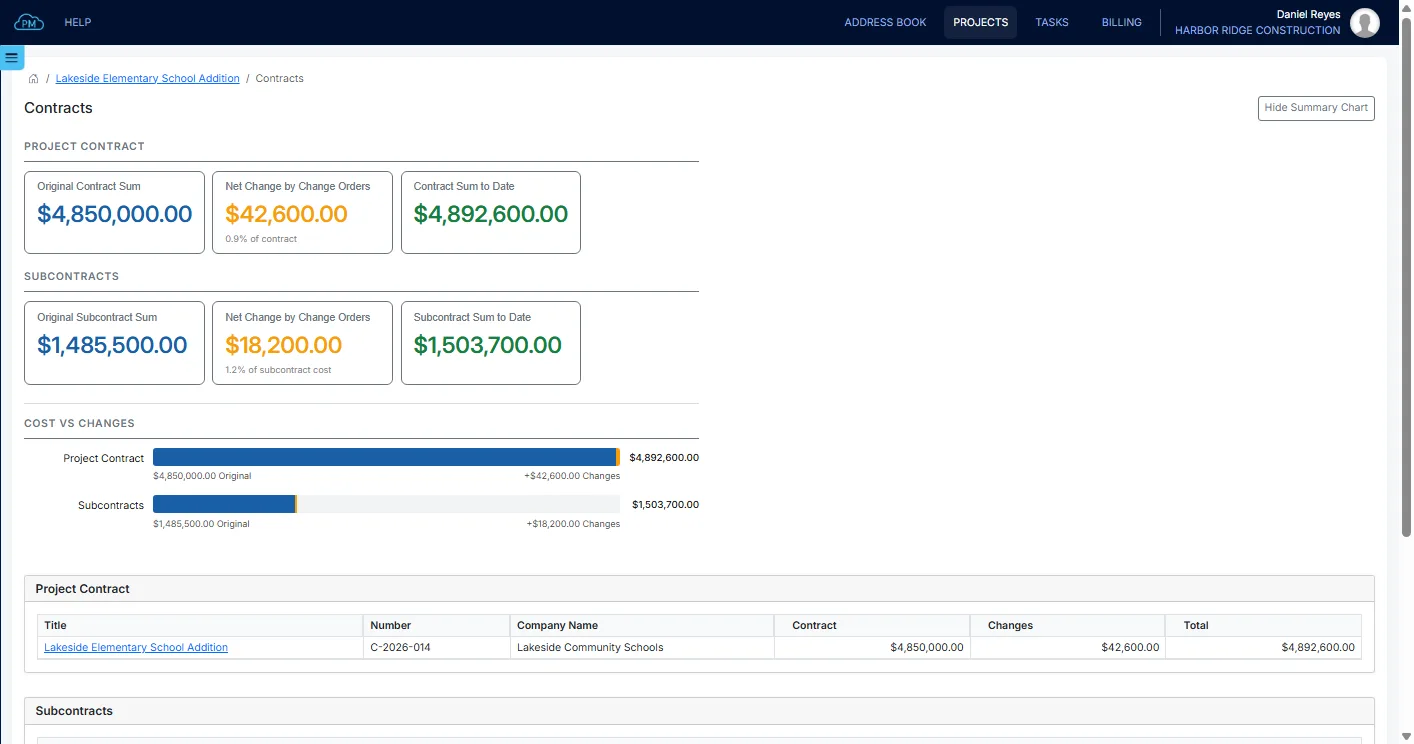
When you add an approved change to a contract, Cloud PM updates the contract sum to date, so your totals are always current.
-
Signed Documents
You can attach the signed contract and every signed change, so your team can open the final version whenever they need it.
Your Prime Contract with the Owner
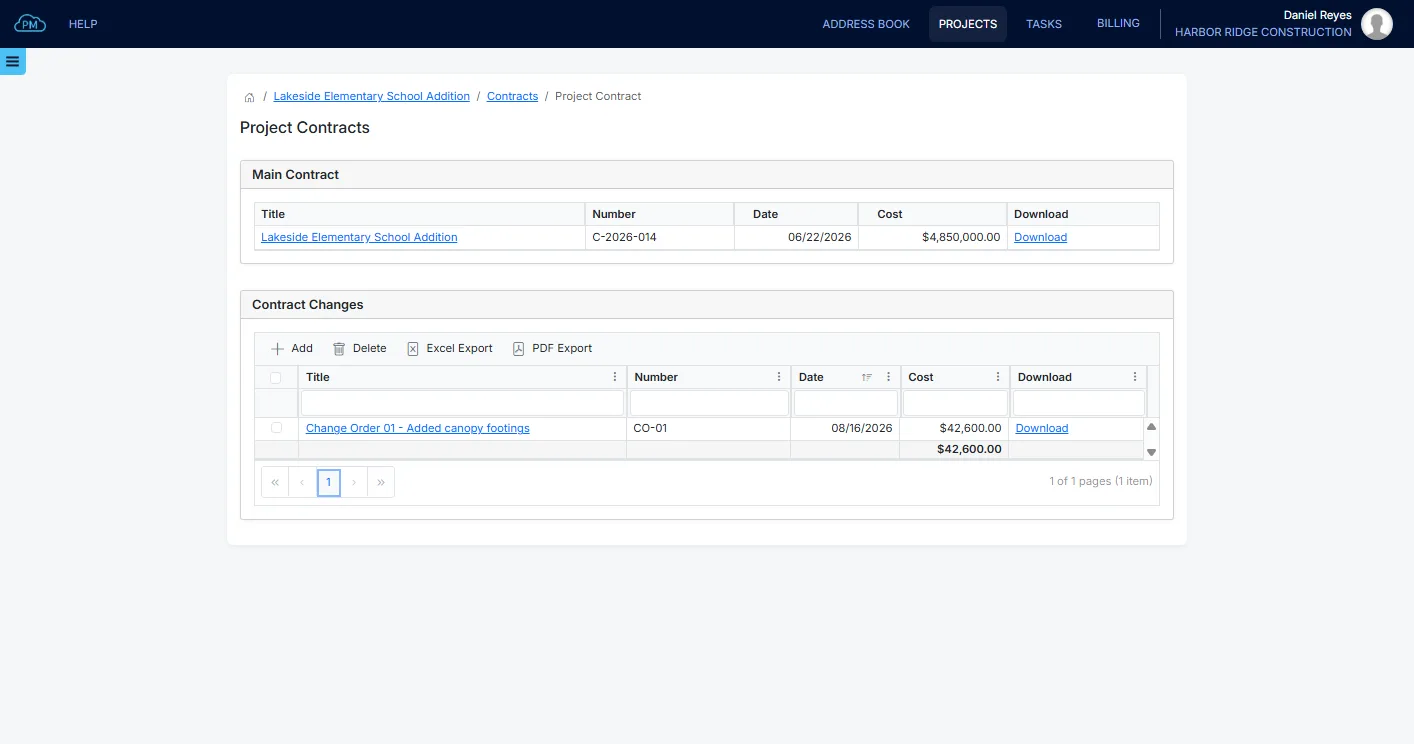
In Cloud PM, the prime contract has its own page, with the original agreement and every change made to it. You can enter the contract amount and the date it was signed, and attach the signed agreement.
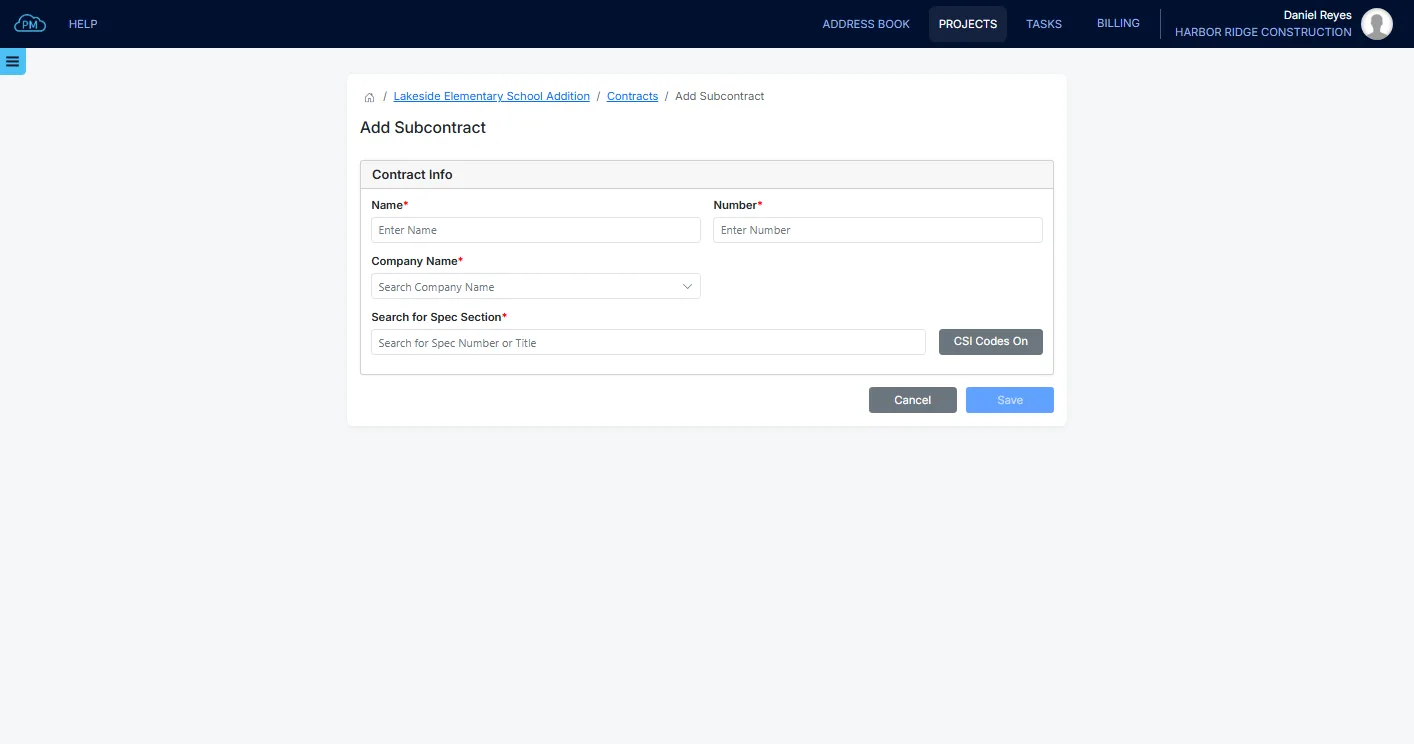
Adding a Subcontract
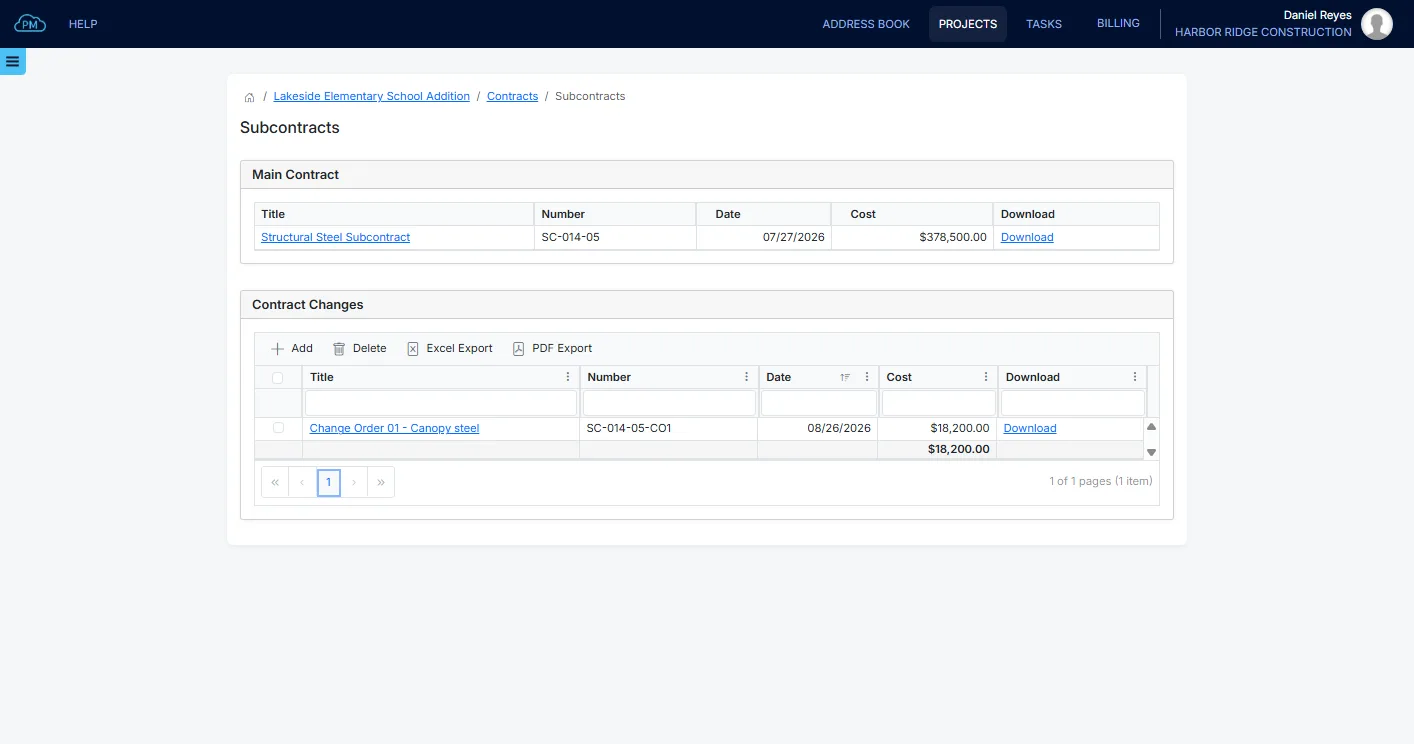
When you add a subcontract, you select the subcontractor from the companies on the project and the CSI MasterFormat spec section of its work. You can then sort and filter your subcontracts by spec section, so you can quickly find the one you need.
Attaching the Signed Contract
For each contract and each change, you can enter its amount and date and attach the signed document. Anyone on the project with access can open it, so everyone works from the version that was actually signed.
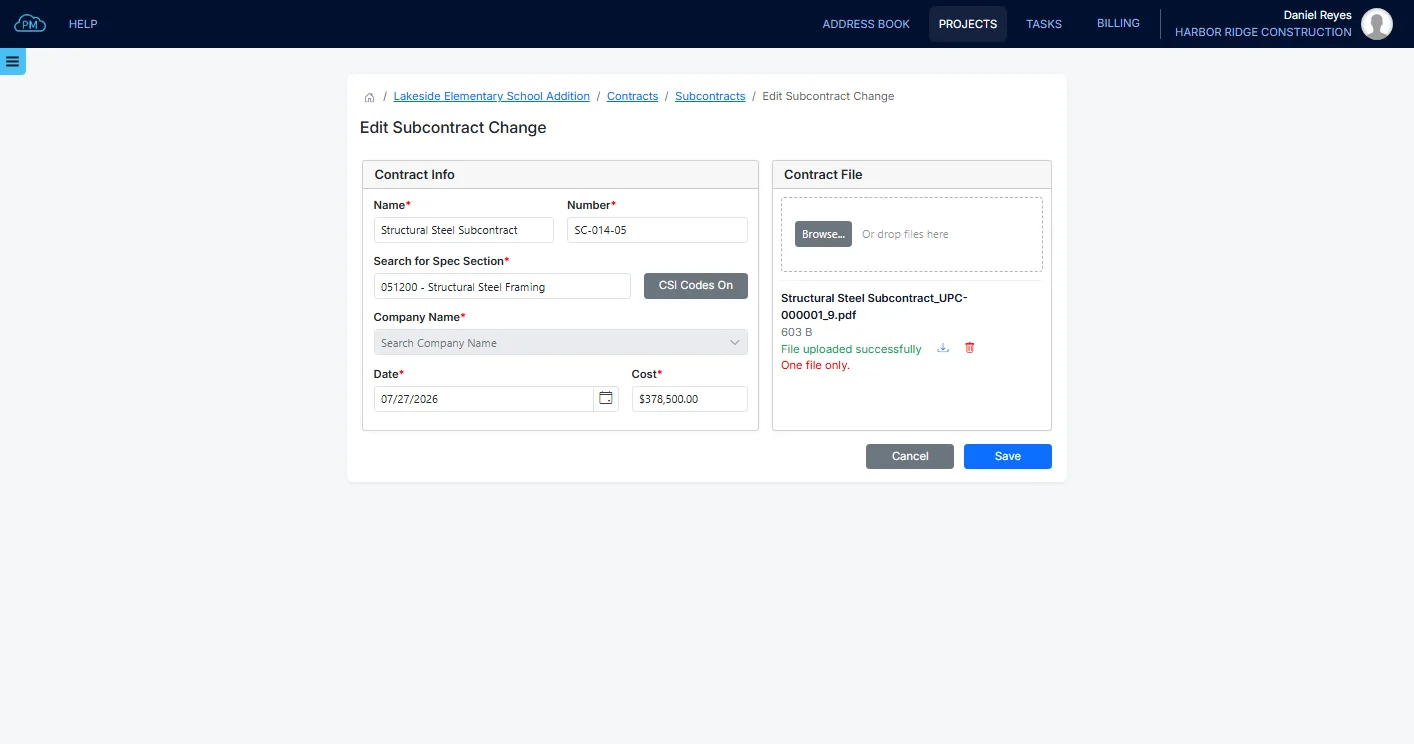
What the Contract Is Worth Today
Most contracts change after they are signed. Cloud PM adds every approved change to the original amount, so you can see the current value of each contract without doing the math yourself.
Approved Contract Changes
When a change is approved, you can add it under Contract Changes on the prime contract or on the subcontract, with its amount and the signed document. Cloud PM then updates the contract's total, so the Contracts page always shows the latest amounts.
Contracts Summary Chart
With the summary chart, you can compare the totals for your contract with the owner and for all your subcontracts. You can see the original sum, the net change and the sum to date, and how much of each total is due to changes.
Why Choose Cloud PM for Contract Management
With Cloud PM, your contracts, their changes and the signed documents are saved in the same project as your payment applications and change orders, so your office and your field team always see the same amounts. The other companies on the project use Cloud PM free of charge, and plans start from $40 a month.
-
Linked to Payment Applications
When you create a payment application, Cloud PM enters the amount and date of your prime contract, so you don't need to type them again.
-
Spec Section on Each Subcontract
Each subcontract has the spec section of its work, so you can see which part of the project each subcontractor is responsible for.
-
Changes as a Percentage
You can see the net change as a percentage of the contract, so you know right away how much your contract and your subcontracts have changed since they were signed.
Construction Contract Management FAQ
Construction contract management means tracking the value of each contract on a project, from the prime contract with the owner to every subcontract. It includes the changes to each contract and the signed documents.
A subcontract is the agreement between the general contractor and a trade contractor or supplier for part of the work. It has its own number, amount and scope. In Cloud PM, each subcontract also has the spec section of its work.
The contract sum to date is the original contract amount plus every approved change against it. It is the current value of the contract. Cloud PM calculates it for the prime contract and for each subcontract when you add a change.
They are two different features. Change Orders is a separate module, used to collect the costs of a proposed change from the subcontractors and submit it to the owner for approval. Contract Changes is the list on each contract, where you add an approved change with its amount and its signed document.