
Project Dashboard
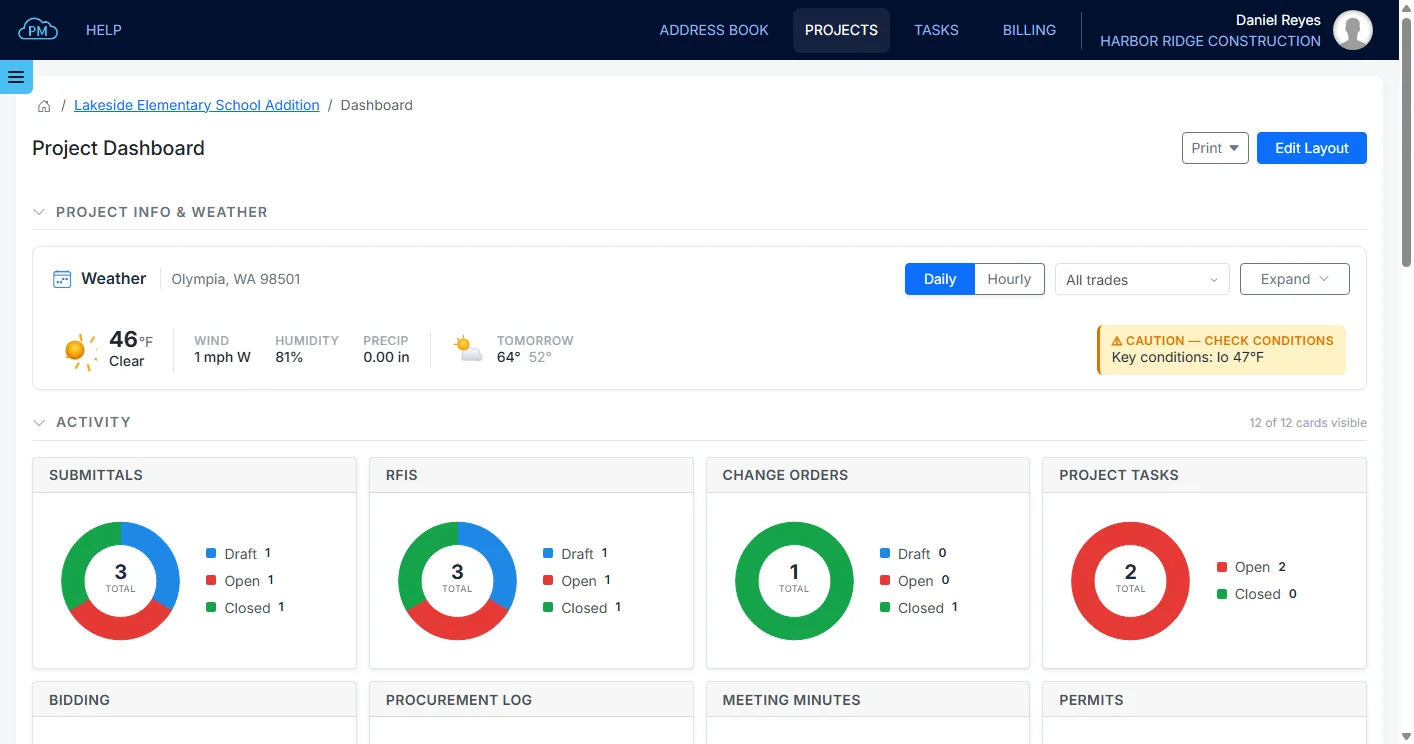
Cloud PM's project dashboard helps you see how a project is doing at a glance. You can check the weather at the site, the status of the items in each module and the project's billing and costs, all on one page.
Overview | Weather | Activity | Financials | Your Layout | Printing | FAQ
A Project Dashboard for Every Project
Every project in Cloud PM has its own dashboard, with cards for the project's activity and financials. Each user sees only the modules they have access to, so everyone sees the information that matters to them.
-
Weather for Your Site
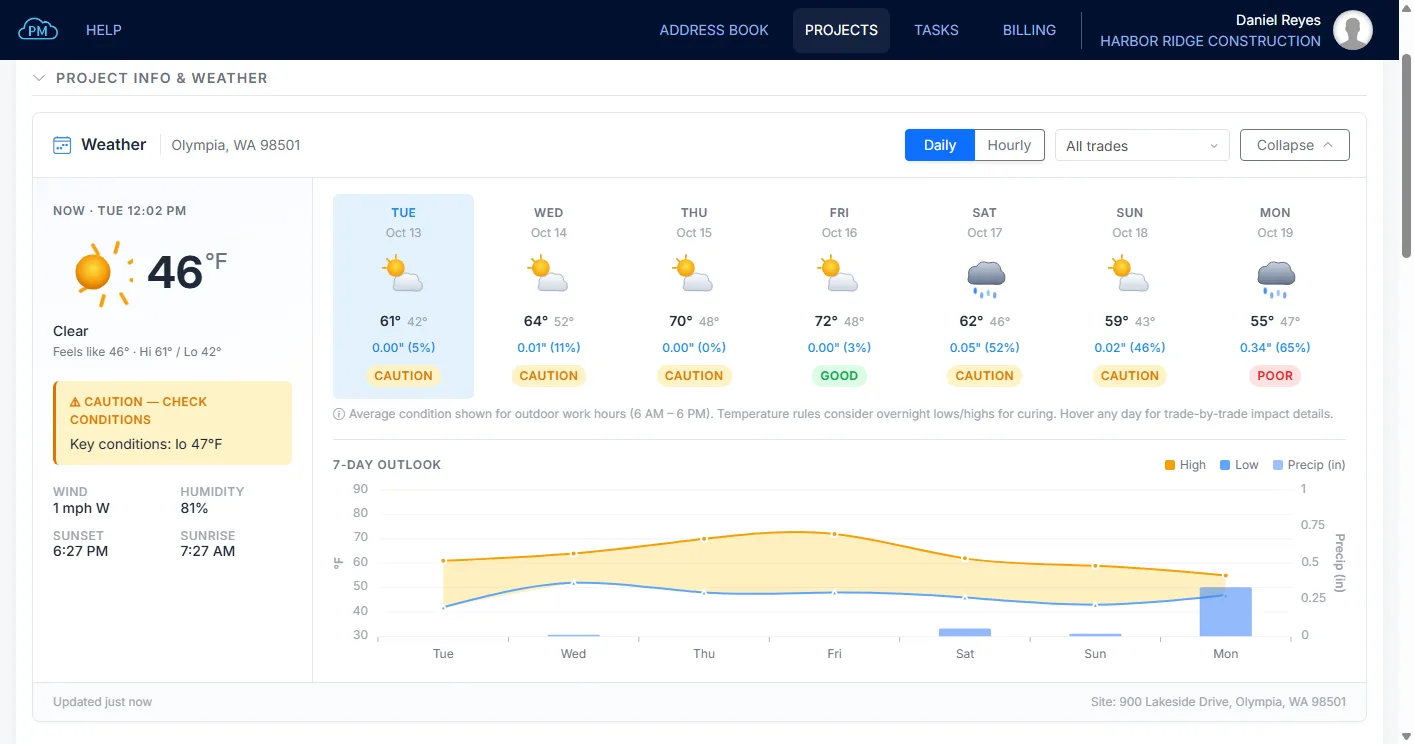
You can see the forecast for the project site, with each day rated for site work, so you can plan a concrete pour or a crane lift for the right days.
-
Activity at a Glance
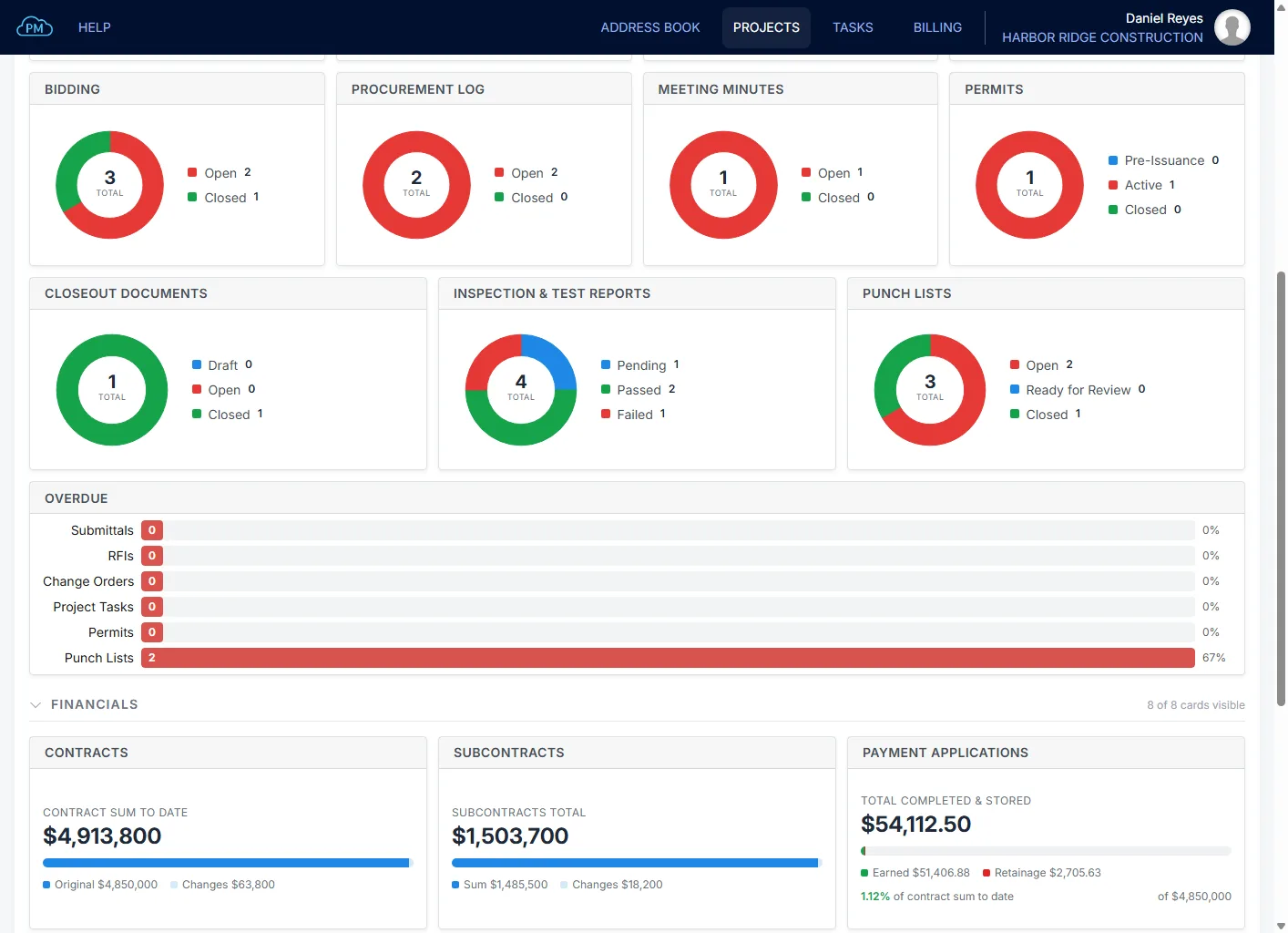
You can see how many submittals, RFIs and change orders are in draft, open or closed, along with the open tasks, bids and procurement items.
-
Project Billing and Costs
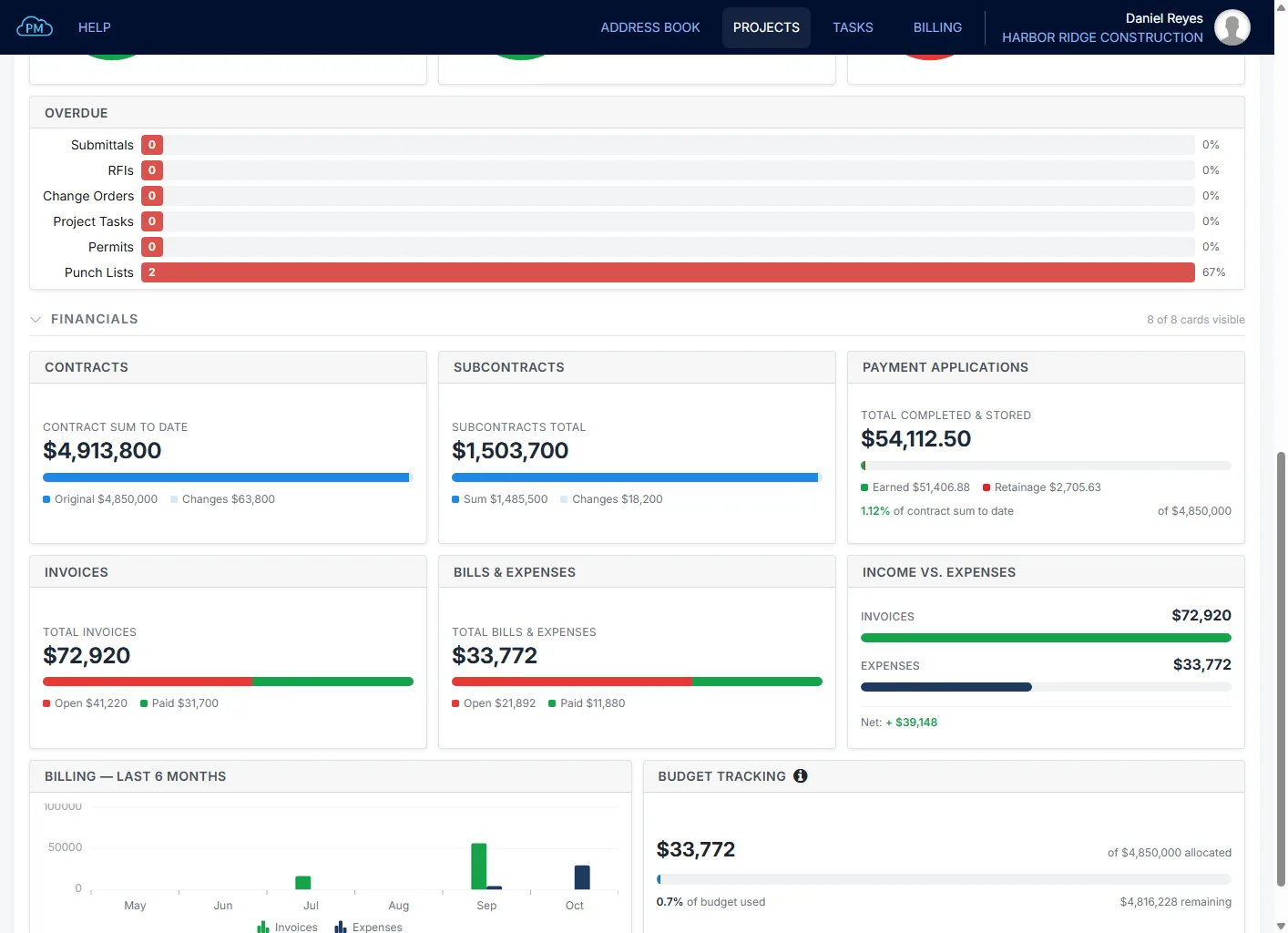
You can see the project's billing and costs on one page, so you know whether the project is making money without preparing a report.
Weather on the Project Dashboard
You can see the forecast for the project site, with each of the next seven days rated Good, Caution or Poor for site work, and you can switch to an hourly view for the next 24 hours. When you select the trades on site, such as concrete or roofing, Cloud PM shows how the weather affects the work of those trades.
Activity and Overdue Items
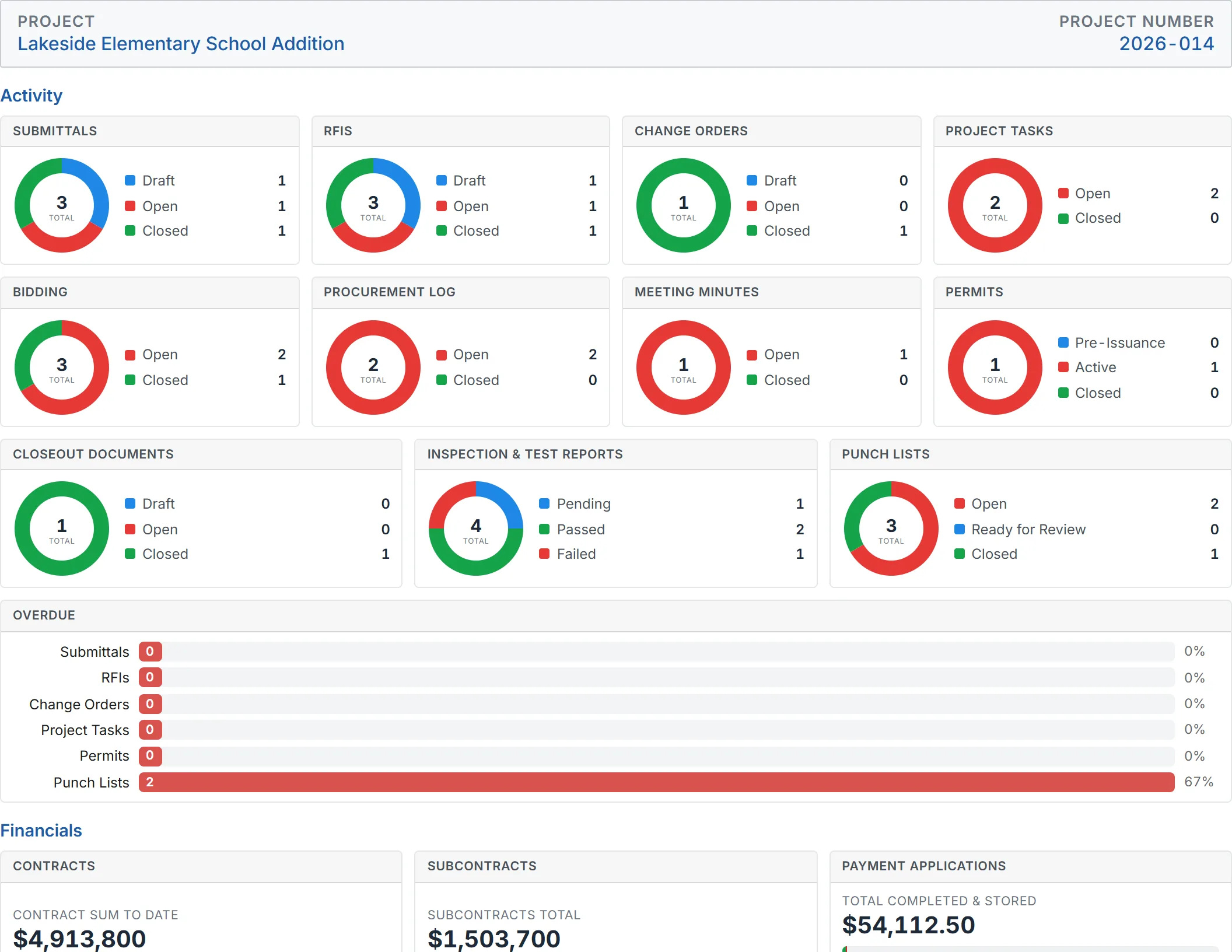
The Activity cards show the status of the project's submittals, RFIs and change orders, along with its tasks, bids and procurement. The Overdue card shows how many submittals, RFIs, change orders and tasks are late, so you know what to follow up on first.
Project Financials
You can see the project's financial figures without opening each module, such as the contract sum to date, the amount earned on payment applications and the retainage. With Income vs. Expenses and the billing chart for the last six months, you can also see whether the project is making money. Budget Tracking shows how much of the budget you have used.
A Project Dashboard Arranged Your Way
Each user can arrange the dashboard to suit their work. For example, a project manager can put change orders and payment applications at the top, while a superintendent can keep the weather and the tasks first.
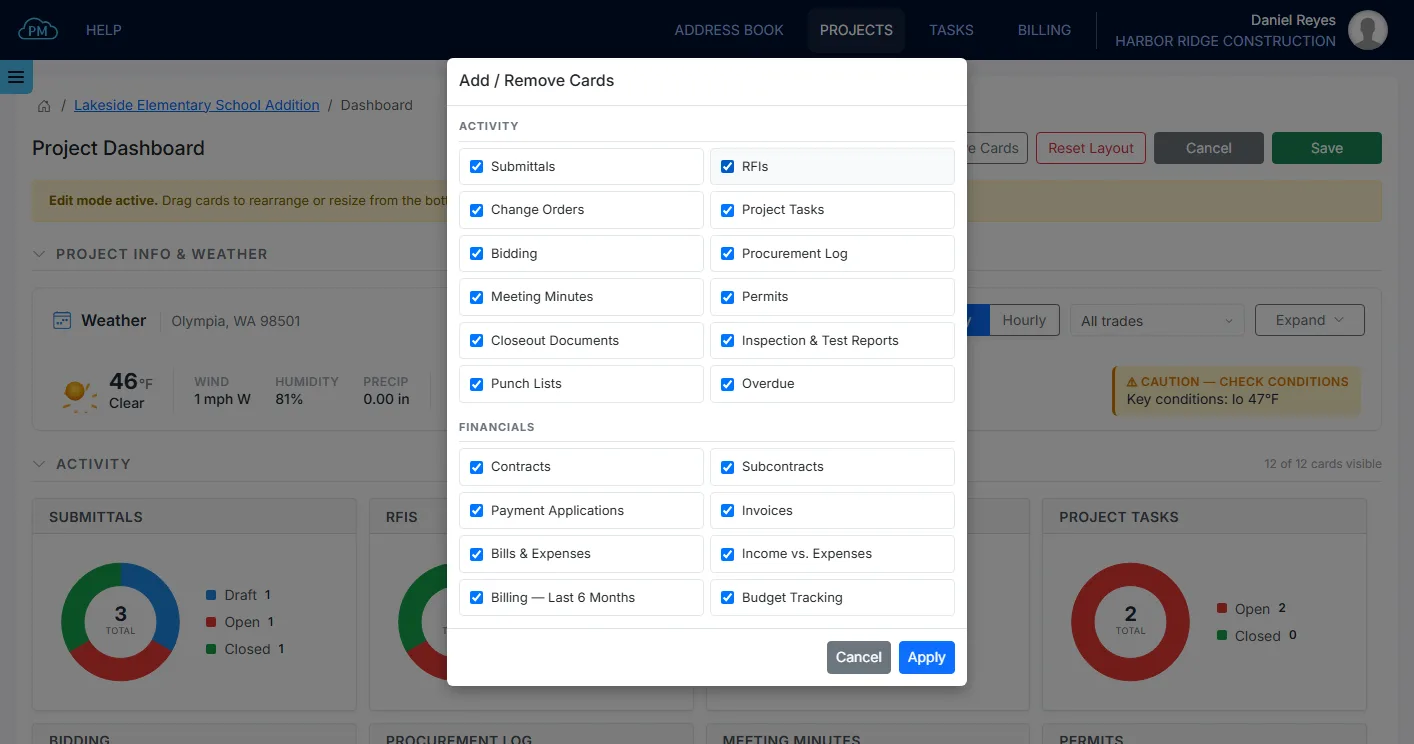
Choosing the Cards on Your Dashboard
With Edit Layout, you can drag the cards into any order, resize them and hide the ones you don't need. Your layout is saved for your user, so it stays the same on every project without changing anyone else's dashboard, and you can reset it to the default layout at any time.
Printing the Project Dashboard
You can print the dashboard for a site meeting or an owner update, with the project name and number at the top. You can also print the Open Items Report, with the open submittals, RFIs and change orders, on its own or together with the dashboard.
Why Choose Cloud PM's Project Dashboard
With Cloud PM, you can see how each project is doing without preparing a report or opening every module. The other companies on the project use Cloud PM free of charge, and plans start from $40 a month.
-
Your Layout on Every Project
You arrange the dashboard once, and it stays the same on every project you open.
-
See Late Items Early
You can see which modules have late items, so you can follow up on a late submittal or task before the next meeting.
-
Weather Planning
With each day rated for the trades on site, you can reschedule a pour or a crane lift before bad weather stops the work.
Project Dashboard FAQ
A construction project dashboard is a page that gives you an overview of a project as soon as you open it. It includes the counts and totals from logs such as submittals, RFIs and change orders, so a project manager can see what needs attention without opening every module.
It should show what is open, what is overdue, and the project's billing and costs. On a construction project, the weather is also important, because it affects which work can be done this week.
Yes. In Cloud PM, each user can choose the cards and their order, and the layout is saved for that user, so it does not change anyone else's dashboard.
Yes. You can print the dashboard as a PDF with the project name and number at the top, and you can print the Open Items Report with it or on its own.