
Construction File Sharing
Cloud PM's File Manager keeps your project documents organized and easy to find. File sharing lets you email any file or folder to the companies on the project, so everyone works from the latest version. Every new project has the same standard folders, so your team always knows where each document belongs.
File Manager | Folders | Uploading | Finding a File | Emailing | Permissions | FAQ
The Project's File Manager
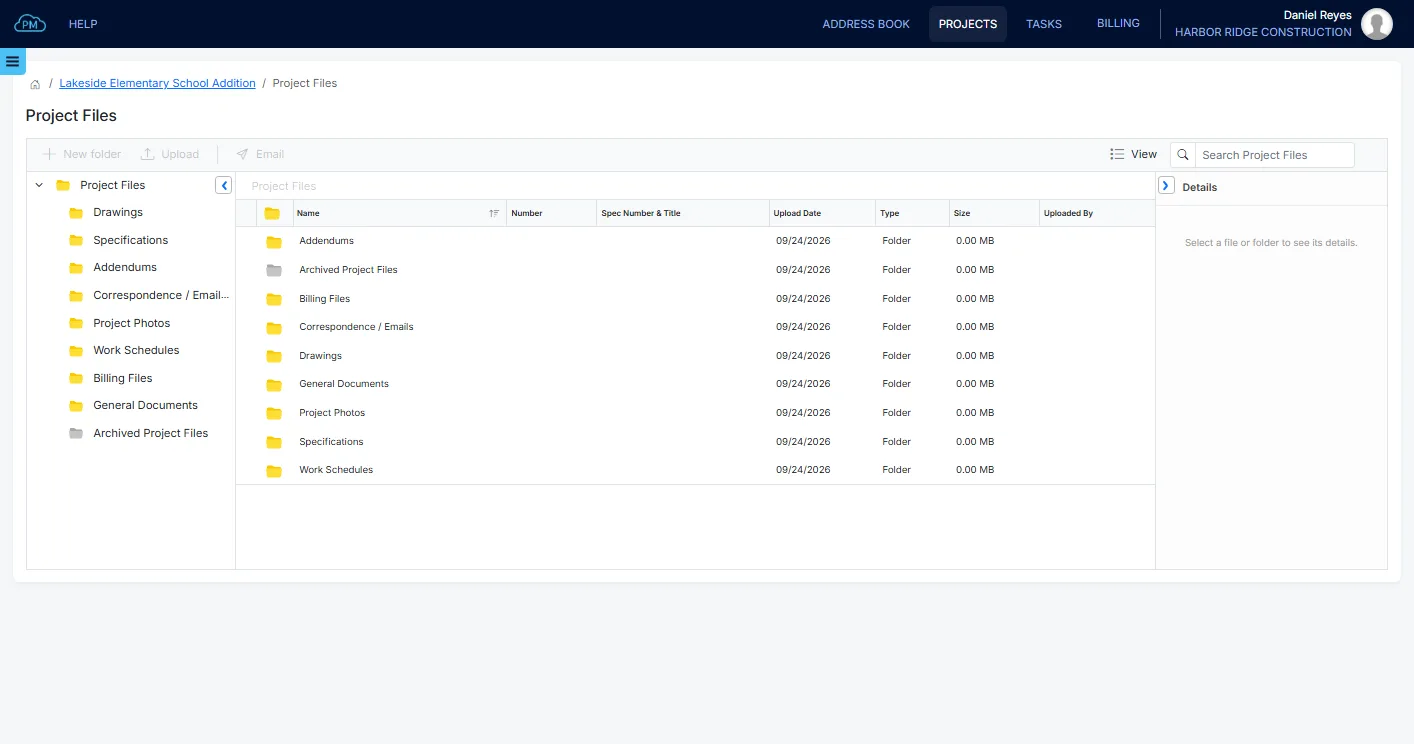
Each project in Cloud PM has its own File Manager, with standard folders for drawings, specifications, addendums, correspondence and project photos. You can add your own folders inside them, and you can see the folder tree and the files side by side.
-
Folders Ready From the Start
Your team does not need to set up folders for a new project. The standard folders are already there, and the project stays organized as the number of files grows.
-
Spec Sections on Every File
Every file gets a name, a file number and a spec section when you upload it, so your project documents are always organized and standardized.
-
Permissions for Your Team
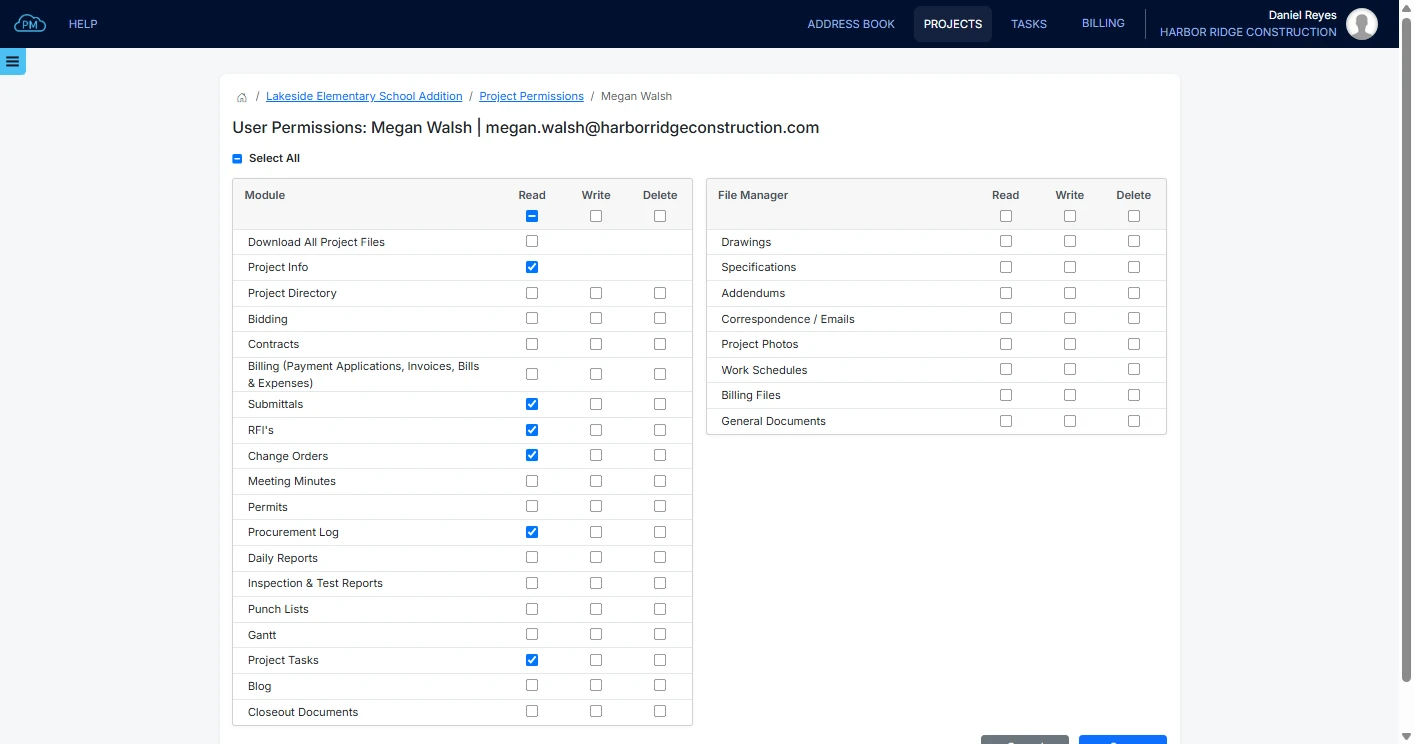
You can give each user access to each File Manager folder on each project, so everyone sees only the files they work with.
File Details
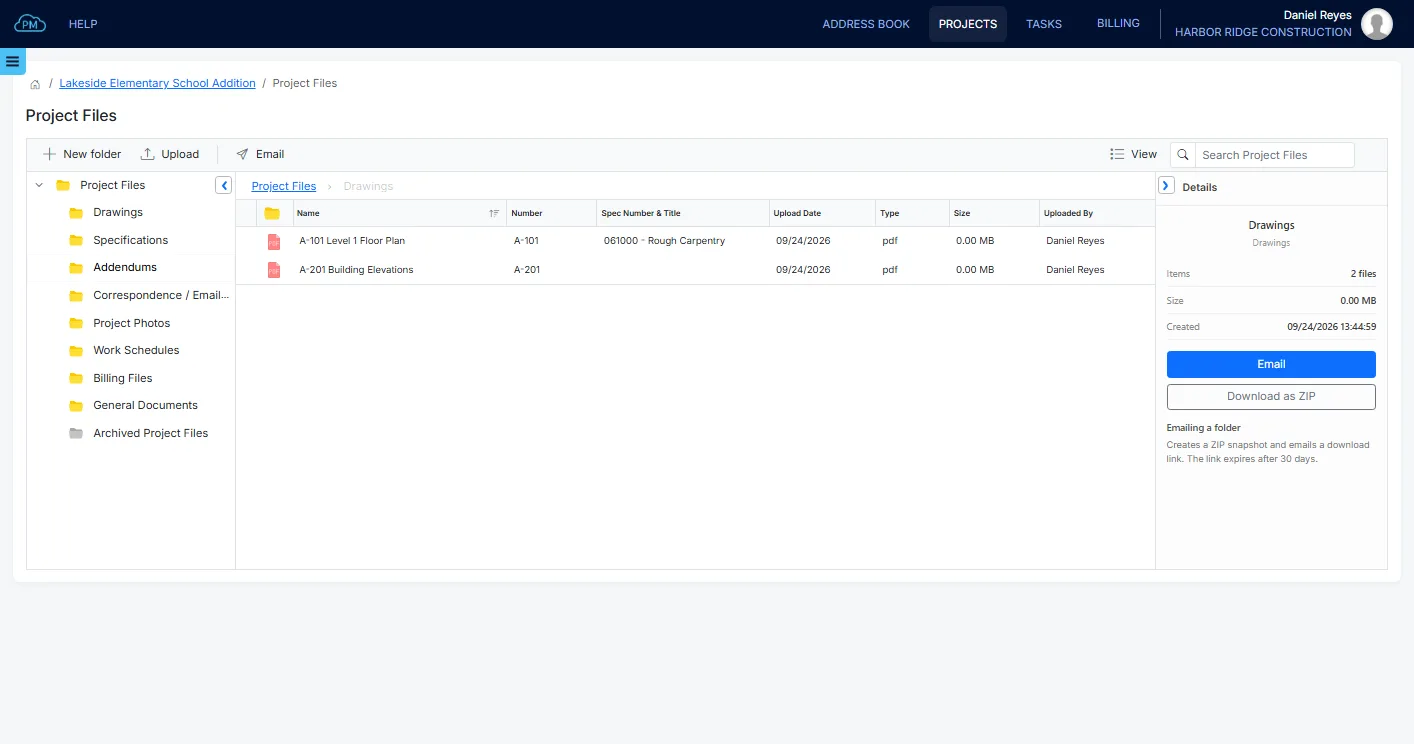
Each file in a folder shows its file number, spec section, upload date and the user who uploaded it. Site photos are shown as thumbnails. You can also email, download or edit a file from the Details panel.
Uploading Files to a Folder
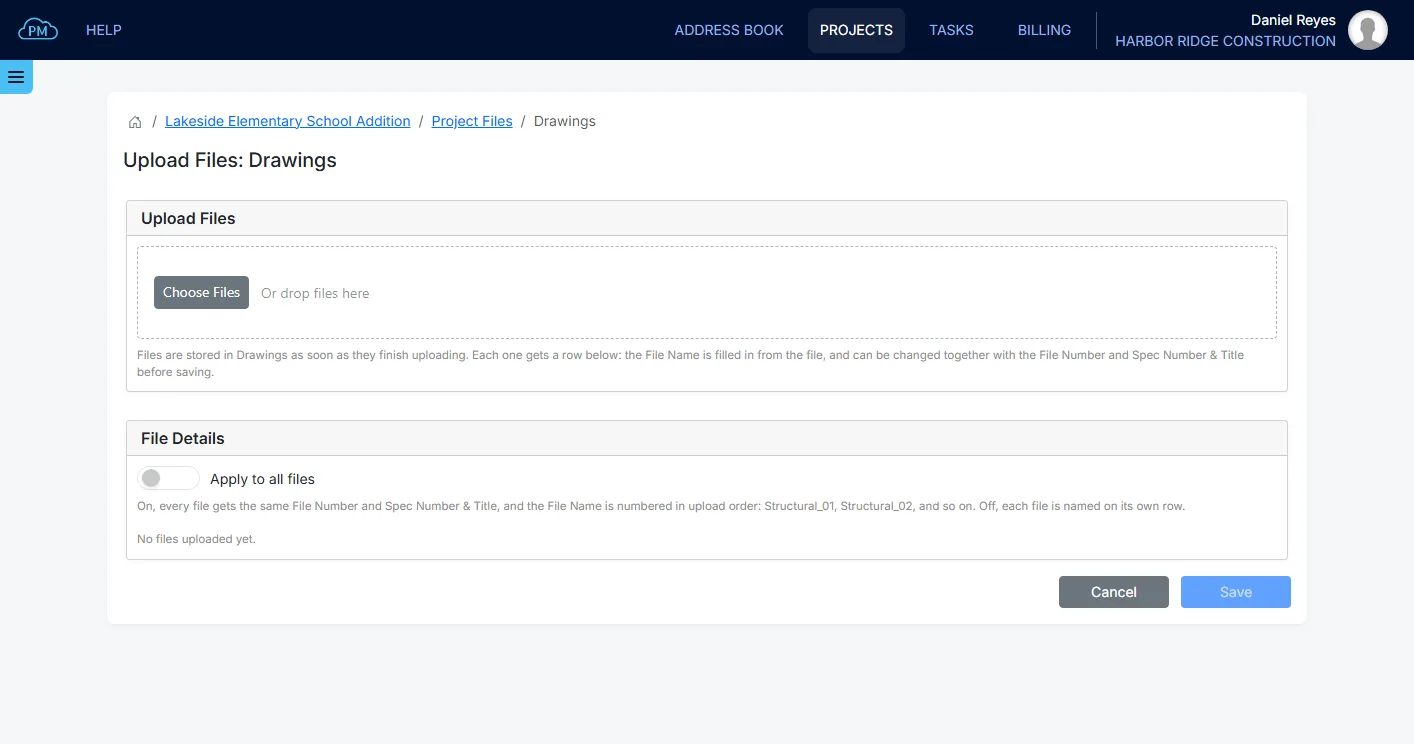
You can drag files into a folder, and Cloud PM saves each file as soon as it is uploaded. Every file gets a name, a file number and a spec section. When you upload many files at once, you can give them all the same file number and spec section.
Finding a File Anywhere in the Project
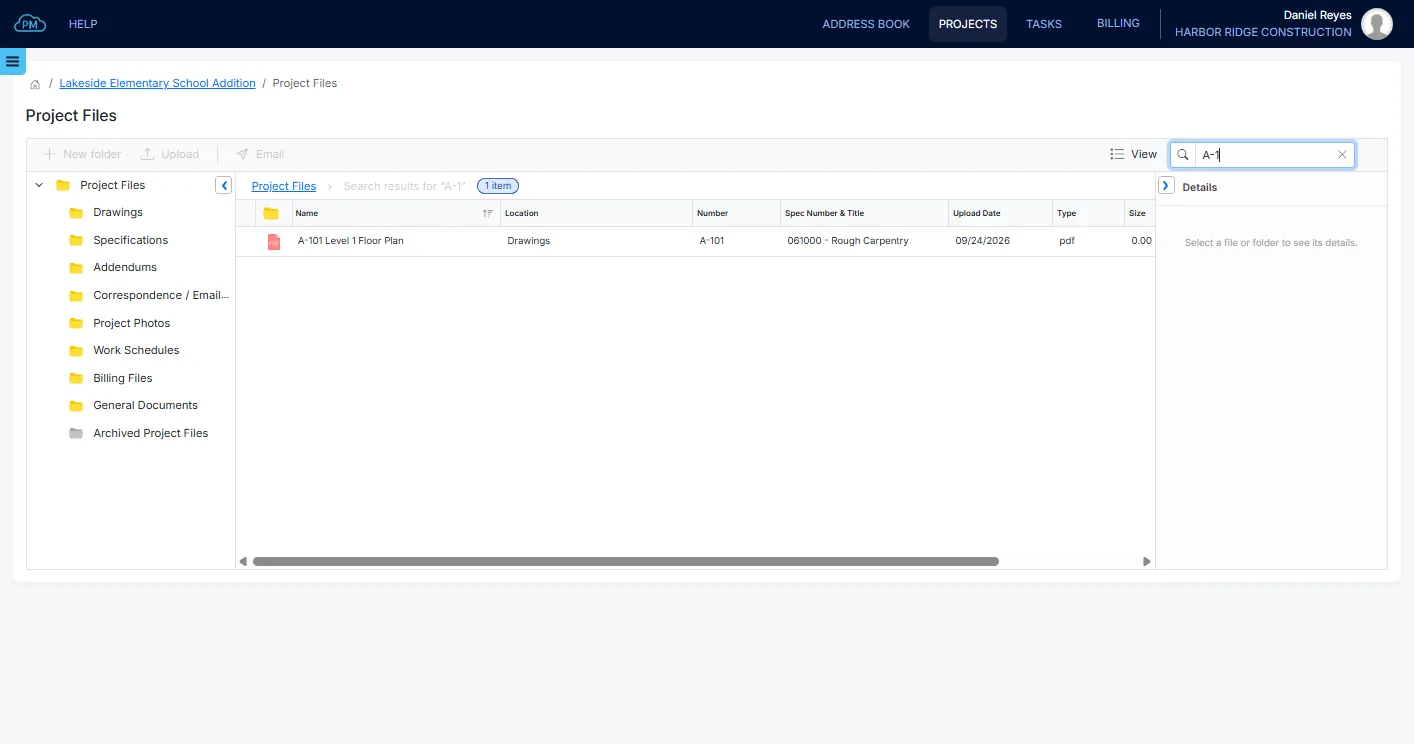
You can search all the folders in a project at once. The results show the folder where each file is saved, with its file number and spec section, and you can sort them by any column.
Sending Files
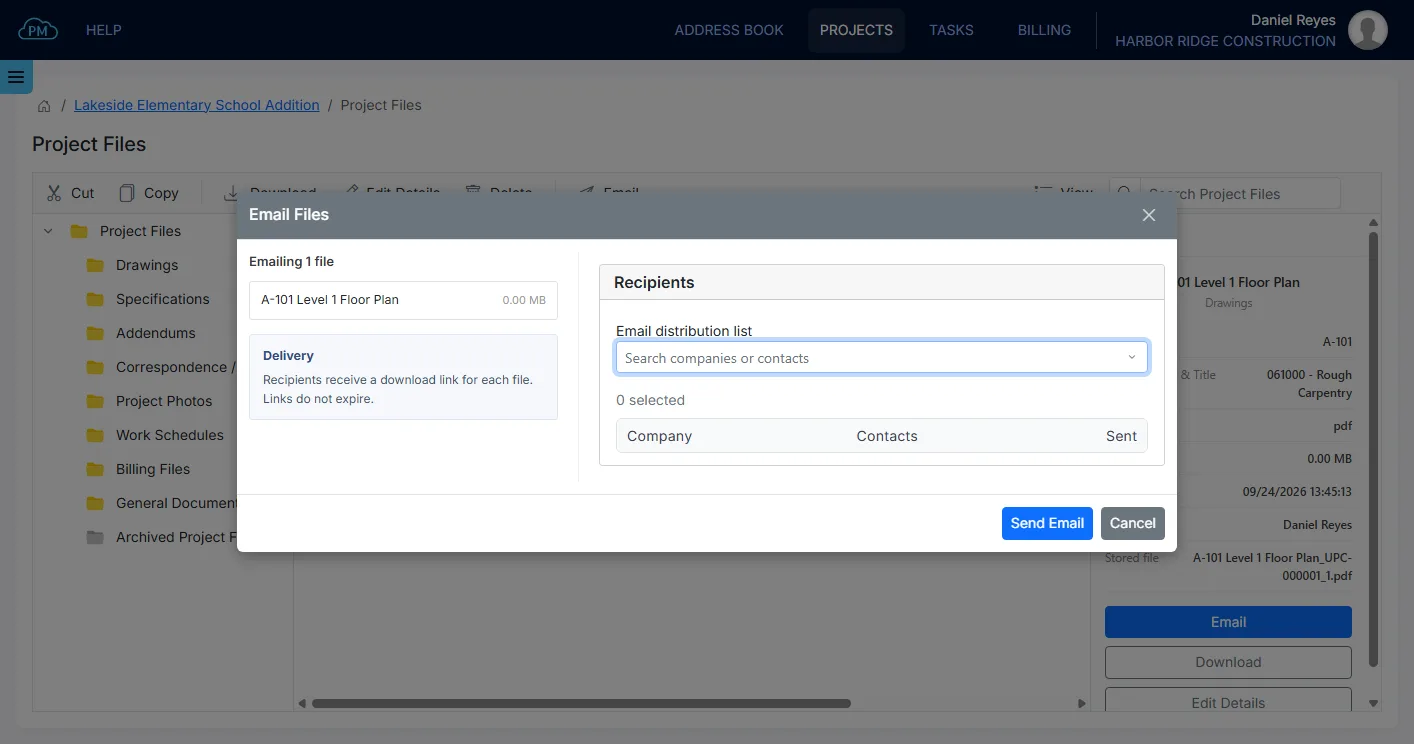
You can email files directly from the project, without downloading them first and without an attachment size limit. You select the recipients from the Project Directory, and Cloud PM records who received each file and when.
Emailing Files and Folders
Each recipient receives a download link for every file, and the links do not expire. When you email a folder, Cloud PM creates a ZIP file with a download link that is valid for 30 days. The recipients do not need a Cloud PM account to download the files.
Who Can See What
A Company Admin or the Project Admin sets the permissions for each user on each project. Each user can have Read, Write and Delete permission on each File Manager folder. You can give the other companies on the project access only to the folders they need.
Replacing a File With a New Version
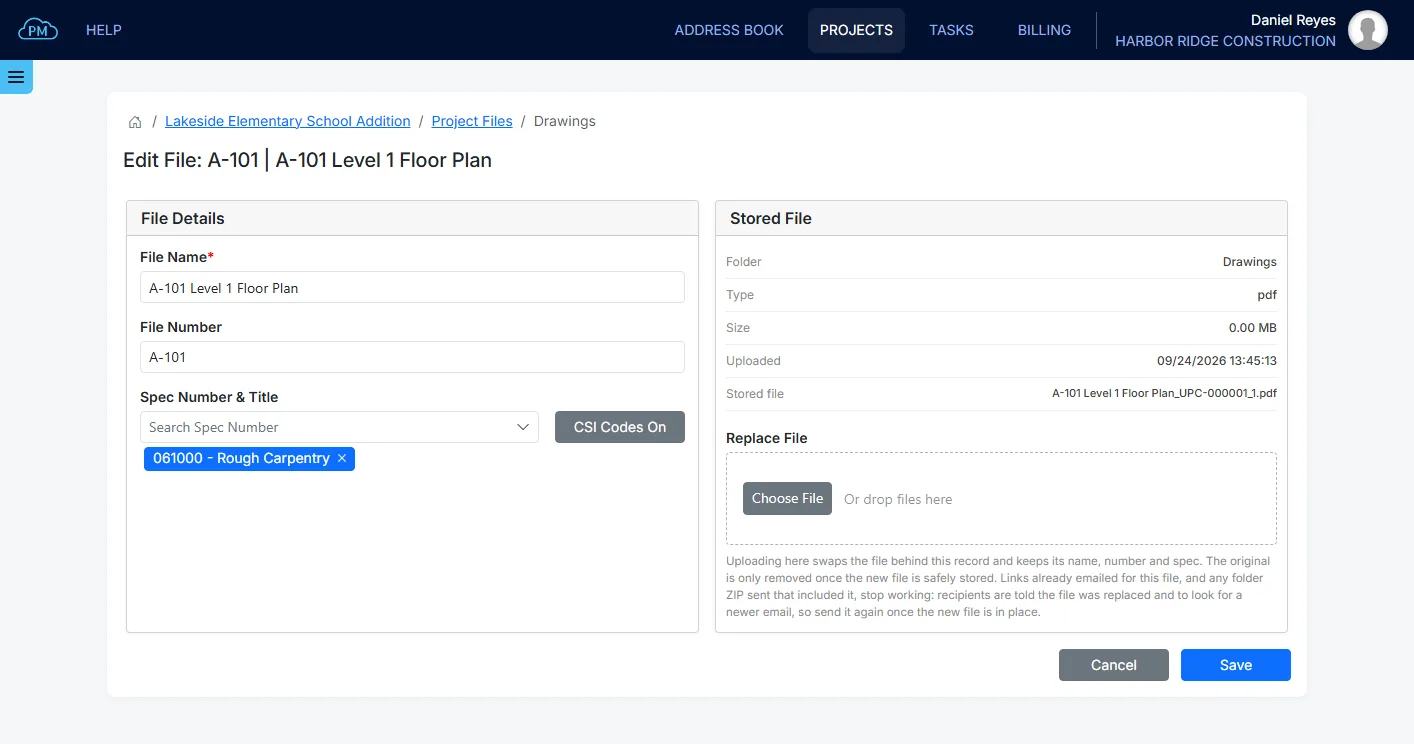
When you upload a revised drawing, it replaces the old file and keeps its name, file number and spec section. The folder always has the current version, without several copies of the same drawing. If you prefer to keep every version, you can upload the revised drawing as a new file, for example with "Rev B" in its name, and the earlier versions stay in the folder.
Why Choose Cloud PM for File Sharing
With Cloud PM, construction file sharing is part of each project. Your drawings and specifications are in the same project as the submittals, RFIs and daily reports, and you decide who can see them. The other companies on the project use Cloud PM free of charge, and plans start from $40 a month.
-
Links That Do Not Expire
Every file is sent as a download link that does not expire, so you do not have to send the same file twice. The recipients do not need a Cloud PM account.
-
Documents in the Same Project
Your drawings are in the same project as the submittals, RFIs and daily reports, so your team does not need a separate system for files.
-
Permissions You Control
You decide who can see each File Manager folder. Your users can have Read, Write and Delete permission on each folder, and the other companies on the project see only the folders you give them access to.
Construction File Sharing FAQ
Construction file sharing is storing, organizing and sharing project files between the companies working on the project. The drawings, specifications, photos and other documents are kept on a cloud platform, where the companies can download them or receive them by email. Access permissions control who can view, upload, edit or delete each file.
In Cloud PM, subcontractors can download the drawings from the folders you give them access to in the project's File Manager. You can also email the drawings from the project, and each subcontractor receives a download link that does not expire. Cloud PM records who received each drawing and when.
Yes. You set Read, Write and Delete permissions for each of your users on each File Manager folder. For other companies, what they can see depends on the permissions they have. A Company Admin or the Project Admin manages these permissions.
The files are stored in the project's File Manager. Every project has the same standard folders: Drawings, Specifications, Addendums, Correspondence and Emails, Project Photos, Work Schedules, General Documents and Archived Project Files. You can add your own folders inside them.