
Schedule of Values (AIA G703)
Cloud PM's schedule of values helps general contractors and subcontractors bill accurately on every payment application. You can track the progress of each item of work on the AIA G703, and Cloud PM calculates the totals, the balance to finish and the retainage automatically.

The AIA G703 Form
The AIA G703, also called the schedule of values or SOV, is the continuation sheet submitted with the G702 payment application. It lists each item of work in the contract with its scheduled value and the progress to date, so the owner and the architect can review every line before they approve the payment. With Cloud PM, every payment application has its own schedule of values, so you don't need a separate spreadsheet.
-
Line Item Values
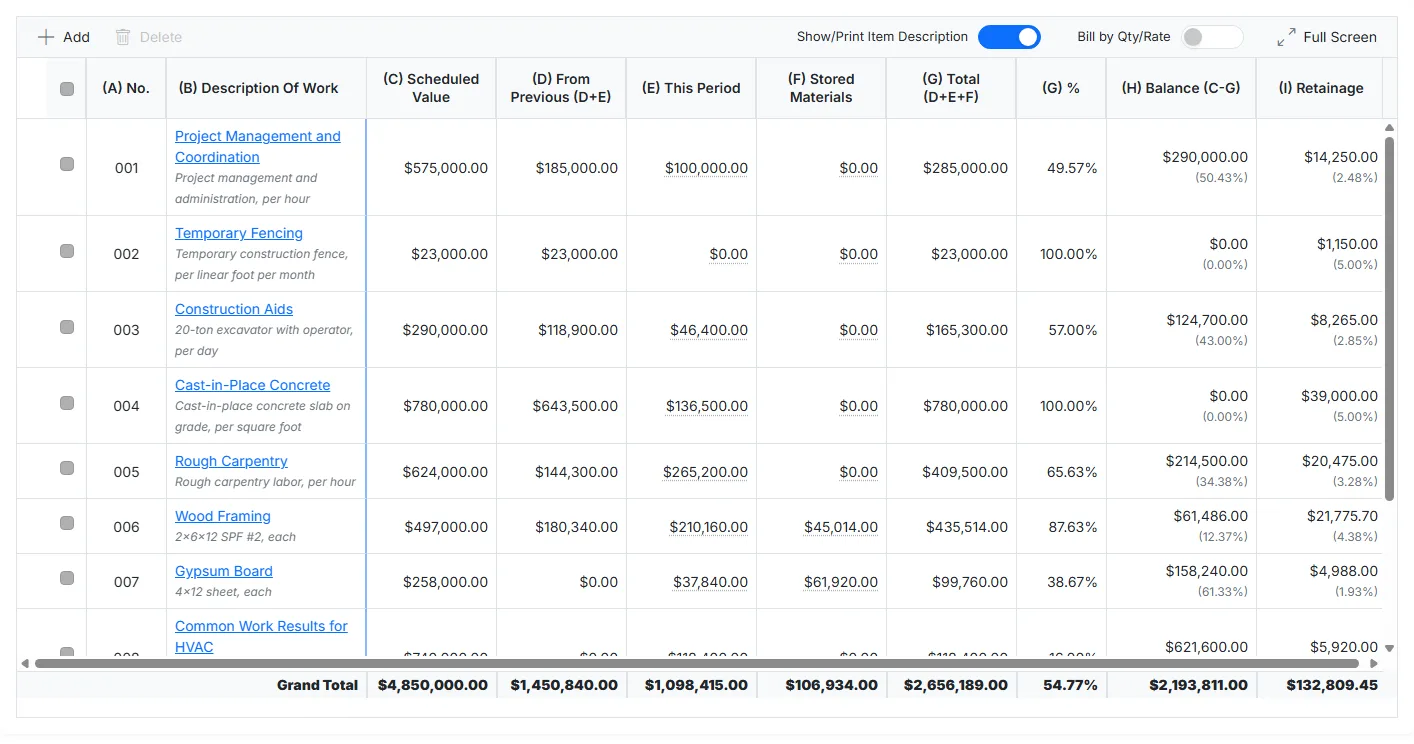
Each line shows the description of the work and its scheduled value, so the owner and the architect can easily check every amount.
-
Progress Line by Line
You can enter the work completed this period on each line, and Cloud PM calculates the balance to finish and the retainage automatically.
-
Four AIA Form Types
You can bill Contractor to Owner on the G702 and G703, Subcontractor to Contractor on the G702S and G703S, or use the Cost of Work forms, the G702CW or G702GMP with the G703CW.
The G703 Columns
The schedule of values in Cloud PM has the same columns as the G703, so what you see on the screen matches the form you send. When you enter the progress on a line, Cloud PM updates the totals, the percentage complete and the balance to finish automatically.
Building Your Schedule of Values
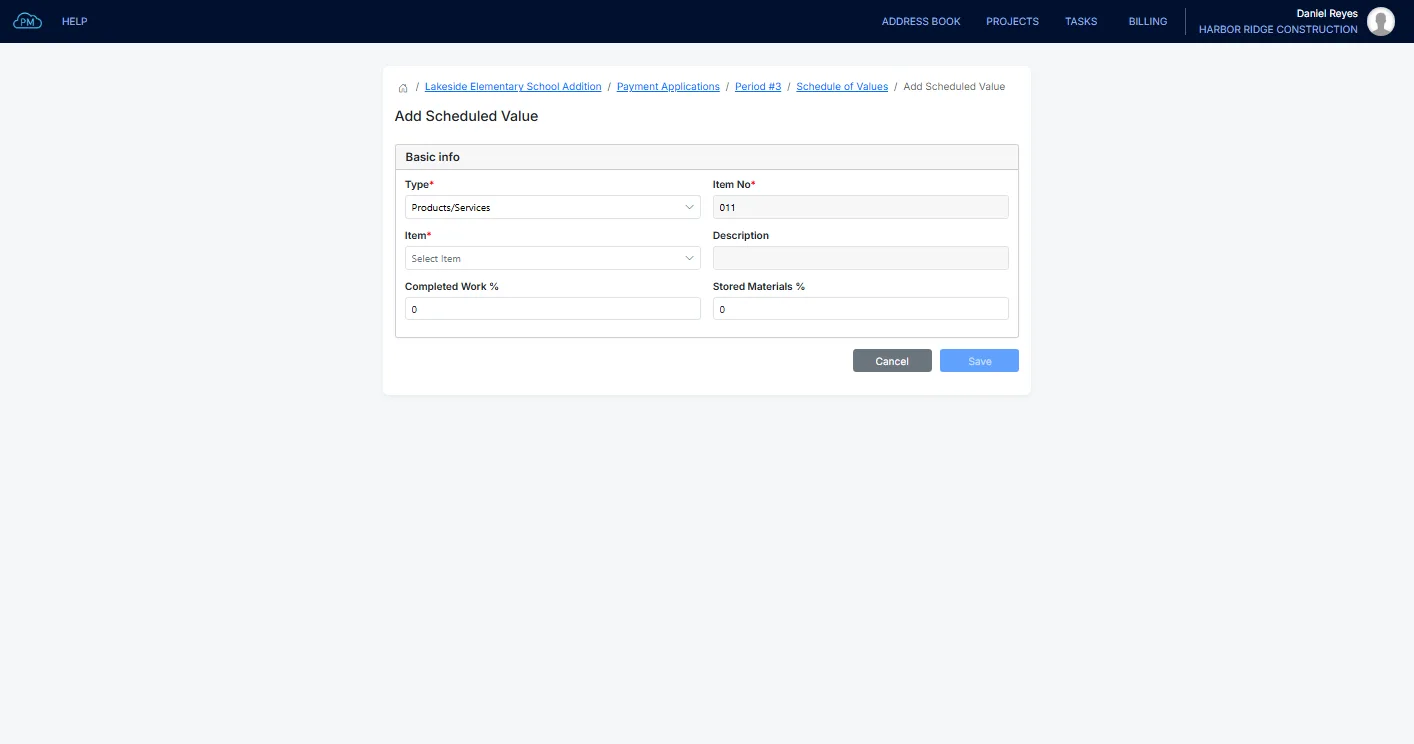
You can add each line by selecting a product or service, and Cloud PM enters the description and rate automatically. You can also combine several products and services, or a QuickBooks bundle, into a single line, so each trade has its own total. On the first payment application, you can import the schedule of values from a spreadsheet.
Billing by Quantity
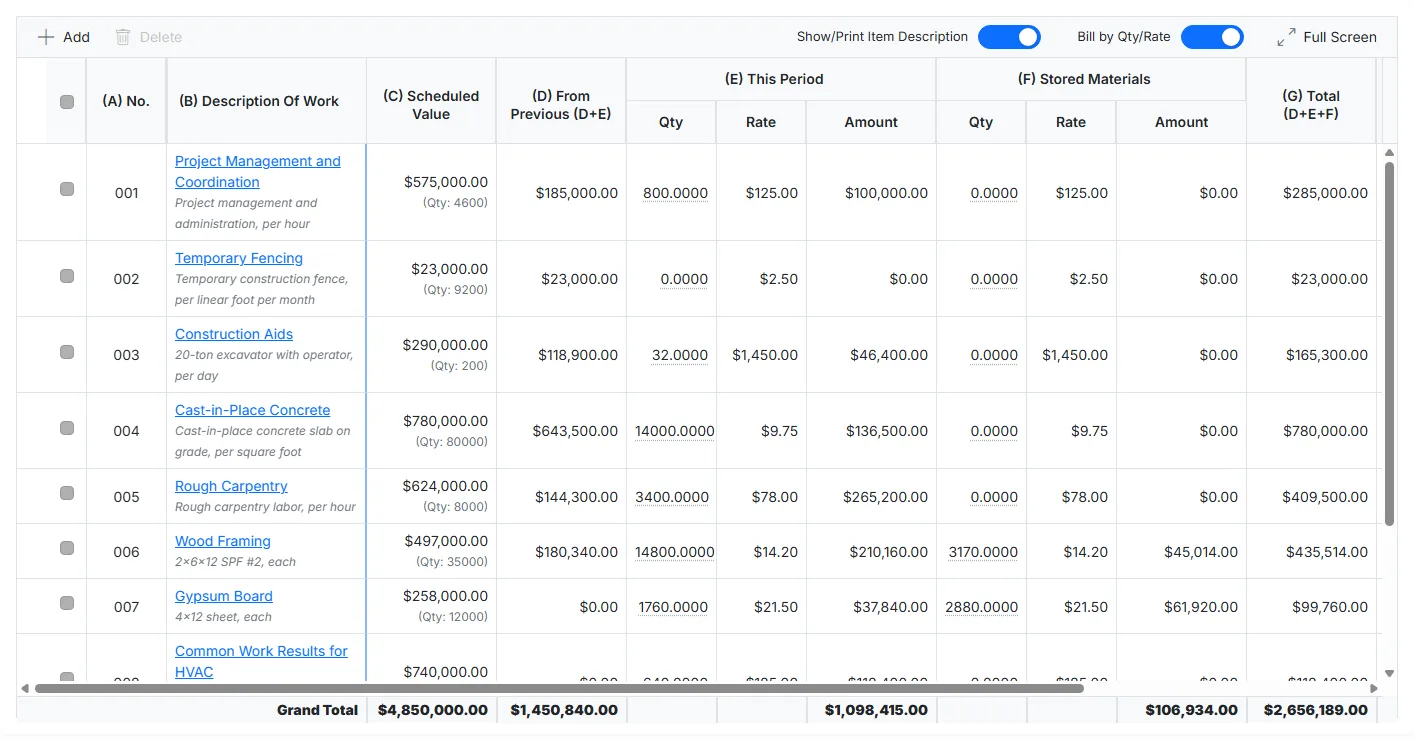
If a project is billed by the unit rather than by the amount, you can select Bill by Qty/Rate and enter the work completed and the stored materials as a quantity and a rate. Cloud PM then also shows the quantity left on each line.
From the Schedule of Values to the G702
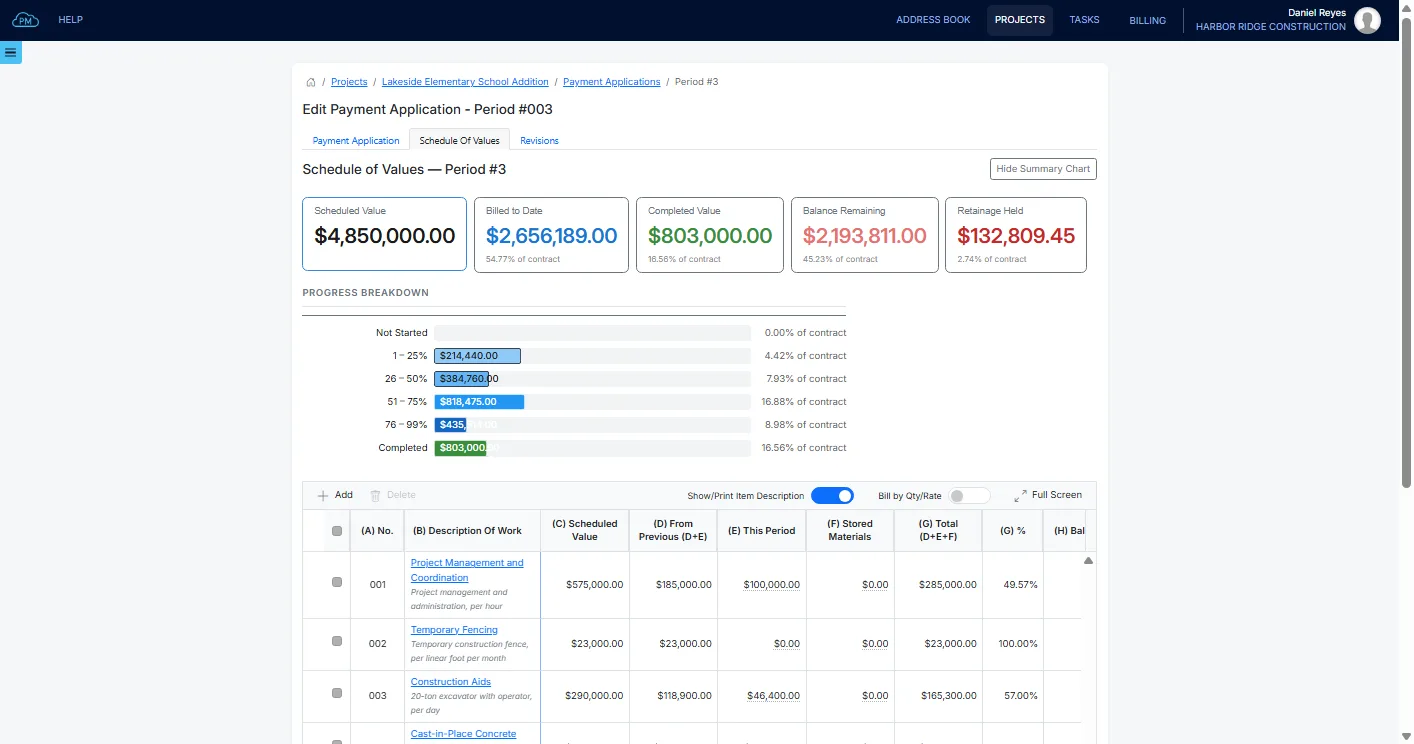
In Cloud PM, the schedule of values is part of the payment application, so the G703 total always matches the G702.
Contract Summary
In the contract summary, you can see the contract sum to date, including the change orders, and the work completed so far, so you always know how much of the contract has been billed.
Previous Periods
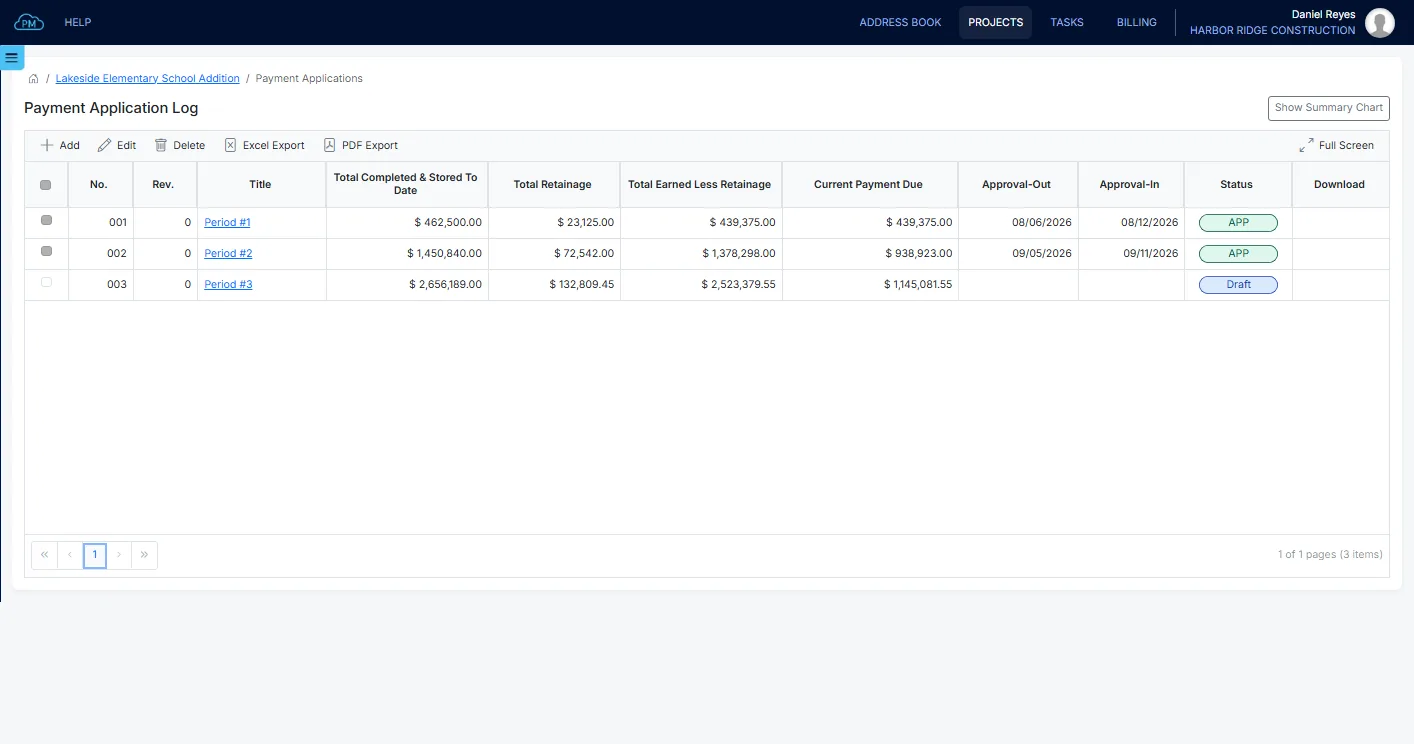
Each new payment application starts from the previous one, and Cloud PM moves the work already billed to the From Previous column automatically. You can also open any earlier payment application to see what was billed and the retainage held.
Why Choose Cloud PM for Your Schedule of Values
With Cloud PM, you don't need to copy a spreadsheet from one month to the next, which reduces errors and keeps your billing accurate. The AIA forms are available from the Advanced plan, from $60 a month. You can buy an AIA forms plan through Cloud PM, a licensed partner of AIA Contract Documents, or use your own subscription.
-
Previous Period Included
Each new payment application starts from the previous one, so no one has to retype last month's figures.
-
Your Own Rates
Each line is priced from your own products and services, so the invoice you export from the payment application shows the same amounts.
-
QuickBooks Online Sync
The invoice you export from a payment application syncs to QuickBooks Online if your company is connected, so your accountant doesn't need to enter it again.
Schedule of Values FAQ
A schedule of values is a document that breaks down the contract sum into individual items of work on a construction project. It is used to track the progress of each item and to calculate how much the contractor can bill on each payment application.
The AIA G703 is the continuation sheet that contains the schedule of values. It lists each item of work with its scheduled value, the work completed and the materials stored to date, the balance to finish and the retainage. It is always submitted with the G702.
The G702 is the application and certificate for payment, the form that requests the payment and carries the signatures. The G703 is the schedule of values that goes with it and shows how the G702 total is calculated, line by line.
Retainage is held on each line, on both the completed work and the stored materials, at the rates set on the payment application. The G703 shows the retainage held on each line, and the G702 shows the total retainage held.