
Payment Application (AIA G702)
Cloud PM's payment application module is designed to simplify the billing process on construction projects, from preparing your AIA G702 to submitting and tracking it. Cloud PM calculates the retainage and the current payment due from your schedule of values, and when the owner approves the application, you can export it to an invoice.
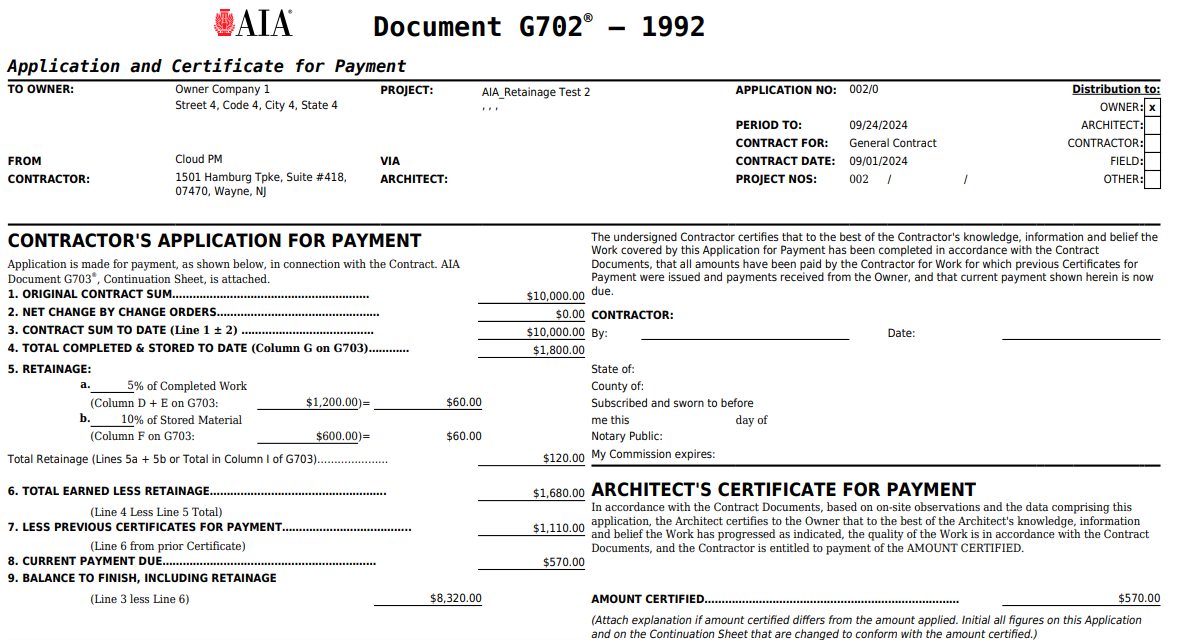
The AIA G702 Form
The AIA G702, Application and Certificate for Payment, is the form used to request payment for completed work, while the G703 schedule of values shows the value and progress of each item of work included in the payment application. In Cloud PM, the payment application and its schedule of values are part of the same record, so the two forms always match. Cloud PM is a licensed partner of AIA Contract Documents.
-
Four AIA Form Types
You can bill Contractor to Owner on the G702 and G703, Subcontractor to Contractor on the G702S and G703S, or use the Cost of Work forms, the G702CW or G702GMP with the G703CW.
-
Automatic Calculations
Cloud PM automatically calculates the retainage, the balance to finish and the current payment due, so you can reduce manual errors and you don't need a separate spreadsheet.
-
Previous Period Included
Each new payment application starts from the previous schedule of values, including the amounts already billed, so you don't need to copy last month's numbers by hand.
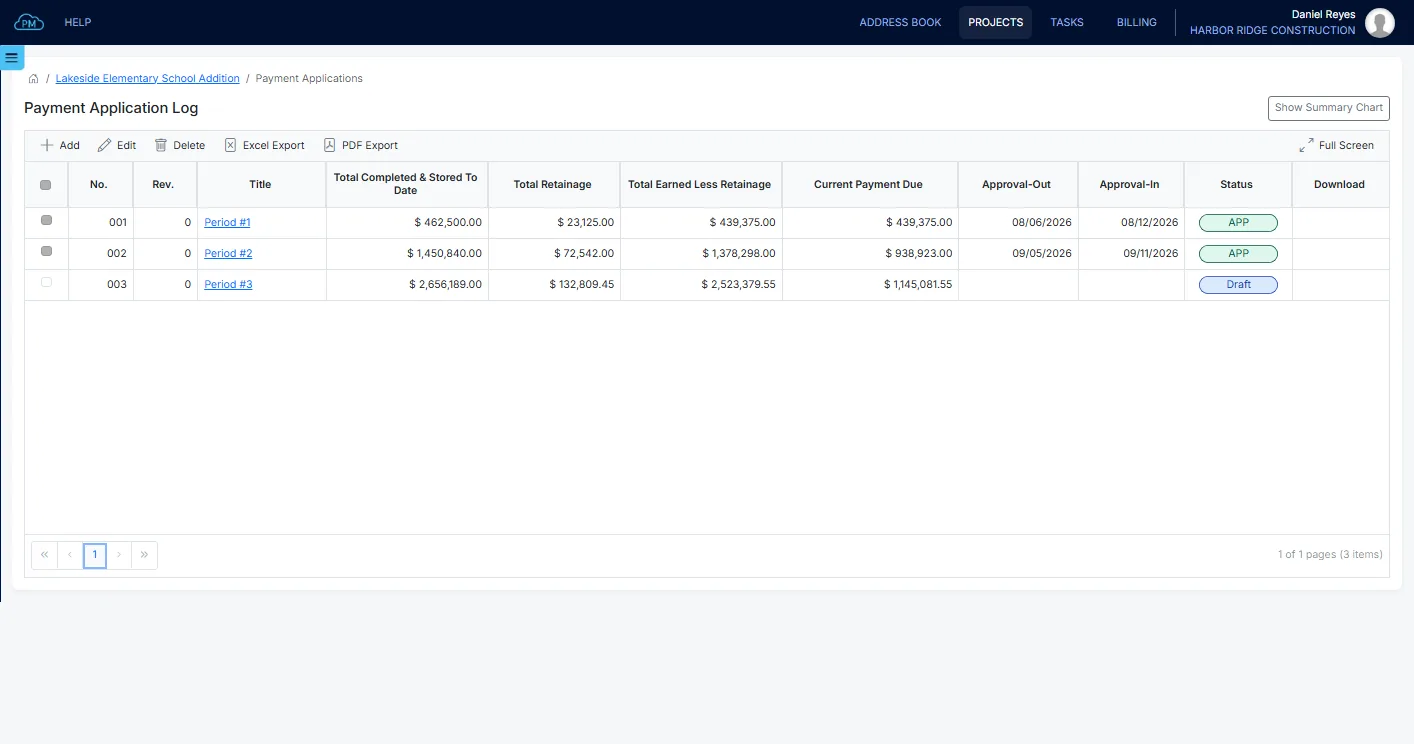
The Payment Application Log
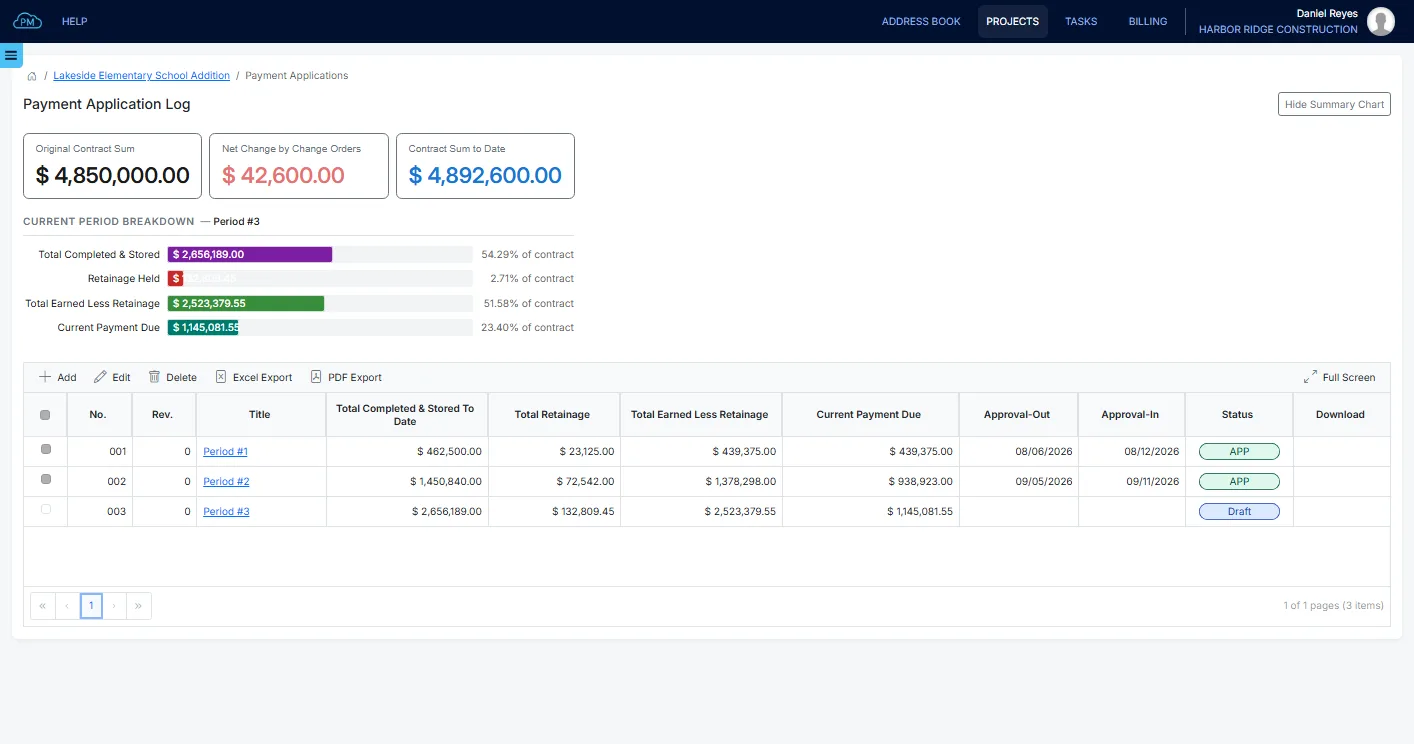
With the payment application log, you can track every application on the project, including the work completed and stored to date, the retainage held and the current payment due. You can also see when each one was sent for approval, when it was returned and its current status.
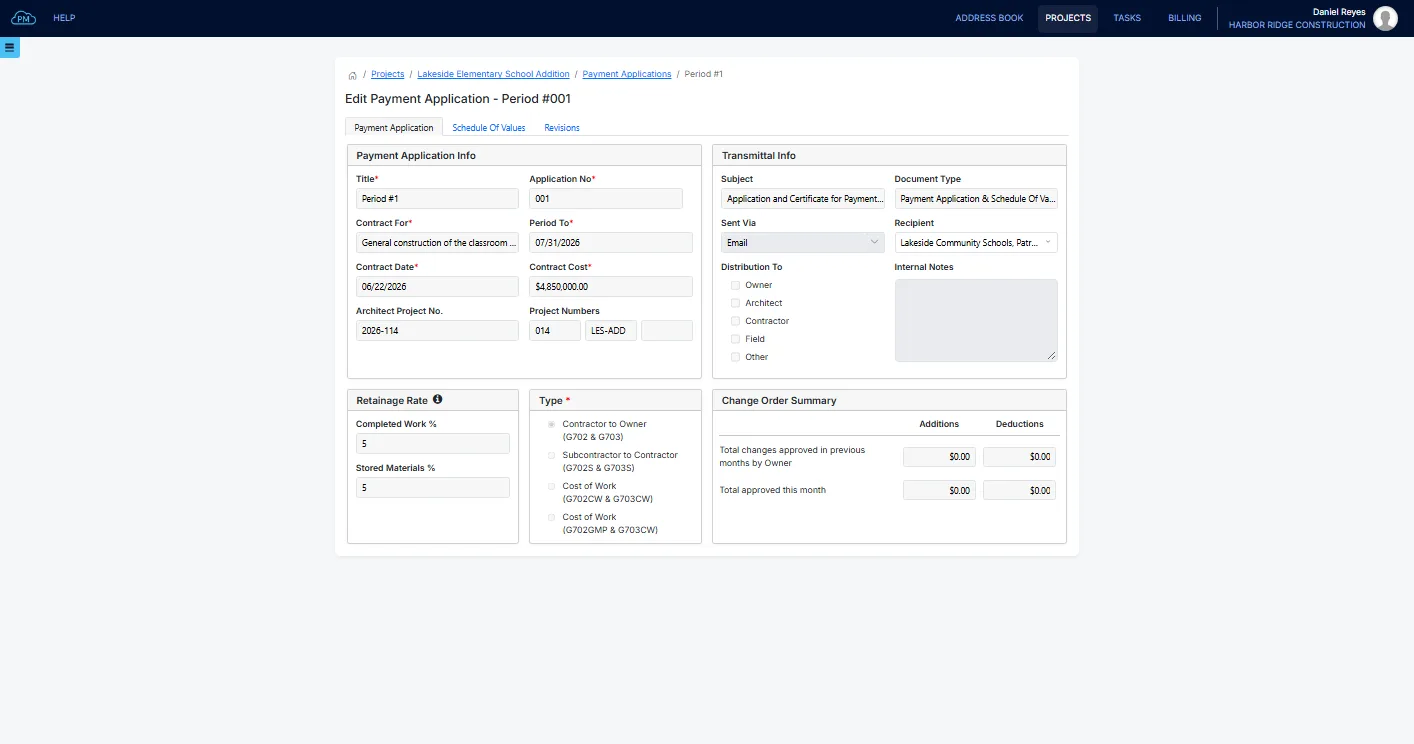
Setting Up a Payment Application
When you start a new application, Cloud PM enters the contract sum and the contract date from the project contract automatically. You only need to select the billing period, the retainage rates, the AIA form type and the distribution list for the transmittal. If the project has a default recipient, Cloud PM selects it automatically.
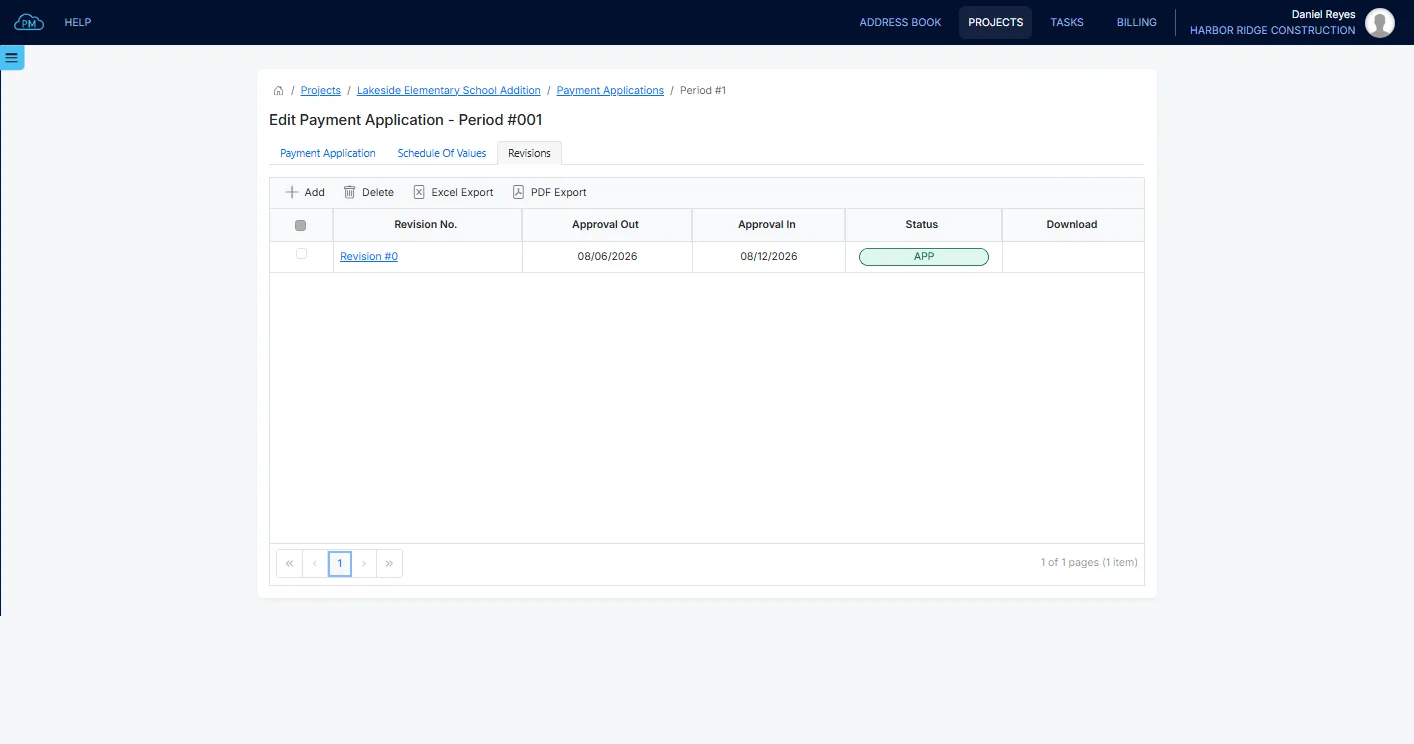
Revisions and Approvals
If a payment application is returned for changes, you can create a new revision and still keep the one you sent. Each revision keeps its own form, with the date it was sent for approval and the date it was returned.
Schedule of Values and Contract Summary
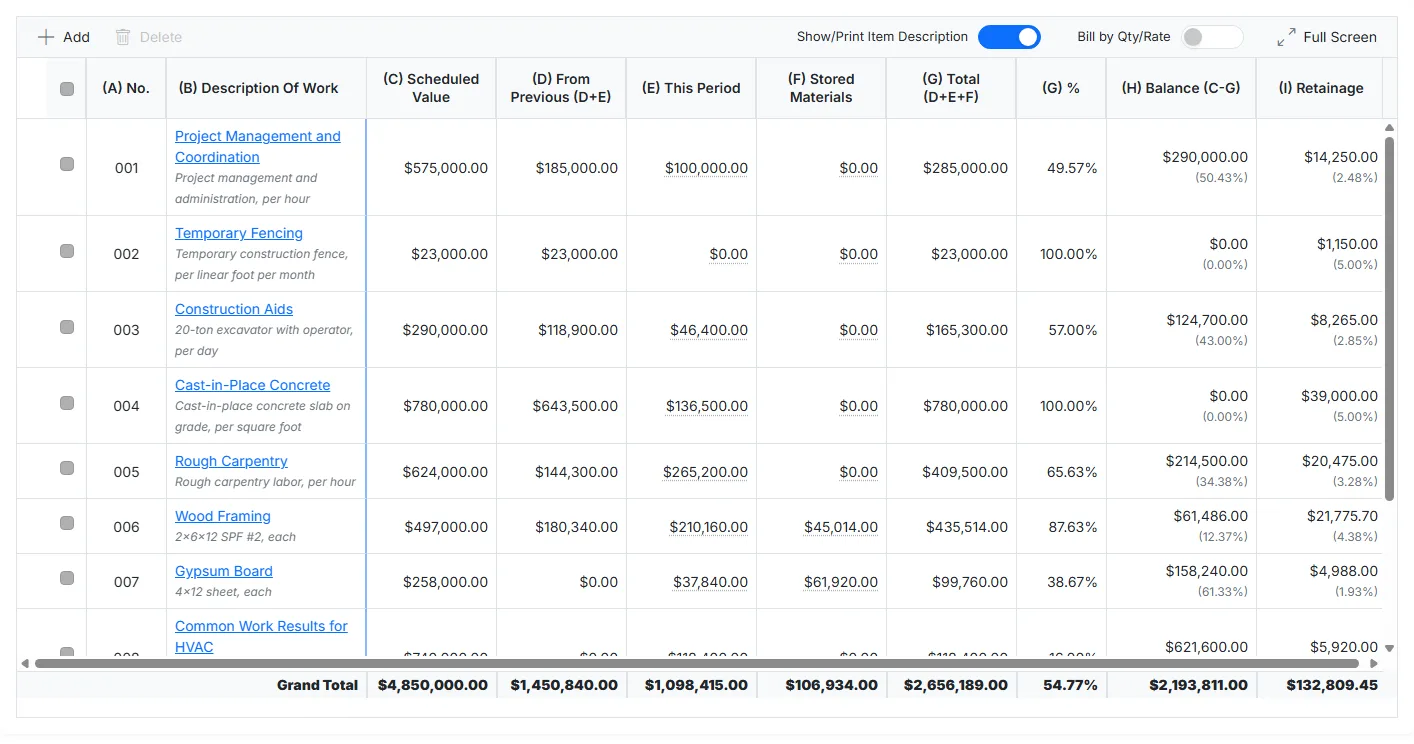
In Cloud PM, each application is built from the schedule of values and the project contract, so you don't need to enter the totals by hand.
The Schedule of Values
The G702 is a summary of the G703, and in Cloud PM the schedule of values is part of the payment application. When you enter the work completed on the schedule of values, the totals are updated automatically, so the two forms always match.
Contract Summary
You can enter the approved change orders in the Change Order Summary, and Cloud PM adds them to the original contract sum, so the G702 always shows the current contract sum to date.
Why Choose Cloud PM for AIA Payment Applications
Most payment application errors happen when numbers are copied by hand from one month to the next. With Cloud PM, each application is built from the previous one and from the project contract, which saves time and reduces manual errors. Payment applications are included in the Advanced plan, from $60 a month, and the AIA forms are a separate subscription based on the number of projects per year.
-
Accurate Totals
The current payment due is calculated from the schedule of values, so the numbers always match when the architect reviews them.
-
Every Revision Is Kept
Each revision keeps the form you sent, with the dates it was sent and returned, so you can always show what you submitted and when.
-
QuickBooks Online Sync
When you export an approved payment application to an invoice, the invoice syncs to QuickBooks Online if your company is connected, so your accountant doesn't need to enter it again.
AIA Payment Application FAQ
The AIA G702, the Application and Certificate for Payment, is the standard form a contractor uses to request payment from the owner for the completed work. It shows the contract sum, the total completed and stored to date, the retainage held and the current payment due. It is signed by the contractor, certified by the architect and issued with the G703 continuation sheet.
The G702 is the application and certificate for payment, the form that requests the payment and carries the signatures, while the G703 is the schedule of values that lists each line of work in that total. The two forms are always submitted together.
An application for payment is the formal request a contractor makes for the payment earned in a billing period. It shows the work completed to date against the contract, less the amounts already paid and the retainage held. The owner and the architect review it on a standard form, such as the AIA G702.
Retainage is held as a percentage of the completed work and the stored materials. In Cloud PM, you can set the retainage rates on the payment application and change them on each line of the schedule of values, and the G702 shows the retainage held and the total earned less retainage.